Linux on Your iPhone? iSH Makes the Impossible Possible!
Have you ever been on the road with only your iPhone at hand, needing to quickly check something on a server, run a script, or just tinker in a familiar Linux environment? Until recently, this seemed like something out of science fiction or required complex workarounds. But what if I told you that you now have a full-fledged Linux shell right on your iOS device? Meet iSH, a project that breaks stereotypes and opens new horizons for mobile development and system administration.
What is iSH and Why Does a Developer Need It?
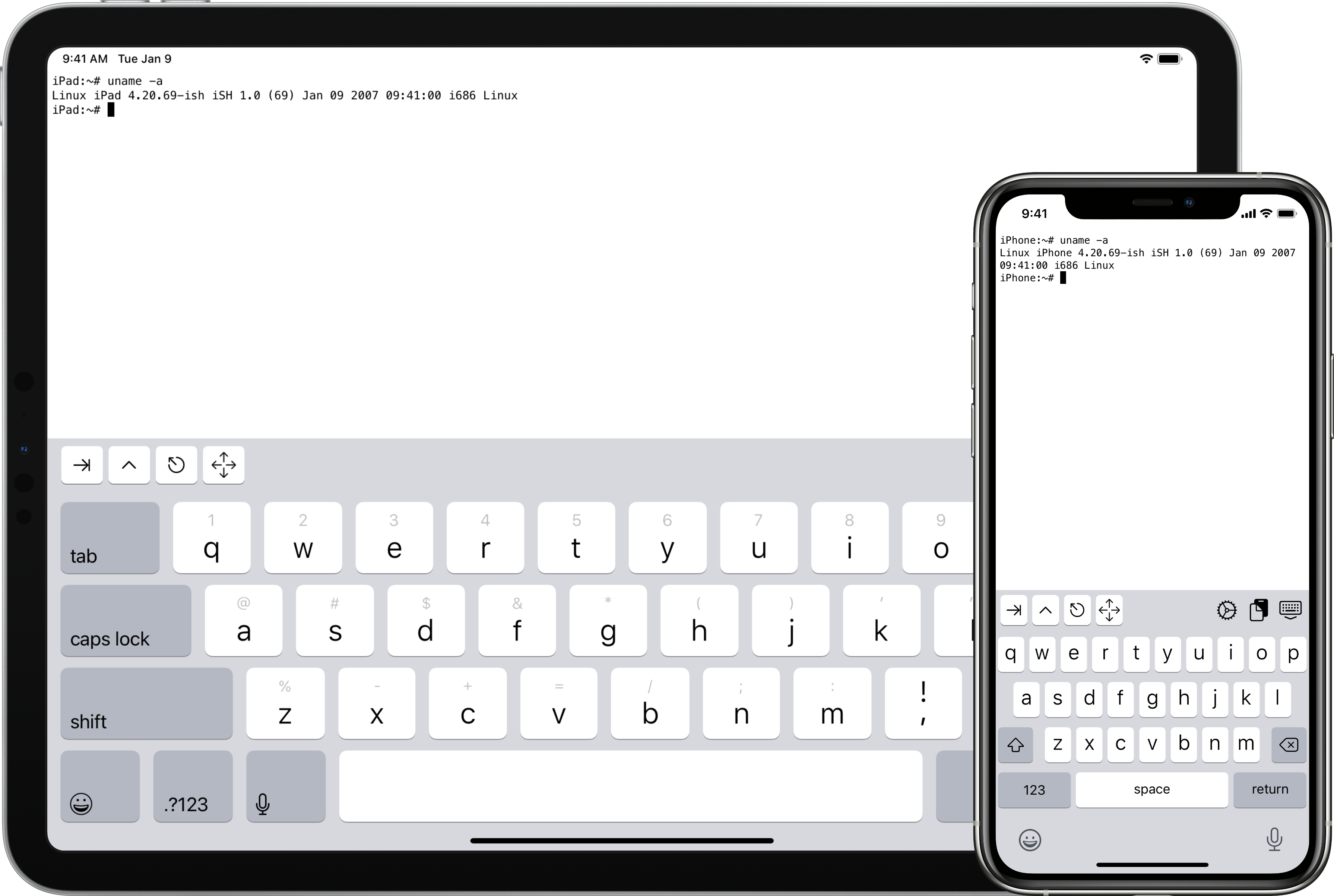
Imagine your iPhone or iPad transforming into a miniature, yet powerful Linux computer. That's exactly what iSH does. It's not just a terminal emulator that connects to a remote server. No, iSH runs a full-fledged Linux environment (Alpine Linux by default) right on your iOS device, using x86 processor emulation in user mode and system call translation.
Who would benefit from this?
- Mobile developers: For quickly testing scripts, working with Git, or even running lightweight build tasks without switching to a desktop.
- System administrators: For on-the-fly access to familiar Linux utilities, SSH connections, and basic diagnostics when there's no laptop at hand.
- Students and enthusiasts: A great way to learn Linux, experiment with the command line, and install various packages without fear of breaking your main system.
- Anyone who values freedom: The ability to have a full-fledged environment for working with code and systems, wherever you are.
Key Features: Your Pocket-Sized Linux Server
iSH is not a toy but a serious tool with an impressive set of features:
1. Full-Fledged Alpine Linux Environment
You get access to the familiar Linux world with its file system, package manager apk, and all standard utilities. Want to install Python, Git, Node.js, or even Vim? Go ahead! Everything works as you're used to on "big" Linux. This opens the door to running scripts, compiling code, and managing files right from your mobile device.
2. Full-Featured Command Line with No Restrictions
Forget the limited capabilities of standard iOS apps. iSH provides a full bash shell where you can use ls, cd, grep, awk, sed, and thousands of other commands. This lets you feel at home, even when far from your desktop.
3. Easy Installation and Accessibility
The project is available right in the App Store, making installation incredibly simple. If you like to be on the cutting edge, you can join beta testing through TestFlight and get the latest updates and features. This is very convenient since you don't need to go through complex jailbreak procedures or install third-party app stores.
4. Developer and Debugging Tools
For those who want to dive deeper into the project or even contribute, iSH offers source build capabilities and debugging. You can compile the project on macOS or Linux, set up the Alpine Linux environment, and even use special utilities like ptraceomatic for step-by-step debugging and register comparison. This is a true gift for researchers and hackers!
Under the Hood: How Does It Work?
The most interesting part begins when we try to understand how iSH manages to run Linux on iOS. After all, iOS devices run on ARM processors, while the Linux distributions we're used to seeing are usually compiled for x86.
x86 user-mode emulation: iSH solves this problem by emulating an x86 processor. But not just emulating! The project author went further, creating a unique "interpreter" that doesn't generate machine code directly (like JIT compilers), but creates an array of function pointers called "gadgets." Each such "gadget" ends with a tail call to the next function. This technique, similar to "threaded code" in some Forth interpreters, provides a significant performance boost — roughly 3-5 times faster compared to simpler emulation methods.
System calls and their translation: In addition to CPU emulation, iSH also handles system call translation. When a Linux application tries to make a system call (for example, to open a file or allocate memory), iSH intercepts it and converts it to the corresponding iOS system call so the operating system can process it. This is complex and painstaking work that allows Linux applications to "think" they're running in a familiar environment.
A bit about "hacking" and the pain: The README author honestly admits that most of these "gadgets" are written in assembly. And, in his words, this was "a terrible decision in terms of readability, maintainability, and his sanity." He even warns that "prolonged exposure to this code may cause loss of sanity, nightmares about GAS macros and linker errors." This is, of course, a joke, but it perfectly illustrates the complexity and depth of the project, as well as its creator's passion. Such details, by the way, always earn respect for the developer.
For debugging and deep analysis, iSH provides various logging channels, such as strace (for system calls) and instr (for each executed emulator instruction), which is incredibly useful during development and troubleshooting.
Where Can This Be Applied? Use Cases
Let's think about how iSH can make your life easier:
- Quick Python/Node.js scripts: Forgot to run a script that was supposed to work all night? Or need to quickly write a small parser? Now you can do it right from your phone.
- Remote administration: SSH clients for iOS exist, but iSH gives you a full environment with
tmux,screen,vim, ornanofor comfortable work with remote servers. - Code versioning with Git: Need to urgently make a commit, check repository status, or switch branches? Git is available right in iSH.
- Learning Linux: For beginners, this is an ideal "sandbox." You can experiment with commands, install and remove packages without fear of harming your main system.
- Development on the go: Of course, you won't get a full IDE, but for editing configs, making small code changes, or even building simple projects, iSH works just fine.
Conclusions: Is It Worth Trying?
Absolutely, yes! iSH is not just an app — it's an entire world of Linux that fits in your pocket. It's a project that demonstrates incredible ingenuity and engineering mastery. It solves a real problem by providing developers and system administrators with the freedom and flexibility that was so lacking on iOS.
If you:
- Travel frequently and need access to a Linux environment.
- Want to learn Linux and experiment without risk.
- Are looking for a way to extend your iPhone or iPad capabilities.
- Simply love cool technical solutions.
Then iSH is what you need. Download it from the App Store, join the Discord community, and discover new dimensions of mobile productivity. Who knows, maybe iSH will become your indispensable helper in the most unexpected situations! Remember that this is an active project, and it's constantly evolving, so keep an eye on updates and don't hesitate to contribute.
Related projects