ptSh — When Functionality Meets Aesthetics in the Terminal
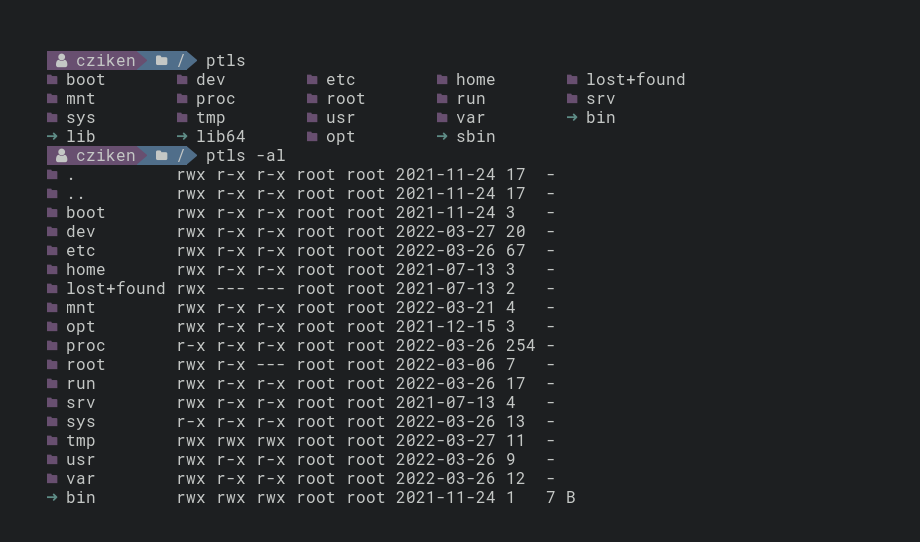
Meet the Terminal Utilities with Character
Spending hours in the terminal, many of us have dreamed of a more pleasant visual experience. Standard ls, cp, and pwd get the job done, but look... let's say, utilitarian. This is exactly the problem ptSh solves — a set of customizable utilities that preserve all the power of GNU coreutils while adding visual appeal.
What Can ptSh Do?
The project is in beta testing, but already offers three main commands:
ptpwd— a replacement for standardpwdwith customizable outputptls— an alternative tolswith color formatting and iconsptcp— a visually improved version of thecpcommand
The main feature of ptSh is a single configuration file for all utilities. This means you configure the style once, and all commands will look equally harmonious.
Why Will Developers Love ptSh?
- Simplified visual parsing — color schemes and icons help you find the information you need faster in command output
- Work environment personalization — you can create a unique style for your terminal
- Compatibility with existing workflows — commands work just like their standard counterparts, they just look better
Technical Features
The project is written in C and distributed under the MIT license. Installation is available through AUR for Arch Linux users or directly from the GitHub repository.
# Пример установки через AUR
yay -S ptsh
Who Will Find It Particularly Useful?
- Developers who spend a lot of time in the terminal
- System administrators who value convenience and clarity
- Everyone who's tired of the monotonous output of standard utilities
Try It or Wait?
Although the project is still in beta and offers a limited set of commands, you can already confidently try it out. 538 stars on GitHub and an active user community indicate that ptSh isn't just an experiment, but a serious tool for daily use.
Want to make your terminal not only powerful but also beautiful? PtSh is a great way to get started.
Related projects