Autonomous AI Assistant on ESP32 Board for $5
Typically, running an autonomous AI agent like OpenClaw requires deploying a Docker container on a server, installing Node.js, or keeping a persistent process on a Raspberry Pi. The MimiClaw project takes a different approach. The authors removed Linux, Python, and heavy frameworks, rewriting the agent logic in pure C for the ESP32-S3 microcontroller.
The chip, roughly the size of a thumb drive, draws about 0.5W and runs off a standard USB port. Despite its compact form factor, it accommodates a complete agent loop, local storage, and Telegram integration.

How It Works
The operation is straightforward. You send a message to the Telegram bot. The ESP32-S3 board receives the request over Wi-Fi, passes it to the ReAct agent loop, and communicates with either the Anthropic Claude or OpenAI GPT API.
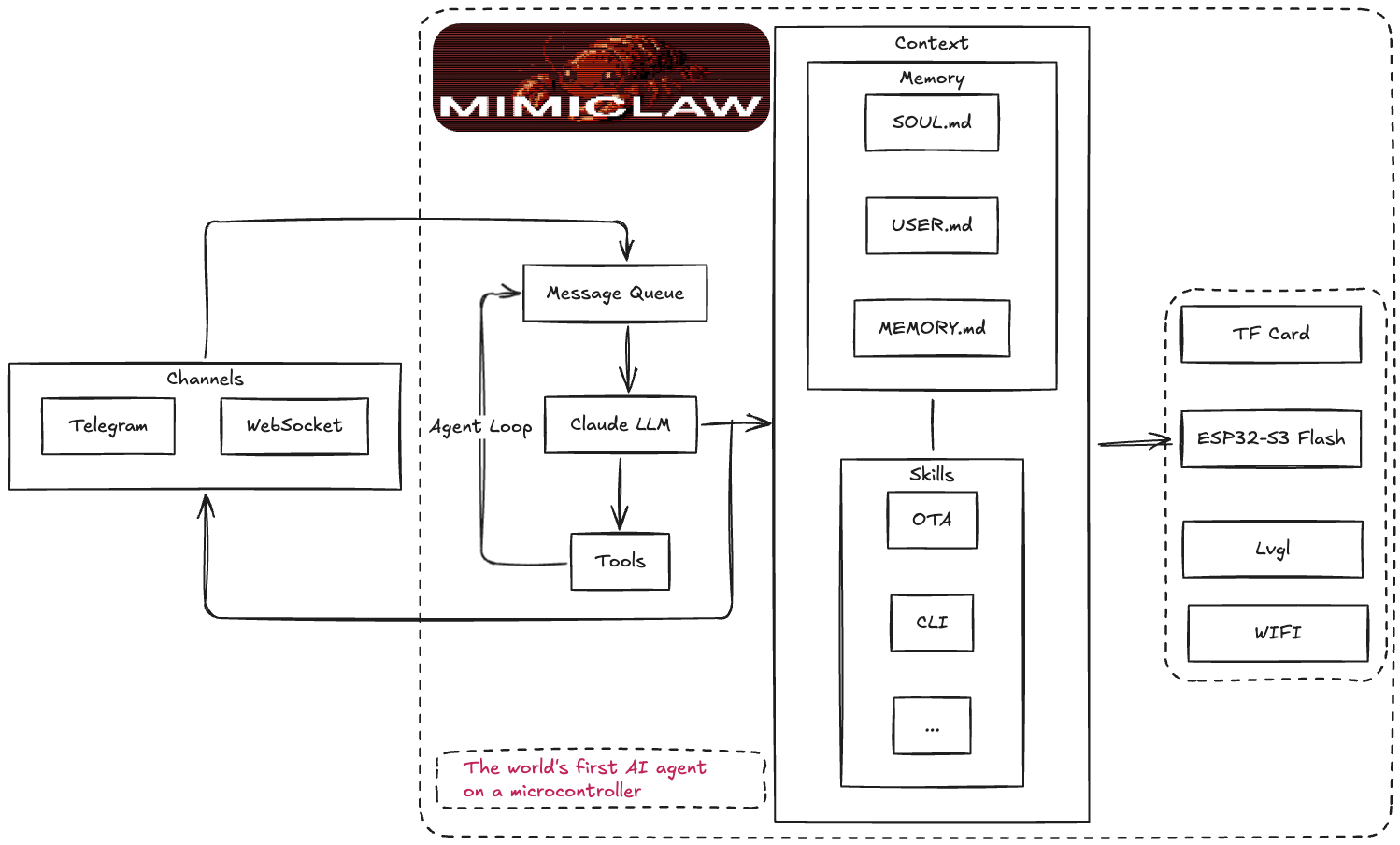
The model reasons through the task, calling available tools as needed: web search, precise time retrieval, or a task scheduler. The response goes back to the chat, and the context is saved to the microcontroller's flash memory.
Memory and Autonomy
MimiClaw stores all data in the SPIFFS filesystem right on the chip. Memory is structured as plain text files:
SOUL.mddefines the bot's personality and behavior rulesUSER.mdstores information about the owner and their preferencesMEMORY.mdhandles long-term memories that survive rebootsHEARTBEAT.mdcontains a list of background tasks for regular checking
Every 30 minutes, a built-in service reads HEARTBEAT.md. If there are unchecked items, the agent wakes up autonomously, executes the task, and sends a report. Additionally, the AI can plan one-time or recurring tasks through the cron_add tool, saving them to cron.json.
Setup and Launch
To build, you'll need an ESP32-S3 board with 16 MB Flash and 8 MB PSRAM (for example, Xiaozhi AI board) and the ESP-IDF framework version 5.5 or newer.
First, clone the repository and set the target platform:
git clone https://github.com/memovai/mimiclaw.git
cd mimiclaw
idf.py set-target esp32s3
The project has a two-level configuration. Base parameters are set at build time in the main/mimi_secrets.h file:
#define MIMI_SECRET_WIFI_SSID       "YourWiFiName"
#define MIMI_SECRET_WIFI_PASS       "YourWiFiPassword"
#define MIMI_SECRET_TG_TOKEN        "123456:ABC-DEF1234ghIkl-zyx57W2v1u123ew11"
#define MIMI_SECRET_API_KEY         "sk-ant-api03-xxxxx"
#define MIMI_SECRET_MODEL_PROVIDER  "anthropic"
After that, compile and flash:
idf.py fullclean && idf.py build
idf.py -p /dev/ttyACM0 flash monitor
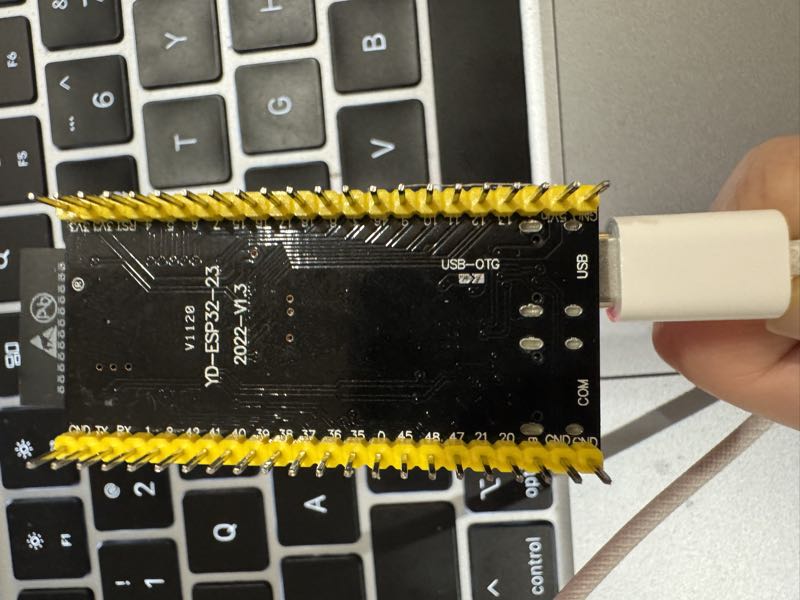
When flashing, make sure to connect the cable to the port labeled USB (native USB Serial/JTAG), not COM (UART bridge). Otherwise, idf.py won't be able to load the binary.
Settings can also be changed without reflashing. The REPL console over the serial port provides access to NVS memory parameters:
mimi> set_api_key sk-ant-api03-...
mimi> set_model gpt-4o
mimi> memory_read
mimi> heap_info
Available Tools
The agent supports function calling (tool calling) for Anthropic and OpenAI models. The current version implements five basic tools:
web_searchsearches for fresh information online via Tavily or Brave Searchget_current_timerequests precise time via HTTP and updates the system clockcron_add,cron_list, andcron_removeallow the AI to manage its own schedule
Real Benefits and Limitations
MimiClaw demonstrates that a personal AI assistant doesn't require home servers or paid cloud VMs. LLM computations still happen on OpenAI or Anthropic servers, so you'll need API keys and network access. However, all the supporting infrastructure, local memory, and autonomous scheduling run right on the $5 chip.
The project is useful for embedded developers and DIY electronics enthusiasts who want to build an autonomous device with minimal power consumption.
Proyectos relacionados