How to run a full-featured work terminal with AI agents right in your browser
Sometimes you need to quickly fix a crashed service from a tablet on the go or check logs on a laptop that doesn't have your usual SSH keys set up. Usually, this means suffering through mobile terminals, stumbling over clunky key input, and re-establishing sessions that dropped when the connection broke.
Recently stumbled upon Tabminal. The developer built a web terminal that tackles two problems at once: maintaining persistent server sessions while combining traditional shell access with the ACP protocol for working with autonomous AI agents.
What Tabminal Can Do
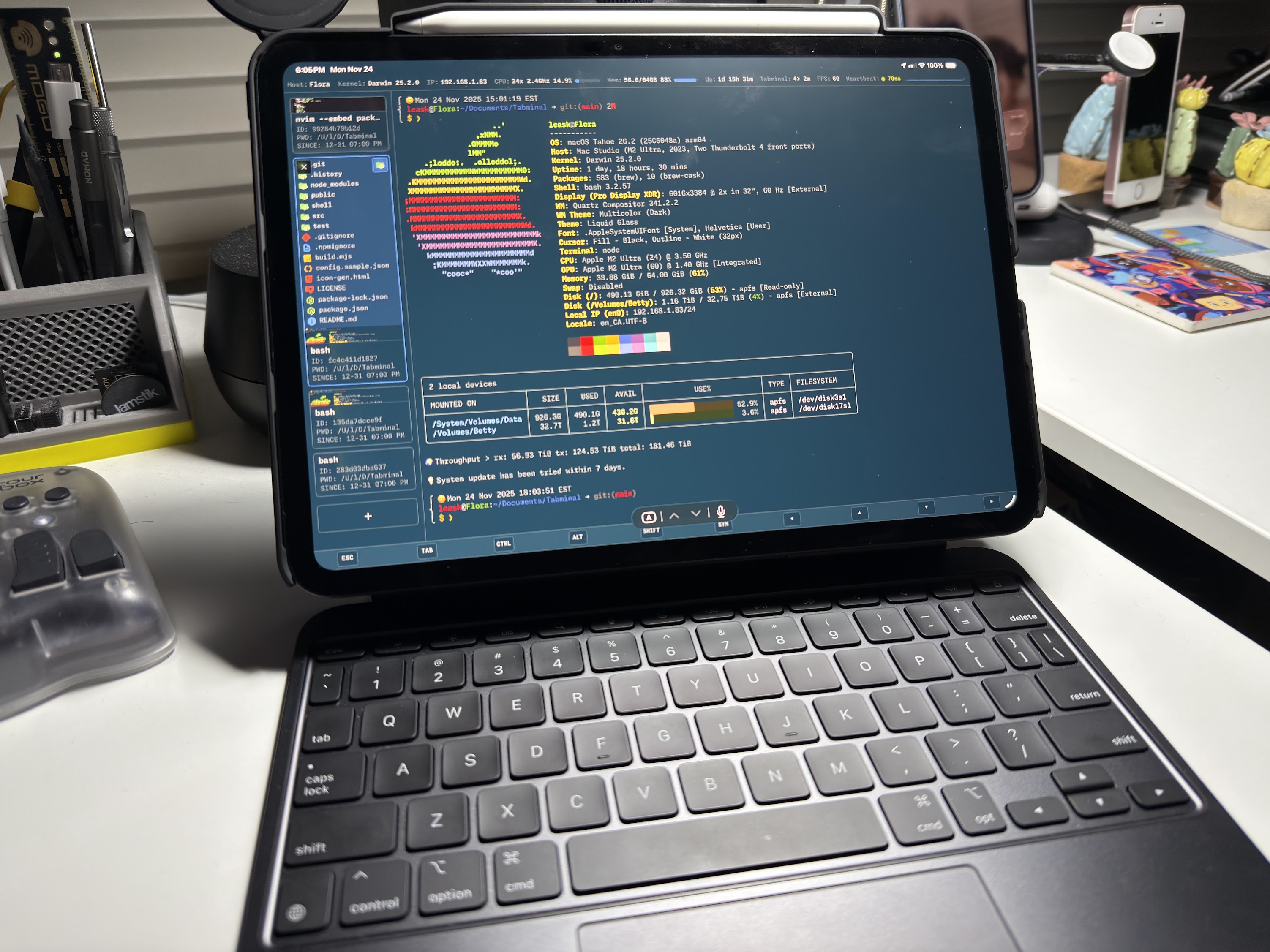
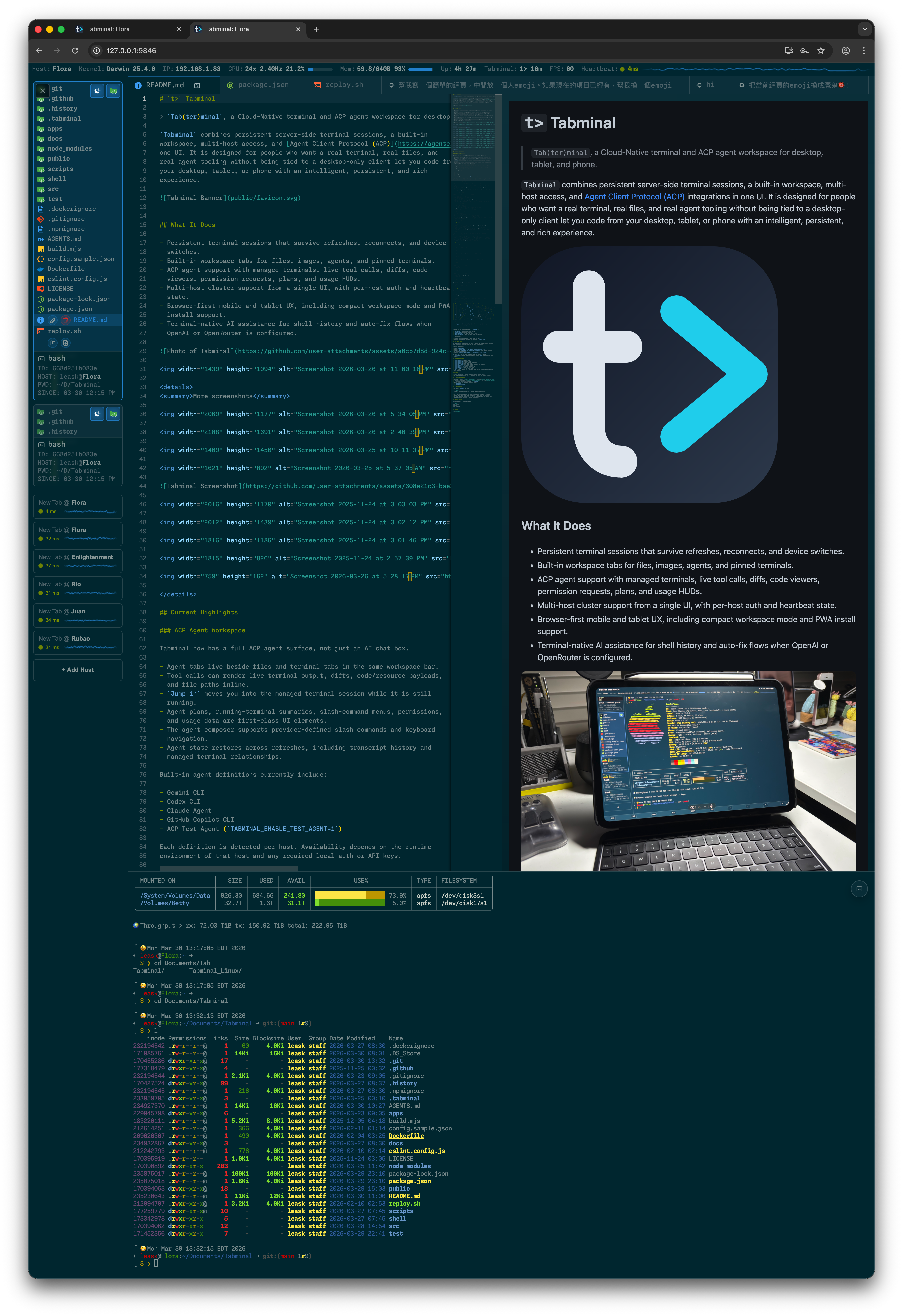
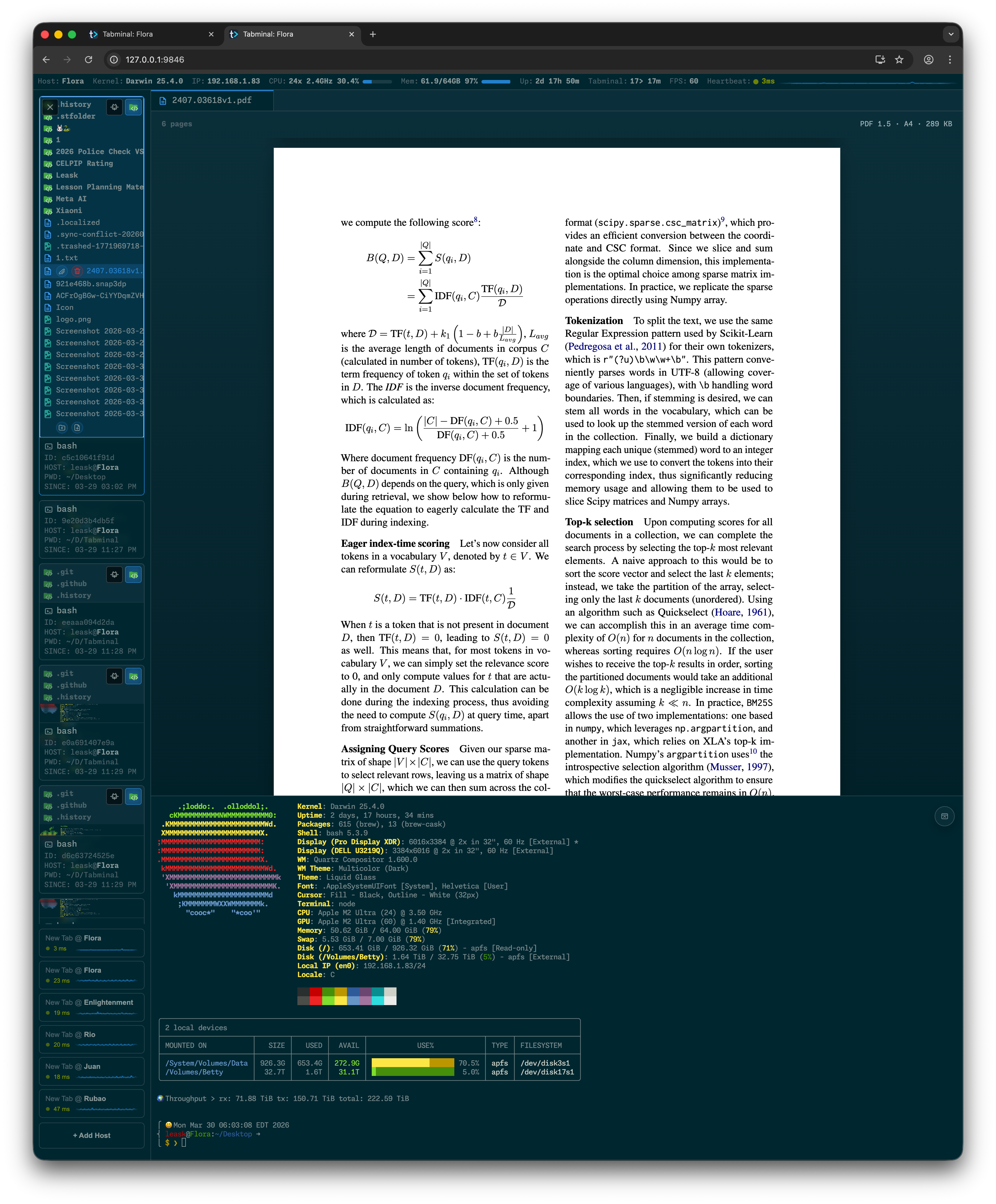
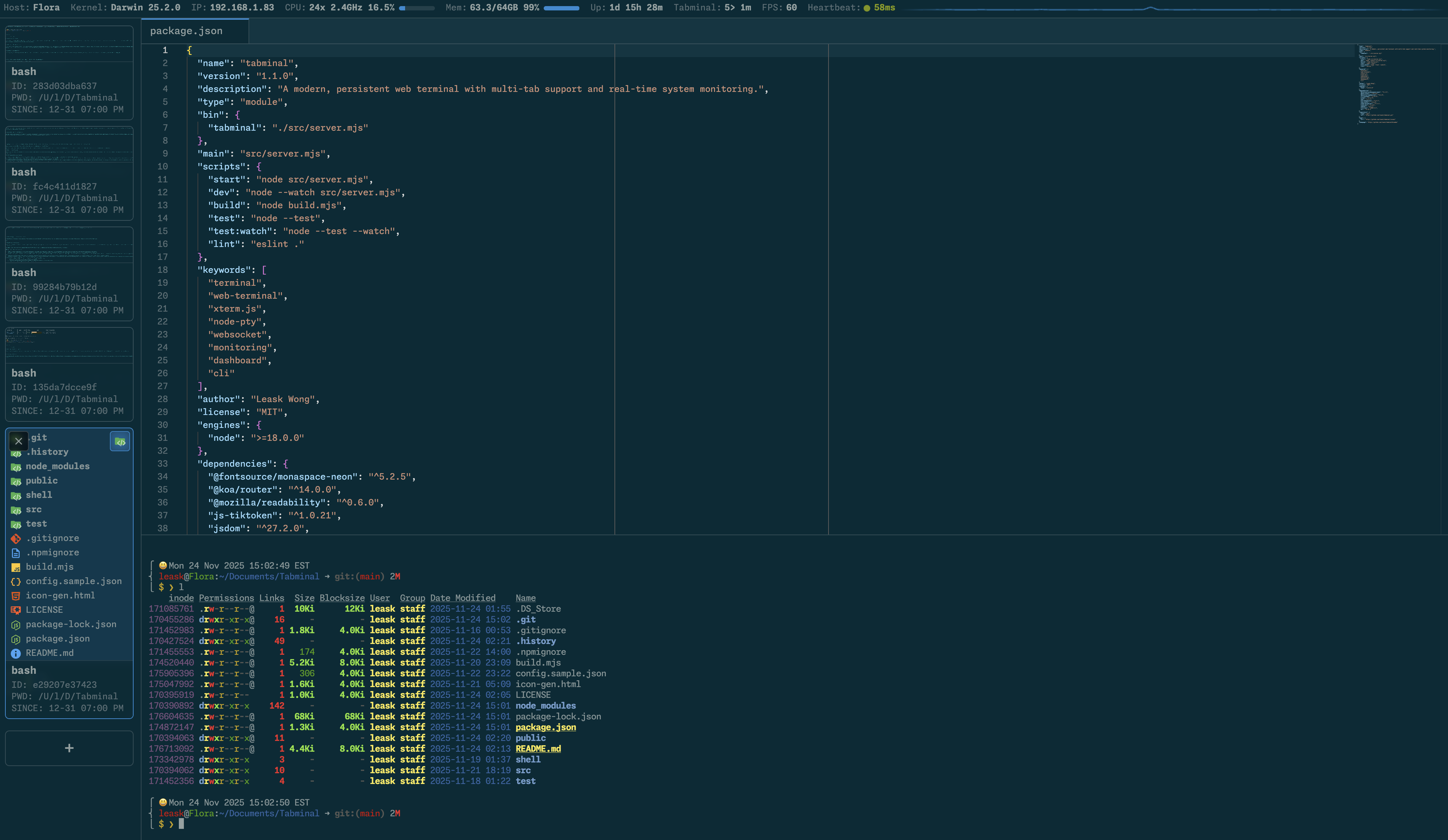
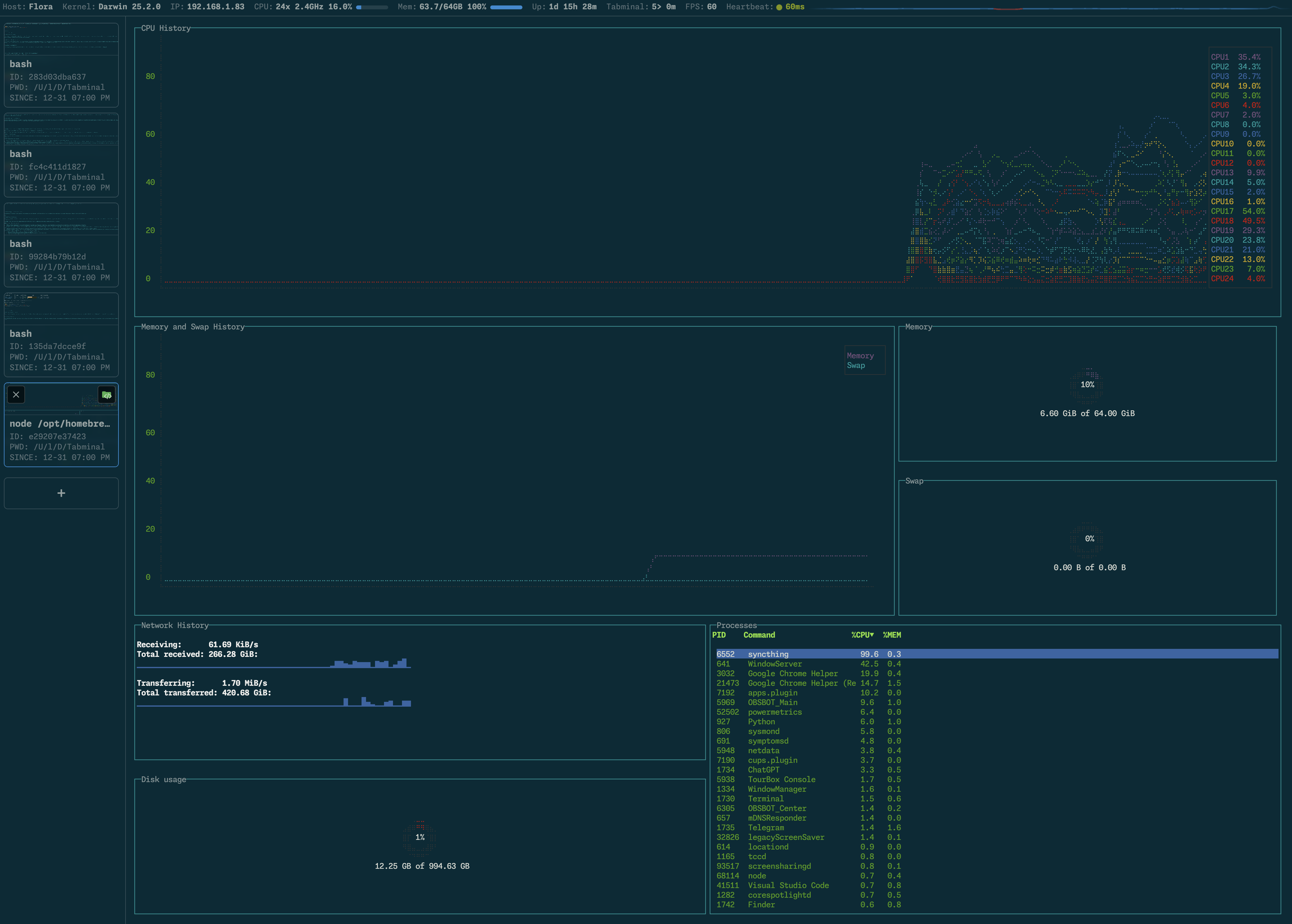
Essentially, it's a full-featured workspace in your browser. The backend runs on your machine or server, and you connect to it via the web interface or PWA app.
Key features:
- Sessions don't die when you close the tab, refresh the page, or switch from Wi-Fi to mobile data.
- Built-in file editor based on Monaco (VS Code engine) with syntax highlighting and image preview.
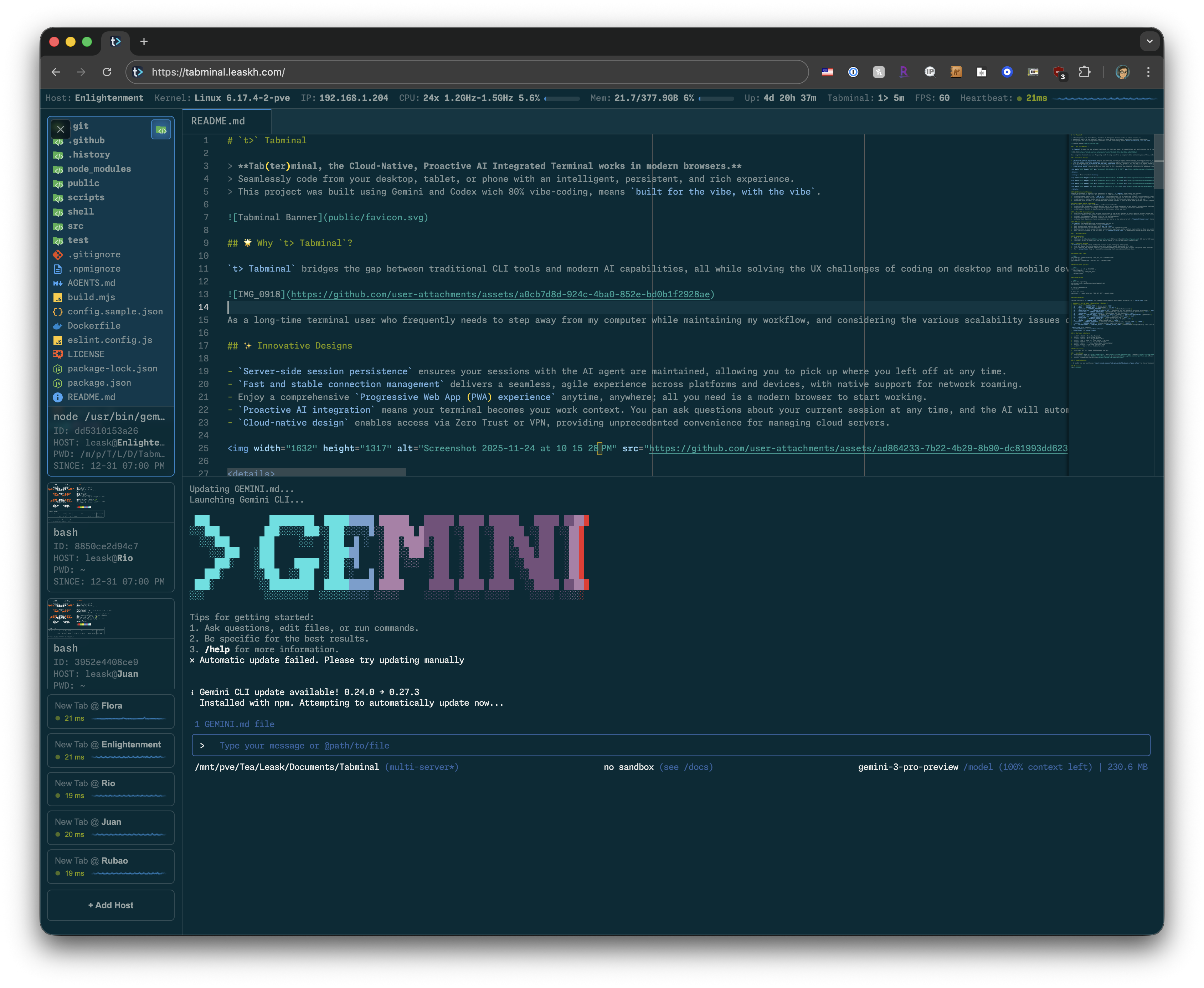
- Native ACP (Agent Client Protocol) support for launching autonomous assistants like Claude Code, Gemini CLI, or Codex.
- Manage a cluster of multiple servers in a single window with separate access rights.
Working with AI Agents via ACP
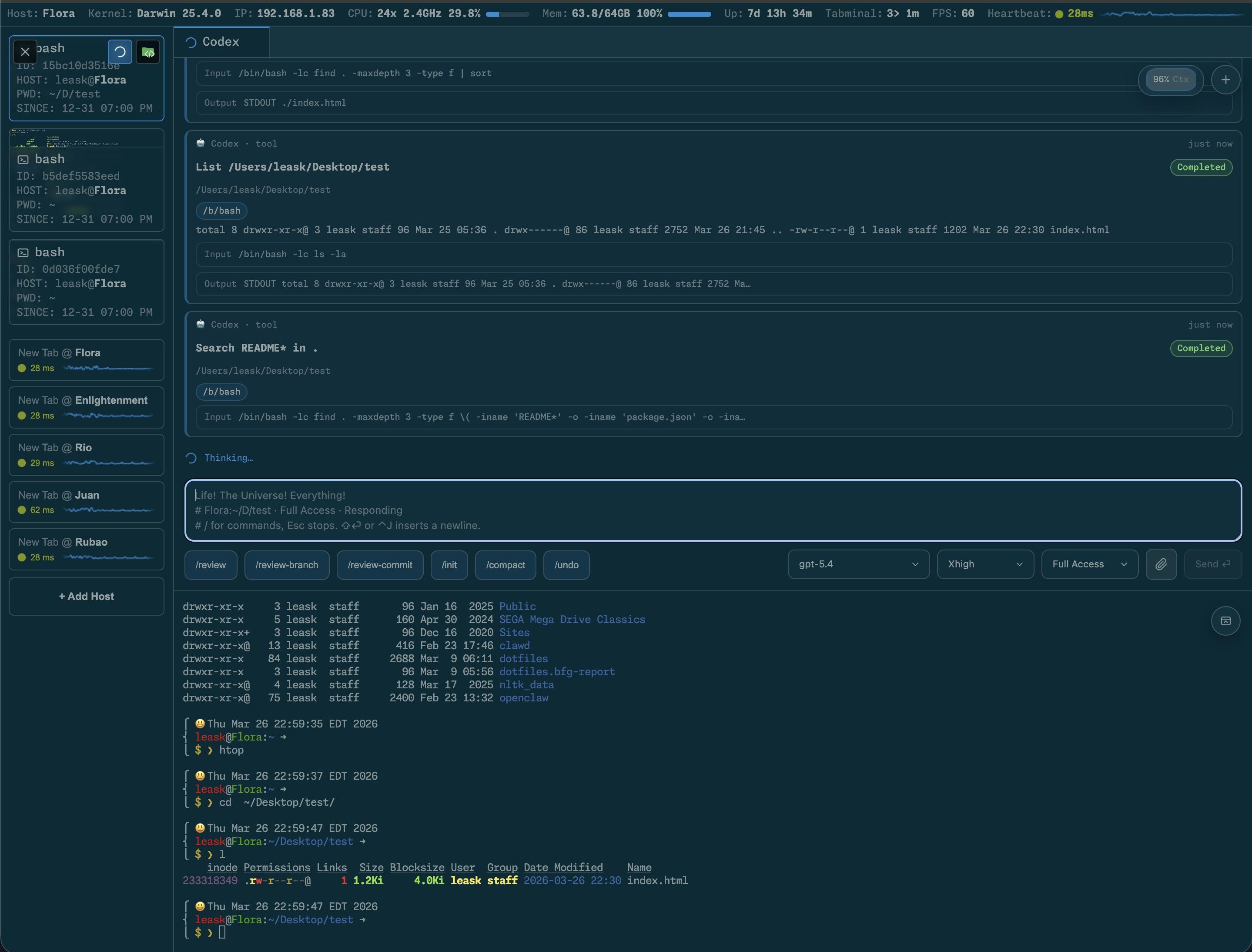
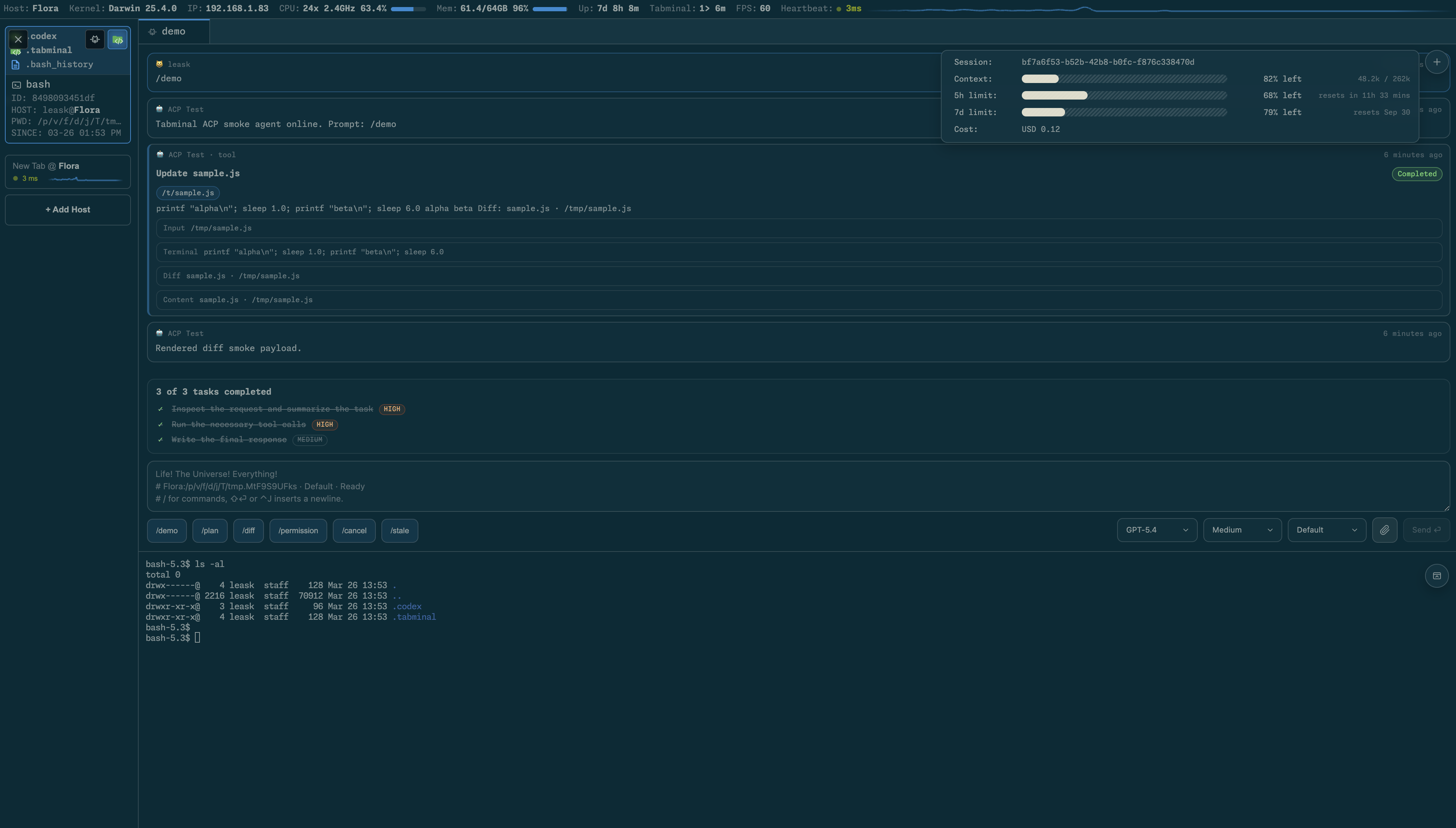
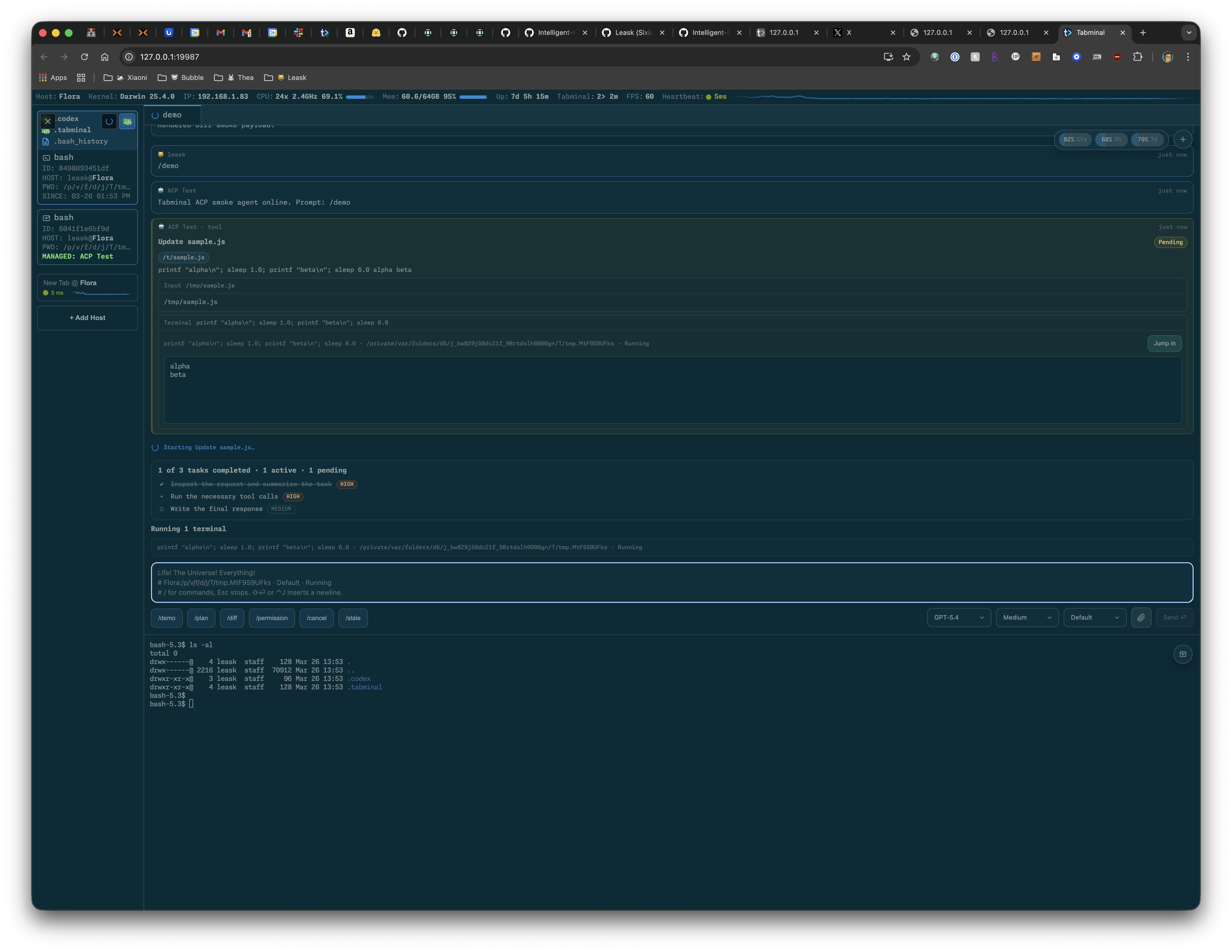
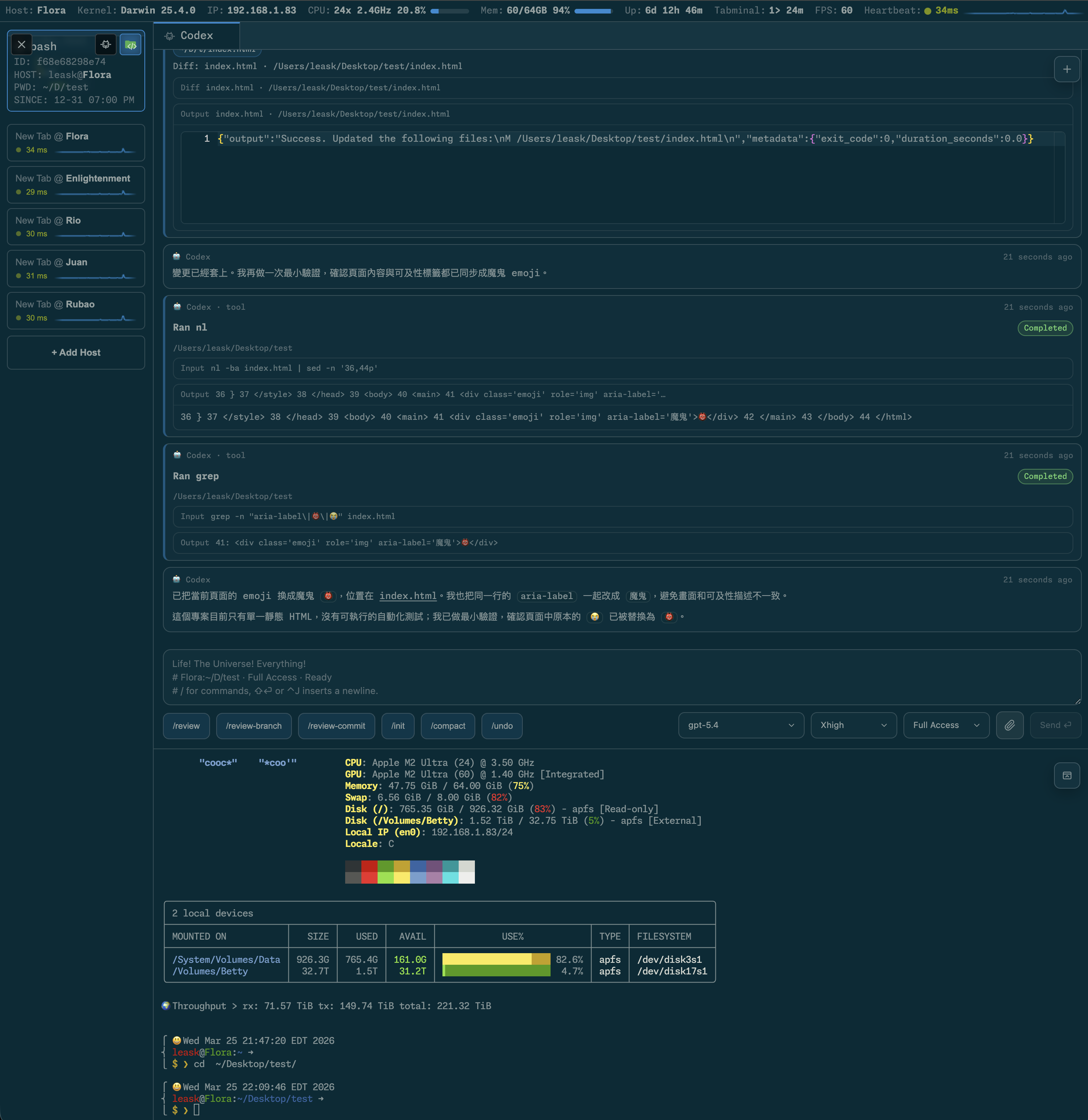
The AI integration here goes deeper than a chat sidebar next to the console. The project supports the ACP specification, so the agent operates in an isolated context and displays its actions directly in the interface:
- Tool calls and command execution are shown in real time.
- Code changes are displayed as clear diff blocks.
- There's a "Jump in" button that drops you right into the agent's running terminal if you need to take over manually.
- Dialogue state, execution plans, and transcripts are preserved between page reloads.
If CLI utilities from Anthropic, Google, or OpenAI are installed on the server, Tabminal automatically detects them in the system paths.
Beyond complex agents, there's also a simple built-in assistant. If you type a command with the # symbol at the beginning of a line, the server sends a request to OpenAI or OpenRouter, taking into account recent shell history. When a command crashes with an error, the system will suggest a fix on its own.
Multi-Host and Mobile Interface
An interesting architectural detail: one running Tabminal instance can act as a central hub. In the sidebar, you add other servers that also have the project backend running. The host registry is saved on the main server, and authorization works individually for each node.
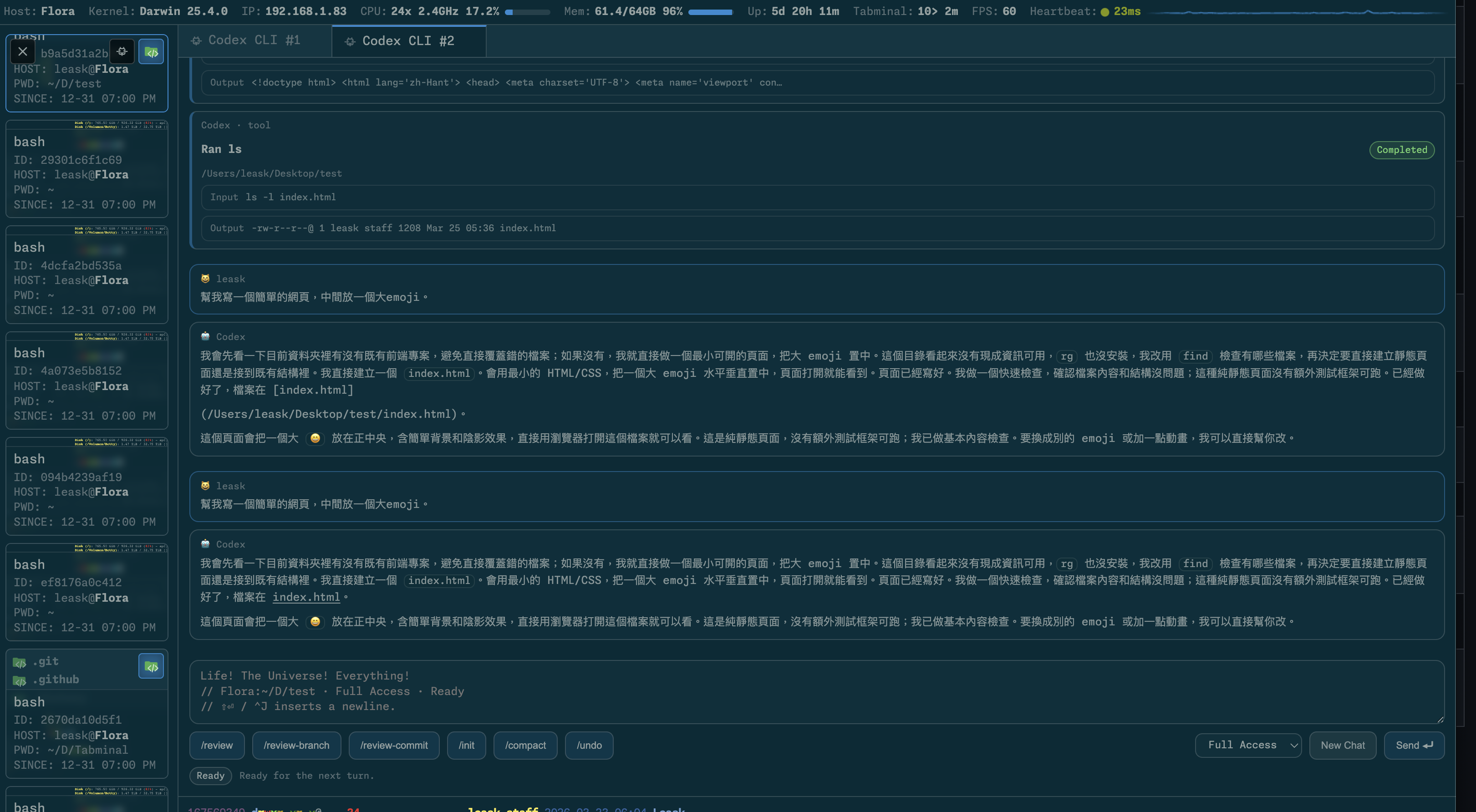
It's worth mentioning the adaptability separately. Usually, web terminals on smartphones turn into a nightmare due to the on-screen keyboard and missing Ctrl, Alt, or Esc keys. In Tabminal, the virtual panel is placed right above the keyboard, and the interface can collapse into a compact view while respecting screen safe areas (Safe Area on iOS).


Architecture and Security
Under the hood, the project uses a classic stack: Node.js version 22 or higher, the Koa framework, node-pty emulator, and WebSockets. The client side is written in vanilla JavaScript without heavy frameworks, and the xterm.js library handles console rendering.
Important: Tabminal gives direct access to the file system and command execution with the rights of the user running the process. Never expose its port to the public internet without protection. For remote access, the author directly recommends isolated overlay networks like Tailscale or tunneling with authentication via Cloudflare Access. When starting, the --accept-terms flag is mandatory, otherwise the process will exit with an error.
Quick Start
The easiest way to launch the utility is via npx:
npx tabminal --accept-terms
If you plan to use the built-in assistant, pass your OpenAI or OpenRouter key:
npx tabminal --openai-key "YOUR_API_KEY" --accept-terms
For persistent deployment, there's a ready-made Docker image:
docker run --rm -it -p 9846:9846 \
  leask/tabminal \
  --accept-terms
When starting without a password, the server will generate a temporary token and print it to the console. All settings are saved locally in the ~/.tabminal/ directory.
Who Will Find This Project Useful
Tabminal closes the gap between classic SSH via terminal and heavy cloud IDEs. If you frequently admin a home server, work from multiple different devices, or want to test AI agents in an isolated environment right through the web, the project is definitely worth running locally. The repository has an open license (MIT), so there's nothing stopping you from customizing it for your needs.
Proyectos relacionados