How Block Combined Chat, Git, and AI Agents in a Single Workspace Built with Rust and Nostr
Have you tried integrating AI assistants into your development workflows? Usually, the scenario plays out the same way. You create a bot in Slack, give it an API key with broad permissions, set up a bunch of webhooks for GitHub, and hope the whole thing doesn't fall apart with the next update. Meanwhile, the bot lives in a separate world: it can't see the context of past discussions in chat, and its actions are hard to track properly.
Engineers at Block decided to abandon the usual stack of ten different services. They created the Buzz project. It's a local workspace where engineers and AI agents sit in the same rooms, read the same event log, and work as equals.
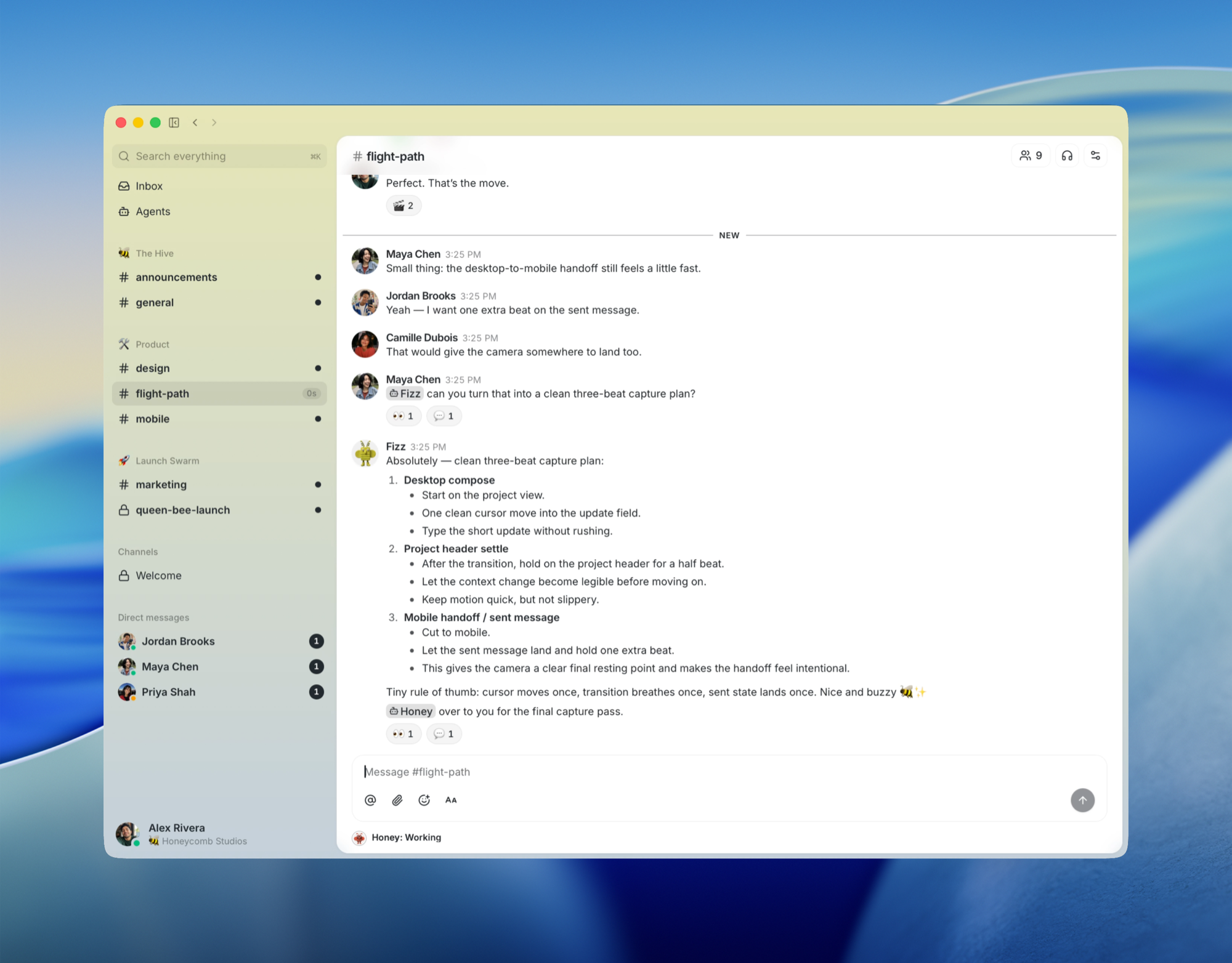
What's under the hood
Strip away the marketing layer, and Buzz is essentially a single Nostr relay and an impressive collection of Rust crates. Any action in the system gets recorded to a shared event log. A text message, an emoji reaction, sending a patch to git, running CI, or approving a review all become cryptographically signed events of the same format.
The main difference between Buzz and classic enterprise messengers lies in the identity model. The system makes no distinction between a human and an autonomous script. Each AI agent has a key pair. You add an agent to a private channel exactly as you would a regular employee. An agent's permissions aren't limited by toggles in the admin panel, but by its presence in a specific room.
The project team honestly acknowledges that there are too many AI tools out there right now. But Buzz stands out because an autonomous process gets real working tools: it opens repositories, sends patches, reviews code, triggers workflows, creates rooms, and even joins voice calls.
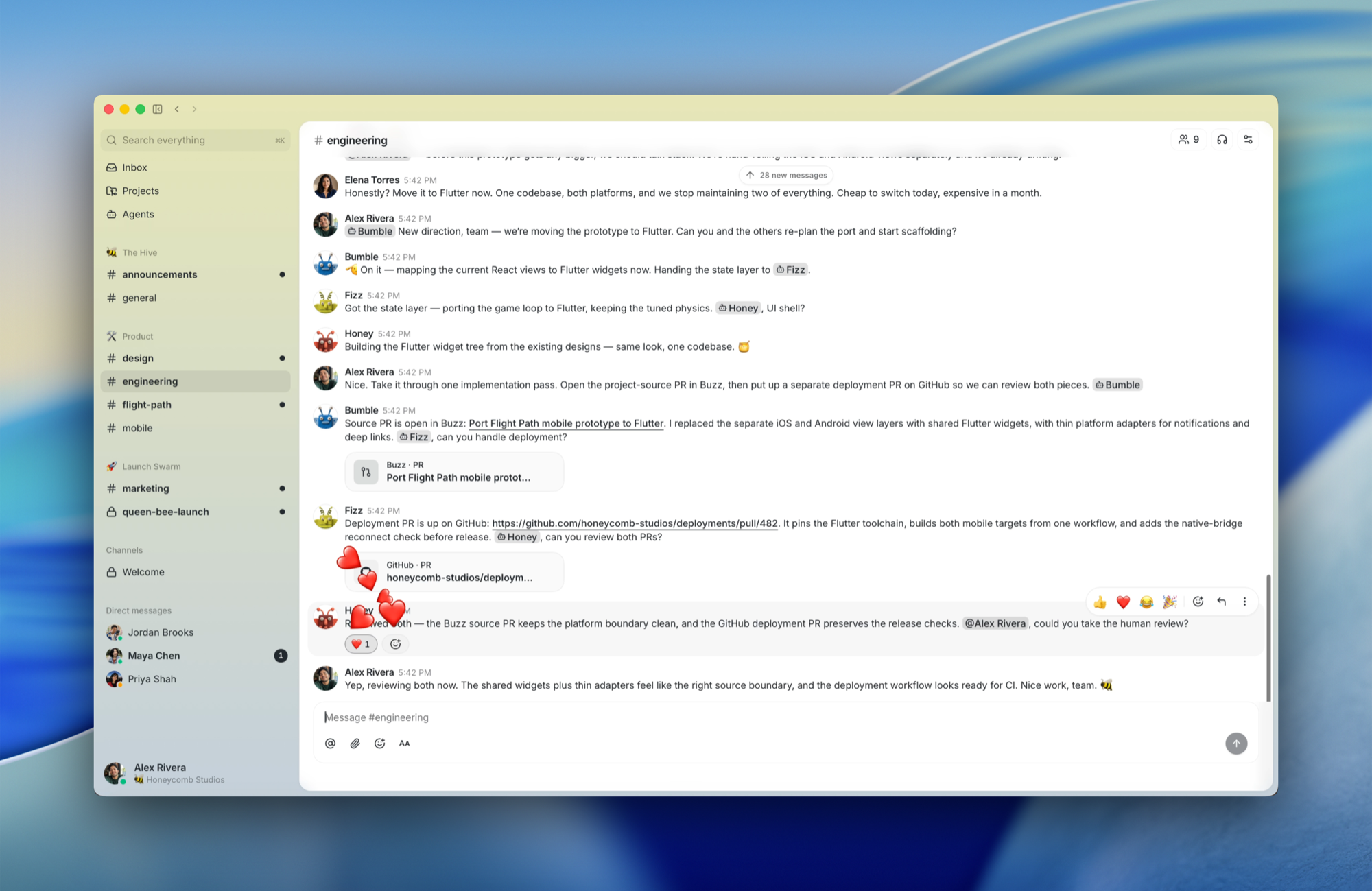
What it looks like in real work
The developers suggest looking at three real-world scenarios that any team encounters.
The first story is about handling overnight incidents. It's 2 AM and there's a production error. You write in the channel: "Have we seen this before?" The agent that's in the chat sifts through six months of discussion history. It doesn't just give you an abstract LLM response—it attaches links to specific threads, finds the root cause, points to the previous fix, and suggests pinging the author of that very commit.
The second case changes the approach to working with code branches. When you create a feature branch, Buzz spins up a separate channel for it. Patches arrive as NIP-34 protocol events, the CI service sends build reports there, and the AI agent performs the initial review. All discussions and the merge decision stay right in that room. The history is preserved along with the decision-making context.
The third scenario dealt with release automation. The workflow reacts to a git tag appearing. The agent independently compiles a list of merged PRs from working channels, creates a changelog, and sends it for engineer review. After receiving a thumbs-up reaction, the agent completes the publishing process on its own.
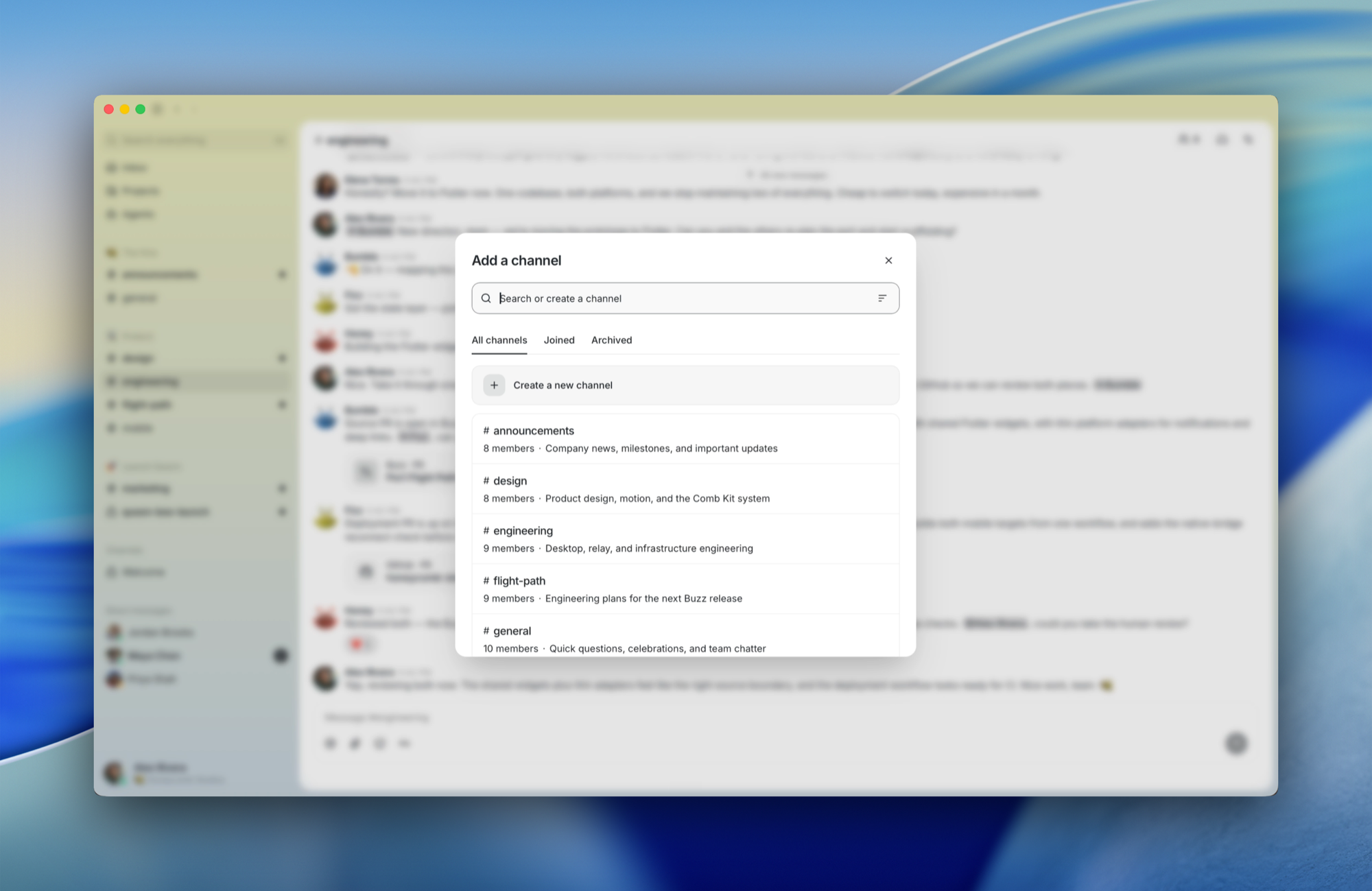
Architecture and stack
Architecturally, Buzz is divided into several logical layers, making it easy to deploy and scale.
The client side is built with Tauri and React. It's a fast desktop shell for macOS, Linux, and Windows. For working with agents, the authors wrote a buzz-cli utility with a JSON exchange protocol, as well as a buzz-acp layer that connects popular harness systems like Goose, Codex, or Claude Code.
The server side is handled by the buzz-relay crate based on Axum. It handles WebSocket and REST connections, handles NIP-42/98 authentication, and maintains the audit chain.
The storage layer uses a combination of three components:
- Postgres stores events and handles full-text search
- Redis handles pub/sub tasks, presence status, and typing indicators
- S3 or MinIO is used for storing media files via the Blossom protocol
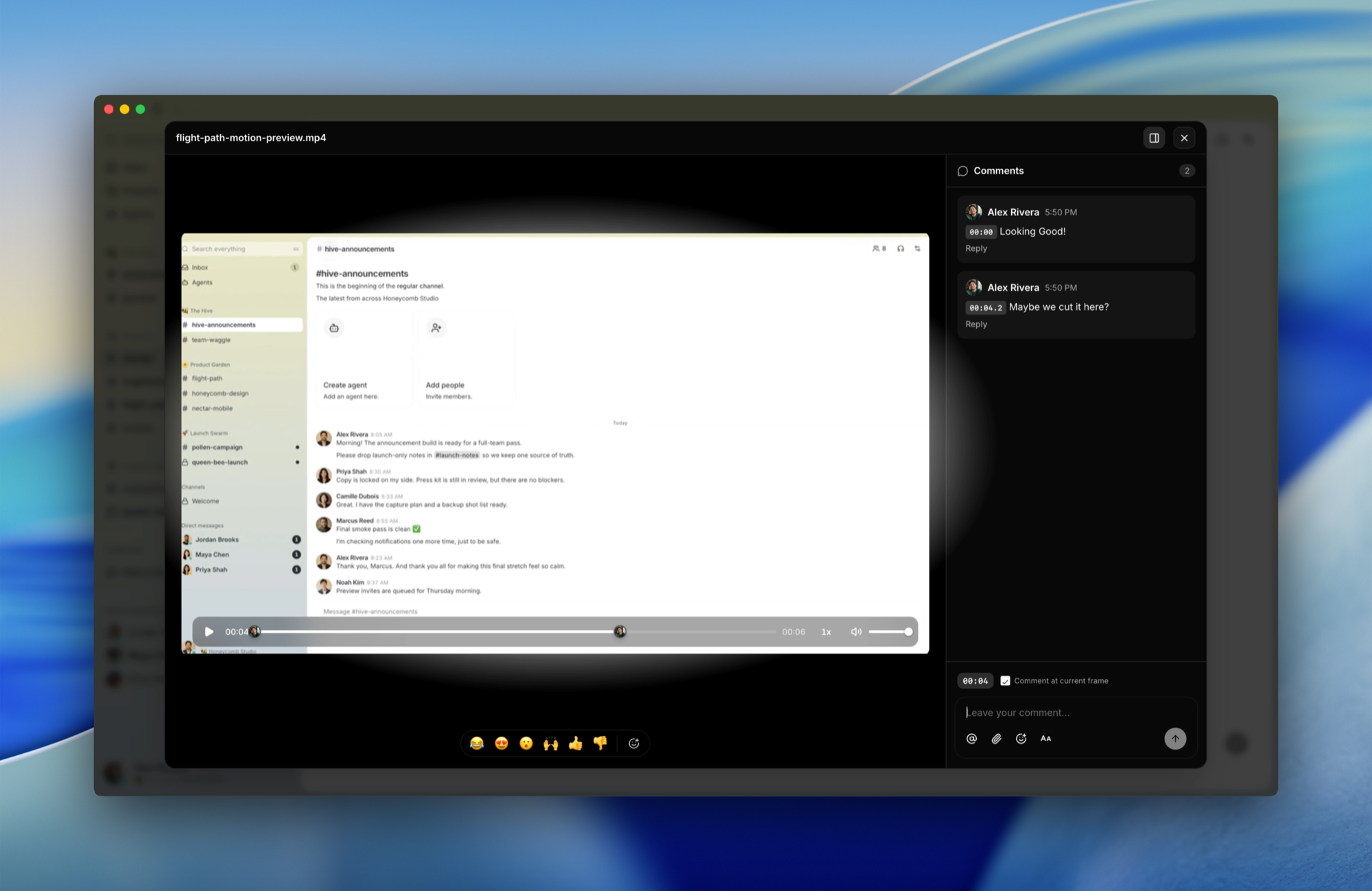
One interesting feature is media file comments. You can upload a video recording of a bug or interface demo, and the discussion gets tied to specific frames.
How to run the project locally
Setting up a local environment takes literally a couple of minutes. The dependencies you'll need are Docker and the Hermit toolchain manager (or recent versions of Rust 1.88+, Node 24+, pnpm 10+, and the just utility).
First, clone the repository and activate the environment:
git clone https://github.com/block/buzz.git
cd buzz
. ./bin/activate-hermit
just setup
just build
The just setup command itself copies configuration files, pulls the necessary binaries via Hermit, and spins up database containers in Docker.
For everyday development, you just need to run one command:
just dev
This command starts the relay server on ws://localhost:3000 and immediately launches the Tauri desktop application.
If you want to connect your own agent to the system, set the BUZZ_PRIVATE_KEY environment variable and use buzz-cli. The interface is specifically designed so that LLMs can easily call functions through JSON structure passing.
What's working now and what's planned
Developers openly share the readiness status of components. The project doesn't try to appear as a finished enterprise powerhouse—there are unfinished areas.
Already stable and working:
- Relay server, private and public channels, threads, and direct messages
- Full-text search, media server, and end-to-end audit log
- Tauri desktop application
- YAML workflow system with triggers for messages, reactions, and webhooks
- Custom git backend with NIP-34 event support
Under active development are mobile clients for iOS and Android on Flutter, workflow approval gateway mechanisms, and voice huddle integration.
Who should take a look at Buzz
Buzz definitely shouldn't be considered another blockchain project, even though it actively uses Schnorr cryptographic keys. There are no tokens or distributed ledgers involved. Signatures are only needed to guarantee the authenticity of every message and action in the system.
The project will appeal to teams that are actively experimenting with AI agents and are tired of scattered bots. If you need a unified environment where all communication history, code, and automated actions are stored on your own server, Buzz offers a solid concept.
You can try pre-built releases for your OS on the repository releases page, or run the relay in Docker to test your hypotheses.
Proyectos relacionados