SkillsGate Brings Order to AI Agent Skills and Prompts
If you actively use Cursor, Claude Code, Cline, or Copilot, you've probably noticed something strange: every new AI assistant requires you to set up context and rules from scratch. You found a great set of instructions for refactoring for Claude, want to transfer it to Windsurf or Roo Code — and start manually copying markdown files to hidden folders in your home directory. The SkillsGate project solves exactly this small but persistent routine.
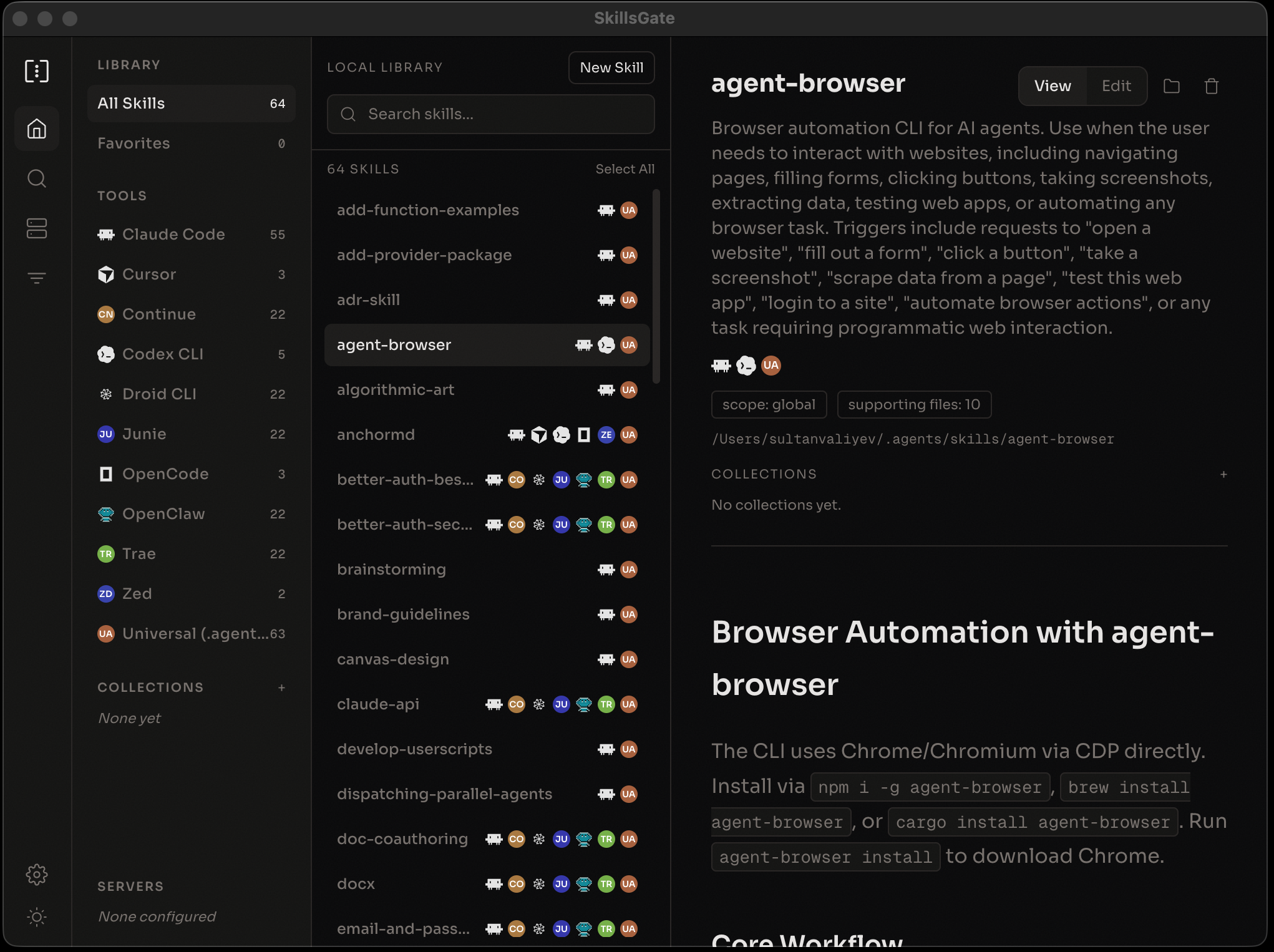
Why you need a skills manager
Essentially, SkillsGate works like a package manager like Homebrew or npm, but for extensions and skills of your AI assistants. A skill here is typically a file with instructions, rules, or scripts that define the model's behavior in specific scenarios.
Instead of manually searching GitHub repositories and placing configs in different corners of the system, you open a catalog, find the skill you need, and install it to selected editors with one button.
Currently, the utility supports over twenty tools:
- Claude Code, Cursor, Windsurf, GitHub Copilot
- Cline, Continue, Trae, Zed
- Roo Code, Pear AI, Goose, Junie
- Codex CLI, Droid CLI, Kilo Code, OpenCode
The list is impressive, so if you try different editors for different stacks, synchronizing rules becomes noticeably easier.
Interface for every taste: desktop and TUI
The authors made two interface options, and both share a common SQLite database.
If you prefer graphical applications, there are Electron builds for macOS (Apple Silicon and Intel), Windows, and Linux. It's convenient for browsing the catalog, reading rendered Markdown, and clicking with the mouse.
For those who live in the terminal, a full TUI was written. You can launch it with one command without prior installation:
npx skillsgate
Or install globally via npm:
npm install -g skillsgate
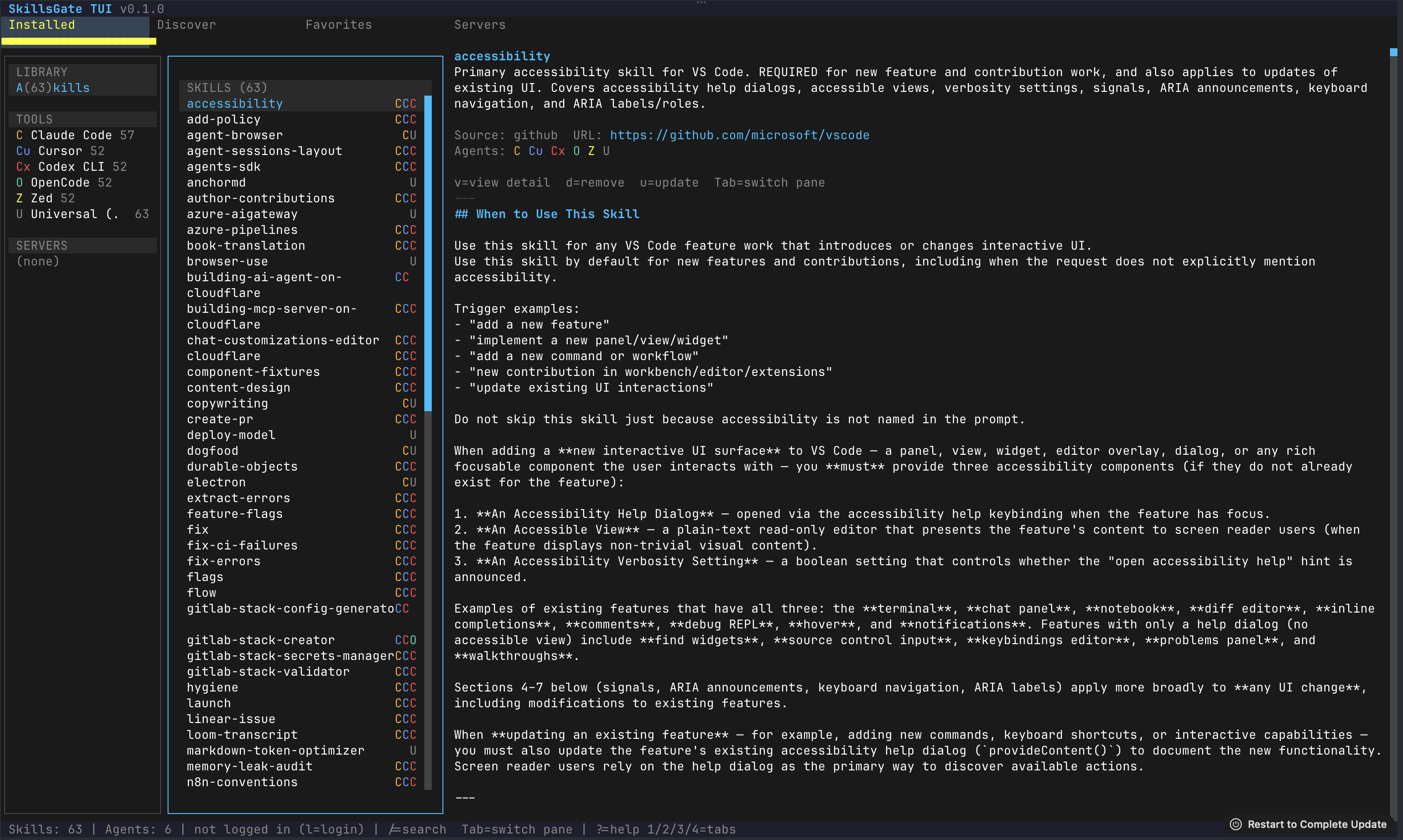
In the terminal interface, everything is tied to Vim-style hotkeys: navigation on j/k, search via /, tab switching with numbers 1-4. Installing a skill is on the i key, removal is on d. It works fast and doesn't distract from your terminal session.
What's inside: catalog, editing, and remote servers
SkillsGate has built-in integration with the skills.sh catalog. This is an open library of public skills where the community publishes ready-made instructions for various tasks — from working with databases to test generation.
Here are the main features that stand out when working with it:
- Selective binding. You can roll out a skill to all installed agents at once, or enable it only for Cursor without cluttering the context in Claude Code. When removing a skill from one agent, it remains untouched in the others.
- Built-in editor. If someone else's skill is almost perfect but needs tweaks for your stack, you don't have to open an external editor. There's a built-in CodeMirror editor that immediately saves changes to disk in raw form or shows the rendered output.
- Local and private skills. You're not obligated to publish your instructions to the public catalog. You can store files locally or share them within your team.
- SSH synchronization. An interesting detail: SkillsGate can connect to remote servers via SSH to view and roll out skills directly on a remote dev machine.
How the project is structured under the hood
The repository is set up as a monorepo on npm workspaces. The architecture is quite interesting, as it mixes different runtimes:
apps/
  web/          React Router v7 на Cloudflare Workers
  desktop/      Десктопное приложение на Electron
packages/
  cli/          Node CLI-утилита
  tui/          Терминальный интерфейс на Bun
  ui/           Общие компоненты на React
  local-db/     Слой персистентности SQLite и SSH-клиент
For building and local development, you'll need Node.js 18+ and Bun (needed for the TUI package).
The desktop client uses a native module better-sqlite3. If you're building the project from source manually, the standard npm install will automatically rebuild native dependencies for the version of Electron used in the project:
# Клонируем и ставим зависимости
git clone https://github.com/skillsgate/skillsgate.git
cd skillsgate
npm install

# Запуск веб-части
npm run dev

# Запуск десктопного приложения
cd apps/desktop && npm run dev

# Запуск TUI (нужен установленный Bun)
cd packages/tui && bun run src/index.tsx
The project has the most open license — MIT.
Who will find it useful
SkillsGate is probably not needed by those who use a single plugin and keep all prompts in their head. But if you juggle multiple agents, experiment with new tools like Zed or Claude Code, and are tired of manually transferring markdown configuration files, the project saves a lot of time.
It's nice that the project doesn't force you to install the heavy Electron client: the TUI via npx launches in a couple of seconds and handles 90% of tasks right in the terminal.
Proyectos relacionados