Turn Any Website into a Ready-Made API Client Without Manually Parsing DevTools

Anyone who has ever extracted data from a closed service knows this routine. You open the Network tab in developer tools, find the request you need, click "Copy as cURL", take that to Postman or write a wrapper in requests. If there are a dozen endpoints, the task turns into tedious mechanical work.
The reverse-api-engineer project automates this entire chain. You simply tell the tool what data you need, and it intercepts network traffic and delivers a ready-made typed SDK in your chosen programming language.
How it works under the hood
The project idea centers on intercepting HAR files (HTTP Archive) and feeding them to language models.
The workflow looks like this:
- A browser launches under Playwright control or real Chrome via Chrome DevTools MCP.
- The session goes through the necessary steps: you can click through pages yourself or delegate navigation to an autonomous agent.
- All browser network traffic is neatly saved in HAR format.
- The neural network reads the request logs, filters out static content, finds the relevant endpoints with payloads, and generates a ready-made client.
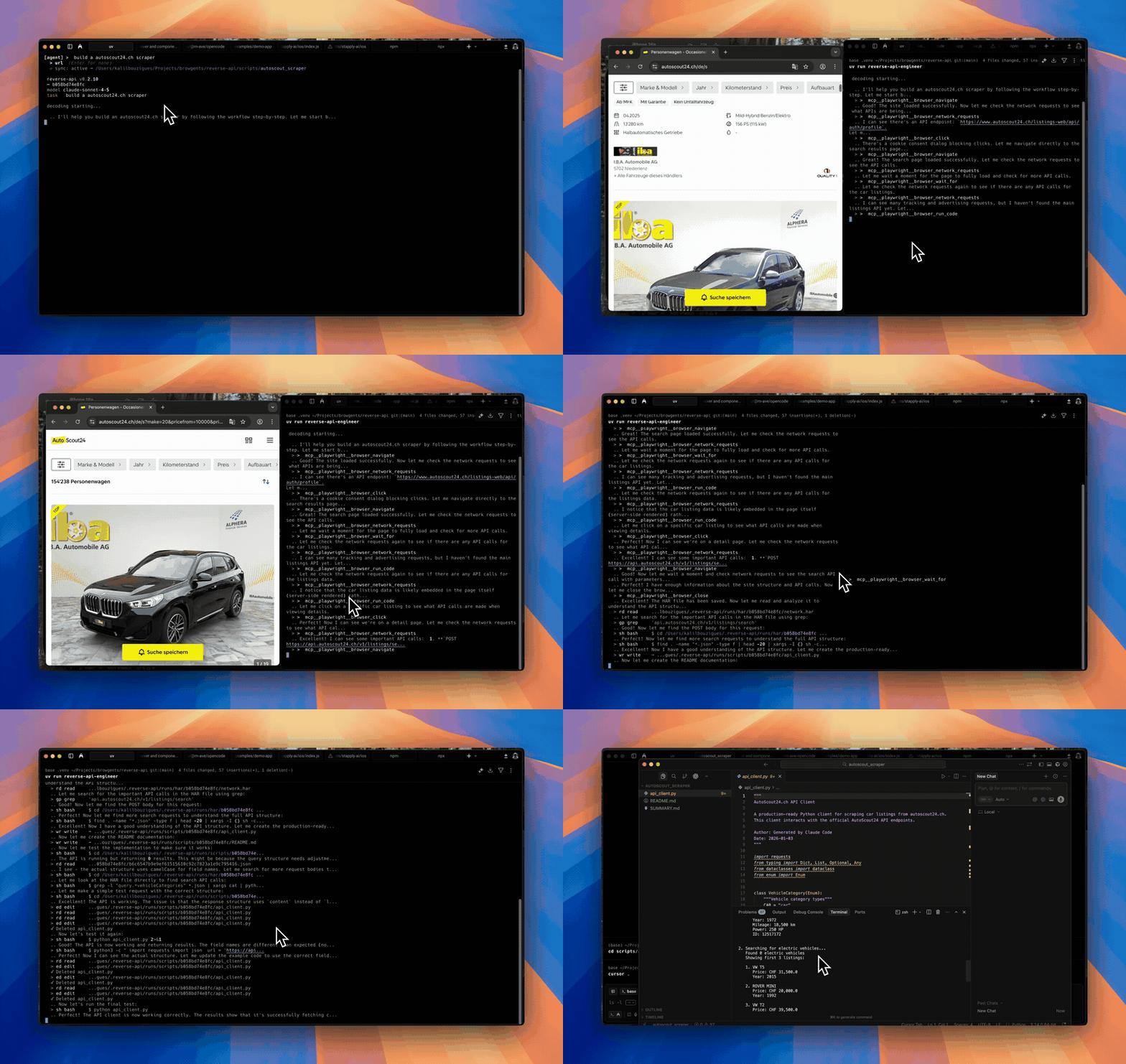
Autonomous agent operation mode
Instead of parsing the DOM tree through selectors that break with any frontend update, the tool works directly with the internal APIs of services. If a site loads data via JSON, you'll get clean code for working with that JSON.
Operating modes
In the console interface, modes are switched by pressing Shift+Tab. Four main scenarios are available:
- agent — an autonomous agent opens the browser itself, finds the needed buttons, navigates through pages, and collects network logs based on your text task.
- manual — the browser opens for you. You handle authentication yourself, apply the needed filters, complete any captcha, and close the window when finished.
- engineer — re-runs code generation based on a previously saved capture without reopening the browser.
- collector — collects structured data (in JSON or CSV formats) directly without writing client code.
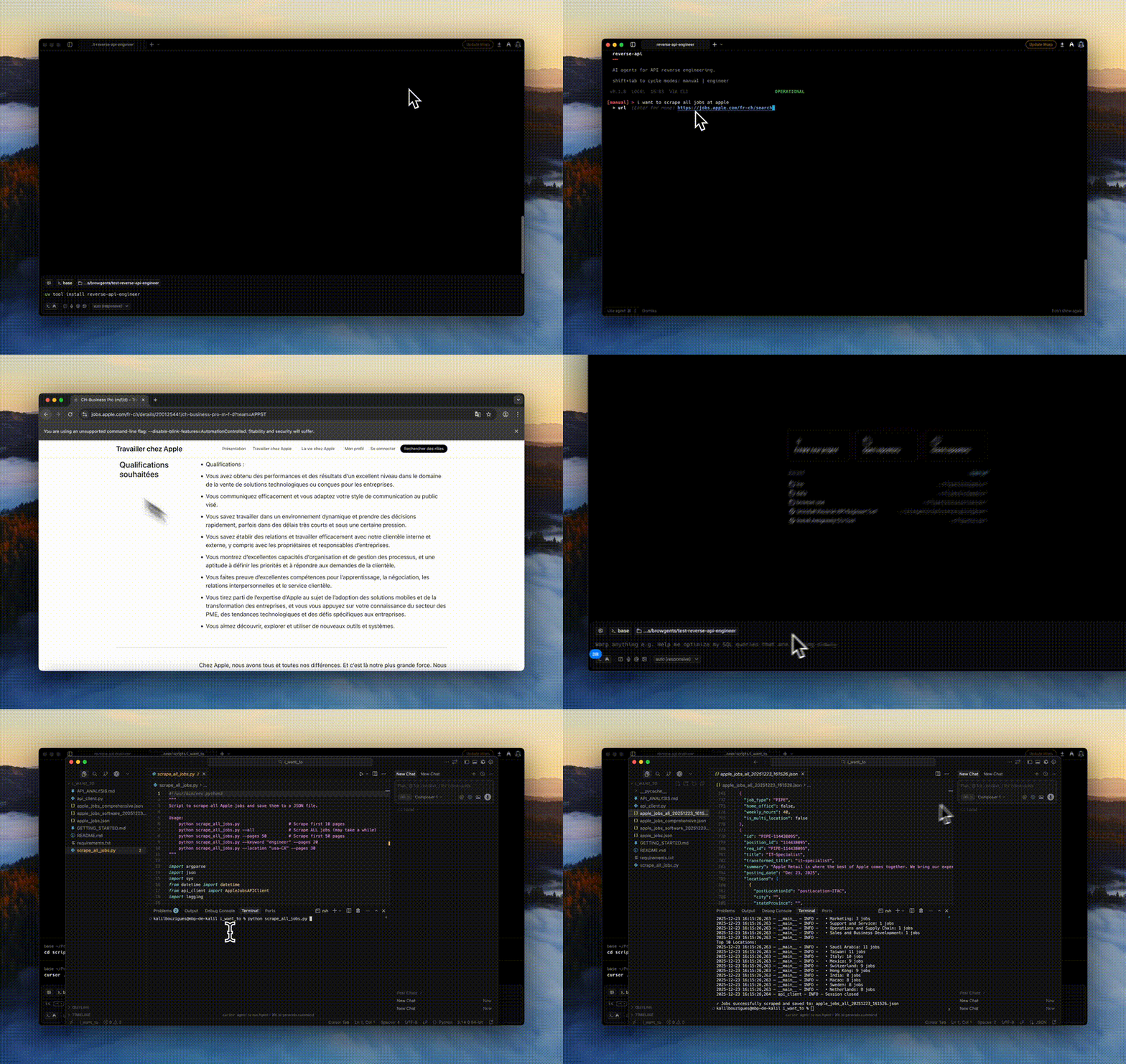
Manual mode with self-managed browser control
For agent mode, the tool can connect to your everyday Google Chrome through Chrome MCP. This helps when a site requires complex authentication or stores session cookies that would take too long to transfer to a fresh browser.
Installation and quick start
The project is written in Python and distributed via PyPI. The fastest way to install it is via uv or regular pip:
uv tool install reverse-api-engineer
If you plan to use manual mode with local control through Playwright, it's best to install the browser dependencies right away:
uv tool install "reverse-api-engineer[manual]"
playwright install chromium
After installation, start the CLI and pass a task:
reverse-api-engineer
> fetch all apple jobs from their careers page
The browser will open, perform the actions, and place the result in a separate folder:
./scripts/apple_jobs_api/
├── api_client.py
├── example_usage.py
└── README.md
Inside you'll find a ready class with methods, parameter typing, correct headers, and a usage example.
Choosing models and languages
The tool isn't locked into a single LLM provider. Settings are stored in the ~/.reverse-api/config.json file, and you can change them directly in the terminal via the /settings command.
The following stacks are supported:
- Claude (Sonnet 4.6 or Opus 4.6 are used by default);
- OpenCode with built-in support for free models;
- Ollama for those who prefer running models locally on their own hardware;
- Cursor and GitHub Copilot.
As for output code, the generator can write in more than just Python. The config allows setting TypeScript, JavaScript, Go, Java, C#, PHP, Ruby, or plain C (with code generation for libcurl).
Automation and scripting
The tool can be embedded into pipelines thanks to JSON output support and the --no-interactive flag:
reverse-api-engineer agent \
  --prompt "capture the public jobs api" \
  --url https://example.com/jobs \
  --json | jq .
The command will return a structured object with execution status, the path to the HAR file, the generated script, and token usage statistics.
Limitations and nuances
Before rushing to automate everything, there are several practical considerations to keep in mind.
Aggressive bot protection like Cloudflare Turnstile or Akamai can block agent mode. In such cases, manual mode (manual) or connecting to a live Chrome profile via chrome-mcp helps.
Generated code executes locally. Always verify what the neural network wrote in api_client.py before running the script with production accounts.
Session tokens and headers expire over time. If the service uses temporary request signatures, you'll need to periodically update the generated script by running it again.
Who will find this useful
The project saves a lot of time if you frequently need to extract data from web services without a public API, write quick integrations, or build datasets. Instead of the routine digging through the Network tab, you get a ready-made SDK in a couple of minutes. It's definitely worth trying, especially if you already have access to Claude or a local Ollama instance.
Projets similaires