How to Let AI Loose on Ancient Legacy Code Without Breaking Anything
Imagine a typical scenario: you've inherited a project with five years of history. There's no documentation, the original code author left three years ago, and the business logic is smeared across hundreds of files. Connecting an AI agent like Claude Code or Cursor to such a codebase is terrifying. You ask it to fix one function — it rewrites the neighboring module and destroys implicit dependencies that nobody even knew existed.
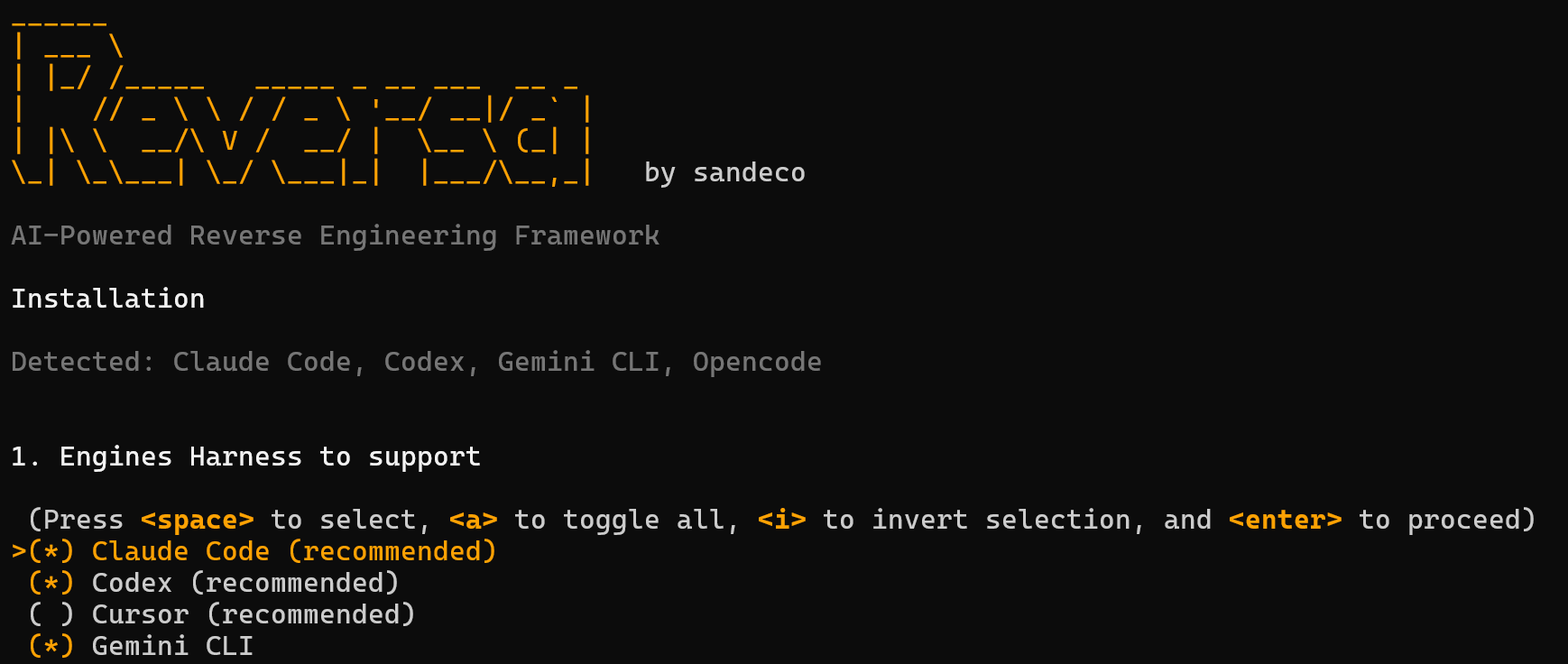
Recently, an interesting tool called Reversa appeared on GitHub, created by a developer with the username sandeco. The framework solves this problem in an original way: it dives into a legacy project, performs reverse engineering, and transforms the source code into executable specifications.
Why Replace Code with Specifications
Most coding agents excel at creating projects from scratch. You write a prompt, the tool generates a clean structure and working code. This trick doesn't work with legacy code. If the agent doesn't understand architectural constraints and context, it works blindly.
Reversa acts as a bridge between old code and modern AI assistants. The tool doesn't write documentation for humans in the traditional sense. Instead, it generates operational contracts. Based on these, any coding agent can immediately see the rules of the game, database tables, permission matrices, and algorithms that must not be violated.
How the Research Process Works
Installation runs in the project root via a single command:
npx reversa install
The installer automatically detects installed engines in the system — Cursor, Claude Code, Codex, Windsurf, or Copilot. After that, it copies skill sets to the .agents/skills/ directory and creates a configuration file.
When you run the /reversa command inside your AI client, a pipeline of several specialized agents kicks in. Each one performs its own role in the analysis process:
- Scout scans the surface structure, identifies languages, frameworks, and entry points.
- Archaeologist dives deep into modules, parses data structures and complex algorithms.
- Detective extracts implicit business rules, state diagrams, and access rules.
- Architect compiles the gathered data into C4 diagrams, ERD schemas, and integration maps.
- Writer formats the final specifications as contracts with bindings to specific lines of code.
An interesting detail: Reversa marks each statement in the final documents with a special accuracy badge. The 🟢 icon means the rule is directly backed by code with file and line references. The 🟡 icon is placed where the AI made a logical inference. The red marker 🔴 indicates "blank spots" where the code couldn't explain something and human intervention is required.
Safe by Default
The main fear when launching any automated utilities on top of a complex repository is data loss or accidental edits. The creators of Reversa emphasized complete isolation.
The framework follows a strict rule: the project's source code is never modified or deleted during analysis. All results are written by agents to only two service folders: .reversa/ for analysis state and _reversa_sdd/ for finished specifications.
Additionally, the tool doesn't request or transmit API keys. All analytical work is offloaded to whichever AI tool you already have running locally.
What Happens After Data Extraction
Creating specifications is just the first step. Based on the generated _reversa_sdd/ folder, you can launch other workflows through additional commands.
/reversa-forwardhelps evolve the system step by step, transforming new requirements into working code with regression control./reversa-migrateprepares a plan for migrating the legacy stack to a modern architecture./reversa-docscompiles the gathered data into a static HTML site with interactive D3 graphs and a 3D architecture map./reversa-debuggerregisters bugs and links them causally to specifications.
If you need to run a full cycle without constant stops and confirmations, there's an autonomous mode /reversa-autonomous. In it, the utility asks all clarifying questions during a startup interview, then works independently.
Where Results Are Saved
Inside the _reversa_sdd/ folder, a clear structure of Markdown files appears. There you can find a data dictionary, domain description, role matrices, OpenAPI specifications, and sequence diagrams in Mermaid format.
_reversa_sdd/
├── inventory.md              # Инвентаризация файлов
├── dependencies.md           # Зависимости и версии
├── code-analysis.md          # Помодульный технический анализ
├── data-dictionary.md        # Словарь данных
├── domain.md                 # Бизнес-правила и глоссарий
├── state-machines.md         # Конечные автоматы в формате Mermaid
├── architecture.md           # Обзор архитектуры
├── confidence-report.md      # Отчет о точности анализа
└── sdd/                      # Спецификации отдельных компонентов
If you modify code through /reversa-forward during system refinement, a special Sync agent carefully adds information about new features to the _reversa_sdd/addenda/ folder, preserving the change history.
Is It Worth Adopting
Reversa looks like a mature attempt to bring order to the chaos of legacy projects before handing them over to AI. The project is actively developing, and a recent preprint on arXiv from May 2026 backs up the framework's architecture with an academic approach.
The tool will be useful for teams that inherited neglected services without documentation, as well as those planning a phased migration from old stacks. You can try the utility on any test repository, since it doesn't change any existing files.
For a quick start, just run npx reversa install in the terminal and open the project in your usual AI editor.
Progetti correlati