How to organize dozens of servers and forget about manually editing the SSH config
Anyone who regularly spins up VMs in the cloud or runs a home server knows that the ~/.ssh/config file gradually turns into a mess. Old IP addresses from long-deleted Hetzner instances, forgotten aliases, and ProxyJump chains pile up. After another Terraform run, you have to open the cloud console again, grab the IP, and manually add the host.
Recently I came across purple — an open-source SSH TUI manager written in Rust. The project author ran into exactly the same routine and decided to build a convenient terminal interface that takes care of infrastructure synchronization.
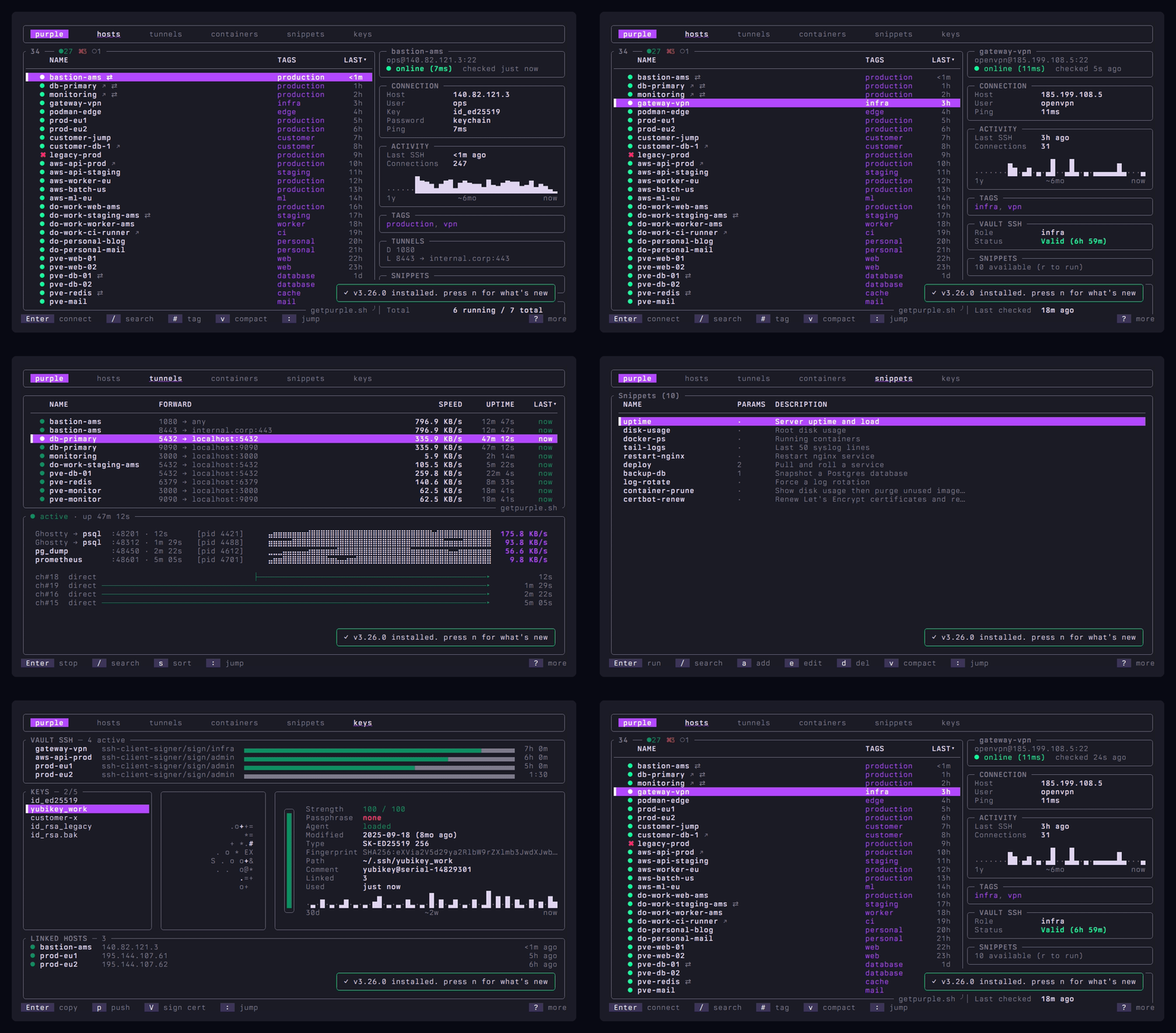
What's under the hood and how it works
The main feature of the utility is that it doesn't try to invent its own closed format or hide settings in an SQLite database. The program directly parses your ~/.ssh/config, carefully preserving comments, indentation, Include directives, and any non-standard parameters. All changes are written back to the same file.
The interface is built on the Ratatui library. It's a fast, responsive TUI as a single binary without daemons or background services. The repository already has over 7300 tests, with source code available under the MIT license.
Cloud provider synchronization
Simply provide the provider's API token, and the list of instances is pulled into the config automatically. Currently, 17 platforms are supported, including AWS, GCP, Azure, Hetzner, DigitalOcean, Proxmox, and Teleport. You can connect multiple accounts at once.
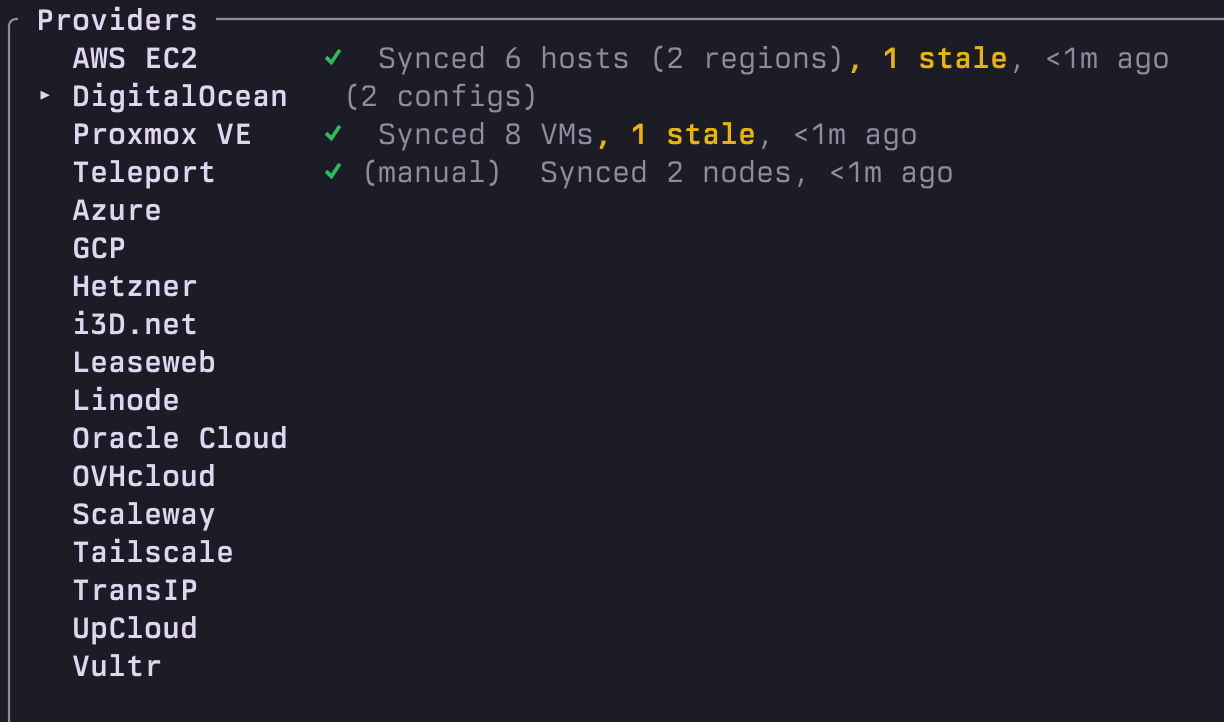
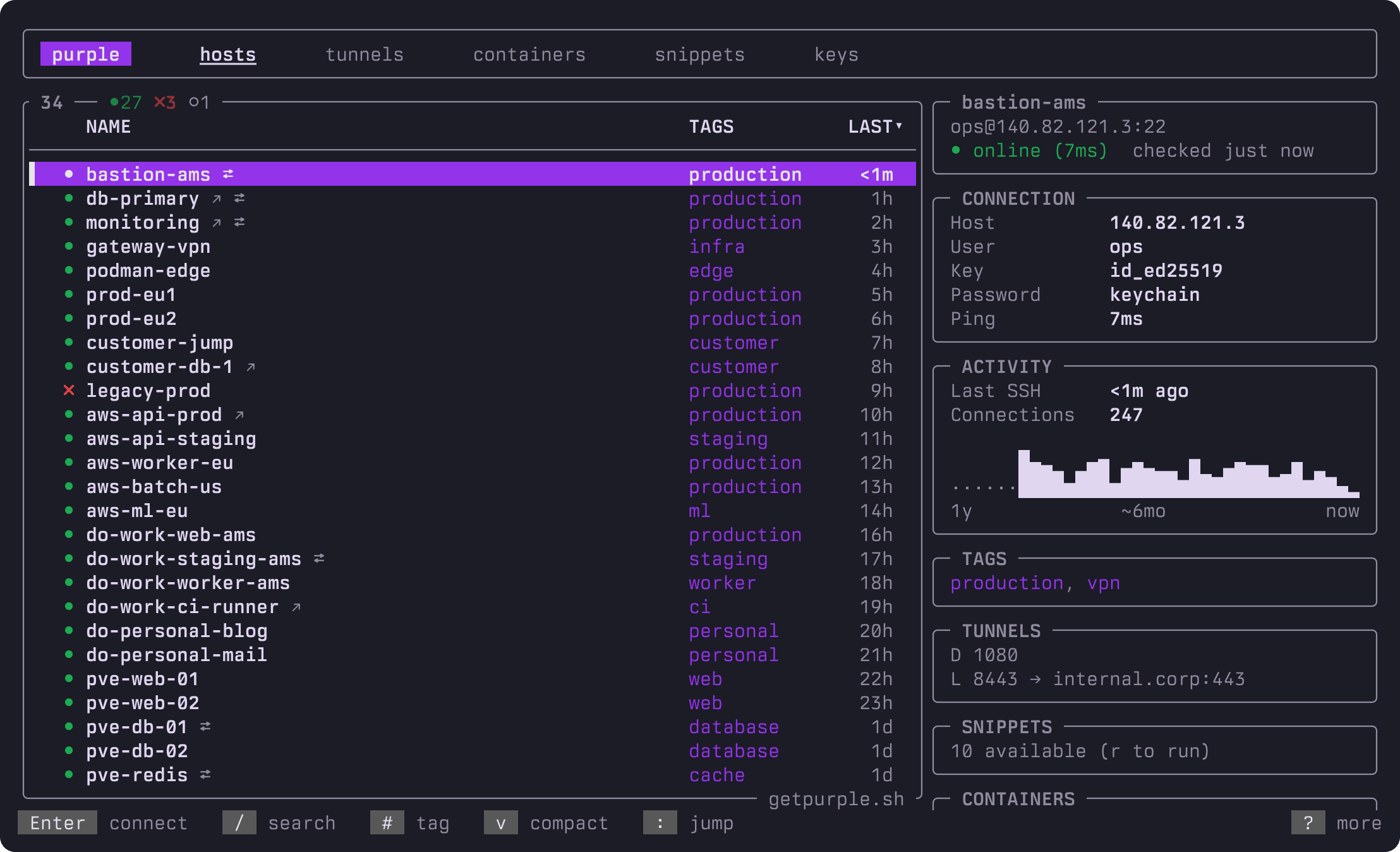
When you shut down a server, the utility marks it as stale, so dead addresses don't clutter the list. Each host card shows a detailed summary: availability status, connection route, activity history for the past year, tags, and running services.
Quick navigation and search
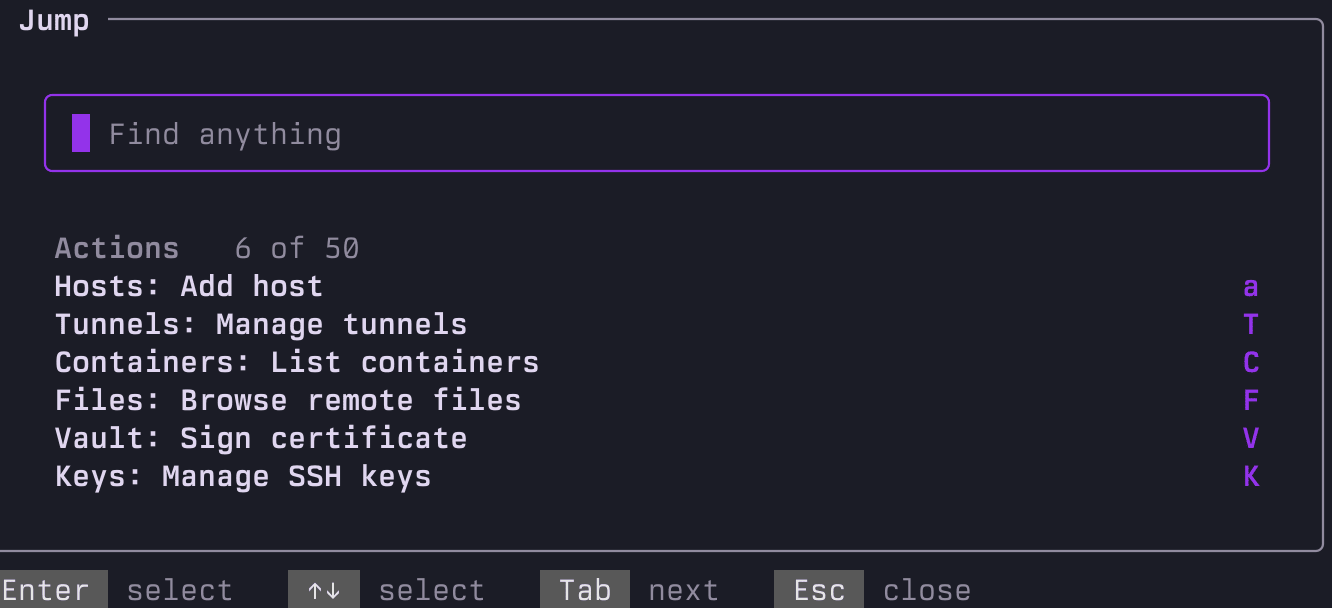
Pressing : opens a quick search bar in command palette style (like Cmd+K in modern editors). The search looks through hostnames, usernames, ProxyJump parameters, and tags. Filters like user:, proxy:, or tag: are available to filter out the noise in a couple of keystrokes.
Container management without agents
A separate handy feature is the tab with Docker and Podman containers across your entire infrastructure.
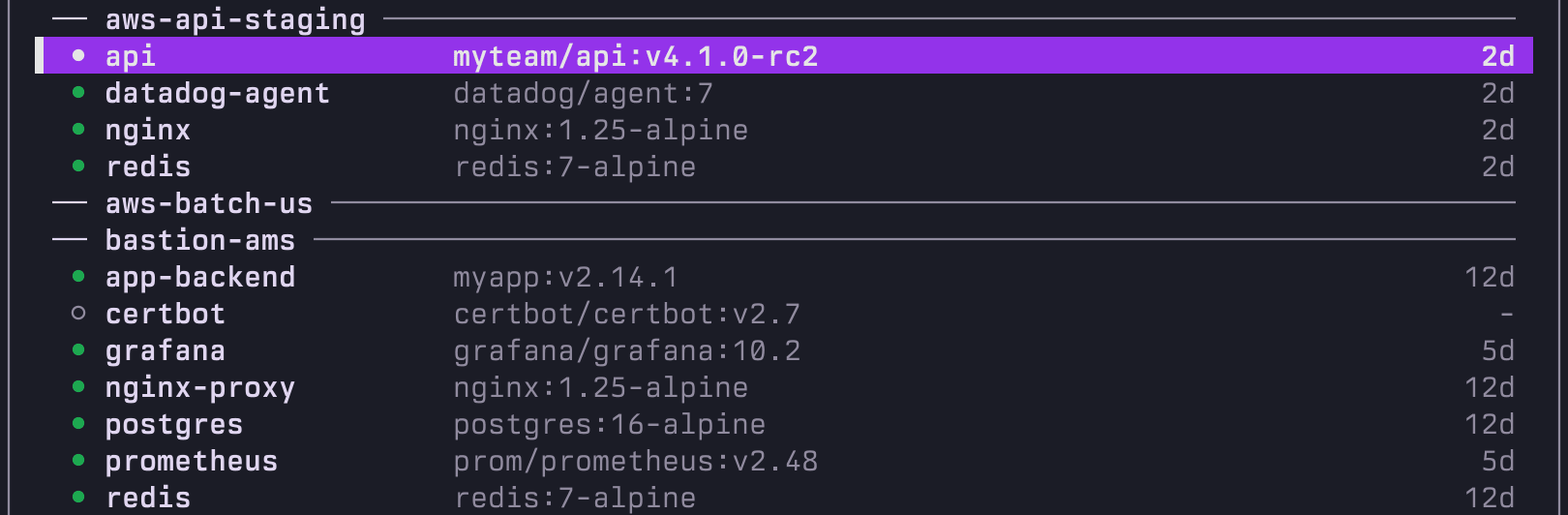
The program doesn't require installing third-party agents or opening web ports on remote servers. All interaction goes through standard SSH commands. Right from the interface you can:
- view a unified list of containers from all servers
- read logs in real time
- restart and stop containers
- drop into a container via exec
- restart services from Docker Compose individually
Tunnel monitoring and command execution
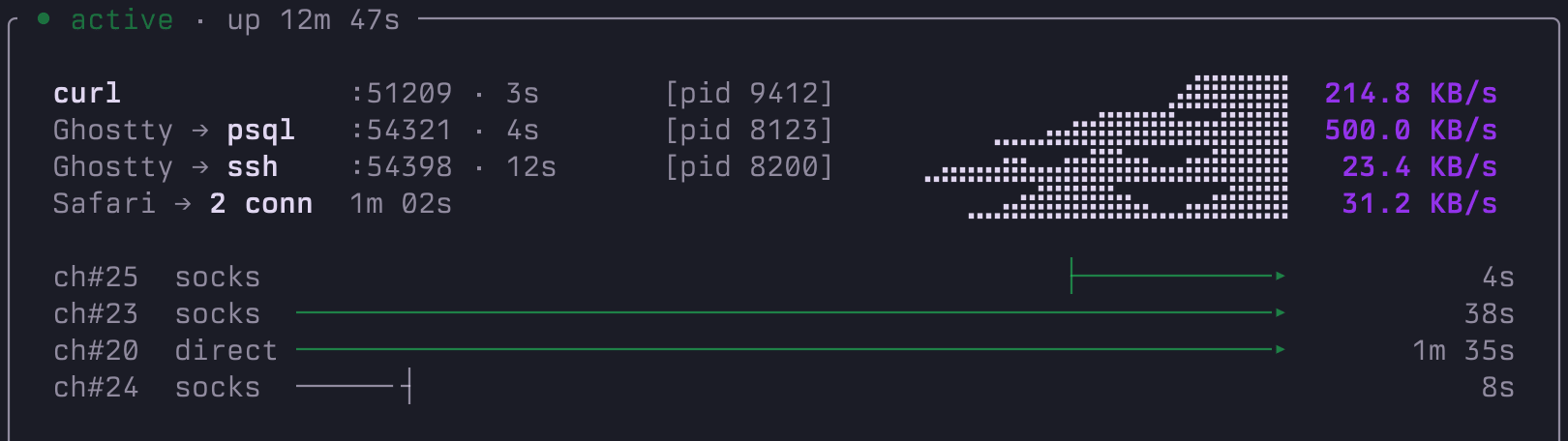
Usually SSH tunnels hang in the background as invisible processes. Here, every Local, Remote, and Dynamic SOCKS forwarding is displayed clearly: you can see data transfer speed, channel activity, uptime, and even the specific local process pushing the traffic.
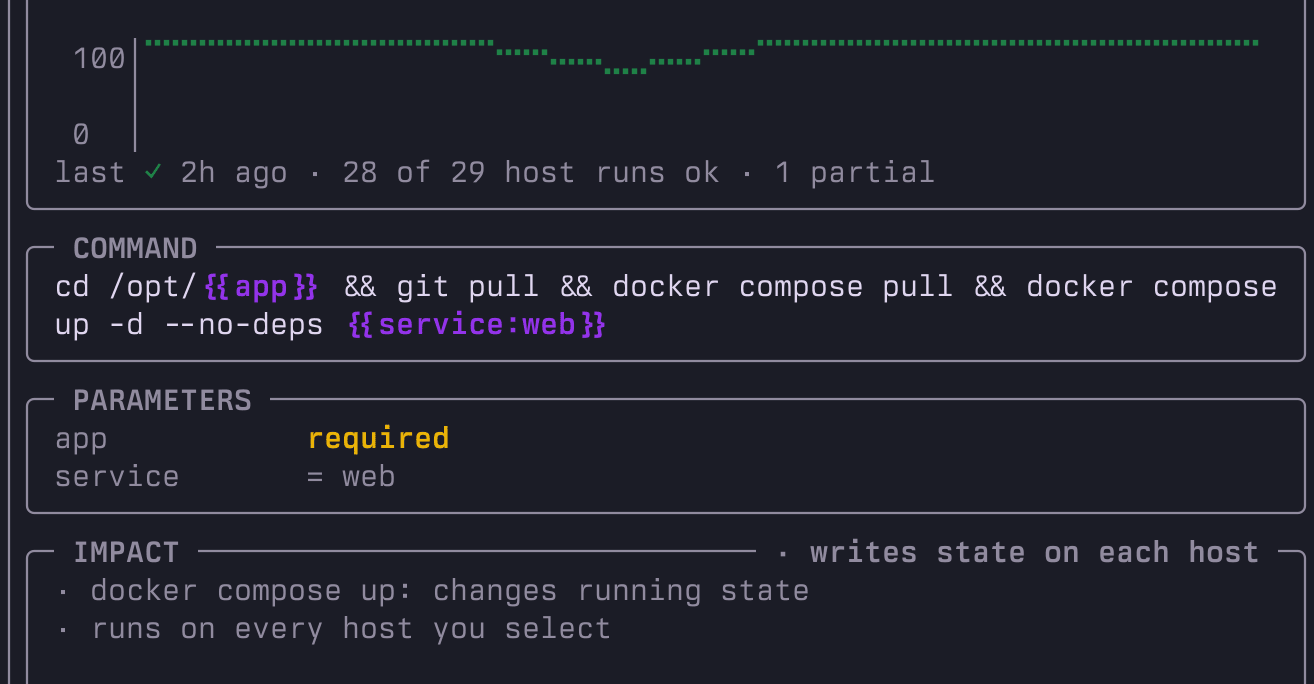
If you need to roll out a command across a group of servers, the snippets section comes in handy. Before launching, the utility shows the blast radius to avoid accidentally hitting extra instances, and then saves the history of successful and failed runs.
Working with keys and Vault
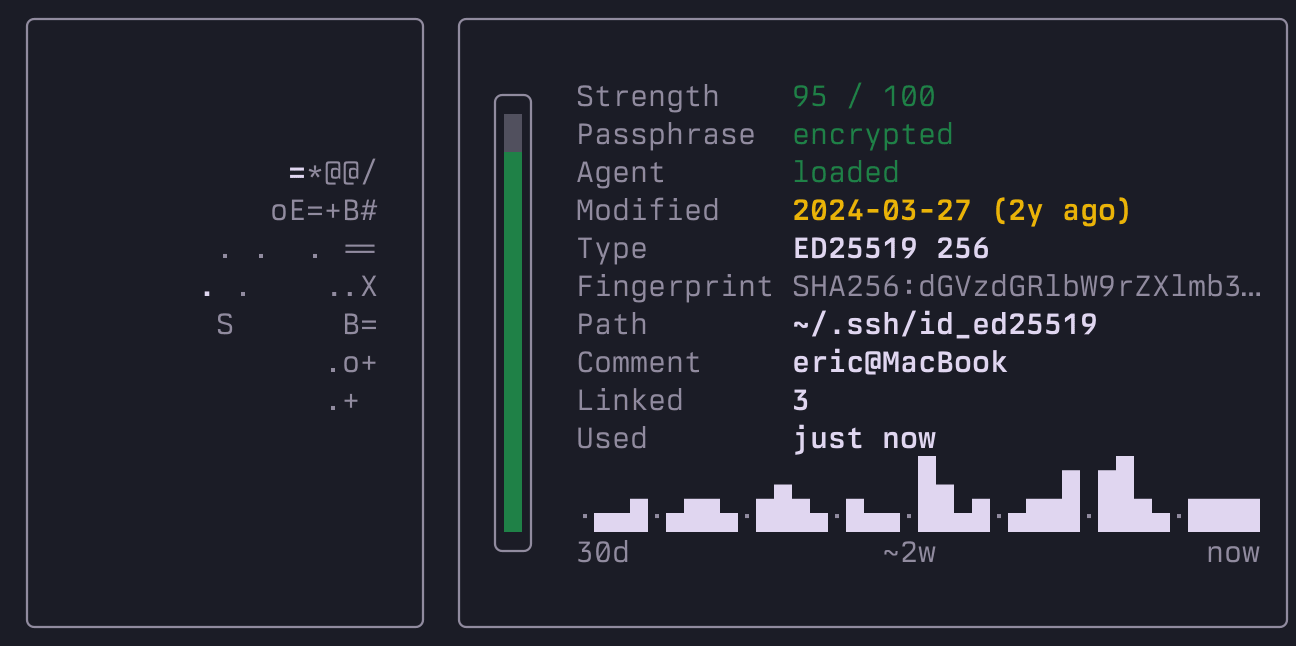
A separate tab collects all keys from the ~/.ssh directory. The utility evaluates their cryptographic strength, shows the randomart image, and lists the servers where the key works. Pressing p lets you roll out the public key to servers without manual cycles with ssh-copy-id.
For those using HashiCorp Vault, there's support for short-lived SSH certificates. The interface displays a time remaining bar for the certificate, so an unexpectedly expired access won't come as a surprise.

Other useful extras: a built-in dual-pane file manager for SCP file transfers, integration with password managers (1Password, Bitwarden, system Keychain), and its own MCP server for connecting to AI assistants like Claude Code or Cursor.
How to install
Quick install via script:
curl -fsSL getpurple.sh | sh
Or via package managers:
# macOS (Homebrew)
brew install erickochen/purple/purple

# Cargo
cargo install purple-ssh

# Arch Linux (AUR)
yay -S purple-bin
After installation, run the purple command. From any screen you can press ? to open the keyboard shortcuts help.
Who will find it useful
The project nicely bridges the gap between simple CLI commands and heavy paid clients like Termius. If you frequently juggle cloud VMs, maintain a homelab, or just got tired of manually sorting through server IP addresses, purple saves a lot of time and keeps configs clean.
Progetti correlati