How to Turn a Tangled ComfyUI Graph into a Clean Web Application
Anyone who has ever built a pipeline in ComfyUI knows this feeling. You spent three days, found the perfect LoRAs, configured ControlNet, and wrote clever upscalers. You ended up with a massive graph with a hundred nodes, looking like a circuit board schematic. Everything works like a charm.
Then a colleague—designer or product manager—comes along and asks: "Hey, can you make it so I can just upload an image, click a button, and get the result?"
You open ComfyUI, show them the screen, and see pure horror in their eyes. Giving an unprepared person access to a bare canvas with nodes is a surefire way to end up with a broken workflow within five minutes.
This is exactly what ViewComfy solves. It's an open-source tool that takes a ready JSON workflow from ComfyUI and builds a clean web interface with standard input forms.
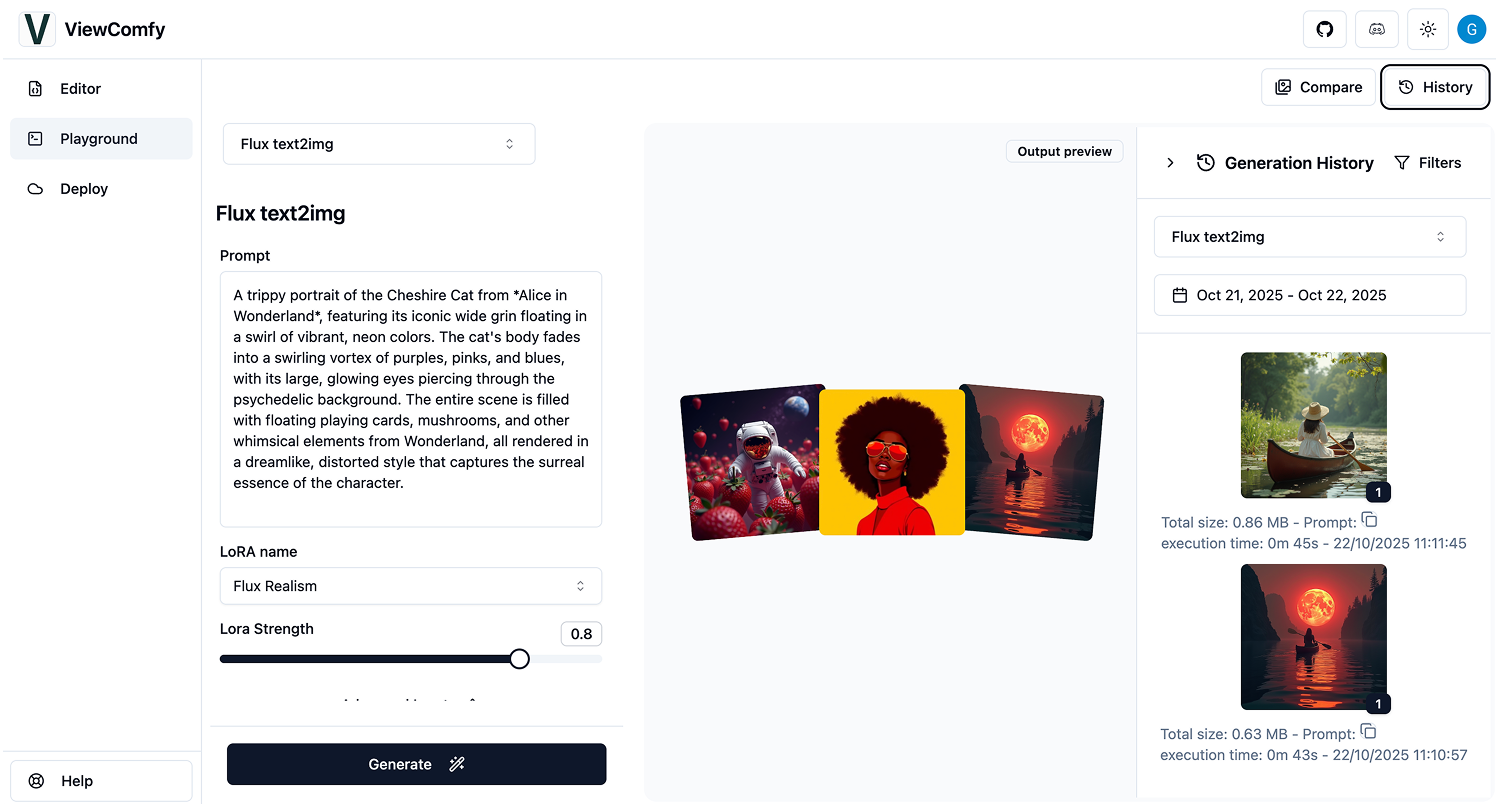
What's Under the Hood and How It Works
The project is built on Next.js and TypeScript. The concept is straightforward: export your pipeline from ComfyUI as workflow_api.json, drop it into the ViewComfy editor, and use the interface to select which parameters to expose to end users.
Instead of a tangle of wires and dozens of technical nodes, users only see what they actually need: a text field for prompts, a couple of sliders, a dropdown for style selection, and a generate button.
ViewComfy supports both local ComfyUI instances and serverless endpoints via API. This means you can run computations on a remote GPU server while delivering a lightweight frontend to users.
Key Features
Let's break down what the project offers out of the box.
Form Builder and Input Customization
You decide which parameters to expose and which to hardcode.
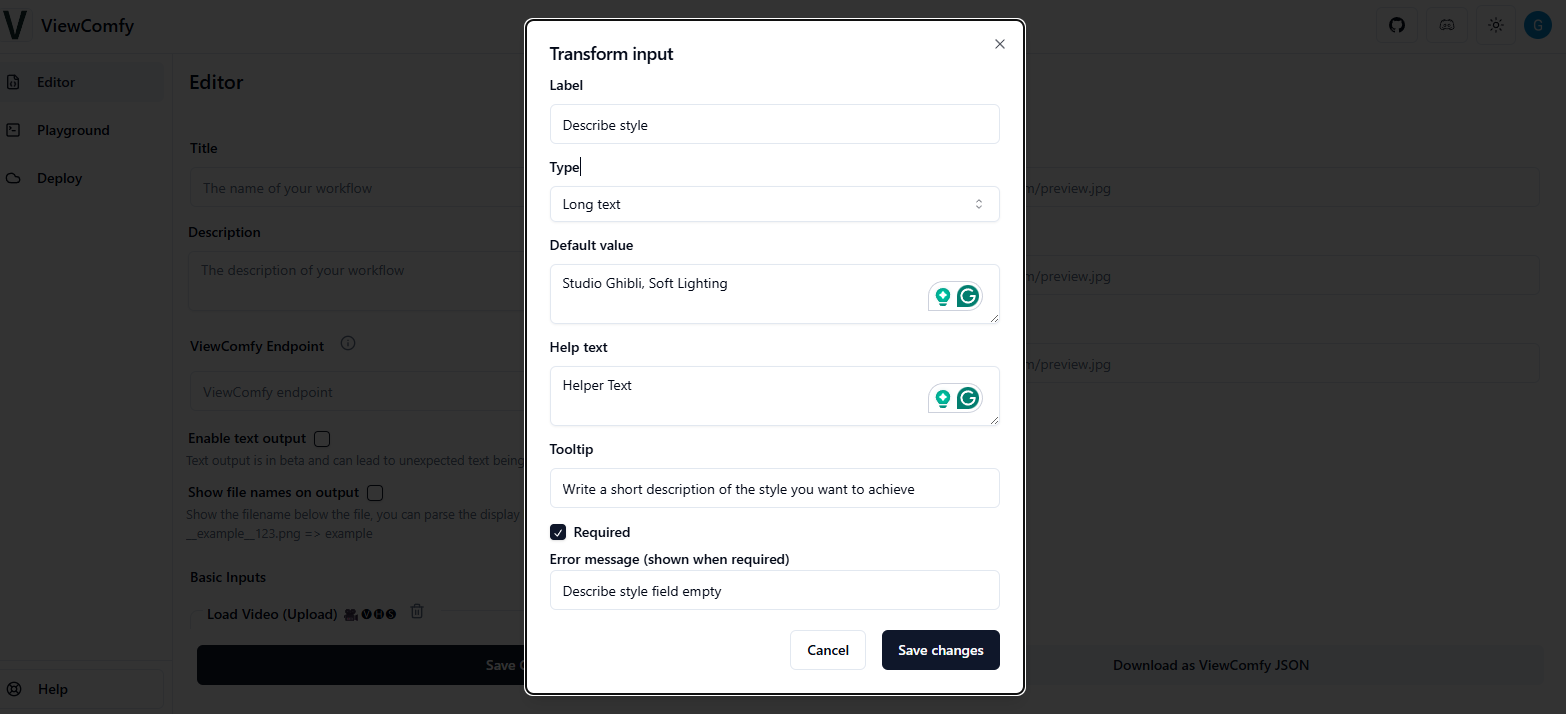
The editor supports most basic controls:
- Text fields and number inputs
- Sliders with min/max value constraints
- Dropdowns (select) and checkboxes
- Image, video, and audio file uploads
Fields can have helper text and be marked as required or optional.
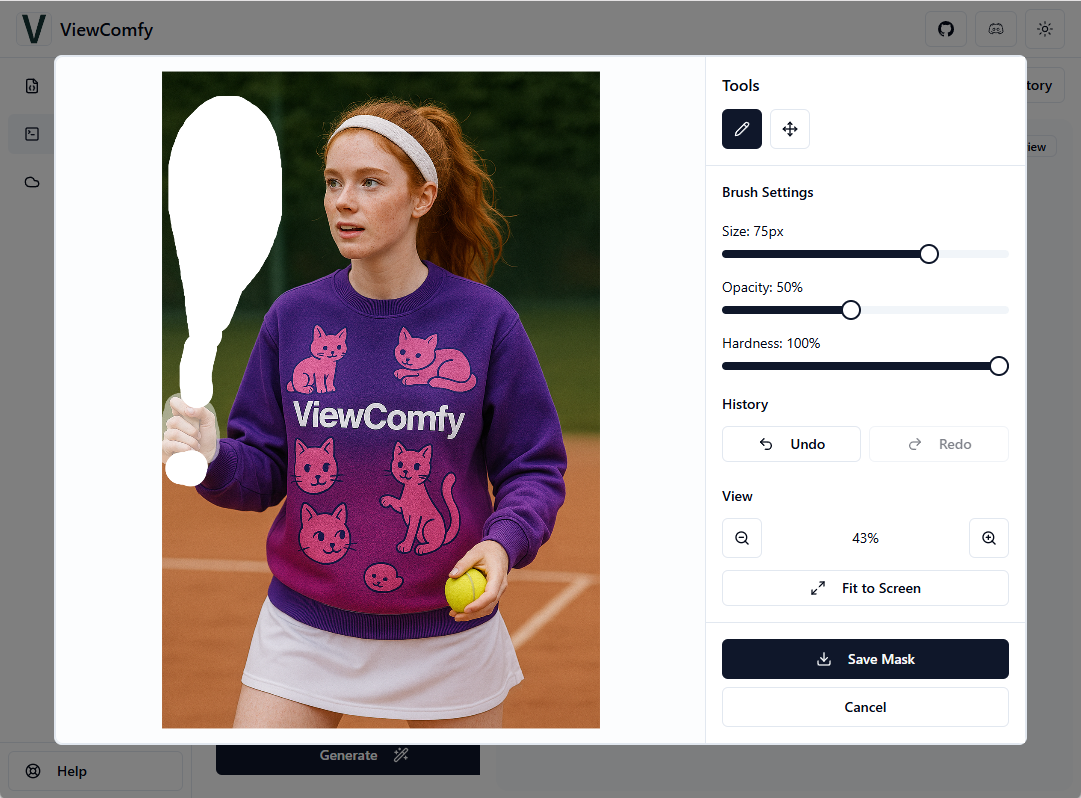
Built-in Mask Editor
If your workflow is tailored for inpainting or local editing, users need to draw masks directly in the browser. ViewComfy includes a built-in mask drawing tool that works over uploaded images.
Playground Mode and Interface Isolation
The most useful feature for sharing is Playground Mode (or ViewMode). In this mode, the editor interface is completely hidden, and users only see the finished web application.
This solves two problems at once:
- Protects pipeline logic. You don't expose the
workflow_api.jsonfile itself if you don't want to share your know-how. - Prevents accidental breakage. Users physically can't move a node or disconnect a wire in the pipeline.
User Authentication
If you're planning to deploy the app not just for local use but for your team, you can enable authentication through Clerk. Just add the keys to .env and set the appropriate flag.
How to Run Locally
You'll need a recent version of Node.js to get started quickly (the authors recommend v20.18+).
Clone the repository and install dependencies:
git clone https://github.com/ViewComfy/ViewComfy.git
cd ViewComfy
npm install
npm run dev
After starting the dev server, open your browser. Drag the exported ComfyUI file workflow_api.json into the editor window, configure the field display, and download the generated config view_comfy.json.
To switch the project to clean app mode (Playground Mode), place both JSON files in the root and edit .env:
NEXT_PUBLIC_VIEW_MODE="true"
VIEW_COMFY_FILE_NAME="view_comfy.json"
Restart npm run dev, and you get a ready-to-use web app. If you need to package everything in a container, there's a Dockerfile in the repository:
docker build \
  --build-arg NEXT_PUBLIC_VIEW_MODE="true" \
  -t viewcomfy .

docker run -it --name viewcomfy-container -p 3000:3000 viewcomfy
Where This Comes in Handy in Practice
I see three clear scenarios where ViewComfy saves a lot of time:
- Internal tools for non-technical teams. Designers, copywriters, or marketers need a tool for image upscaling, background removal, or generating banners that match a specific brand guide. You configure the graph once and give them an intuitive form.
- Prototyping AI services. When you need to quickly test a new product hypothesis using neural networks before having frontend developers build a full UI from scratch.
- Client demos. Instead of firing up the bulky ComfyUI during a call, you open a clean web page and demonstrate the pipeline in action.
The Catch and Conclusions
The project uses AGPL-3.0 licensing. If you're planning to rebuild it for a commercial closed SaaS, you'll need to account for the license restrictions. There's also a paid cloud platform (ViewComfy Cloud), so some features like built-in billing and detailed analytics are designed for their cloud, though the frontend itself remains fully autonomous and open source.
Who should give it a try:
- Developers and ML engineers tired of building repetitive frontends in Gradio or Streamlit for every workflow.
- Teams actively using media generation internally and looking to simplify things for their colleagues.
ViewComfy looks like a solid tool that solves the specific pain of connecting "complex pipeline — simple user." You can try it locally in 10 minutes, since the project spins up with a standard npm run dev.
Progetti correlati