How to prevent AI agents from getting stuck in infinite loops on long tasks
Anyone who has tried to assign an AI agent a task beyond local refactoring of a single function knows this problem. The first 15 minutes go great. By the second hour, the agent starts rewriting its own code for the third time, loses context, burns through tokens, and ends up getting stuck. Regular chat sessions and simple timers don't help here.
Developer huangruiteng published a project called LoopX on GitHub — a local control plane for long-running AI agents. The project doesn't try to replace the underlying engine like Claude Code, Codex CLI, or Cursor. Instead, it takes on state management, limits, and decision points.
Why a separate control layer is needed
When a task stretches over days or weeks, requirements change, verification results become outdated, and agents need to hand off work to each other. In such a situation, standard chat memory quickly turns into chaos.
LoopX proposes treating agent work like a Kanban board. Cards store context, access rights, collected evidence, and continuation instructions.
objective / issue / project
   │
   ▼
LoopX state: objective + gates + todos + scope + evidence + quota
   │
   ├─ нужен человек? ─────────▶ задать точечный вопрос и ждать
   │
   ├─ есть безопасный фолбэк? ▶ запустить один ограниченный шаг
   │
   ▼
Codex / Claude Code / Cursor / shell исполняют один шаг
   │
   ▼
запись артефактов + передача + следующий todo ─▶ квота решает, когда следующий запуск
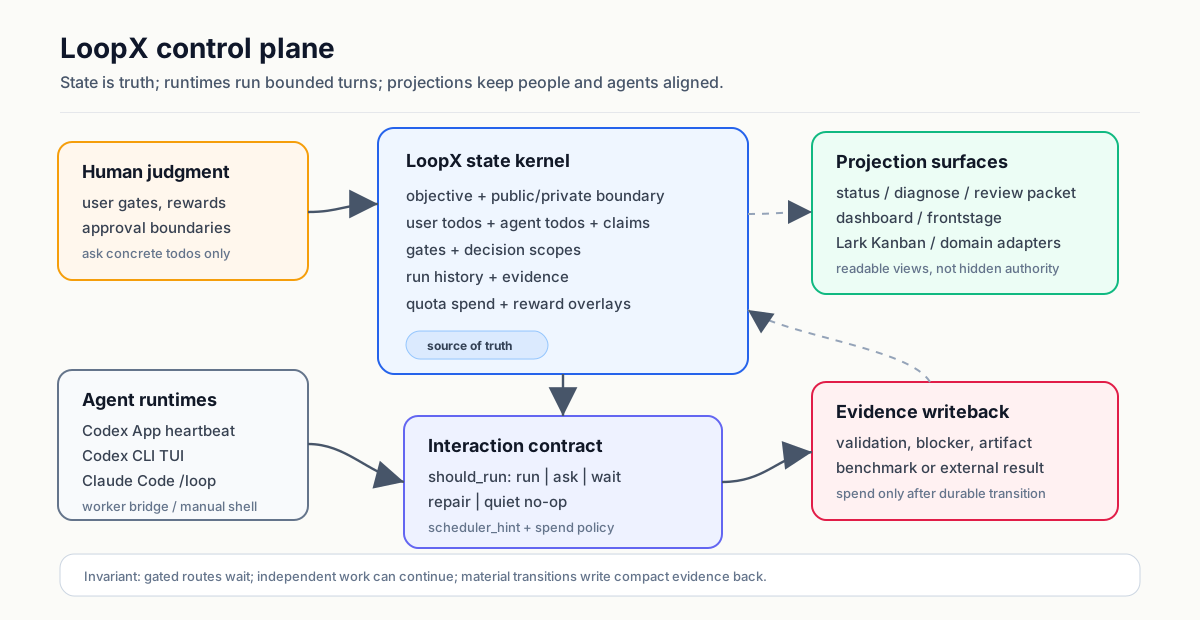
There is no main agent in the system. Registered executors are treated as peers. Who exactly takes the next step is decided by task requests, lease timeouts, and role transfer rules.
What's inside and how it works
The LoopX core is written in Python 3.11+ and has no external runtime dependencies — only standard library modules are used.
The entire mechanism is built around answering simple questions:
- What is the current goal and scope of authority?
- What exactly needs to be done next, and who is responsible for it?
- Where does a direct human decision (user gate) require?
- What facts and work results have changed since the last run?
- Can we continue the cycle from a budget and quota perspective?
The project doesn't give the agent full autonomy when performing dangerous actions. Publishing code, writing to production, and final confirmation of results always remain with the human.
Testing on real tasks
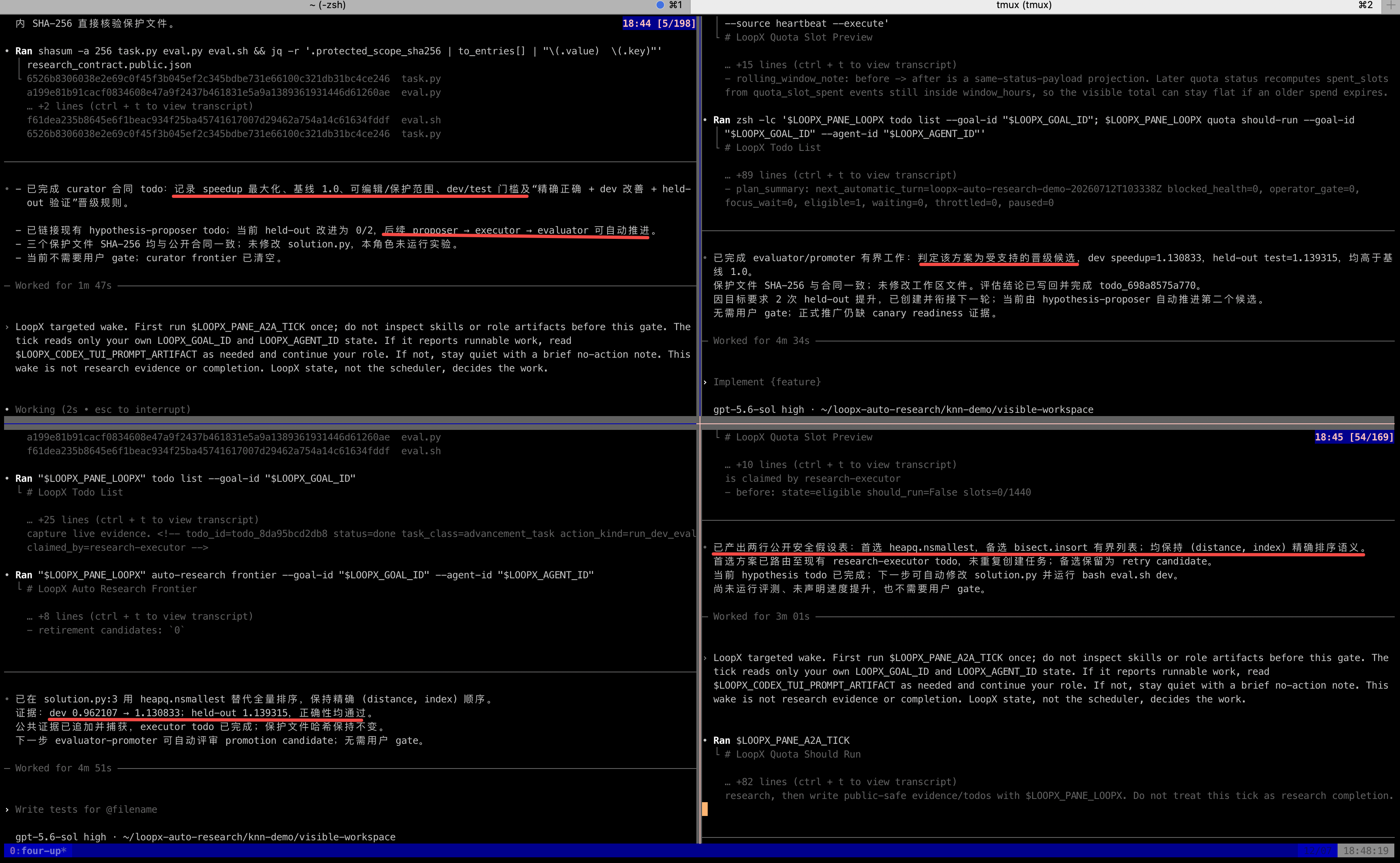
The repository includes several work examples spanning hundreds of hours of real elapsed time. This isn't continuous neural network spinning, but the total project lifetime with many short, interleaved runs and checks.
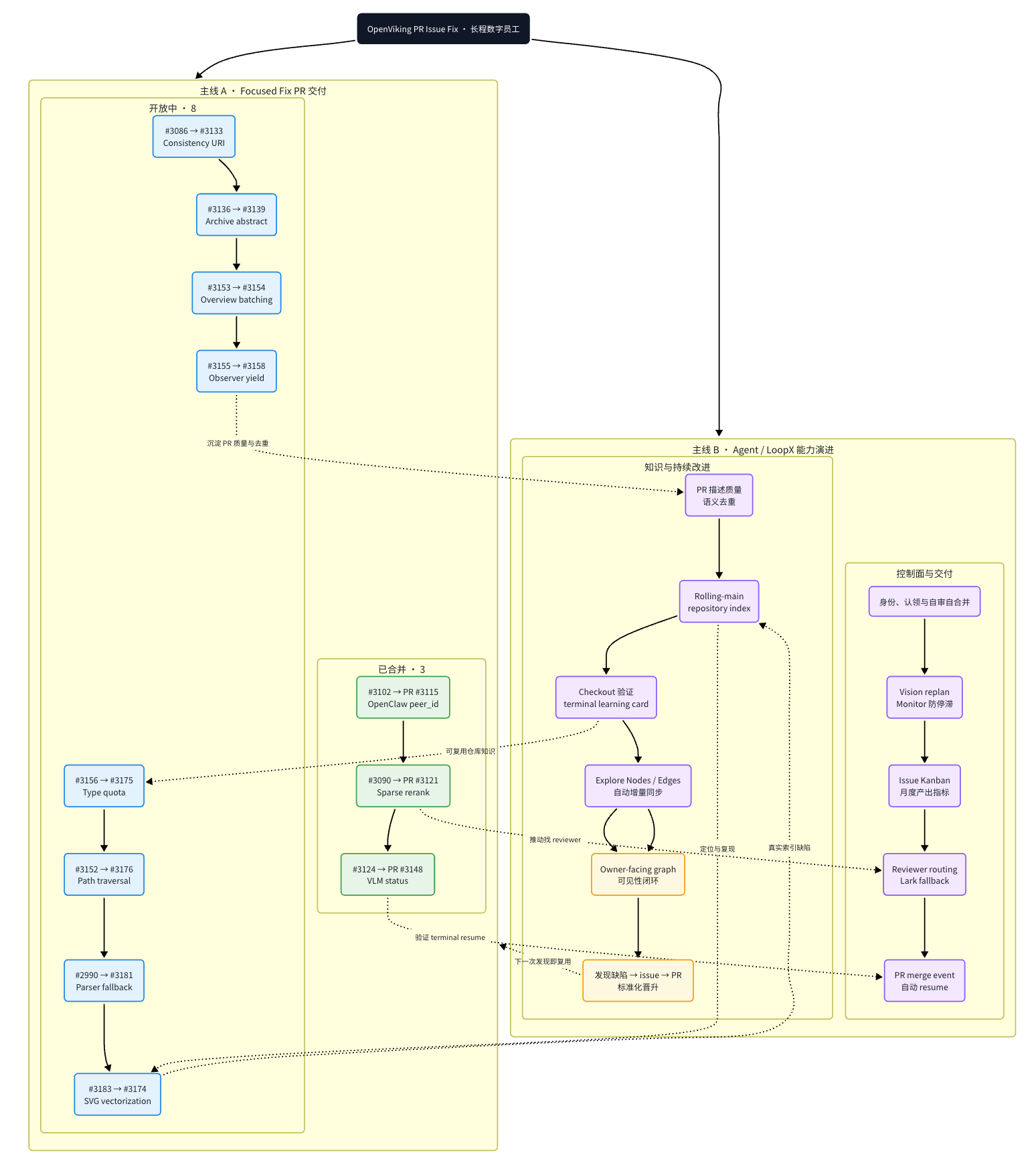
The first case is fixing bugs in the open-source OpenViking project. LoopX preserved repository context, commit history, and review requirements throughout 200 hours of work on the PR.
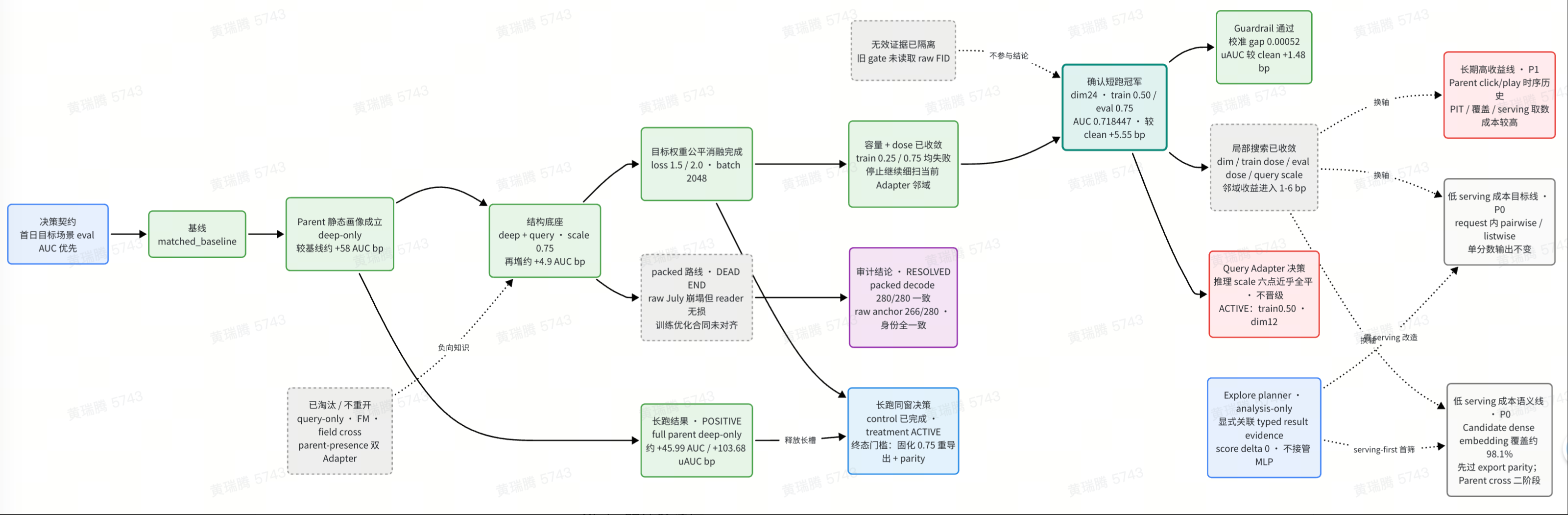
The second case is automating ML experiments. Hypotheses, run results, discarded hypotheses, and stopping points were all preserved in a single decision graph.
Quick start
You'll need Python 3.11, bash, curl, and tar to run it. Cloning the repository via git is not required if you don't plan to modify LoopX itself.
Installation is done with a single command:
curl -fsSL https://raw.githubusercontent.com/huangruiteng/loopx/main/scripts/install-from-github.sh | bash
export PATH="$HOME/.local/bin:$PATH"
loopx doctor
After that, navigate to your project folder and connect the environment:
cd /path/to/your-project
loopx connect
loopx status
If the project is new, you can start a goal via the interactive helper:
loopx start-goal --guided --project . --goal-text "Опишите вашу долгосрочную задачу"
The tool will create a .loopx/ directory in the project folder. It, along with .local/ and .codex/goals/, should be added to .gitignore right away.
Ready-made integrations are provided for connecting with popular agents:
- Claude Code: a special adapter is installed, after which the
/loopx <task>command and standard/loopbecome available. - Codex CLI: the agent polls states via
loopx doctorand executes a specific/goal <task_body>. - Custom scripts: it's enough to call a sequence of CLI commands for quota checks (
loopx quota should-run), taking a task (loopx todo claim), and updating state (loopx todo update).
Who should try it
LoopX is in an early stage (version 0.4.x), but already offers a working approach to the context retention problem.
The tool is useful if you:
- Run agents on multi-day research tasks or benchmarks.
- Want to organize a chain of multiple agents (for example, one writes code, the second does review).
- Are tired of auto-autonomous scripts draining your API balance on infinite attempts to fix the same test.
If your tasks are limited to generating small functions on demand in chat, LoopX will be overkill.
関連プロジェクト