How to Turn a $5 Board into a Hardware Security Key
Hardware keys like YubiKey cost $50 to $100, and for reliability you usually end up buying two. If you just want to secure a home server, sign Git commits via a hardware module, or try passwordless login via Passkeys, the price tag stings. Recently came across a project called RS-Key that solves this problem surprisingly elegantly.
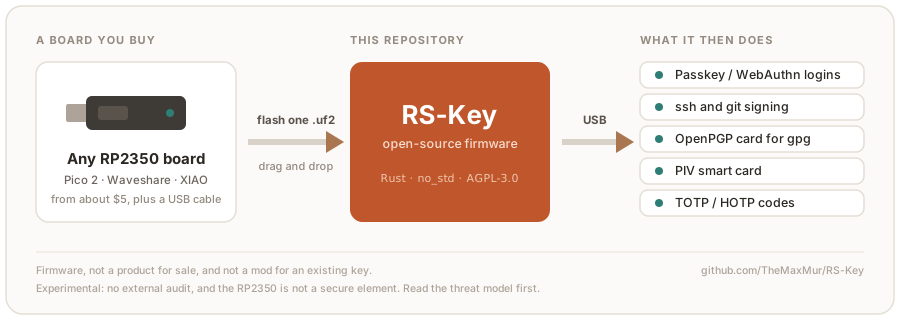
The project turns any available board based on the Raspberry Pi RP2350 microcontroller into a full-featured USB token. All you need is to download a ready-made binary and drop it onto the board like a regular flash drive. No soldering, programmers, or building from source required.
What's inside the firmware
RS-Key is written in Rust without the standard library (no_std) and emulates a composite USB device. When you plug the board into a computer, the system sees several interfaces at once: FIDO HID for web authentication, a CCID smart card, and a keyboard.
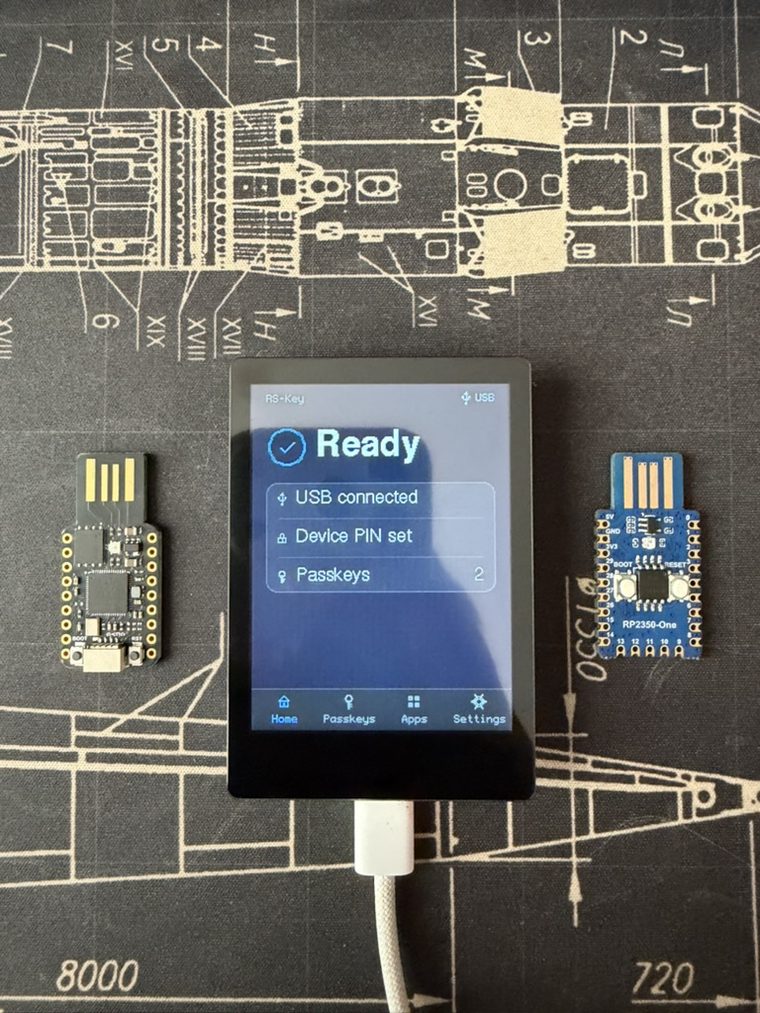
Here's what this tiny firmware can do:
- FIDO2 and WebAuthn. Supports Passkey login in browsers, two-factor authentication, and hardware SSH keys like
ed25519-sk. Physical presence confirmation works via the standard BOOT button on the board. - OpenPGP 3.4 smart card. Stores keys for signing commits in
git, encrypting and decrypting files viagpg. Supports RSA and elliptic curves. - PIV and OATH. Implements X.509 smart card standards and generates TOTP and HOTP one-time codes. With a special build that spoofs VID/PID, the device is recognized by standard Yubico utilities like
ykman. - Seed backup. The FIDO master key can be exported as a BIP-39 or SLIP-39 mnemonic phrase to restore access if the board is lost.
- Experimental post-quantum cryptography. The author built in ML-DSA-44 and ML-DSA-65 schemes, optimizing stack usage for RP2350 memory.
How to get started in a couple minutes
The first-time startup process is straightforward. Grab any RP2350-based board (e.g., Waveshare RP2350-One or Seeed XIAO RP2350) and follow four steps:
- Download the
rs-key-<версия>-default.uf2file from the repository's releases tab. - Hold down the BOOT button on the board and plug it into your computer's USB port. A drive named
RP2350will appear in the system. - Copy the
.uf2file to this drive. The board will immediately reboot into security key mode. - Open the test site webauthn.io, try registering a new key, set a PIN code, and press the BOOT button to confirm touch.
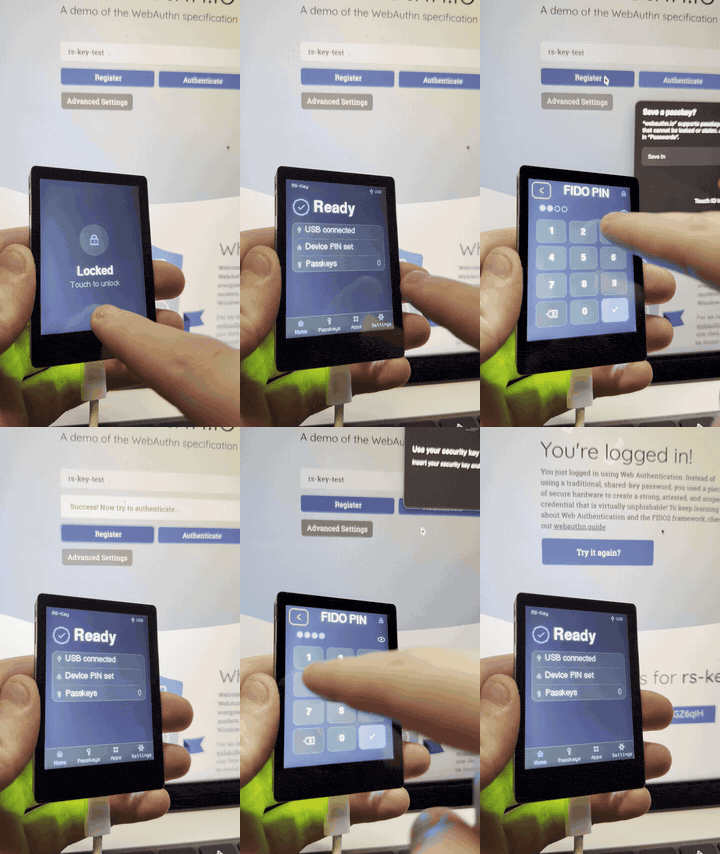
For fans of devices with screens, there's a separate build for the Waveshare RP2350-Touch-LCD board. In this case, login confirmation and PIN entry happen directly on the device's display.
Configuration and host software
For managing the key from the terminal, the repository includes a Python utility rsk and a dashboard rsk-tui. These let you view device status, change LED settings, generate backups, and manage slots.
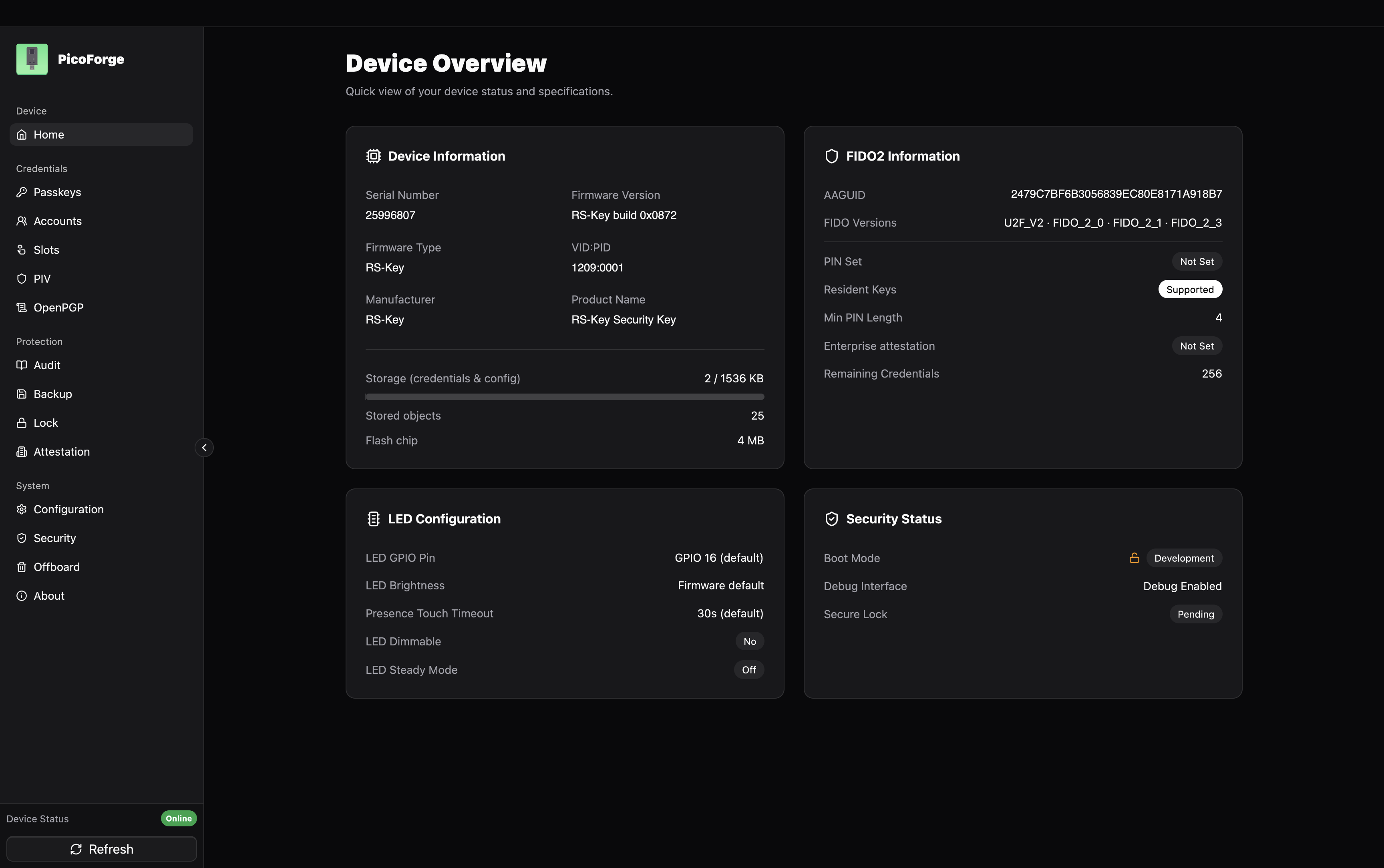
If the console isn't your thing, the third-party project PicoForge provides a full graphical interface for configuring all RS-Key modules.
For developers who don't have an RP2350 chip on hand yet, there's an emulator in the tools/emu folder. It runs the firmware logic directly on your PC via sockets or Linux virtual USB (USB/IP), which helps test integrations without physical hardware.
Limitations and threat model
The project author honestly warns in the documentation: RP2350 is a general-purpose microcontroller, not a certified security chip (Secure Element).
If your potential adversary has a lab with equipment for silicon delayering, bus probing, or power fault injection, the chip won't hold up. RS-Key won't protect against laboratory-level chip decapsulation.
That said, the RP2350 chip does have OTP (one-time programmable fuses) and Secure Boot. The repository documents a detailed process for hard-locking the firmware, where the master key gets burned into OTP and boot is only allowed for binaries signed by you. This makes a simple flash dump useless if the key is stolen, but the fuse-burning operation is irreversible.
Who will find this project useful
RS-Key is great for everyday developer tasks:
- Sign Git commits and tags without risking private key leakage from your laptop's disk.
- Access servers over SSH with hardware confirmation via
ed25519-sk. - Second factor for home labs, GitHub accounts, or email.
- Learn how CTAP2, WebAuthn, and smart card protocols work through real Rust code.
If you need an affordable token for work or a home lab setup, the combination of a cheap RP2350 board and RS-Key firmware delivers solid value for every ruble spent. Trusting it with corporate secrets under nation-state-level threats isn't advisable, but as a practical developer tool, the project definitely deserves a spot on your keyring.
関連プロジェクト