Visual feedback for AI agents without screenshots and lengthy explanations
You ask Claude Code or Copilot to create an architecture diagram or product plan. The agent generates an interactive HTML document with diagrams. But the moment you want to fix a label on a block or move an element, it becomes tedious. You either have to take a screenshot with arrows, or describe it in text: "in the third section from the bottom, replace block B with C."
The idea behind the lavish-axi repository is to bring back normal interactivity to this process. Instead of text descriptions, the tool opens the generated file in the browser and provides convenient editing tools.
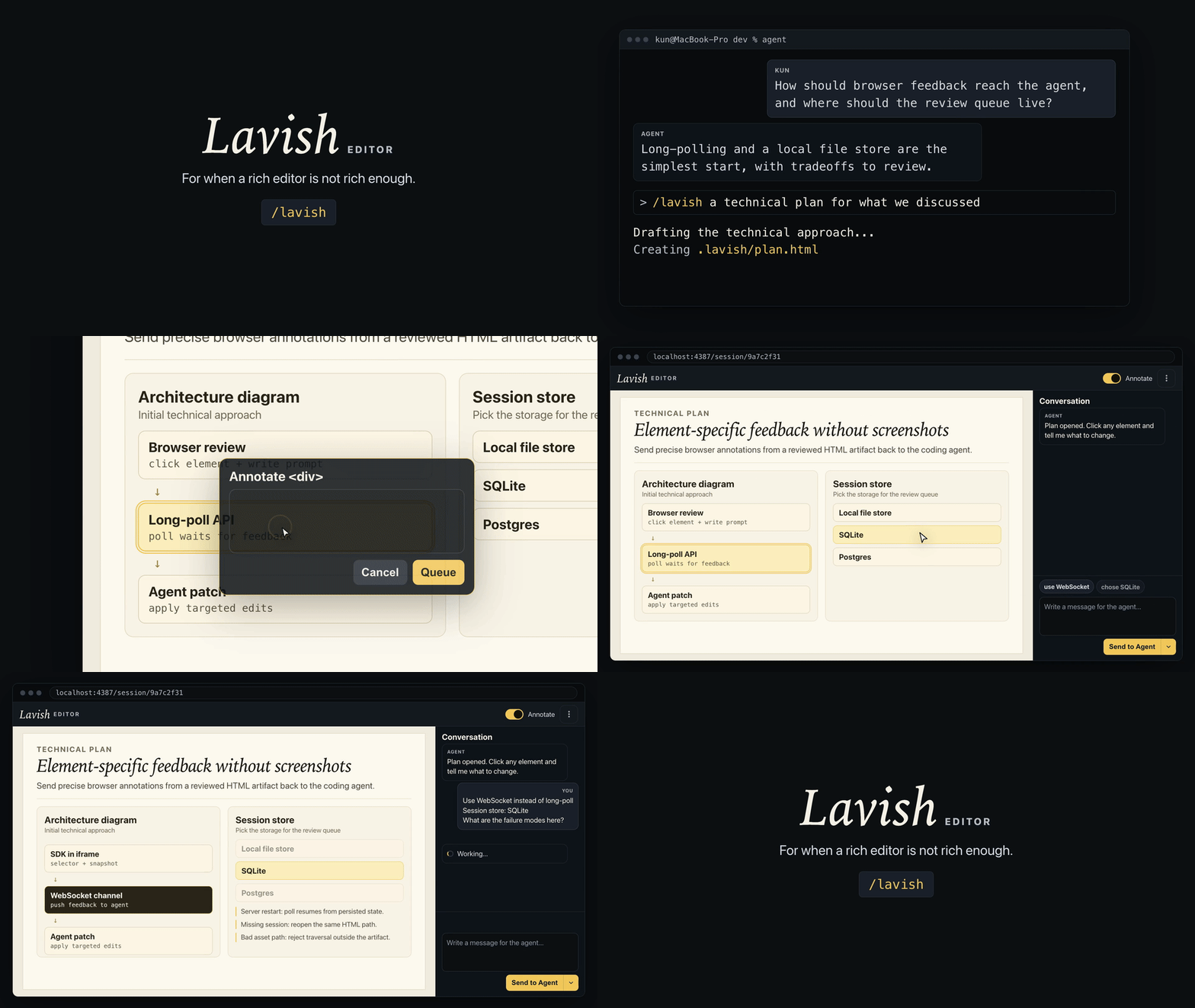
What Lavish Editor Does
This is a CLI utility and implementation of the AXI protocol (Agent eXtension Interface). The tool starts a local web server and opens the generated HTML file in the browser.
You select text, click on elements, leave comments, or edit diagrams. All notes are collected in a queue and sent back to the agent via long-polling or CLI hooks. The neural network receives precise CSS selectors and text fragments, so it quickly understands exactly what needs to be fixed.
Everything works completely locally. No third-party clouds or sending your code to external servers by default.
Converting Mermaid to Excalidraw Board
If the agent generates a Mermaid diagram, Lavish automatically converts it to an interactive Excalidraw board right on the page.
You click on the diagram, move shapes, draw connections, or change text. Then you click send feedback. The tool generates a summary of changes with a visual preview, and the agent updates the original Mermaid code in the file.
At the same time, the final HTML itself is not polluted with external libraries. If you open it in a regular browser without Lavish, it will display standard clean Mermaid.
Automatic Layout Validation
An interesting detail: before showing the artifact to a person, Lavish runs an internal layout check.
The built-in script checks whether text has overflowed container boundaries and whether controls are being overlapped. If a critical interface break is detected, the tool will send a message to the agent for revision before the open page catches your attention.
How It Works Technically
The interaction is built on clear principles:
- Sessions are tied to the canonical HTML file path, agents don't need to store IDs.
- The artifact runs in an isolated iframe, the injection script doesn't break your styles.
- Feedback is sent to the agent in a compact TOON format to save context tokens.
- The page automatically reloads when the file is saved, maintaining scroll position.
To share the result with colleagues, the export command packages images and styles into a single standalone file. And if you need to quickly publish the result online, the share command will optionally upload it to public or password-protected hosting.
Connecting to Agents
The easiest way to add the tool is through the skill manager:
npx skills add kunchenguid/lavish-axi --skill lavish
In Claude Code or similar environments, a ready-made command will appear:
/lavish давайте обсудим план проекта
For end-to-end integration across all development sessions, you can install the utility globally and enable hooks:
npm install -g lavish-axi
lavish-axi setup hooks
The command will write a SessionStart hook for Claude Code, Codex, OpenCode, and GitHub Copilot CLI. When any new session starts, the agent will immediately see active review processes.
Who Will Find This Project Useful
The utility is useful for developers who actively give tasks to AI agents to create technical documentation and interface prototypes. The tool completely eliminates endless back-and-forth on the topic of "fix that block on the right" and saves context tokens.
Related projects