How to Automate Link Lists: The awesome-zhuiju-free Catalog
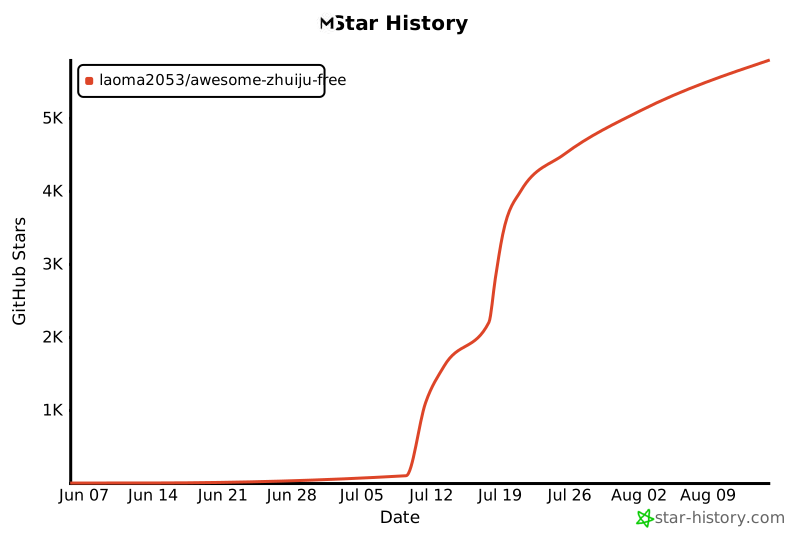
GitHub link collections typically meet the same fate. The author gathers a hundred useful sites, gets a couple thousand stars, abandons the repository after six months, and half the links turn into 404s. The awesome-zhuiju-free repository solves this problem through engineering.
At first glance, this appears to be a catalog of Chinese media resources: streaming platforms, Android TV players, IPTV playlists, cloud storage search engines, and torrent trackers. However, from a technical perspective, the project is notable for its link availability checking implementation and data structure design.

What's Inside the Catalog
The project database covers around a hundred resources, organized by category:
- Ready-made configurations and interfaces for TVBox and CatVod players
- Content aggregators for Android-based TV set-top boxes
- Open-source players and clients like Kazumi, Animeko, and SeleneTV
- Links to public IPTV streams and parsers like
iptv-organdiptv-api
The catalog authors evaluate each resource across four criteria: database size, response speed, absence of intrusive advertising, and domain stability. Scores are stored in JSON format, with the final rating displayed in the readme table.
Automatic Link Availability Checking via GitHub Actions
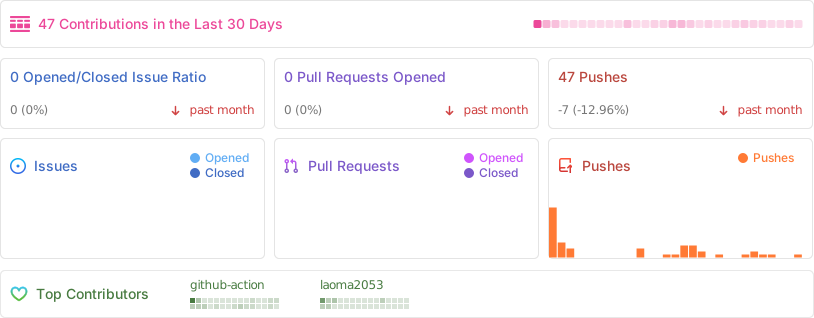
The repository's main feature lies in its CI/CD setup. Rather than manually removing dead links, the author configured a pipeline using GitHub Actions.
Scripts execute on a schedule every morning at 09:00 Beijing time, as well as with each commit containing new data. The process works as follows:
- The link database is stored in a separate file
resources/resources.json. - The Action triggers data schema validation
validate-data.yml. - The worker
check-availability.ymlpings each site and records the response code. - Results are written to the report
reports/availability.json. - The script dynamically updates statuses in
README.md, applying markers: green for operational sites, yellow for partial restrictions, and red for unavailable ones.
This approach transforms a static markdown file into a dynamic status dashboard.
Data Storage Architecture
Each entry in the database is represented as a structured JSON object. Here's an example of the tracking structure:
{
  "id": "kazumi",
  "name": "Kazumi",
  "url": "https://kazumi.app/download",
  "category": "app",
  "platforms": ["Android", "iOS", "Windows", "macOS", "HarmonyOS"],
  "rating": {
    "volume": 5,
    "speed": 5,
    "cleanliness": 5,
    "stability": 5
  },
  "risk": {
    "copyright": "low",
    "security": "low",
    "privacy": "low"
  }
}
Separating content into resources.json and visual presentation in README.md streamlines pull request handling. Users submit new sites through standard GitHub Issues forms (YAML templates), and the maintainer only needs to verify rule compliance and approve the merge.
How This Project Benefits Developers
If you're looking for ready-made clients for home media centers or TV set-top boxes, you'll find links to current forks of FongMi TV, TVBox, pansou parsers, and Kazumi players.
If you maintain your own repository of useful tools (awesome-list), the project is worth forking for its automation structure:
- Ready-made workflow for daily pinging of external addresses
- Table generation with check dates and indicators directly in Markdown
- Input data validation through GitHub Actions
- Check history storage in JSON files within the repository
The catalog demonstrates how a simple link list can become a maintainable microservice using only GitHub Actions. You can explore the workflow structure or find Android TV media players in the laoma2053/awesome-zhuiju-free repository.
Related projects