How to teach the browser to read text from images without server-side magic
Imagine you're building a web app for expense tracking, and the user needs to manually enter data from receipts. It's boring, slow, and frankly outdated. You want to just take a photo of a piece of paper and immediately get the numbers in the database. Usually, for such tasks, you set up heavy Python services with OCR or pay cloud giants for each request. But there's an easier and, more importantly, free way.
We're talking about Tesseract.js. This is a JavaScript port of the legendary Tesseract OCR engine that works right in the browser or on Node.js.

What is this thing anyway
Tesseract.js is not just a wrapper over an API. The developers took the original C++ engine, compiled it to WebAssembly, and packaged it into a convenient JS library. As a result, we get full-fledged text recognition that runs on the client side.
Why is this needed? First, privacy. User data doesn't fly to your server, everything is processed locally. Second, infrastructure savings. Your servers don't spend resources on heavy pattern recognition math — this work is done by the user's processor.
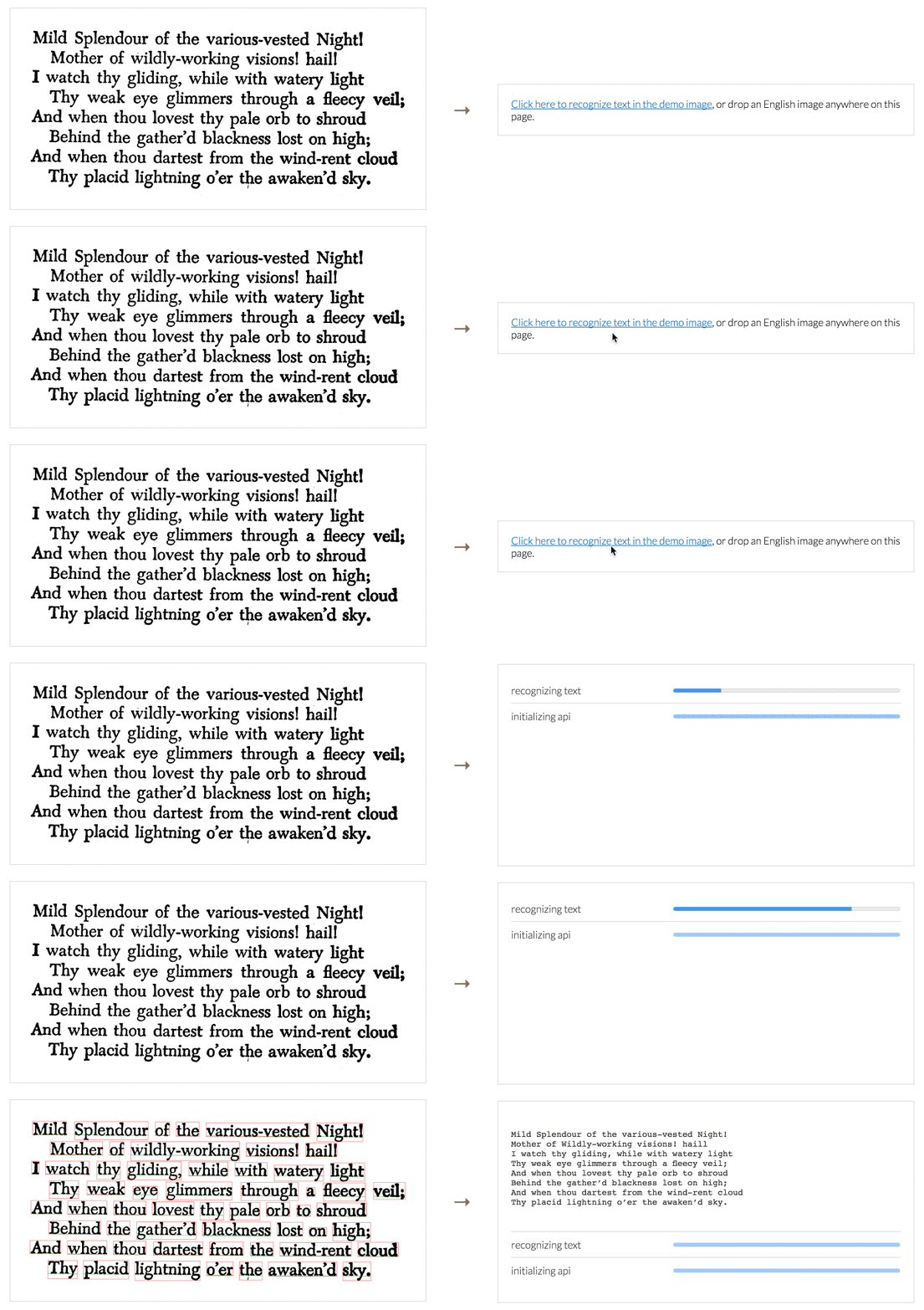
How to get it running in a couple minutes
The library supports over 100 languages, including Russian. To get started, you only need a couple lines of code. Here's a basic example for Node.js or browser using modules:
import { createWorker } from 'tesseract.js';

(async () => {
  // Создаем воркер и указываем язык (например, английский)
  const worker = await createWorker('eng');

  // Скармливаем картинку — это может быть URL, путь к файлу или Blob
  const ret = await worker.recognize('https://tesseract.projectnaptha.com/img/eng_bw.png');

  console.log(ret.data.text);

  // Не забываем прибраться за собой
  await worker.terminate();
})();
If you need to process a batch of photos, creating a worker for each one is a bad idea. It's better to initialize it once, run all images through the recognize method, and only then close it.
What else can the library do besides plain text
The project has long outgrown simple letter reading. Recent versions (currently v5 and v6) brought a lot of useful features.
The library automatically detects text orientation. If the user uploads a sideways photo, Tesseract.js will try to rotate it for better results. You can even extract intermediate images: see how the algorithm converted the picture to B&W or removed noise.
Interestingly, the project can work with real-time video. You can point your smartphone camera at a price tag, and the script will immediately "pull out" the relevant words from the stream.
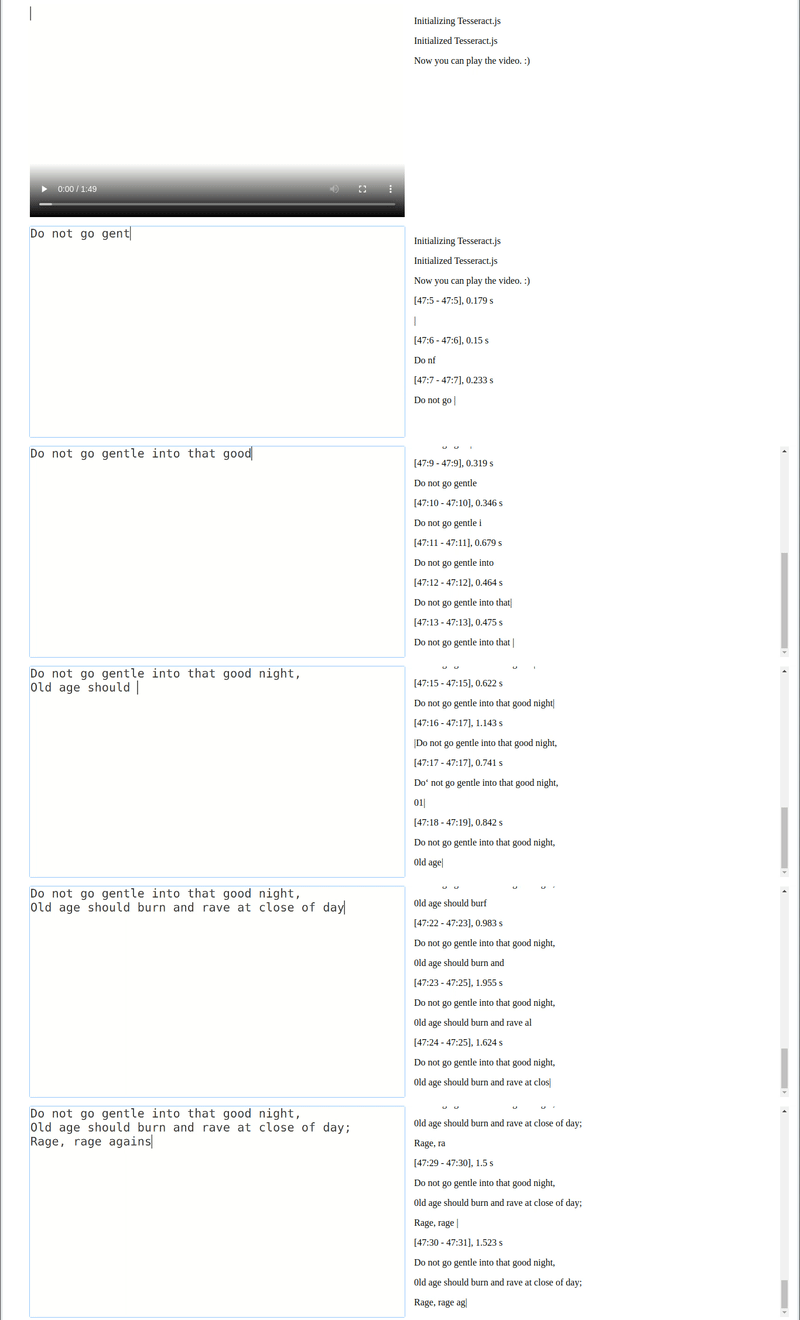
In version v5, the developers did a lot of work on file size. Trained model files for English became 54% smaller, and for Chinese — a full 73%. For the web, where every megabyte counts, this is critical.
What you should know upfront
No silver lining without a cloud. Tesseract.js is pure OCR. It handles printed text on high-contrast backgrounds well, but struggles with handwritten input or overly complex designs.
Another nuance — PDF. The native library doesn't support them. If your task is parsing multi-page documents, you'll need to either pre-convert them to images, or look into alternatives like Scribe.js, which grew out of attempts to extend Tesseract.js capabilities.
You should also keep in mind that WebAssembly is powerful but hungry for memory. If you run recognition on a weak smartphone with a dozen open tabs, the page might just "crash".
Where can you apply this
In my experience, such tools come in handy most often in small internal utilities. For example:
- Auto-filling forms from document scans.
- Screen text translation tools (screenshot capture).
- Indexing text in images for local search.
If you need to quickly add text recognition and don't want to deal with backend, Tesseract.js is the most obvious and time-tested option. The project is alive, actively maintained, and has a huge community, so most problems can be Googled in five minutes.
You can try the library in action on their official demo site. There you can clearly see how the engine "sees" the document structure and breaks it into blocks and words.
Related projects