Why Use Adminer When There's phpMyAdmin and Heavy GUI Clients
Anyone who has ever deployed a web application on a modest VPS remembers this routine. You need to urgently check a table in the database or fix a single row. Installing a desktop client like DBeaver and setting up an SSH tunnel takes too long. Uploading phpMyAdmin is also undesirable: thousands of small files in the archive, a bunch of settings, megabytes of unpacked code.
In such situations, Adminer comes to the rescue — a project by Czech developer Jakub Vrána that has been on GitHub for over 15 years. The tool's concept is straightforward: a full-featured web admin panel for databases that fits into a single PHP file.
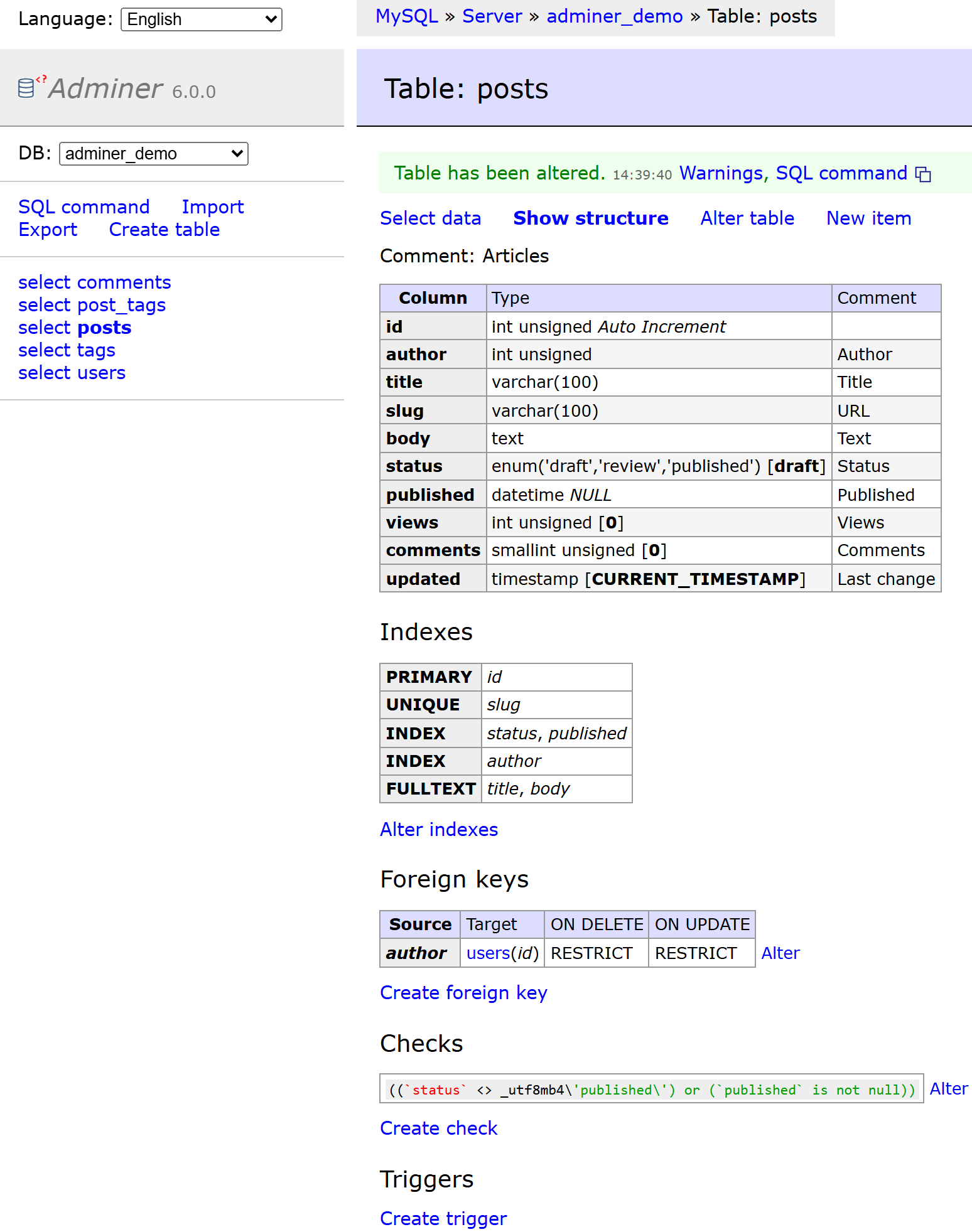
How It Works
You download a single file adminer.php about 400 kilobytes in size. Upload it to your server's website folder and open it in your browser. That's it for installation. A login form appears with options to select a DBMS, host, username, and password.
The compiled version of Adminer runs in virtually any environment. It only needs PHP 5.3, which was still common on servers in the late 2000s. If you're working with the repository source code and building the project yourself, you'll need PHP 7.4 or newer.
Unlike phpMyAdmin, which is historically tied to MySQL, Adminer supports multiple DBMSs out of the box:
- MySQL and MariaDB
- PostgreSQL
- SQLite (versions 2 and 3)
- MS SQL
- Oracle
- CockroachDB
Connecting official plugins expands this list. Support for ClickHouse, Redis, Elasticsearch, and MongoDB becomes available.
Why the Single-File Format Is Still Convenient
Packing the entire application into a single script delivers tangible benefits in practice.
First, deployment speed. The file downloads in a second via wget or curl directly in the server console. No need to extract archives, create auxiliary tables for settings, or modify configuration files.
Second, resource efficiency. The script is written without frameworks. Pages load instantly even on the weakest virtual servers with 512 MB of RAM.
Third, the utility handles memory carefully when importing and exporting dumps. Where phpMyAdmin crashes due to memory limit or timeout errors, Adminer typically manages without issues.
What's Inside the Repository
Looking at the repository source code vrana/adminer reveals that the project is organized far more interestingly than it appears. It's not just 400 kilobytes of mixed HTML and PHP code.
The source code is split into modules:
adminer/— main interface codeeditor/— lightweight Adminer Editor versioncompile.php— build script that assembles all components, styles, and language files into the final monolithic filelang.php— utility for updating localizationstests/— end-to-end Playwright tests for browser verification
The build script strips whitespace, removes comments, and minifies CSS. The result is a compact file ready for deployment without external dependencies.
A Separate Version for End Users
The repository contains a second product — Adminer Editor.
Consider a typical scenario: you need to grant a manager or content manager access to edit database records. However, you can't show them table structures, indexes, or allow them to execute arbitrary SQL queries.
Adminer Editor solves exactly this problem. It provides a simplified interface on top of your database. It lacks DDL modification buttons and administrative settings. Users only see familiar forms for adding, editing, and searching records. If needed, the Editor is easily customized to your project's rules through a small PHP class.
Security and Caveats
Working with the utility is convenient, but leaving adminer.php publicly accessible on a production server is risky. Bots constantly scan websites for standard file names like adminer.php or db.php, attempting to brute-force database passwords.
To secure your server, follow these simple guidelines:
- Delete the file immediately after finishing debugging.
- Rename the script to a random string of characters (for example,
db_access_9281.php). - Restrict access to the file at the web server level using HTTP Basic Auth or IP restrictions.
Another consideration is the utility's default appearance. The out-of-the-box design looks like a friendly throwback to 2008. However, this is easily fixed by connecting third-party CSS themes from the project's official catalog.
Who Will Find This Tool Useful
Adminer occupies an excellent niche in a developer's toolkit. It's indispensable for quick debugging on dev servers, working with SQLite files, and situations where server access is limited to a web interface only.
The project has garnered over 7.5 thousand stars on GitHub and continues to be maintained by its author. It's a good example of how a simple and minimalist architecture remains relevant for years.
Related projects