How to Extract Any Sound from a Track Using Plain Text



If you've ever needed to remove dog barking from a podcast or extract vocals from an old track, you've probably dealt with standard splitters. Usually, they can only divide a track into exactly four stems: vocals, bass, drums, and everything else. Step left or right from that—like isolating specific applause or the clinking of glasses—and classic neural networks fall short.
Recently, Meta released the SAM-Audio model, which splits audio tracks based on text descriptions. The problem is that the original repository requires enormous amounts of VRAM and won't run on every machine. The audioghost-ai project solves exactly this problem: the author cut out unnecessary parts of the architecture, reduced VRAM requirements by almost half, and packaged everything into a ready-to-use web application.
What the Project Can Do
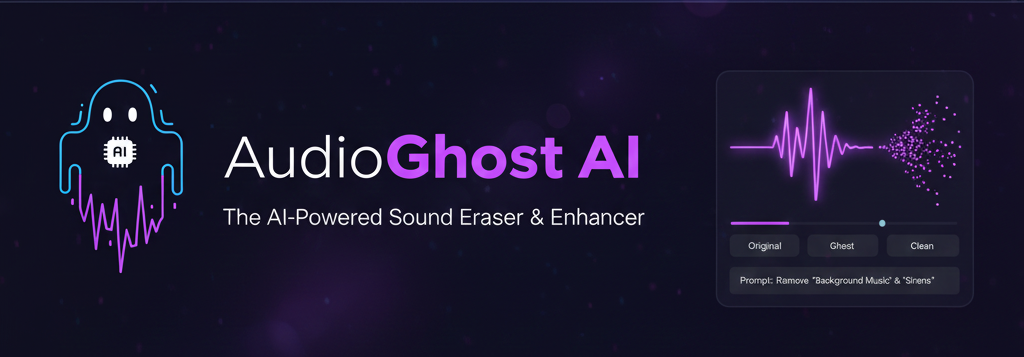
The core idea behind AudioGhost is to give the model commands in plain human language. You upload an audio or video file, type a description in the input field drums, crowd noise or a dog barking, and choose an action: extract that sound or, conversely, remove it from the track.
The interface immediately provides a built-in track mixer. You can listen to the original, the isolated sound, and the residual track right in the browser, comparing results on the fly. The video stream isn't analyzed visually yet—the service just extracts the audio track from the video—but the author plans to integrate SAM 2 for clicking on objects in the frame.
How They Managed to Shrink the Model to 4 GB VRAM
The original SAM-Audio was designed as a universal multimodal workhorse. Because of this, video encoders and text rankers constantly stayed in memory, even if the user just wanted to clean up an MP3 file.
AudioGhost uses the Lite Mode proposed in one of the discussions on Meta's original repository. Here's how they saved resources:
- Dropped the Vision Encoder and Visual Ranker, saving about 4 GB of VRAM
- Disabled the Text Ranker and span predictors, gaining another 3–4 GB
- Switched computations to
bfloat16precision by default - Split long tracks into 25-second fragments
As a result, the base model can run on consumer GPUs like the RTX 3070 or RTX 4060 with 8 GB of memory. If you enable high-quality mode in float32, the requirements jump to 13 GB, but for most everyday tasks, the base mode is sufficient. In terms of speed, inference on a test RTX 4090 achieves tenfold acceleration relative to real-time audio.
Architecture and Stack
The developer didn't complicate the project with exotic tools. The architecture is straightforward:
┌─────────────────────────────────────────────────┐
│                   Frontend                       │
│             (Next.js + Tailwind v4)             │
└──────────────────────┬──────────────────────────┘
                       │
┌──────────────────────▼──────────────────────────┐
│               Backend API                        │
│            (FastAPI + Python)                    │
└──────────────────────┬──────────────────────────┘
                       │
                       ▼
┌─────────────────────────────────────────────────┐
│              Task Queue                          │
│          (Celery + Redis)                        │
└──────────────────────┬──────────────────────────┘
                       │
                       ▼
┌─────────────────────────────────────────────────┐
│           SAM Audio Lite                         │
│    (Memory-optimized Meta SAM-Audio)            │
└─────────────────────────────────────────────────┘
The frontend is built with Next.js and Tailwind v4. The backend runs on FastAPI, and heavy audio separation tasks are offloaded to a queue via Celery and Redis. This keeps the interface responsive during long file processing operations.
Quick Start
For Windows, the repository contains ready-made bat scripts that automatically set up the Conda environment, pull in Redis, and install dependencies.
If you're building manually on Linux or via terminal:
# Создаем окружение
conda create -n audioghost python=3.11 -y
conda activate audioghost

# Ставим PyTorch с поддержкой CUDA 12.6 и FFmpeg
pip install torch==2.9.0+cu126 torchvision==0.24.0+cu126 torchaudio==2.9.0+cu126 --index-url https://download.pytorch.org/whl/cu126
conda install -c conda-forge ffmpeg -y

# Ставим SAM Audio и зависимости бэкенда
pip install git+https://github.com/facebookresearch/sam-audio.git
cd backend && pip install -r requirements.txt

# Ставим фронтенд
cd ../frontend && npm install
Before launching, you'll need a HuggingFace account. The model sam-audio-large is gated by the base agreement, so you need to request access on the model page and generate a token, which is then entered through the service's web interface.
Impressions and Who It's For
The project has around 470 stars on GitHub and MVP v1.0 status, so you may encounter rough edges. For example, FFmpeg binary issues sometimes pop up when building TorchCodec on Windows, and the model may struggle with overly abstract text descriptions.
Nevertheless, it's one of the few open-source implementations that turns Meta's heavy research model into a working local service. If you edit videos, clean up audio tracks, or experiment with sound design on a local GPU, this project definitely deserves a clone to your local folder.
Related projects