How to gather chaos from repositories and notes on a single infinite canvas
Familiar sight: you open your browser in the morning and there are thirty tabs waiting. One has a task from GitLab, another shows a GitHub Issues bug report, a third has a Notion note open, and alongside are a dozen more links to documentation and mockups. All this information is smeared across services so much that it takes about fifteen minutes to restore context before you can start working.
Recently stumbled upon an interesting project called Ideon. It's a self-hosted canvas for spatial project organization. The author decided to abandon the usual nested folders and tree-like directories, proposing to place all development elements on a single infinite map instead.
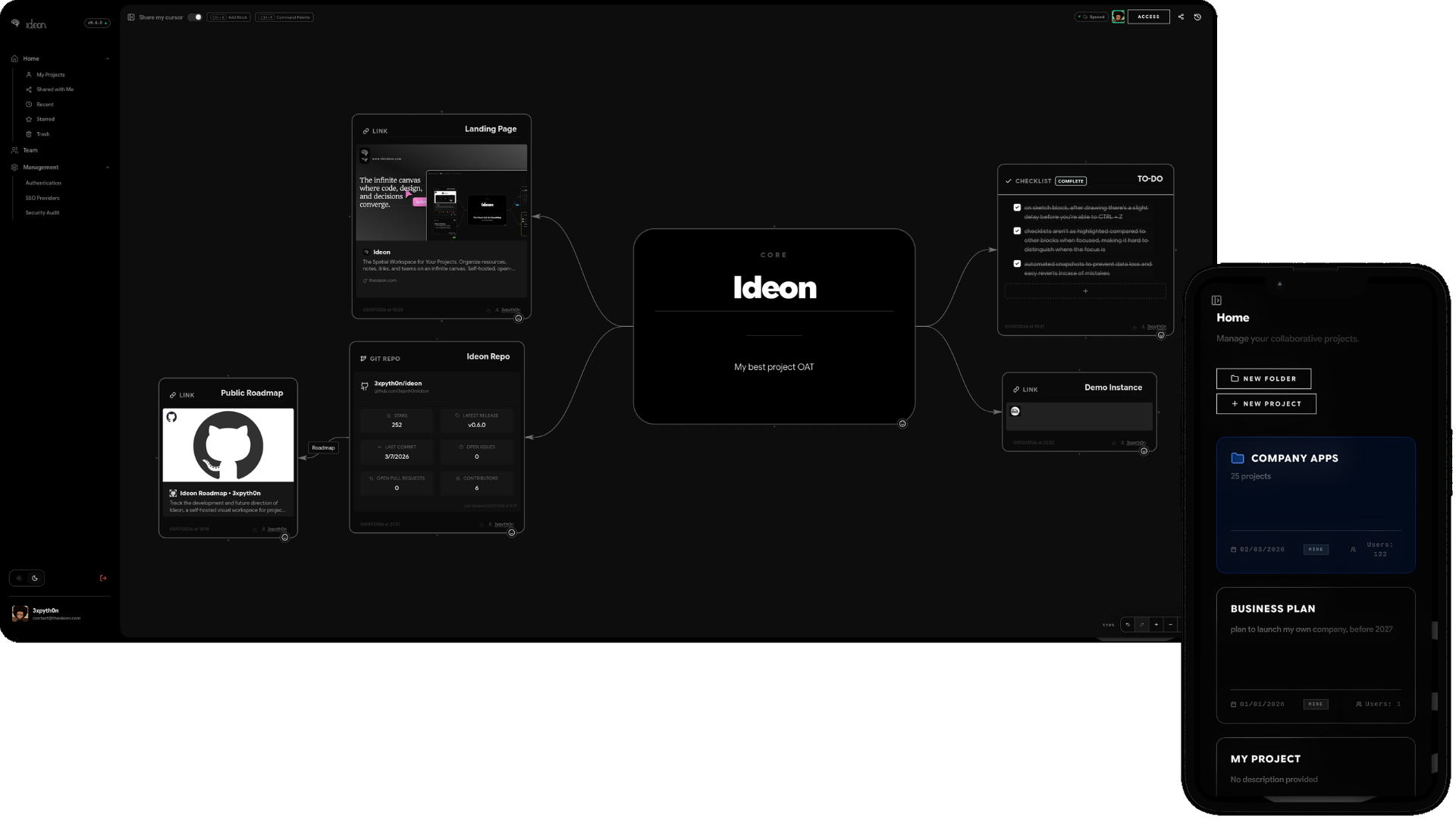
Why replace lists with a map
Usually, note-taking and task management tools force us to cram thoughts into hierarchies. We create folders, make subfolders inside them, then pages and lists. The problem is that real projects rarely fit into a strict tree. A frontend repository is linked to the backend, which also has bug tickets attached, links to partner APIs, and architecture sketches.
Ideon uses the principle of spatial proximity. If two blocks lie next to each other on the board, they are related by meaning. You simply drag cards across the canvas, grouping them however is convenient for you or your team, rather than how the file system structure dictates.
What's inside
The project is written in TypeScript and distributed under the AGPLv3 license. The main features revolve around codebase integration and collaboration.
Live integrations with Git platforms
The main difference between Ideon and ordinary virtual boards like Miro or Excalidraw is the direct connection to code. You can embed repositories and open tickets from four popular systems:
- GitHub
- GitLab
- Gitea
- Forgejo
You paste a link to a task or repository, and the block transforms into an interactive card with status and details. You can group backend services in one corner of the canvas, hang open issue cards nearby, and attach a markdown file with the API contract description right there.
Notes, media, and files
The canvas isn't limited to code links only. You can throw notes with Markdown support, images, documents, and files onto the canvas. If you're designing a service, you can place text with architectural decisions and error screenshots from logs right next to the database schema.
Real-time collaboration
The project has multiplayer built in. Multiple people can simultaneously move cards, write notes, and discuss architecture on the same canvas. Colleagues' cursors are visible right on the screen.
State snapshots and time machine
During active development, the board changes quickly. To avoid losing important decisions, Ideon added a snapshot mechanism. You can travel back in time and see what the workspace looked like a week ago, when you were just choosing the tech stack or discussing the first release.
How to deploy it yourself
The developer packaged everything in Docker Compose, so launching on your own server takes a couple of minutes.
You'll need Docker and Docker Compose installed. Clone the project and configure environment variables:
git clone https://github.com/3xpyth0n/ideon.git
cd ideon
cp env.example .env
In the .env file, you must generate and specify a secret key, for example using the openssl rand -hex 32 command, and also change the database credentials if needed.
After configuration, start the containers:
docker compose up -d
The interface will be available in the browser at http://localhost:3000.
If deploying locally seems like too much effort right now, the author has set up a public demo at https://demo.theideon.com. You can log in with username ideon-demo and password ideon-demo.
Who the project is for and who it isn't
Ideon looks attractive for small teams and solo developers working on multiple pet projects in parallel. When you switch between projects once a week, a spatial map helps you instantly remember where you left off and what you planned to do next. The support for local Gitea and Forgejo is especially nice, which will be appreciated by fans of fully autonomous development environments.
On the other hand, the project is still young, with around six hundred stars in the repository. If you need rigid Kanban boards with strict deadlines, burndown charts, and integration with corporate trackers like Jira, Ideon's capabilities won't be enough. But as a visual control panel for managing personal or team projects, it looks quite unique. It's definitely worth trying, if only through the demo.
Related projects