Why Build Your Own Markdown Editor When There's Obsidian and VS Code
I caught myself thinking that most note-taking apps either drag along hundreds of megabytes of Electron, or try to lock files into a closed cloud. If you're working on a project with a bunch of text files (architecture specs, guides, checklists), opening them through a heavy IDE isn't always convenient.
The repository joelbqz/writer-computer offers a simple option: a lightweight local editor that opens instantly and works with your project files directly on disk.
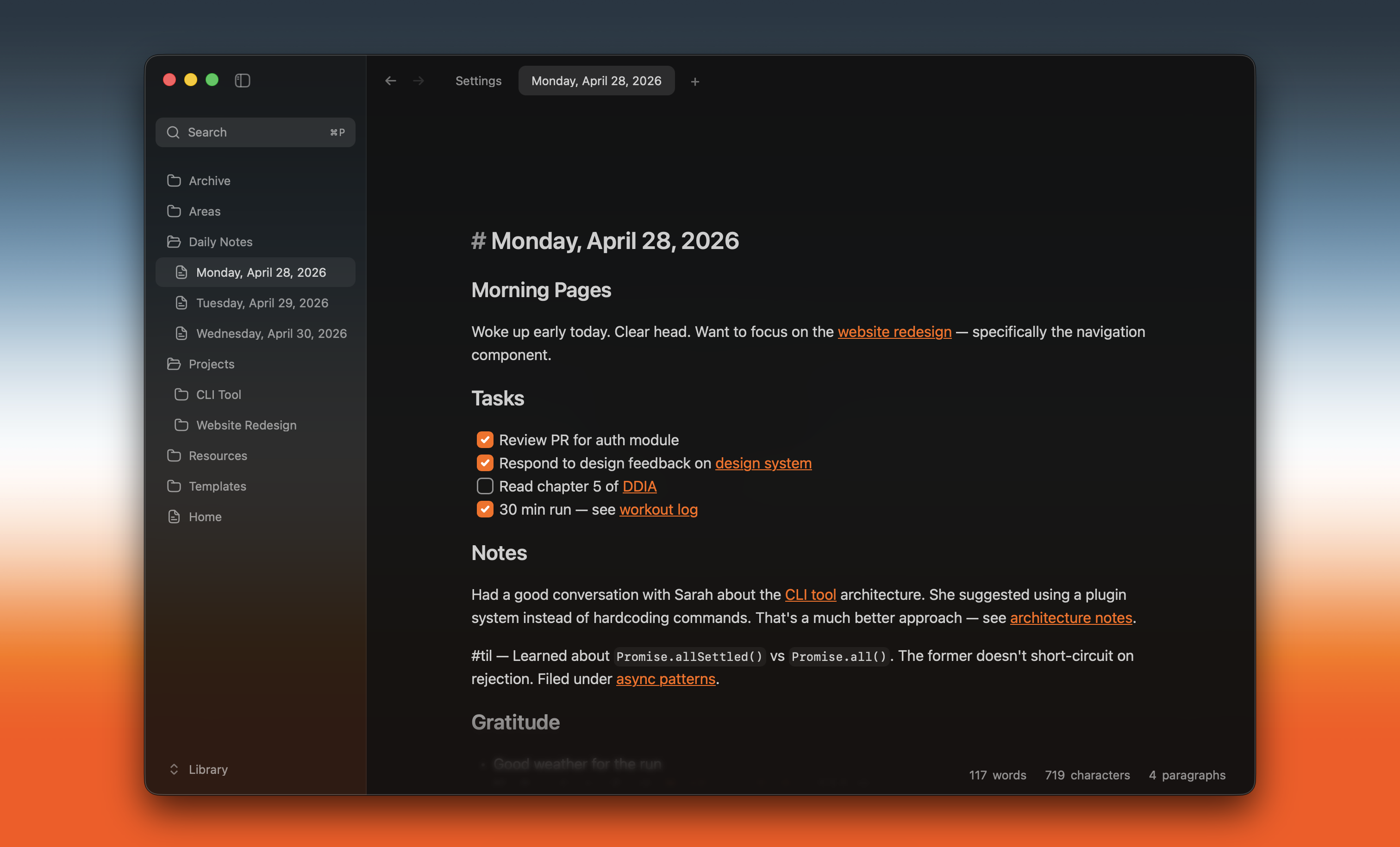
Local approach without unnecessary bells and whistles
Writer was created as a desktop tool for working with Markdown files in a local repository. The authors bet on the local-first principle. All documents remain strictly on your computer's disk, without using third-party cloud services or complex embedded databases.
The project has already gathered over a thousand stars on GitHub. The app will be useful for those who write documentation alongside source code and want a minimalist tool with diagram support.
What's inside and what features are available
The application is built on a combination of Tauri v2 and Rust on the backend. React, Zustand, and CodeMirror handle the visual layer. This stack provides noticeable RAM savings compared to an Electron-based solution.
The developers highlighted several practical features:
- Automatic accounting
.gitignore. When opening a project folder, the editor immediately hides service directories and compiled builds. - Extended Markdown. The app displays not only basic text and tables, but also immediately renders interactive Mermaid diagrams.
- Multi-window support. It's convenient to open a technical specification in one area of screen space and write a document in another.
- Fast Rust watcher. File changes in the file system are picked up without delays.
Repository architecture
The project code is organized as a monorepo. The apps/desktop folder stores the React frontend and system logic in Rust inside src-tauri. There are Tauri commands, workspace state management, and terminal integration.
The author uses a custom wrapper over the Vite bundler — the vp utility. Setting up a local environment and running tests happens with a couple of commands:
vp install
vp dev
For checking code quality of the frontend and Rust modules, built-in linting scripts are used:
vp check
vp test
In parallel, you can run standard Rust code quality checks:
cd apps/desktop/src-tauri
cargo test
cargo clippy
cargo fmt --check
The repository also has a SPECs folder with function design descriptions and a ready-made scripts/distribute.sh script for local build and macOS release notarization.
Who will find this tool useful
Writer addresses a basic need: getting a clean workspace for text without unnecessary plugins, complex relationship graphs, and tags.
The project is suitable for developers and technical writers who have to store documentation right in the repository with code. You open a folder, edit the necessary documents, and commit changes using standard git tools.
If you need a fast desktop editor without extra background noise, Writer's source code will definitely come in handy as an example of proper Tauri v2 integration with React and CodeMirror.
Related projects