An Autonomous AI Agent Right in Your Console. Why Kimi Code CLI Is Worth Your Attention
Terminal AI assistants have long become a familiar tool, but most of them rely on heavy IDE plugins or require lengthy environment setup. The developers at Moonshot AI have open-sourced Kimi Code CLI — a console agent that can edit code, run shell commands, scan files, and even parse context from screen recordings.
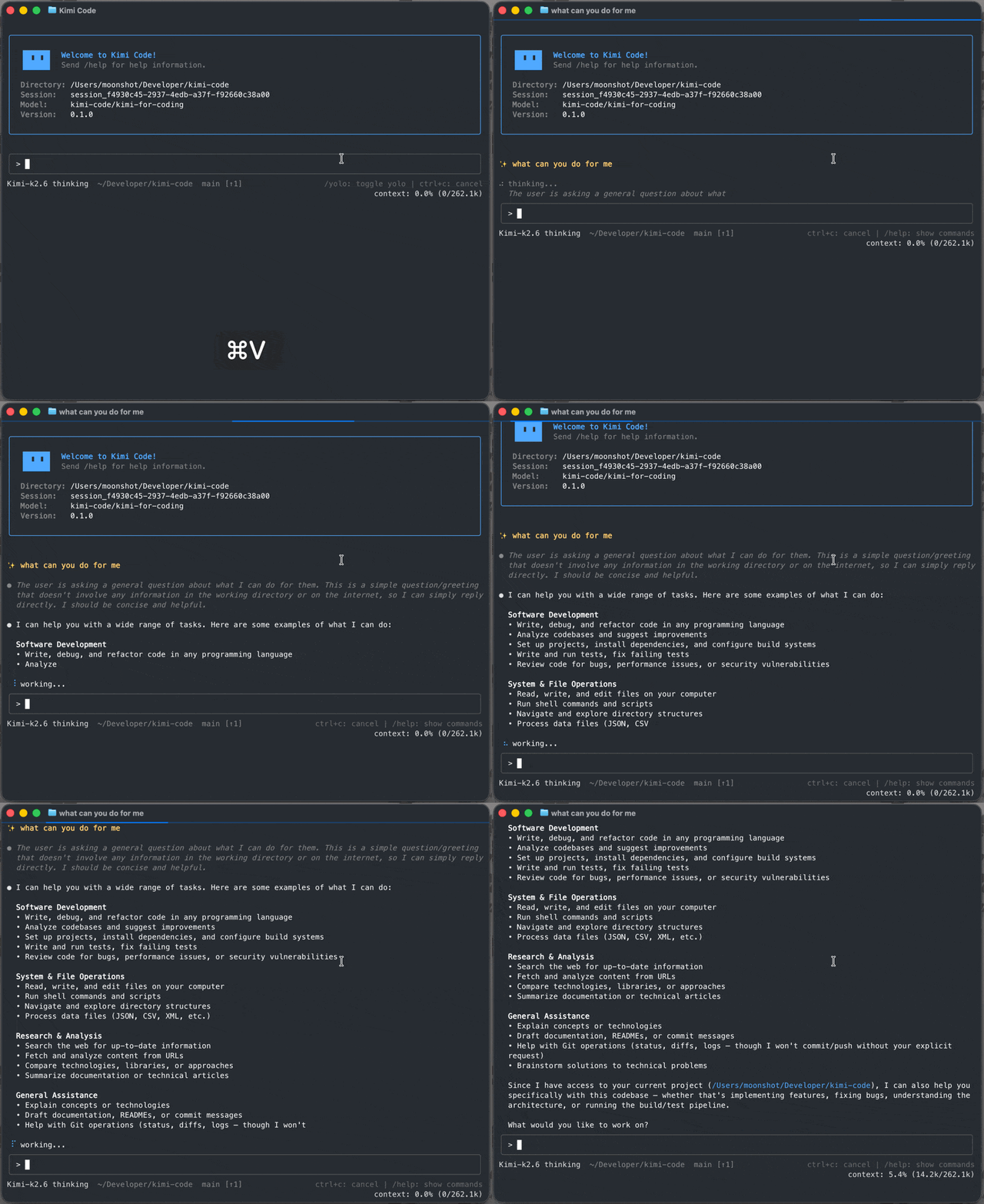
What Is This Project and Why Do You Need It
Kimi Code CLI is a standalone terminal utility. Unlike typical code autocompleters, the agent operates in an interactive loop: it receives a task, requests files, executes console commands, checks the output, and adjusts actions when errors occur.
Out of the box, the tool is configured to work with Kimi models from Moonshot AI, but you can switch it to third-party compatible APIs.
The main distribution advantage is a dependency-free binary. You won't need to install Node.js or deal with global npm packages to run the utility on your machine. The console interface starts in literally fractions of a second.
Notable Features
Video Recordings as Input
Regular AI assistants are limited to text and screenshots. Kimi Code CLI adds video file support. You can drop a short recording of a bug or interface demo into the chat. The agent will analyze the frames and generate the needed code or fix the markup.
Editor Integration via ACP
The utility supports the Agent Client Protocol (ACP). This means the same agent from the console connects directly to Zed or JetBrains IDEs.
For example, to connect to Zed, simply add the configuration to the editor's settings:
{
  "agent_servers": {
    "Kimi Code CLI": {
      "type": "custom",
      "command": "kimi",
      "args": ["acp"],
      "env": {}
    }
  }
}
Authorization happens once in the CLI, after which the editor picks up the agent session via stdio.
Isolated Subagents
When solving large tasks, the context window quickly gets cluttered with irrelevant information. To prevent this, Kimi Code delegates subtasks to specialized agents: coder, explore, and plan. They operate in isolated contexts, handle project structure exploration or planning, and only return the final result to the main chat.
Interactive MCP Configuration
Model Context Protocol (MCP) is used for connecting external data sources. You can add and edit servers directly in the chat with the /mcp-config command. The agent will handle authentication and write the settings itself, sparing you from digging through JSON.
Lifecycle Hooks
Hooks are provided to control automated actions. You can bind local commands that will run before or after the agent executes a tool. This is useful for blocking dangerous console actions, sending system notifications, or invoking a linter.
Quick Start
Installation on Linux or macOS is done with a single terminal command:
curl -fsSL https://code.kimi.com/kimi-code/install.sh | bash
Windows users will need Git for Windows, since the agent uses the built-in Git Bash:
irm https://code.kimi.com/kimi-code/install.ps1 | iex
After installation, simply navigate to your project folder and launch the console interface:
cd your-project
kimi
On first launch, run the /login command inside the CLI to authorize via OAuth or enter your Moonshot AI API key.
Under the Hood
The project is written in TypeScript. The terminal interface is built on top of the pi-tui library, which ensures the TUI runs without delays.
If you want to build the project from source or make changes, you'll need Node.js version 24.15.0 or newer and the pnpm 10.33.0 package manager.
git clone https://github.com/MoonshotAI/kimi-code.git
cd kimi-code
pnpm install
pnpm dev:cli
Who Is This Project For
Kimi Code CLI is a good fit for developers who prefer working in the console or use editors like Zed. ACP protocol support, multimodal video input, and subagents make the utility a convenient work tool. The project is worth testing if you need a fast, autonomous agent without extra dependencies.
Related projects