How to Turn iMessage into a Remote Control for Your Digital Life
Familiar scenario: you're sitting in a coffee shop and need to urgently check what's on tomorrow's calendar or quickly draft an email to a colleague. Opening your laptop feels like too much effort, and switching between five mobile apps is even worse. In moments like these, you just want to message someone in your messenger: "Hey, check my tasks and remind me about this in the morning" — and have it just work.
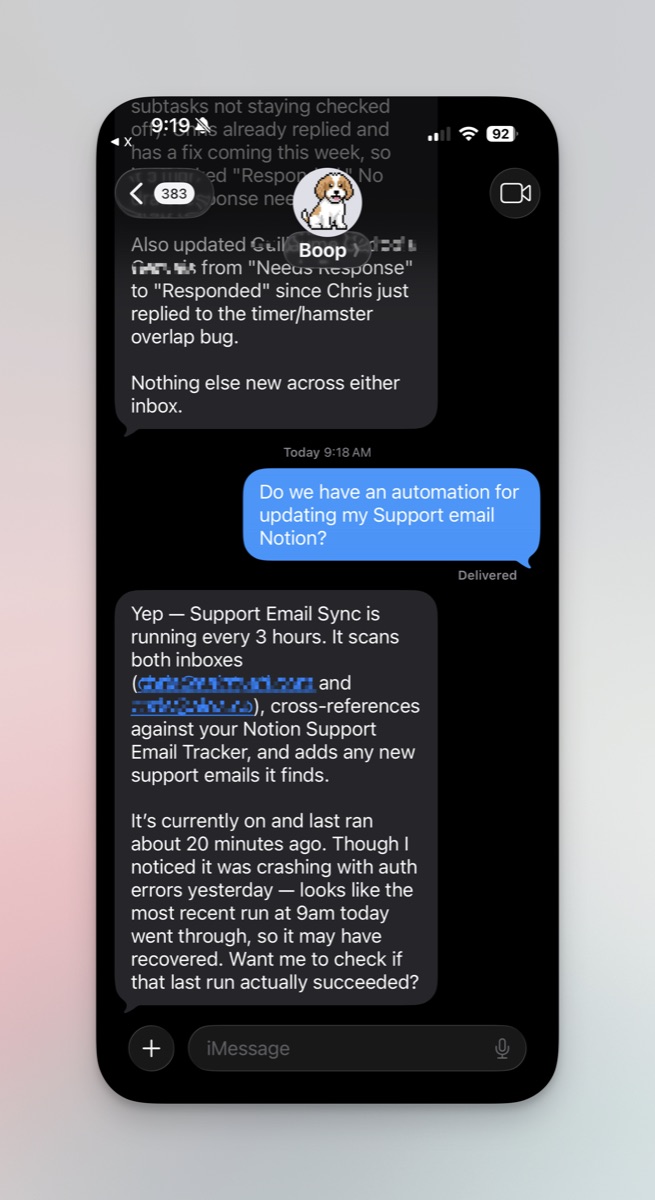
The boop-agent project is exactly about this. It's a personal agent that lives in your iMessage and knows how to manage your data and tools.

What Is It Anyway
Chris Raroc, the project's author, originally built this for himself. He needed a proactive assistant that can "boop" (hence the name — like when a dog nudges you with its nose) you with a message if there's something important. This isn't just a chatbot that answers questions. It's a combination of an LLM, a database for memory, and a huge number of integrations.
The main feature here is the "subscription" model. You don't necessarily need to buy Anthropic or OpenAI API tokens. Boop can hook into your local Claude Code or ChatGPT/Codex sessions. If you already have a paid subscription to these services, you simply log in via CLI on your Mac, and the agent uses that access.
How It Works Under the Hood
The architecture resembles a small office. There's a "Dispatcher" — the main agent that receives your messages in iMessage. It's quite minimal: it has no direct access to the internet or your files. Its job is to understand intent, dig through memory, and decide which "specialists" to call for help.
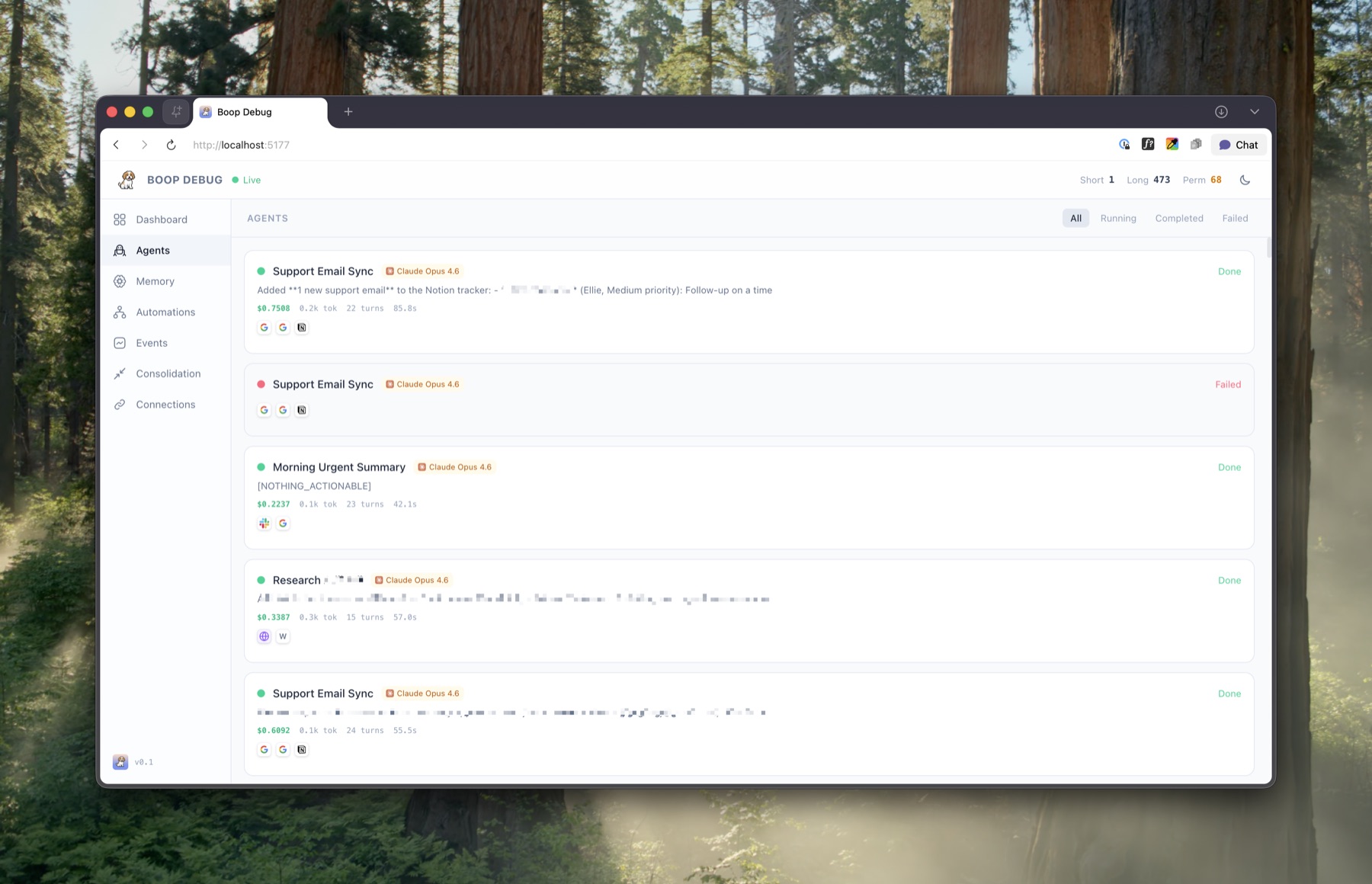
Once the task is clear, the Dispatcher spawns sub-agents. For example, if you ask: "Summarize my unread Slack messages," a temporary agent is created and given permissions specifically for Slack. It does the work, returns the result to the Dispatcher, and disappears. This approach saves a lot of context window and makes the neural network's behavior more predictable.
What Boop Can Do Out of the Box
The project is positioned as a template, but the list of features already looks solid.
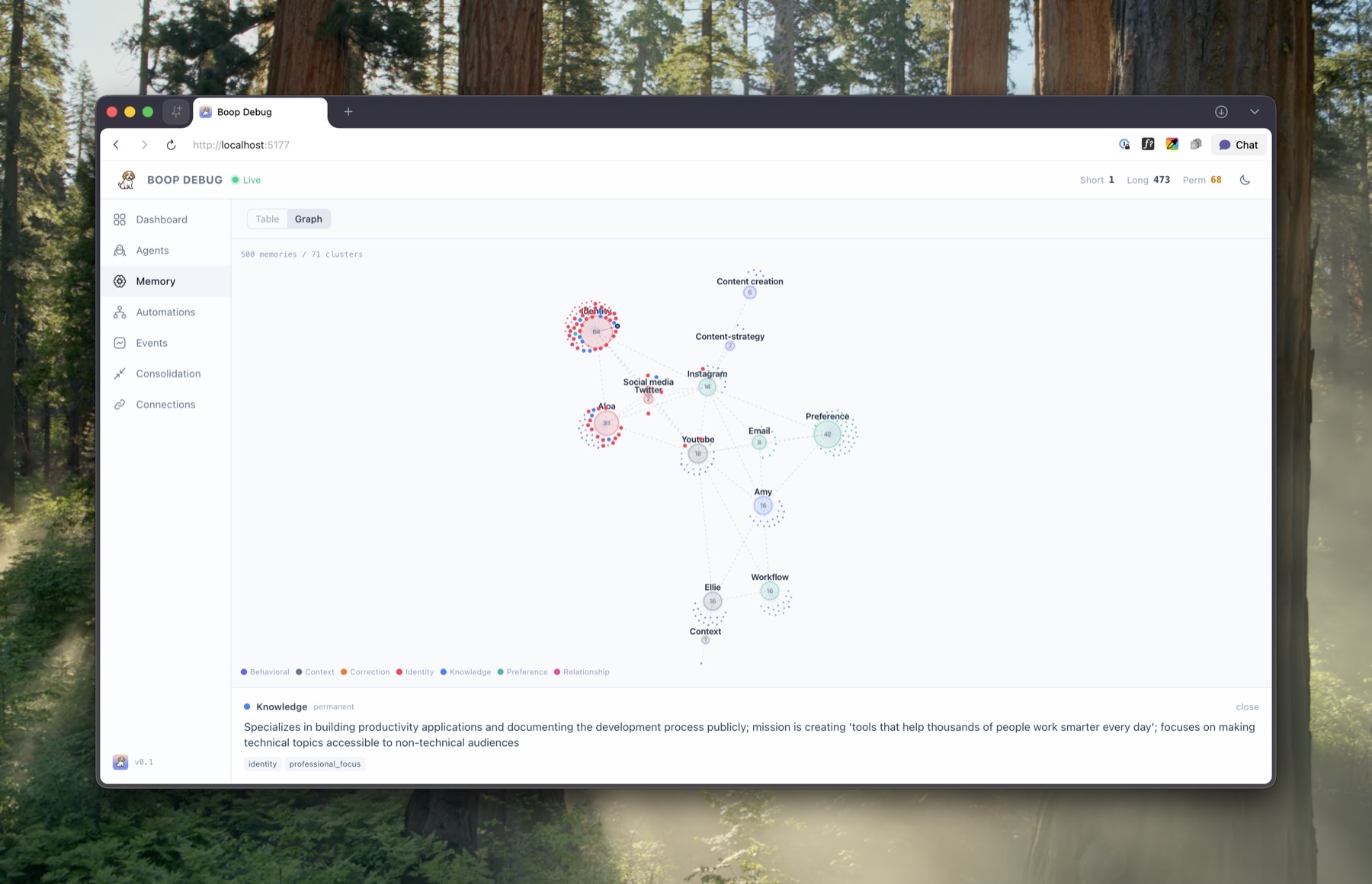
Three-Tier Memory
The agent doesn't just forget context after a conversation ends. It has short-term, long-term, and permanent memory. All of this runs on Convex. Once a day, a "consolidation" process runs: three different neural networks (proposer, adversary, and judge) argue among themselves about which facts about you are important, what's outdated, and where there are contradictions. The result is that the agent always has an up-to-date snapshot of your preferences and plans.
A Thousand Integrations via Composio
The author didn't write connectors to every service manually. He used Composio — a platform that bridges to Gmail, Notion, GitHub, Slack, and a hundred other tools. One API key — and your agent can create tasks in Linear or search files on Google Drive.
Local Apple Data
This is a Mac-only feature. Boop can pull data from your local iMessage, Apple Notes, and Reminders databases. And it's done quite privately: the data doesn't fly to the cloud in its entirety, the agent accesses it locally via sqlite or AppleScript.
Browser on a Leash
If a service doesn't have a proper API, Boop can launch a local Chrome (via Patchright). It can log into websites and perform actions in the interface. There's even a "control takeover" mode: if the agent encounters two-factor authentication, it can ask you to log in manually in the opened window, and then continue on its own.
Technical Stack and Launch
To get it running, you'll need a Mac (if you want Apple integrations) and several accounts.
- LLM Runtime: Claude Code or Codex/ChatGPT.
- Sendblue: a service that acts as a gateway for iMessage. They have a free tier for agent developers.
- Convex: a real-time database. The free tier is more than enough.
- ngrok: so Sendblue can reach your local server via webhooks.
Installation is standard: npm install, then npm run setup. An interactive script will walk you through all the configs and create .env.local. After that, npm run dev starts everything at once: server, database, dashboard, and tunnel.
By the way, about the dashboard. The project has a very nice React admin panel. There you can view your memory graph, logs of sub-agents' work, and set up automations (for example, a daily email report at 9 AM).
What to Use It For
I see several scenarios where Boop really simplifies life:
- Smart Reminders: "Remind me tomorrow to buy dog food when I message you about work."
- Context Gathering: "What did we discuss with Ivan in Slack last week regarding the design?"
- Routine Tasks: "Check my email, pull out all the invoices from this month and drop them in a folder on Drive."
Verdict: Is It Worth Trying
Boop isn't a finished product for end users — it's a powerful framework for those who want to build a custom "Jarvis" for their needs. The code is written in TypeScript, the project structure is clear, and using existing Claude/ChatGPT subscriptions makes it almost free to run.
If you have a free evening and the desire to automate your everyday tasks through a familiar messenger — this repository is a great starting point. Just keep in mind: the author warns upfront that the code isn't optimized for strict security, so don't immediately trust the agent with the keys to all your safes. But for managing your calendar and email — it's just the thing.
Related projects