How to Stop Hating CAPTCHAs and Start Living
Familiar situation: you're writing a data parsing script or automating a routine website check, and then it pops up. CAPTCHA. At first it seems like a minor inconvenience, but after ten iterations, traffic lights and fire hydrants start appearing in your nightmares. You could, of course, connect services with "live" solvers, but that's slow, often expensive, and not always reliable.
Recently I stumbled upon the nopecha-extension repository. It's a project from folks who decided to tackle the problem with neural networks. They built a browser extension and API that crack CAPTCHAs automatically, mimicking human behavior. The project looks solid: over 10,000 stars on GitHub and regular updates.
What NopeCHA Can Do
In short, it's an automatic solver that works on multimodal AI. Unlike old methods where an image was just sent for text recognition, here the system learns to interact with the interface.
The project supports pretty much everything you encounter online:
- Standard reCAPTCHA and hCaptcha.
- The tricky Cloudflare Turnstile.
- FunCAPTCHA and AWS WAF.
- Text CAPTCHAs (including mathematical expressions).
- Even video challenges in hCaptcha.
Interesting detail: the developers use reinforcement learning (RL). Their agents constantly interact with real CAPTCHAs, collect feedback, and update their models. So as soon as a new type of verification appears, the neural network starts "learning" to bypass it almost in real time.
How It Works in Practice
The easiest way to try the tool is to install the extension in Chrome or Firefox. It works out of the box: sees a CAPTCHA on the page and clicks the right buttons itself. For automation developers, this is a lifesaver because the extension is easy to inject into Selenium, Puppeteer, or Playwright.
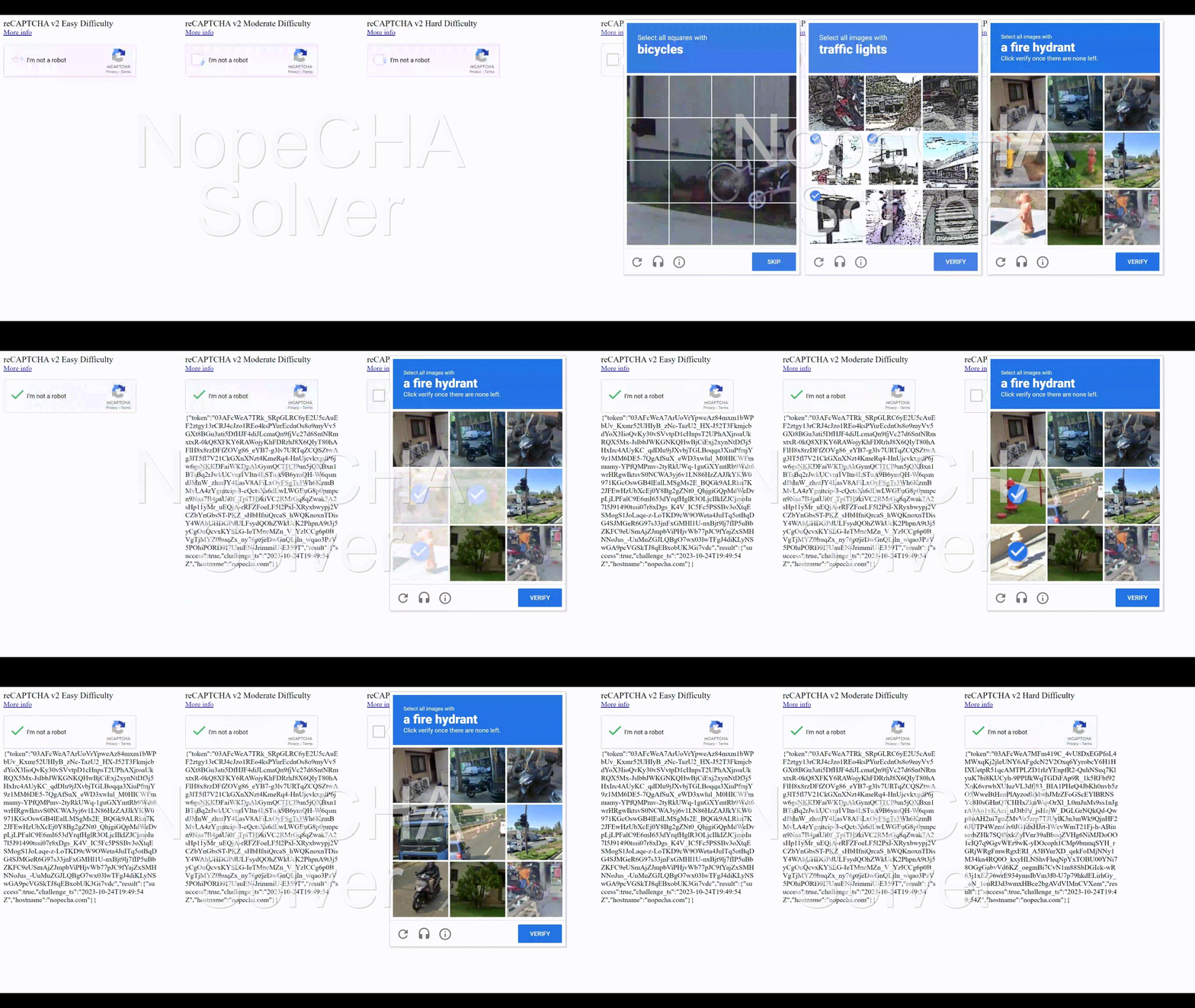
In recent updates (version 0.6.0), they added configurable mouse movement speed and click visualization. This is needed so that antifraud systems don't flag the script for too "robotic" movements. Now the cursor can move along curves, mimicking hand tremor or the hesitation of a real user.
Technical Side and API
If the extension option doesn't work for you (for example, you're writing a server-side script in Python or Go), the project has an API.
For those who want deep integration, there are libraries for popular languages. The repository has links to packages on PyPI and NPM. The free limit is 100 requests per day per IP. That's plenty for pet projects or small "personal use" scripts. If you need more, you'll need to get an API key.
By the way, in 2023 the project switched to closed-source development. The repository now contains ready-made extension builds and documentation, but the source code for the neural network models and latest extension versions is hidden. The developers explain this as protection against abuse and a desire to maintain an edge over antifraud systems. Only the old v0.3.x branch remains publicly available, which you can study to understand the general principles of how the extension works.
Who Will Find This Useful
I see several scenarios where NopeCHA really saves time:
- QA testers. When you need to run regression tests on the frontend, but the registration form is protected by CAPTCHA. Instead of asking developers to disable protection on staging, you can just plug in the extension.
- Data engineers. When collecting public data from platforms that don't like automation.
- Tool developers. If you're building some software that requires interacting with third-party services without an official API.

Is It Worth Trying
The project wins you over with its versatility. Support for Cloudflare Turnstile and AWS WAF is the current "gold standard" because regular OCR libraries can't handle them.
On the downside: the switch to closed source may put off those who are used to having full control over dependencies in their project. Also keep in mind that any CAPTCHA bypass automation is a cat-and-mouse game. Today it works perfectly, and tomorrow Google rolls out an update, and you'll have to wait for a patch from the NopeCHA authors. Judging by the release history, patches come out quickly, but the risk of "flaky" tests always remains.
If you need a quick solution for bypassing checks without writing your own workarounds with OpenCV, NopeCHA is one of the most sensible options available right now. You can start with the free limit and then scale based on your workload.
Related projects