CrossMacro Combines Click Recording, Hotkeys, and Scheduler Across Three OSes
Try automating routine mouse clicks on modern Linux with Wayland. In nine out of ten cases, good old utilities like xdotool simply throw up their hands due to the display server's security restrictions. On Windows, AutoHotkey is typically used for such tasks, while on macOS people install separate clickers and text expanders. The result is that every workstation ends up with a mismatched collection of software.
The CrossMacro project tries to fill this gap and provide one clear automation tool for Linux, Windows, and macOS.
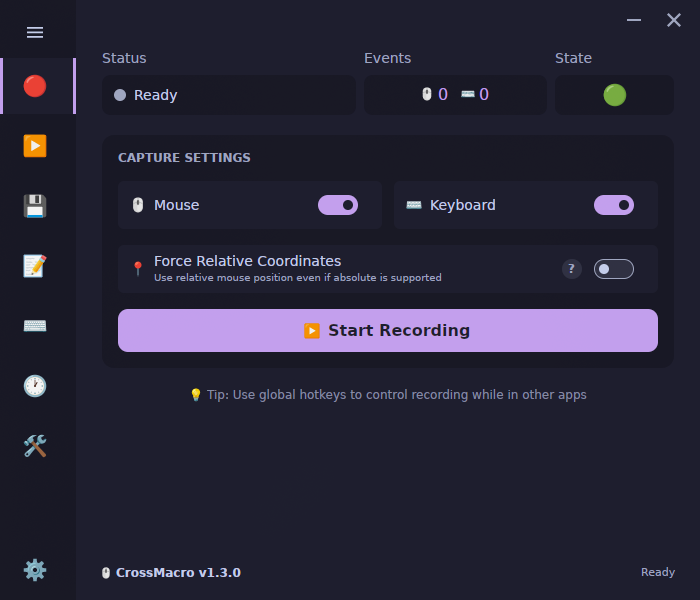
Under the Hood
The author wrote the application in C# using the Avalonia UI framework. This delivers a clean interface that looks the same on all systems and supports a dozen built-in themes (from Nord and Gruvbox to Dracula and Catppuccin).
But the main thing here is not the GUI—it's how the input problem is solved. On Linux, the application can work in two modes: through its own system daemon or directly via input devices (uinput / direct device access). Thanks to this, macros execute without issues in both classic X11 and under Wayland.
Key Features
CrossMacro is built like a Swiss Army knife for the desktop. Inside, it packages four automation directions at once.
Record and Playback Actions
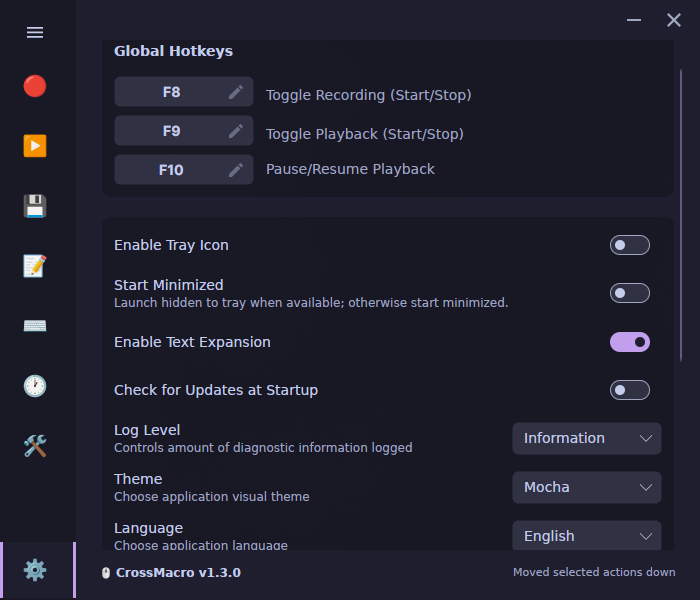
Everything starts with the classic recorder. Press F8, perform mouse and keyboard actions, press F8 again. Done.
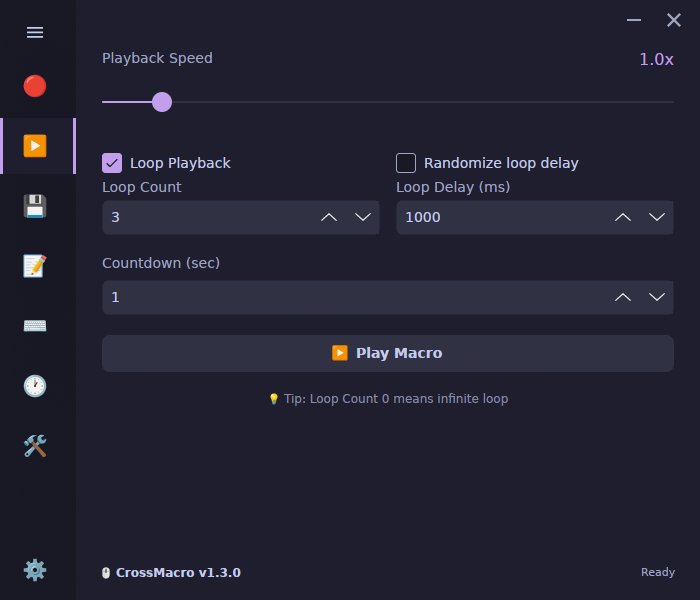
Playback via F9 can be customized for your needs:
- change speed from 0.1x to 10.0x;
- insert a pause at
F10; - set number of repetitions or an infinite loop;
- add random delays between iterations to simulate a live person's actions.
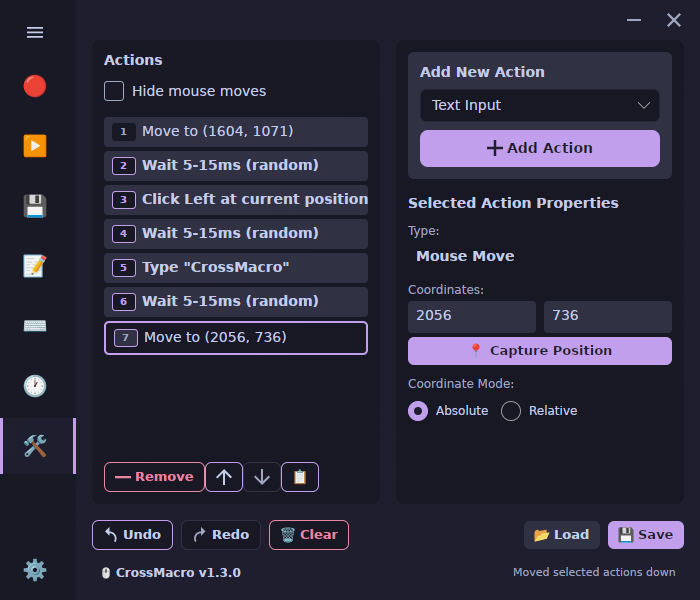
Macro Editor with Logic
The recorded file with the .macro extension doesn't need to be re-recorded from scratch if you accidentally missed by a couple of pixels. The built-in editor lets you manually edit coordinates, change the order of actions, insert pauses and text blocks.
Basic conditions and screen reading are also available here:
pixelcolor— reading the color of a specific pixel;waitcolor— waiting for the right shade at a specified point on the screen;pixelsearch— searching for the right color in a given area.
Such commands come in handy when you need to wait for a window to load or a button status to change before the next click.
| Playback | Text Expansion | Shortcuts |
| :---: | :---: | :---: |
|  |
|  |
|  |
| Scheduled Tasks | Editor | Settings |
|
|
| Scheduled Tasks | Editor | Settings |
|  |
|  |
|  |
|
Text Snippets and Hotkeys
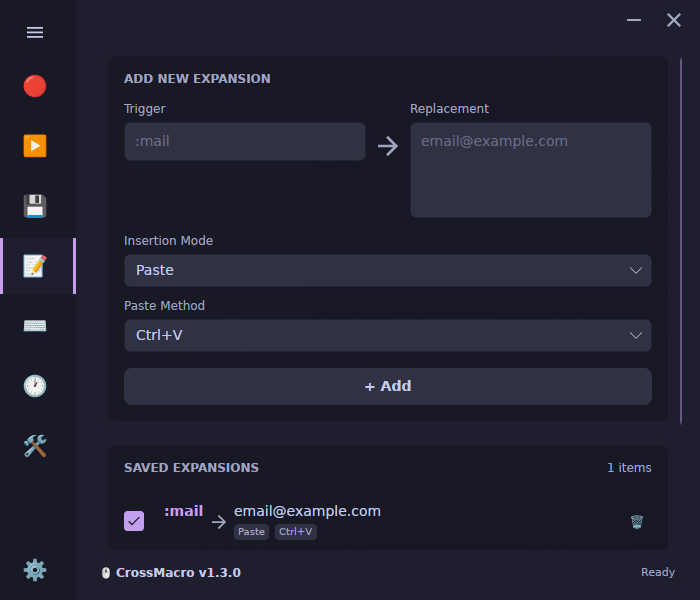
If you don't need complex cursor movements and just want to quickly insert template responses, addresses, or code snippets, CrossMacro has a built-in text expansion module. Type a defined abbreviation, and the utility instantly replaces it with the long text.
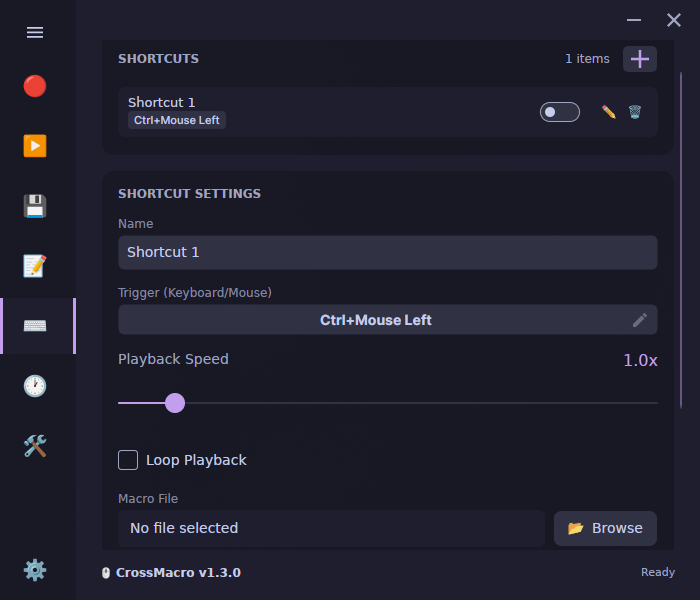
Macros can also be bound to key combinations. There are two modes: normal start on press and execution only while the key is held.
Scheduler and Terminal Operation
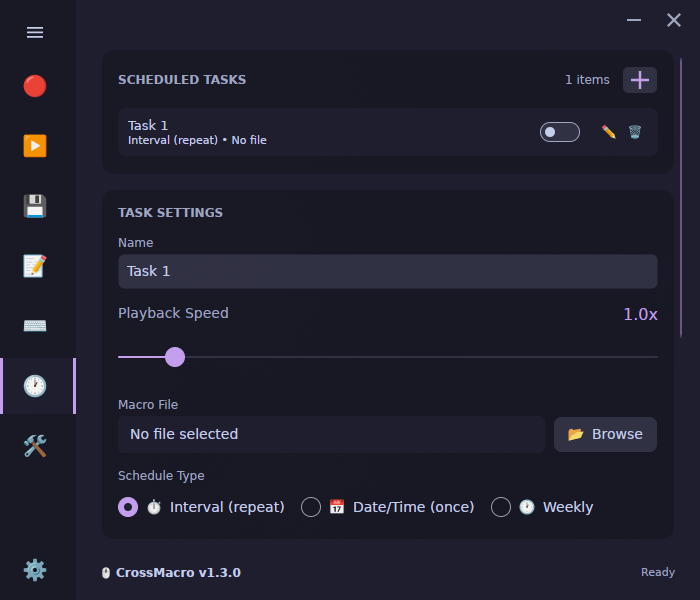
Any action can be scheduled: once, at an interval, weekly, or on selected days.
For bash script enthusiasts, there's a full CLI. The application can start without opening the main window, running in the background and executing macros directly from the terminal:
# Валидация файла макроса
crossmacro macro validate ./demo.macro

# Запуск макроса с ускорением в 1.25x и тремя повторами
crossmacro play ./demo.macro --speed 1.25 --repeat 3 --repeat-delay-ms 500

# Выполнение цепочки действий одной строкой
crossmacro run --step "move abs 800 400" --step "click left" --dry-run
Worth keeping in mind: console mode still requires an active desktop session. You won't be able to run it on a remote server without a graphical display.
How to Install and Configure
The project is distributed through virtually all popular distribution channels.
On Linux, the following are available:
- Flatpak via Flathub (
io.github.alper_han.crossmacro); .deband.rpmpackages on the releases page;- AUR for Arch Linux (
yay -S crossmacro); - Official module for NixOS (
services.crossmacro).
On Windows, the app is installed via winget (winget install AlperHan.CrossMacro), Microsoft Store, or a portable exe file. On macOS, there are DMG packages for Apple Silicon and Intel.
If something goes wrong after installation (for example, lacking daemon socket permissions on Linux, or forgetting to grant screen recording permission on macOS), the developer added built-in diagnostics:
crossmacro doctor --json --verbose
The command will output the status of all services and suggest which permissions are missing in the current session.
Is It Worth Trying
CrossMacro is suitable for those tired of configuring different utilities for different operating systems. If you regularly need to fill out the same forms in legacy desktop programs, test interfaces with clicks, or run repetitive actions on a schedule, the project will definitely save a couple of hours of routine work. The repository is open under the GPL-3.0 license, actively updated, and ready for use right now.
相关项目