SigDigger turns an SDR receiver into a radio signal reverse engineering lab
If you've ever fired up an RTL-SDR or HackRF, you've probably found yourself glued to the spectrum waterfall in Gqrx or SDR#. Beautiful colorful traces cascade down the screen, with something constantly blinking, clicking, and transmitting packets in the air. But as soon as you encounter an unknown digital signal, standard SDR programs hit a dead end. They handle FM radio or walkie-talkies just fine, but to decode a binary transmission from a wireless sensor or gate remote, you usually have to build complex setups in GNU Radio or painfully export raw IQ samples to third-party utilities.
This is exactly the gap that SigDigger fills.
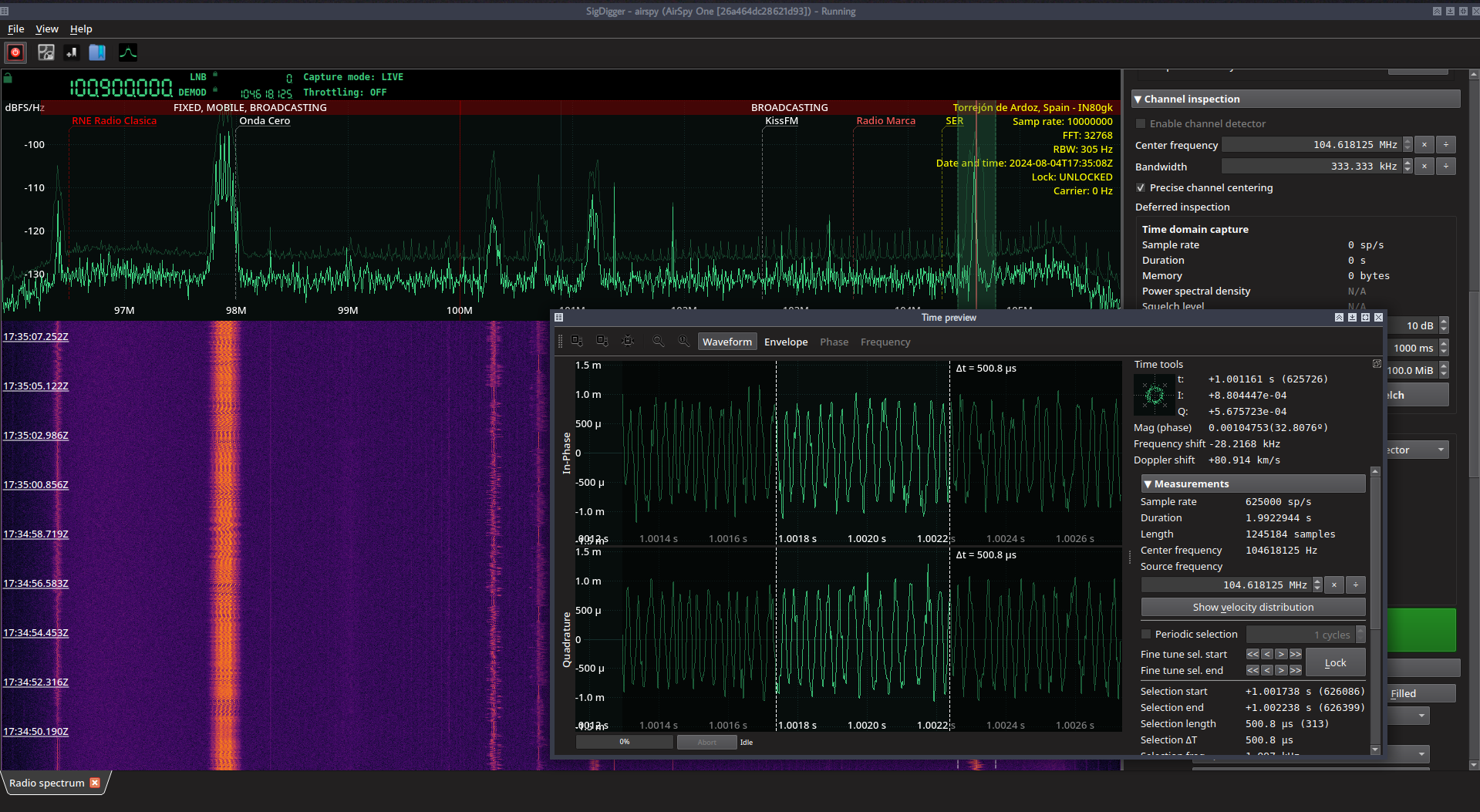
What it is
SigDigger is an interactive digital radio signal analyzer with a Qt graphical interface. The program takes the stream from an SDR device through the universal SoapySDR layer and provides tools for dissecting unknown signals on the fly.
The project author, a ham radio operator with the call sign EA1IYR, built software optimized for rapid radio reconnaissance. The application runs on GNU/Linux and macOS, combining a visual spectrum analyzer with demodulation and decoding modules.
What SigDigger is useful for in practice
Unlike conventional SDR receivers, the focus here is on analyzing data structure. Here are the things that catch the eye:
- Interactive real-time demodulation. You select a spectrum region with the mouse and configure the demodulator for the desired modulation type: FSK, PSK, or ASK. The program immediately shows the binary stream, phase constellations, and carrier parameters.
- Packet and pulse signal analysis. For radio signals that appear for fractions of a second, there's a burst capture mode. You can examine pulse edges and transmission timings in detail.
- Analog video decoding. If an old surveillance camera or analog video transmitter on 5.8 GHz is operating nearby, SigDigger can render frames in real time.
- Analog audio listening. The basic functions of a regular receiver are still there: AM, FM, and SSB channels work as expected.
- Plugin support. Specific decoders connect through plugins, such as receiving NOAA APT weather satellite images or exporting data via ZeroMQ for further processing in Python.
Why the interface looks so similar to Gqrx
The first impression from the screenshots triggers déjà vu: the window layout and the waterfall look exactly like Gqrx. The author honestly explains this in the documentation: the Gqrx interface turned out to be the most convenient and practical among existing ones.
Rather than reinventing the wheel and fighting the greediness of graphics widgets, the developer took the proven waterfall component from Gqrx and adapted it for his needs, adding an OpenGL backend and custom color palettes.
However, SigDigger is built completely differently underneath. Gqrx relies on the heavyweight GNU Radio framework. SigDigger uses its own digital signal processing engine called Suscan and the low-level Sigutils library. The streaming model and queue processing there are optimized for parallel signal analysis with minimal latency.
How to run the project
The complex architecture has a downside: to build everything from source, you'll need to go through a chain of dependencies. SigDigger relies on three related projects by the author: sigutils, suscan, and the interface component library SuWidgets.
Manual building looks intimidating:
git clone --recursive https://github.com/BatchDrake/sigutils
cd sigutils && mkdir -p build && cd build && cmake .. && make && sudo make install && cd ../..

git clone --recursive https://github.com/BatchDrake/suscan
cd suscan && mkdir -p build && cd build && cmake .. && make && sudo make install && cd ../..

git clone https://github.com/BatchDrake/SuWidgets
cd SuWidgets && qmake6 SuWidgetsLib.pro && make && sudo make install && cd ..

git clone https://github.com/BatchDrake/SigDigger
cd SigDigger && qmake6 SigDigger.pro && make && sudo make install && cd ..
If you don't want to deal with compiling libraries into the system, there are two simple options. On Linux, the easiest way is to download a ready-made AppImage from the releases page.
The second option is to use the author's script blsd, which pulls the necessary repositories and builds an isolated assembly with plugins into a separate folder:
wget https://actinid.org/blsd
chmod a+x blsd
./blsd
Windows users are unlikely to find the project suitable: the author explicitly states that they don't keep machines running Windows and don't build binaries for it due to dependency portability issues.
Who will find SigDigger useful
If you're into reverse engineering IoT devices, car alarms, smart meters, or just studying radio protocols around you, SigDigger saves hours of routine work. It removes the need to constantly jump between spectrum recording software, utilities like inspectrum, and scripts in Jupyter Notebook.
The tool helps determine the modulation type, estimate symbol rate, and grab a clean bitstream for further analysis with just a few clicks. To get started quickly, all you need is an inexpensive RTL-SDR dongle and a ready-made AppImage.
Related projects