How to Write an Operating System in 64 Sessions Using a Neural Network
I recently stumbled upon the VibeOS project, and it sparked an intriguing mix of excitement and slight envy. The author decided to write a full-fledged operating system for ARM64 from absolute scratch. But the most interesting part isn't even that. He did it in partnership with Claude Code, documenting the entire process — from the first line of code to running DOOM.
This isn't just a toy "Hello World" system. We're looking at a project with a macOS-style GUI, a custom network stack, HTTPS support, and even a built-in Python interpreter.
What Is This Anyway
VibeOS is a hobby OS written in C for the aarch64 architecture. It runs in the QEMU emulator and on real hardware, specifically the Raspberry Pi Zero 2W. Development took 64 AI interaction sessions. If you look at the session logs in the repository, you can trace how the project gained substance: from the bootloader and interrupt handling to the window manager implementation.
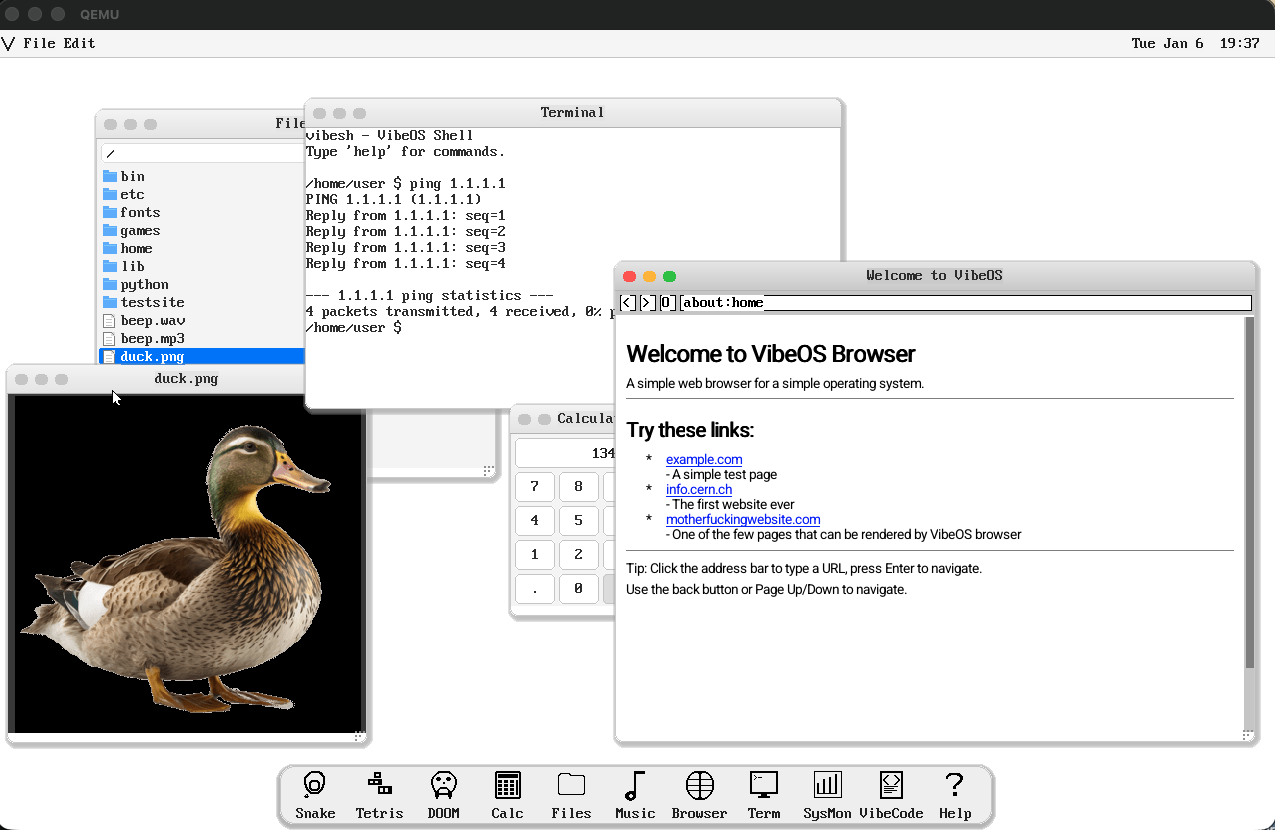
The author honestly admits: not everything works, some parts of the code haven't even been tested. But what's up and running is impressive. It's a great example of how modern LLMs help lower the barrier to entry in such complex fields as systems programming and kernel development.
What's Inside: Kernel and Interface
At its core is a custom kernel with cooperative multitasking. There's FAT32 filesystem support with long filenames, which often becomes a stumbling block for homemade systems.
The GUI looks surprisingly modern. Here's what's included:
- Desktop with draggable windows.
- Doc panel and menu.
- Full mouse and keyboard input.
- Window minimize and close animations.
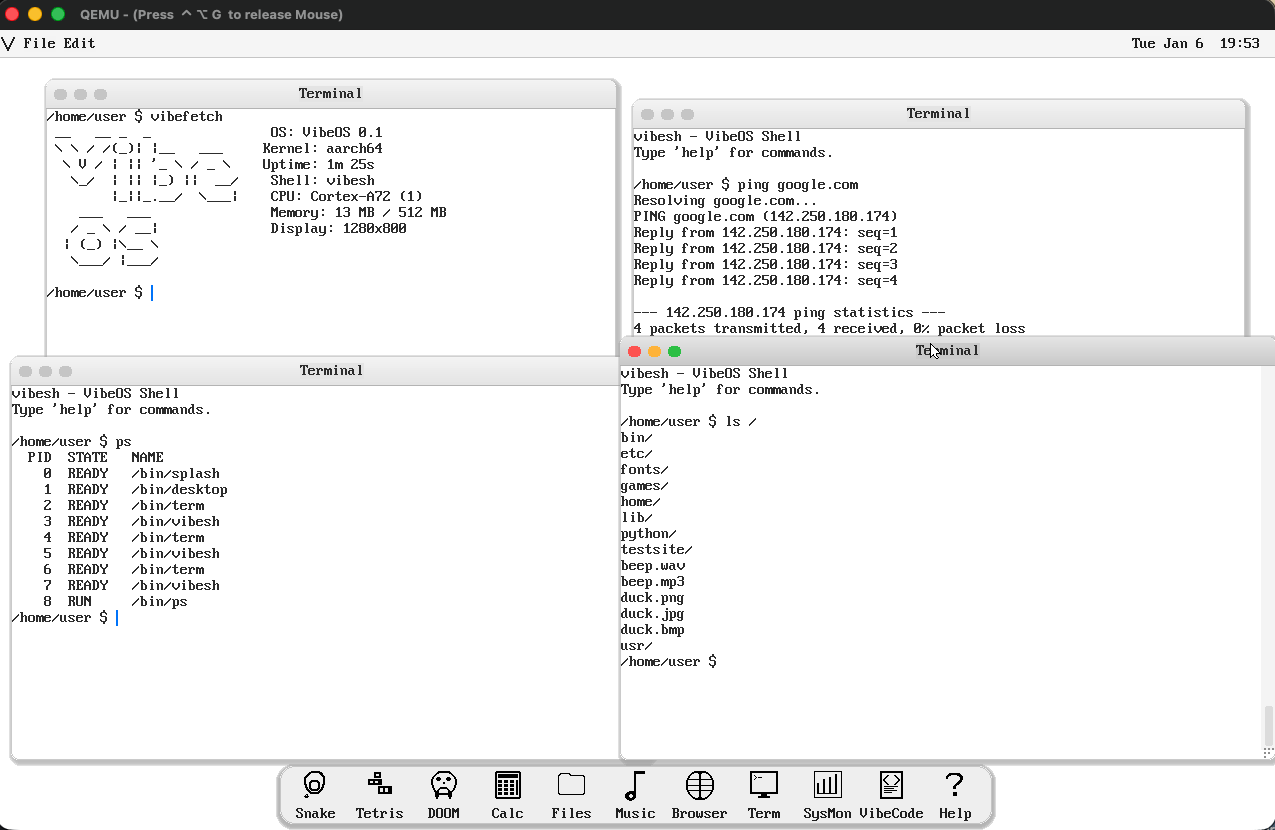
Visually, it resembles a simplified version of macOS, and for a system written "for fun," it looks very polished.
Networking and Development Inside the System
Usually, homemade OSes are limited to text output in the console. VibeOS went further. The system has a built-in TCP/IP stack, a DNS resolver, and even an HTTP client with TLS 1.2 support. This allows the built-in browser (yes, it exists) to render simple HTML and CSS.
But what caught my attention the most is the development tools inside VibeOS itself:
- Tiny C Compiler (TCC). You can write C code right in the system and compile it on the spot.
- MicroPython. There are bindings to the kernel API, so you can automate tasks in Python.
- VibeCode IDE. A VS Code-like alternative for this system.
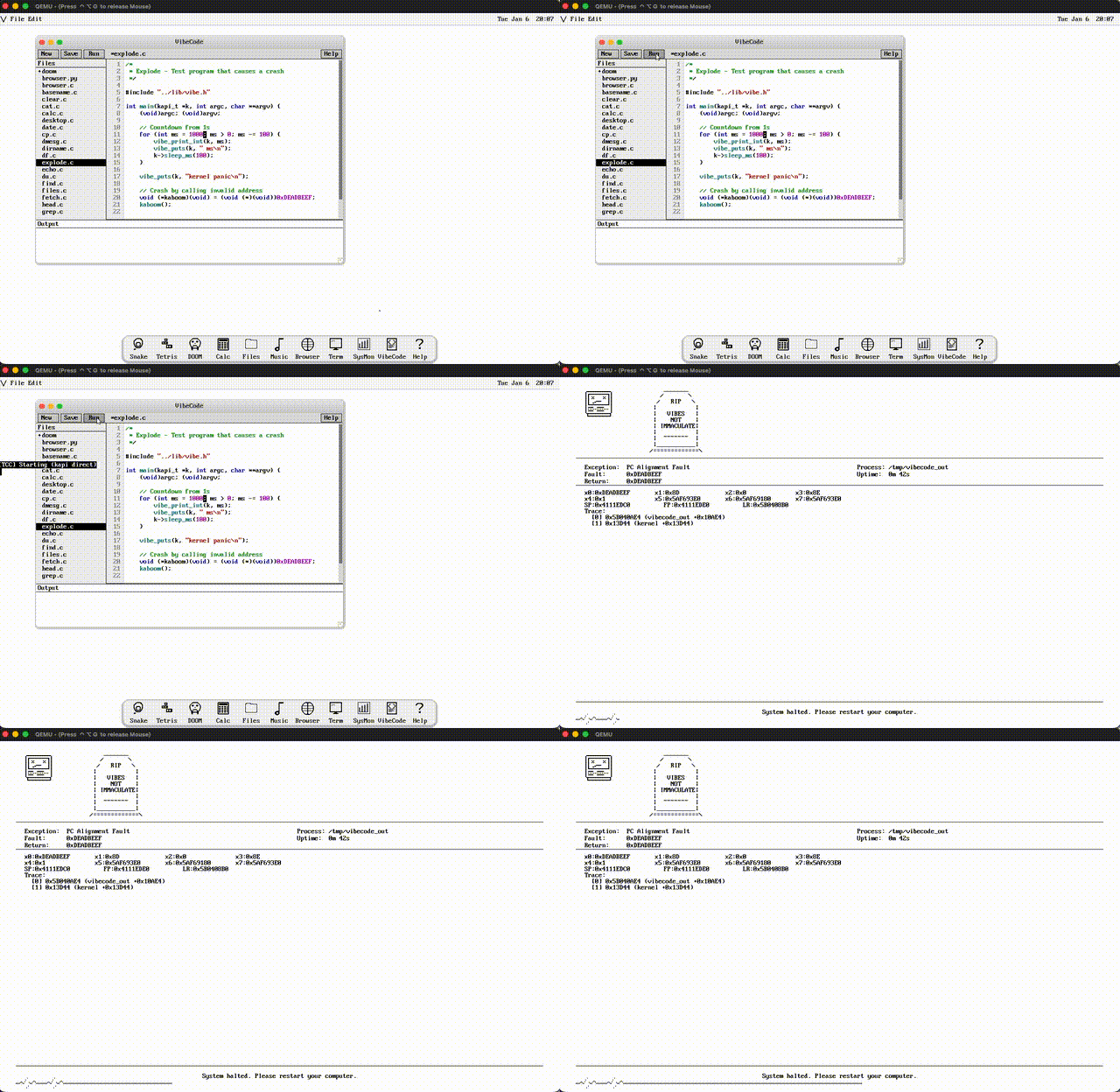
And of course, the classic: DOOM has been ported to VibeOS. To run it, you'll need to find the doom1.wad file yourself and drop it into the games folder, but the fact that the port exists speaks to the viability of the system calls.
Hardware and Operational Nuances
If you decide to run this on a Raspberry Pi Zero 2W, prepare for adventures. The author warns that the USB driver is finicky. For example, you need to plug the keyboard into the hub strictly before the mouse, otherwise the system may not recognize them. Hotplug is not supported: if you unplug something, you'll have to reboot.
On the real "Pi," there's no sound or network yet (no Wi-Fi drivers), but the GUI in Full HD (1920x1080) runs stably.
How to Try It Yourself
The easiest way is to run the project in QEMU. You'll need a cross-compiler aarch64-elf-gcc. On macOS, installation looks simple:
brew install aarch64-elf-gcc qemu
make disk
make run
The make disk command will create a disk image, and make run will build the kernel, all user programs, and launch the emulator.
Who Will Benefit from This
VibeOS is not a Linux replacement or a "Windows killer" contender. It's primarily a textbook. If you've always wanted to understand how interrupts work, how to write your own memory allocator, or how to implement window dragging at the framebuffer level, this repository is a goldmine.
It's especially interesting to study the Claude session logs. It's a hands-on guide to "prompt engineering" in the context of low-level code. You can see where the neural network made mistakes and how the author guided it to fix bugs in drivers or the filesystem.
The project is worth exploring at least to see: creating your own OS today isn't a decade of seclusion, but a perfectly feasible few-month project if you have the right tools at hand.
Related projects