How to launch a GUI on HTML in five minutes without Electron and suffering
Imagine a situation: you wrote a great tool in C++, Go or Python. It works fast, calculates accurately, but using it through the terminal is convenient only for you. A client or colleagues ask for a "normal interface". And then the headache begins. Install Qt? Too heavy and long to learn. Write in Electron? You'll have to drag hundreds of megabytes of Chromium and Node.js for a couple of buttons.
Recently I came across WebUI. This is a small C library that solves the problem elegantly: it turns any browser installed on the system into your graphical interface. Without unnecessary dependencies and huge binaries.

What's the trick here
The main idea of WebUI is that the browser is already a ready, perfectly optimized GUI engine. Every user already has it. Why package another instance of Chrome inside your application if you can just connect to the one that's already installed?
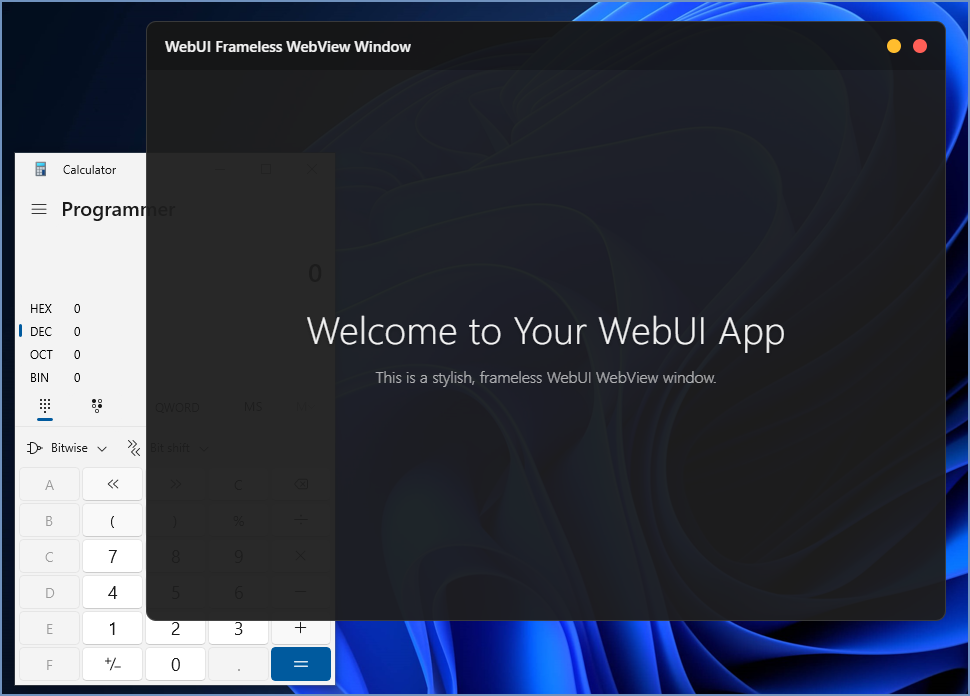
Unlike Tauri, WebUI doesn't force you to mess with system WebView components (although such an option also exists). The library simply launches a browser session in application mode and organizes a fast communication channel via WebSocket.
What's under the hood
The library weighs only a few kilobytes. It's a single header file that's easy to integrate into an existing project. Here's what caught my attention:
- Cross-platform. Works on Windows, Linux and macOS equally predictably.
- Support for all popular browsers. Chrome, Firefox, Edge and even Yandex.Browser are picked up "on the fly".
- Private profiles. The program won't mix your application's cookies with the user's personal data in the browser.
- Portability. You don't need to install heavy SDKs to build the project.
How it looks in code
Let's look at a classic "Hello World". In C it looks almost like a script, no magic and code dumps:
#include "webui.h"

int main() {
    size_t window = webui_new_window();
    webui_show(window, "<html><script src=\"webui.js\"></script> Hello World! </html>");
    webui_wait();
    return 0;
}
And here's an example in C++, where everything is wrapped in convenient objects:
#include "webui.hpp"

int main() {
    webui::window my_window;
    my_window.show("<html><script src=\"webui.js\"></script> Привет из C++! </html>");
    webui::wait();
    return 0;
}
Just a couple of lines — and you have a full-fledged window with HTML/CSS content. At the same time, the backend remains in your favorite language, whether it's Python, Rust, Go or even Pascal.
Weight class comparison
The developers provided an excellent table on GitHub, and it clearly shows why WebUI is about minimalism. If Electron requires Chromium and Node.js inside the package, WebUI requires nothing except the browser itself in the system. This saves RAM and disk space. Even modern WebView solutions like Tauri pull dependencies like GTK or WebKitGTK on Linux, whereas WebUI simply opens a browser window.
Who and when this will be useful
Of course, WebUI won't replace complex professional tools for interfaces where microsecond responsiveness matters. But there are plenty of situations where it will be a lifesaver.
If you're making a small internal utility for the company, WebUI will help you throw together an interface in Bootstrap or Tailwind in an evening. For prototyping, this is practically the ideal option: you focus on backend logic, and the frontend is drawn like a regular website.
An interesting point — SSL/TLS support. If your application needs to be secure, WebUI allows you to enable OpenSSL support with a simple flag during build.
Summary
WebUI is a breath of fresh air for those tired of heavyweight GUI frameworks. The project is actively developing, it already has over 4,000 stars on GitHub and a bunch of wrappers for different programming languages.
Worth trying if:
- You need a fast and beautiful GUI, but don't have time to learn Qt.
- You don't want to bloat the binary size to hundreds of megabytes.
- Your frontend developer knows HTML/JS, and you know systems programming.
I wouldn't recommend using this for high-load games, but for system utilities, dashboards and configuration tools — it's practically the ideal choice. You can start with the official documentation at webui.me, everything is laid out there.
Related projects