IRIS — a Fast Fig Alternative for Terminal Autocomplete
If you've used Fig for command autocomplete in the macOS console, you probably remember the bad news from fall 2024. The project was shut down, and the work was folded into Amazon Q Developer with mandatory cloud login and a heavy interface.
IntelliSense-style autocomplete in the terminal is genuinely useful. You quickly get used to the convenience: start typing a utility name and a menu pops up with arguments, Git branches, or flags.
The IRIS project author decided to rebuild this concept from scratch. Instead of Electron and server dependencies, they created a single Go binary that renders popup suggestions directly in TTY.

Why TTY Changes Everything
Traditional graphical overlays like Fig are tightly coupled to specific operating systems and graphical terminals. Try forwarding Fig's overlay into an SSH session on a remote Linux server or running it in a bare virtual console—nothing works.
IRIS takes a different approach. It injects directly into the terminal output (TTY), making it work natively across diverse environments:
- Local terminals on macOS and Linux
- Remote sessions over SSH
- Sessions inside tmux
- Linux virtual consoles without a graphical shell
Setting up the environment on a server is as simple as copying a single file. No need to install plugin managers for Zsh or Fish, hunt for themes, or pull gigabytes of dependencies.
What's Inside and How It Works
IRIS indexes your aliases and command history. When you start typing, the tool pulls up the most relevant suggestions from your history or command specifications.
Two visual styles are available: Modern and Classic. The Modern style looks softer and uses Nerd Fonts icons, while Classic is simpler and closer to traditional TUI interfaces.
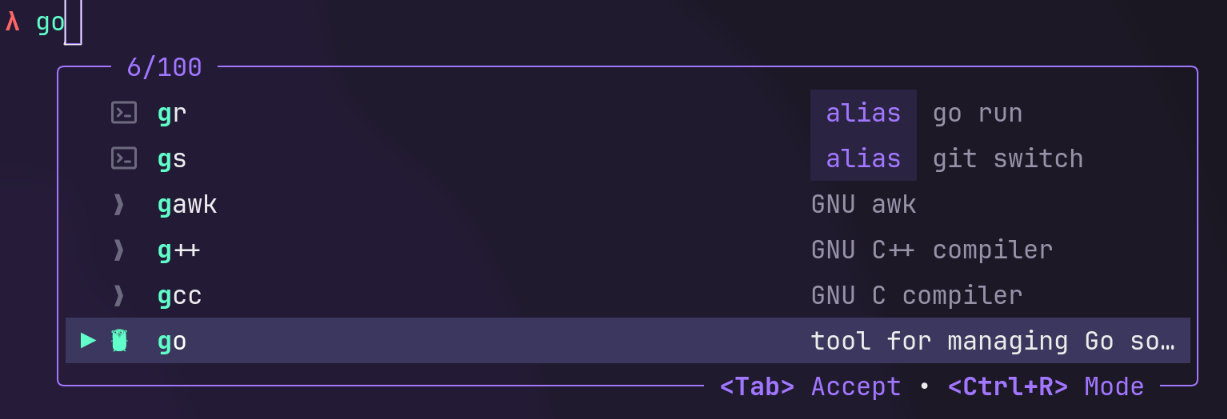
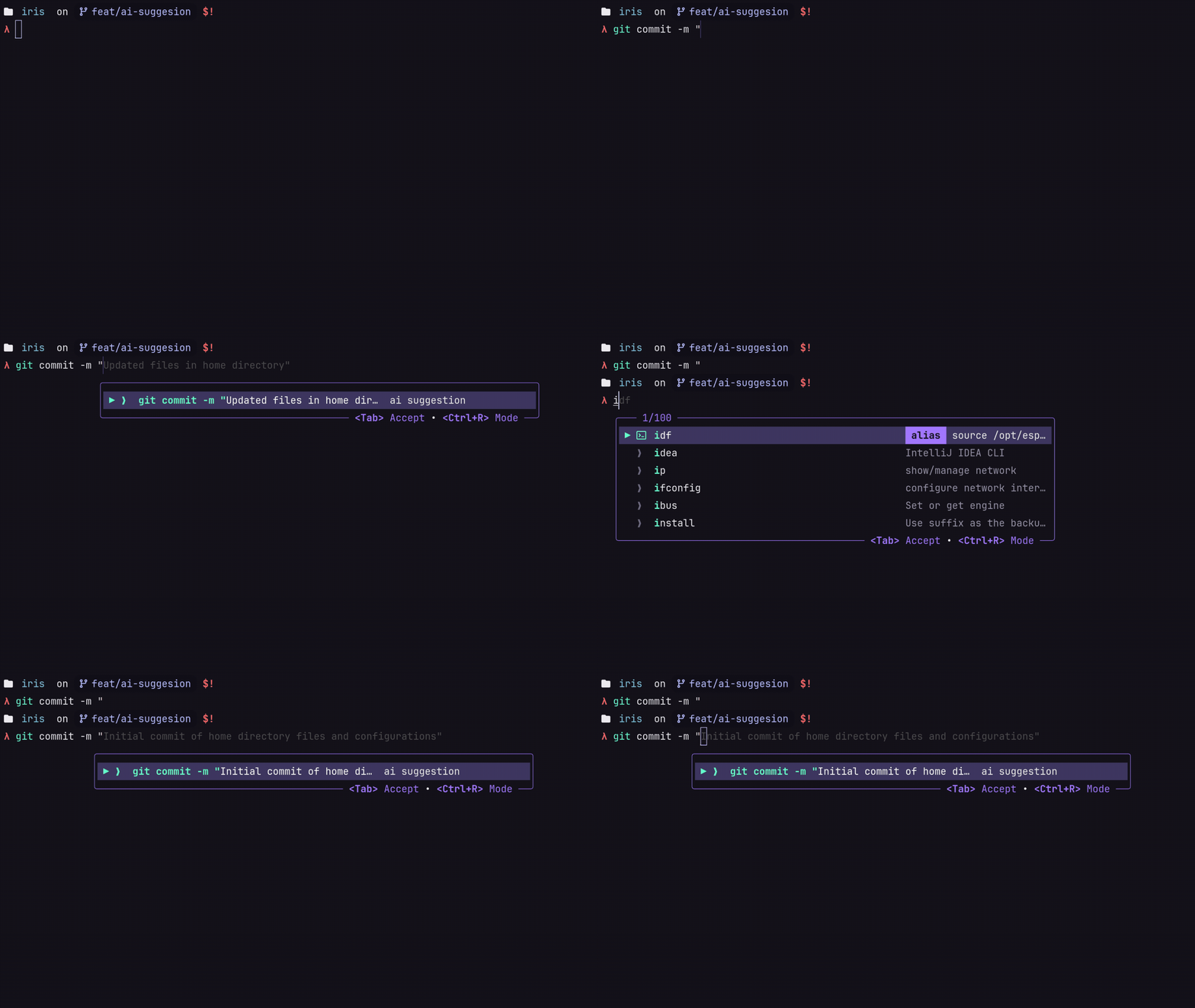
A standout feature is neural network support. If you want context-aware suggestions, you can enable an AI provider in the config. Out of the box, it supports:
- Groq (works via cloud API, a free key will do)
- Ollama (for those running local models like
qwen2.5-coder)
Input debounce is controlled by the debounce_ms parameter. If you're used to fast typing, the AI won't flood you with requests on every keystroke.
The configuration file uses simple TOML structures and lives at ~/.config/iris/config.toml. Changes are picked up on the fly, so there's no need to restart the shell.
[core]
mode = "last"
expand-alias = true

[ui]
style = "modern"
ghost-text = true
nerd-fonts = true

[ai]
enabled = false
provider = "ollama"

[ai.providers.ollama]
endpoint = "http://localhost:11434/v1/chat/completions"
model = "qwen2.5-coder"
timeout_ms = 5000
Gotchas and Installation Tips
There are multiple ways to install the tool. AUR has the iris-autocomplete package, Homebrew has the versenilvis/iris/iris formula. Nix Flakes users can also find pre-built packages, plus regular Debian .deb and .rpm packages in the GitHub releases.
Before launching, disable any existing autocomplete plugins you're using. Tools like zsh-autosuggestions or atuin will intercept key combinations and clutter the screen with duplicate text.
Windows isn't supported yet. Developers on this OS will need to run the tool inside WSL.
Menu navigation uses familiar shortcuts:
Shift + Tab— hide or show the menuTab— insert the selected commandСтрелка вправо— accept the ghost text suggestionCtrl + R— toggle mode (history or specs)
In debug mode, iris -d logs everything you type in the console. Keep this in mind when submitting bug reports to avoid accidentally leaking passwords or private keys.
Is It Worth Trying
If you miss Fig or are tired of configuring the same autocomplete plugins across a dozen servers, IRIS looks like a sensible alternative. It doesn't require registration, is lightweight, and starts up quickly.
The project is open source under the 0BSD license, meaning the code is completely free for any use.
Related projects