How to Tidy Up Your Palworld Server Without the Headache and Console Hassle
Remember that chaos when Palworld first came out? Servers were crashing, players were getting stuck in textures, and administration boiled down to endless attempts to get through a broken RCON. If you still run your own server for friends or a community, you probably know: the standard tools are catastrophically insufficient. The palworld-server-tool project (or simply PST) is exactly the layer that the game was missing at release.
This isn't just another console wrapper. The developers combined .sav save file parsing, the official REST API and RCON, and packaged everything into a nice web interface.
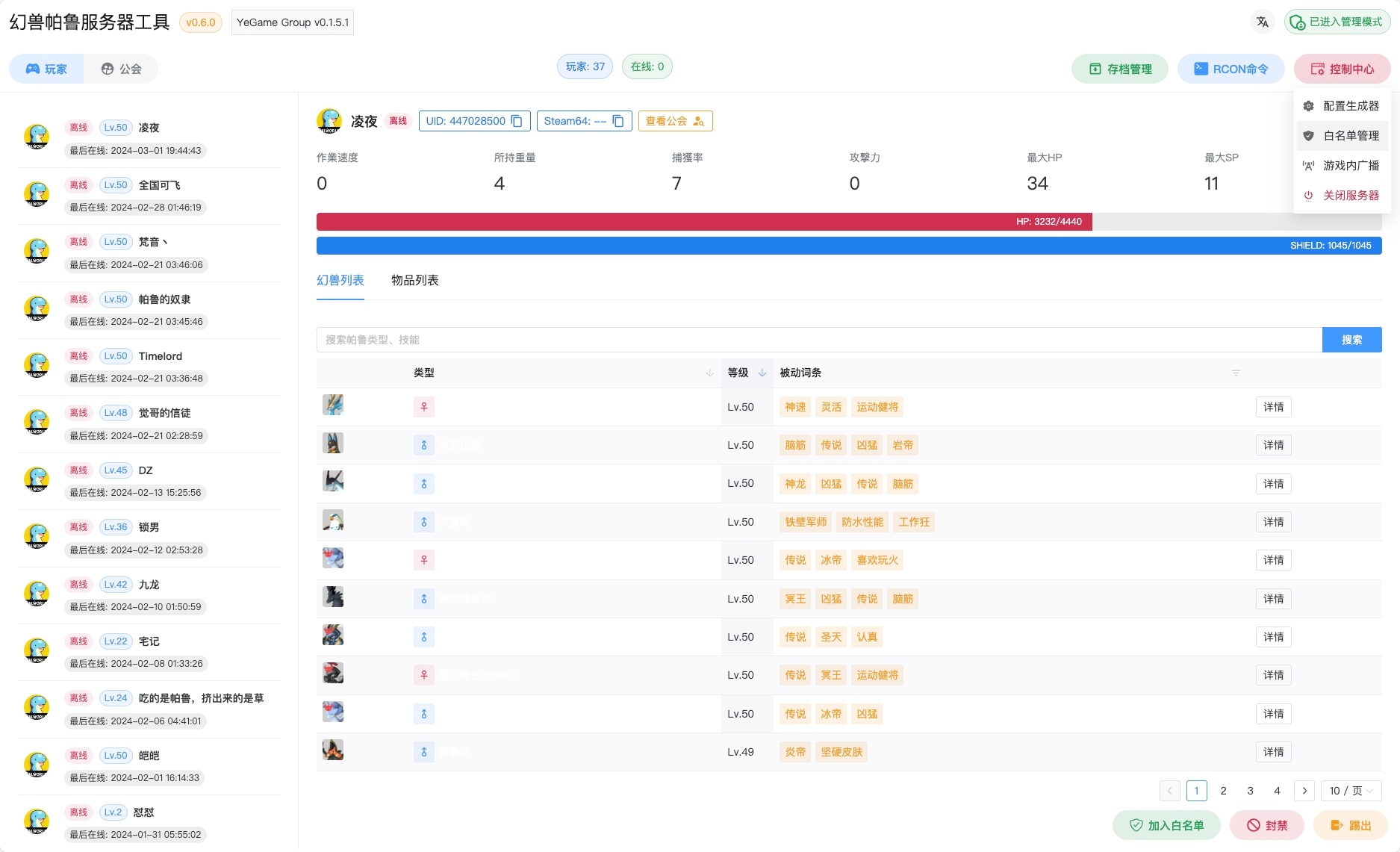
What this tool can do
The main problem with Palworld administration is data opacity. You can't see what's in a player's inventory or which Pals are languishing in containers without digging into save files. PST solves this elegantly.
The tool pulls data about guilds, players, and their companions. You can view detailed statistics for each creature, check backpack contents, and even see player coordinates on a visual map. This makes life much easier when you need to figure out which player "accidentally" duplicated rare resources or why the server started lagging due to an overload of objects in one location.
For operational management, there's a standard set of tools: kicks, bans, chat announcements, and "graceful" server shutdown. By the way, the interface is responsive — if the server acts up while you're on the subway, you can log in from your phone and sort things out.
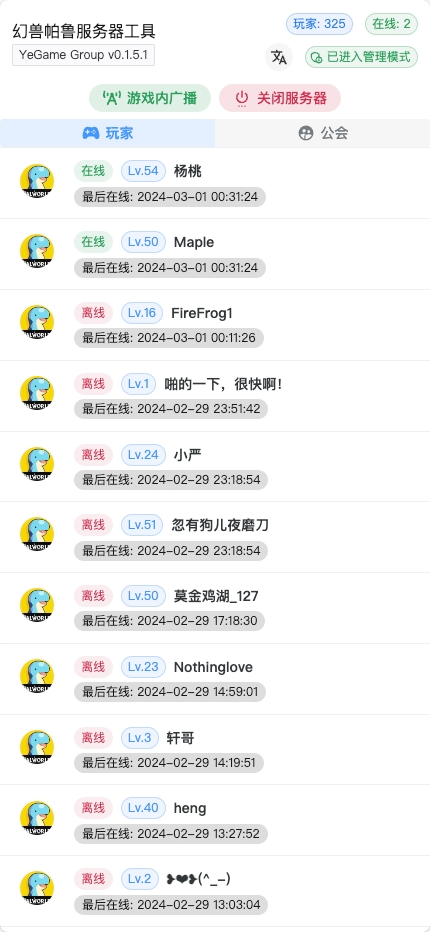
Technical internals and deployment
The project is written in Go, the frontend uses Vue.js, and a Python script handles heavy save operations. This combination allows fast parsing of Level.sav, although it does require resources: when processing large saves, RAM usage can spike to 1–3 GB.
You can deploy the system in three ways:
- Binary file (just download and run).
- Via Docker (the most convenient option for Linux servers).
- Using PST + Agent combo.
The last option is interesting if your game server and control panel run on different machines. You install a lightweight agent next to the game server, and the main panel goes wherever you want. The agent will sync saves and forward commands.
The Docker launch example looks standard:
docker run -d --name pst \
  -p 8080:8080 \
  -v /path/to/your/Pal/Saved:/game \
  -v ./backups:/app/backups \
  -v ./pst.db:/app/pst.db \
  -v ./config.db:/app/config.db \
  jokerwho/palworld-server-tool:latest
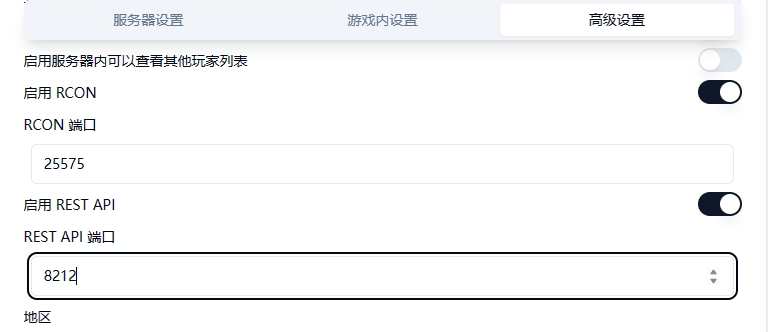
An important note: to use all the features, you need to enable REST API and RCON in Palworld's own settings (PalWorldSettings.ini). Without this, the panel becomes a simple log reader with no ability to influence the process.
Automation and backups
What really impresses is the built-in backup manager. You can set up a schedule, and PST will automatically take snapshots of the world state. In case of a critical bug (and they do happen in Palworld), you can roll back directly from the web interface.
There's also support for scheduled custom RCON commands. Want to clean up the world from junk every morning at 6:00 or send a welcome message? Configure it in a couple of clicks.
Is it worth installing
If you have a server for three people, this might be overkill. But for any semi-public project, palworld-server-tool becomes an essential tool. It fills the gaps in the official server's functionality and provides the transparency that's been so lacking.
The downsides — documentation is partially in Chinese, but the interface is translated to English, and the workflow is intuitive for anyone who's ever set up a Docker container. The project is actively maintained, and judging by the star count (already over a thousand), the community has appreciated it.
If you decide to try it, start by creating a backup of your Level.sav. Despite its stability, working with binary saves is a delicate matter.
Related projects