Pocket Media Server on ESP32-S3 for Travel and Offline Networks
During long trips or in the great outdoors, one frustrating issue quickly becomes apparent: mobile connectivity disappears at the worst possible moment. You could preload your phone's storage with video files and books in advance. Another approach is to set up an autonomous server. But deploying a Raspberry Pi with a whole rig of power banks and external drives for this purpose is often impractical. The board heats up, drains the battery aggressively, and takes up valuable backpack space.
Developer Jackson Studner took a more elegant approach to this problem. He wrote Jcorp Nomad — a fully autonomous media server that runs on the ESP32-S3 microcontroller and fits in a case the size of a standard USB flash drive.
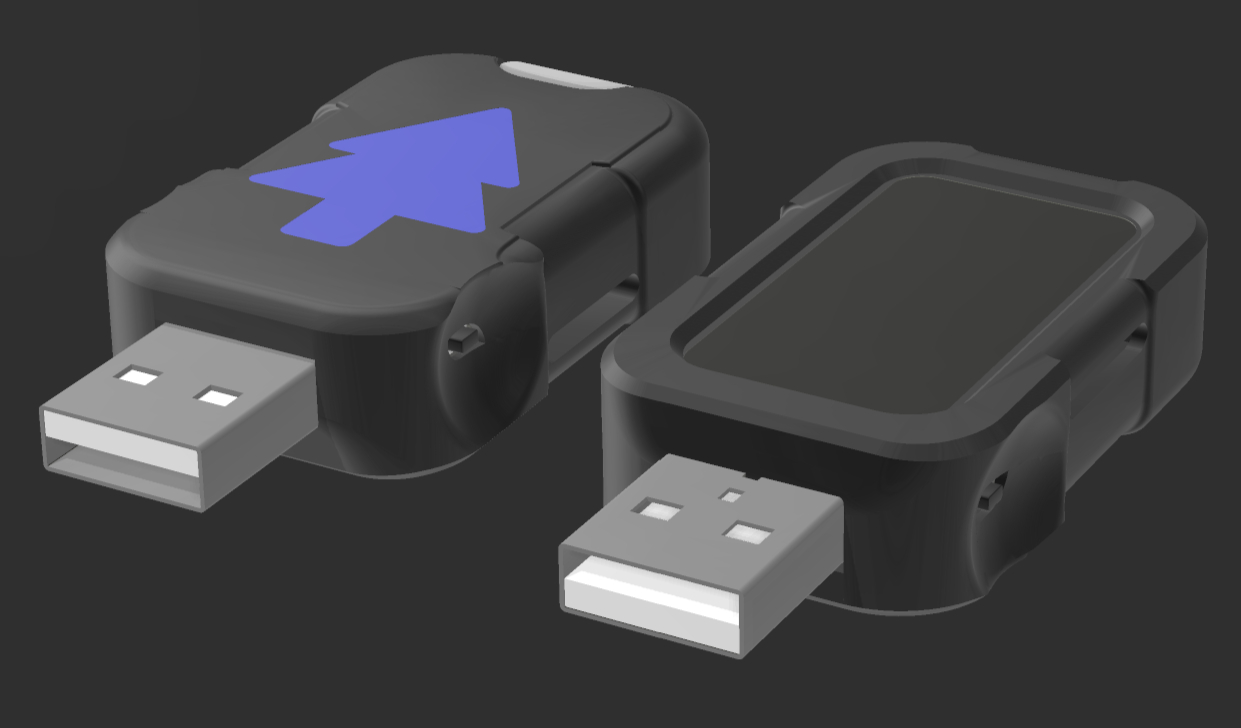
What a microcontroller priced at around fifteen dollars can do
Nomad creates its own local Wi-Fi network. You connect to it from your smartphone, tablet, or laptop, open a browser, and land in the media player. No app installation required.
Inside the flash drive sits a MicroSD card from which the device serves content. Here's what it can stream to connected devices:
- Movies and TV series. Video plays through the Plyr web player. There's support for structured folders with seasons and proper playback progress memory.
- Music. Background playback with playlists from subdirectories and dynamic queuing.
- Books and comics. Supports PDF, EPUB, CBZ, and CBR formats.
- Offline Wikipedia. The standout feature of the latest Mk4 release — reading ZIM archives. You can load Wikipedia dumps, Gutenberg library, or TED talks onto the flash drive.
Several people can connect simultaneously and watch different files. Naturally, this depends on the Wi-Fi bandwidth of the microcontroller, but it's sufficient for a family or small group at a tent camp.
How they got ESP32 to read gigabyte-sized archives
The most interesting technical detail in Nomad is working with ZIM files. A full Wikipedia dump with illustrations weighs over 140 gigabytes. Trying to get an ESP32 chip with its modest RAM to search through such a data mass on its own would inevitably lead to a system crash.
The author solved the problem with division of labor. The project includes a utility called Nomad Tools for your computer. It pre-scans the ZIM file on the PC and creates a compact index file. The ready-made index goes to the MicroSD. When you enter a search query in your smartphone's browser, Nomad quickly checks against the lightweight index and immediately serves the correct article.
In the latest Mk4 update, the developer refined memory handling:
- Fixed regular crashes when working with files over 2 gigabytes.
- Added dynamic unloading of read pages for PDFs and comics. Previously, a long topic or heavy scanned document would quickly fill up RAM, sending the board to the grave.
- Optimized indexing at startup. Now the board rescans the memory card only if files have actually changed on it, not every time it powers on.
The case that no longer crushes the screen
The device is built around a specific development board — Waveshare ESP32-S3 Dev Board with a 1.47-inch color LCD screen. The repository contains ready-made STL files for 3D printing the case.
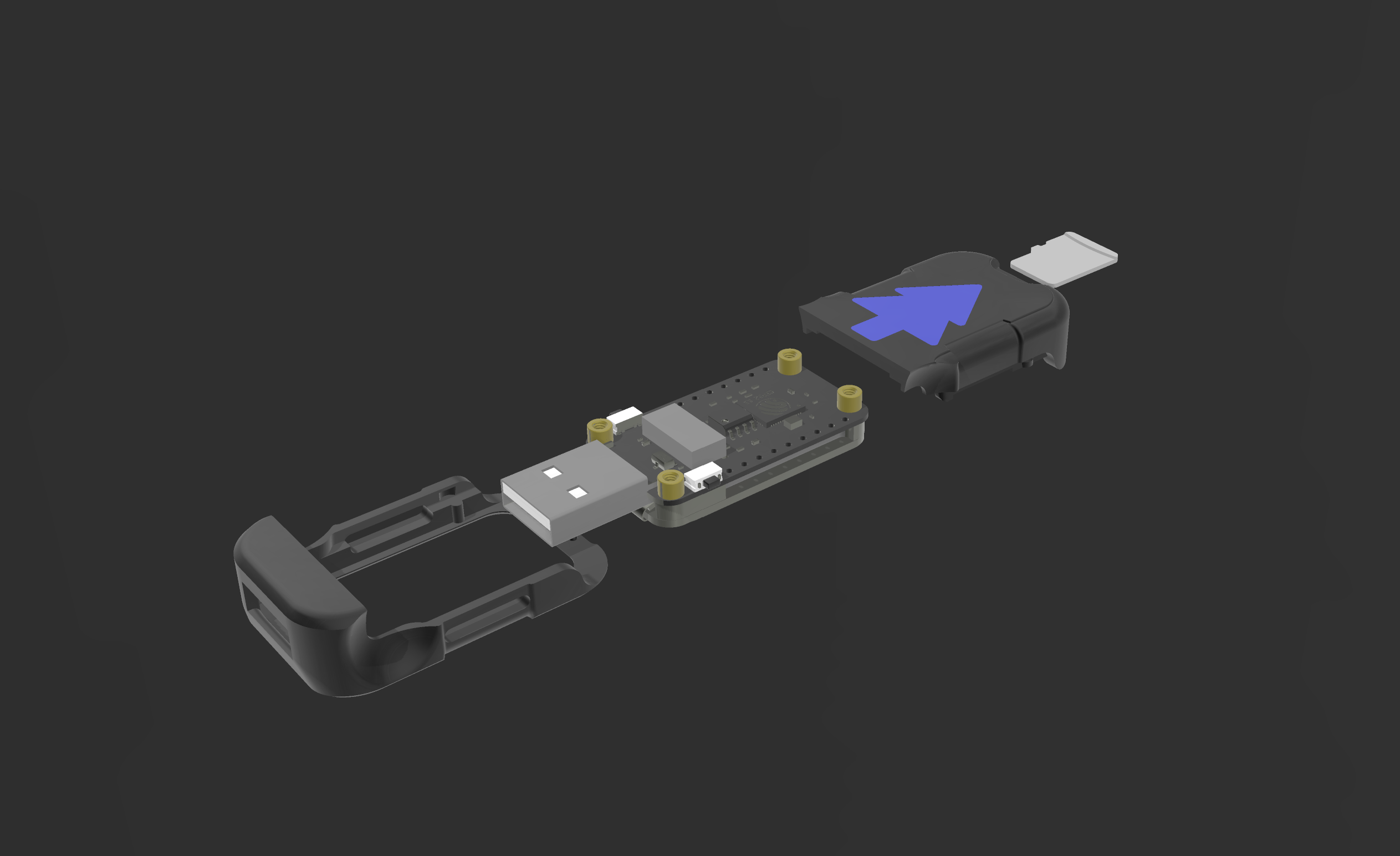
The case design was reworked in Mk4. Previously, the halves clipped together from top and bottom, which made it easy to crush the thin display glass during assembly. The new version slides together front to back. The reset and flash buttons remain on the outside, so you won't need to disassemble the case to update the software.
How to build such a server yourself
Assembly is straightforward, no soldering required. Here's what you need:
- Waveshare ESP32-S3 board with 1.47" display (costs around $15–18).
- MicroSD card from 16 GB to 128 GB (cards up to 2 TB are supported, just format to FAT32).
- Any power source with USB output (power bank, car socket, or phone charger).
The file structure on the memory card is straightforward. You simply place your media files in the corresponding folders:
/Movies
    Interstellar.mp4
    Interstellar.jpg
/Shows
    /The Office
        S01E01 - Pilot.mp4
        S01E02 - Diversity Day.mp4
    The Office.jpg
/Books
    The Martian.pdf
/Music
    track01.mp3
After that, flash the board via Arduino IDE with the binary from the /firmware/ folder, insert the flash drive, and apply power. The network list will show Jcorp_Nomad (default password: password).
Open the admin panel in your browser, run the initial indexing — and your offline media library is ready.
Is it worth trying
Jcorp Nomad is a great example of making something genuinely useful in everyday life with a microcontroller for peanuts. The project has clear open-source code (CC BY-NC-SA 4.0 license), an active author, and a lively community.
If you often find yourself where there's no cellular signal, or just want to have an emergency standalone reference with movies at hand in case of a power outage, this project is definitely worth building over a couple of evening hours.
Related projects