Running a Full-Fledged Linux with systemd on a Smartphone via Droidspaces
Old Android smartphones are often turned into home servers, Telegram bots, or local test benches. Usually this is done with Termux and PRoot or by fiddling with chroot. But these approaches have serious pitfalls. PRoot intercepts every system call via ptrace, which slows down performance. Regular chroot only isolates the file system, leaving the process tree and networks shared with the host. And most importantly, getting a full systemd as PID 1 on Android has always been a challenging task due to cgroups, SELinux, and Android's LMK memory killer.
The Droidspaces project by developer ravindu644 offers a different solution. It's a binary of about 400 KB, built with musl libc. It uses standard Linux kernel namespaces and raises isolated containers with real initialization, graphics acceleration, and networking.
How Droidspaces differs from alternatives
Unlike heavyweight LXC or Docker stacks running on top of Termux, Droidspaces works directly with the kernel. It has no external dependencies. If the system kernel supports namespaces, the tool will run even in the Android recovery environment (Recovery or Ramdisk).
Let's compare Droidspaces with familiar tools:
- In PRoot, every system call goes with a delay. Here the container runs natively.
- Regular chroot breaks on a simple process viewing command. Droidspaces provides honest isolation of PID, MNT, UTS, IPC, and Cgroup.
- Android's background process killer often closes Termux along with all services. Droidspaces detaches from the application session via setsid and lives in a background daemon.
- If you delete the Android app, running containers in
/data/local/Droidspaceswill continue to work, data won't be lost.
Graphics, sound, and network without manual configuration
Since version 6.x, the utility can forward graphics and audio on its own. If you need XFCE or another desktop environment, you won't have to manually set environment variables and start servers in Termux.
When the corresponding toggles are enabled, the utility automatically raises Termux:X11, VirGL, and PulseAudio. Inside the container, the DISPLAY=:5 and GALLIUM_DRIVER=virpipe variables are automatically set. For Qualcomm Adreno GPUs, the Turnip driver with direct GPU passthrough is available.
Four network modes are supported:
- Host (shared network with the device)
- NAT (isolated network with auto-detection of interface and port forwarding)
- None (complete network isolation)
- Gateway (delegating routing to another container, for example with OpenWRT)
Management and working with code
A convenient GUI was created for Android in Kotlin. It configures mount points, allocates hardware resources, forwards ports, and displays systemd boot logs.
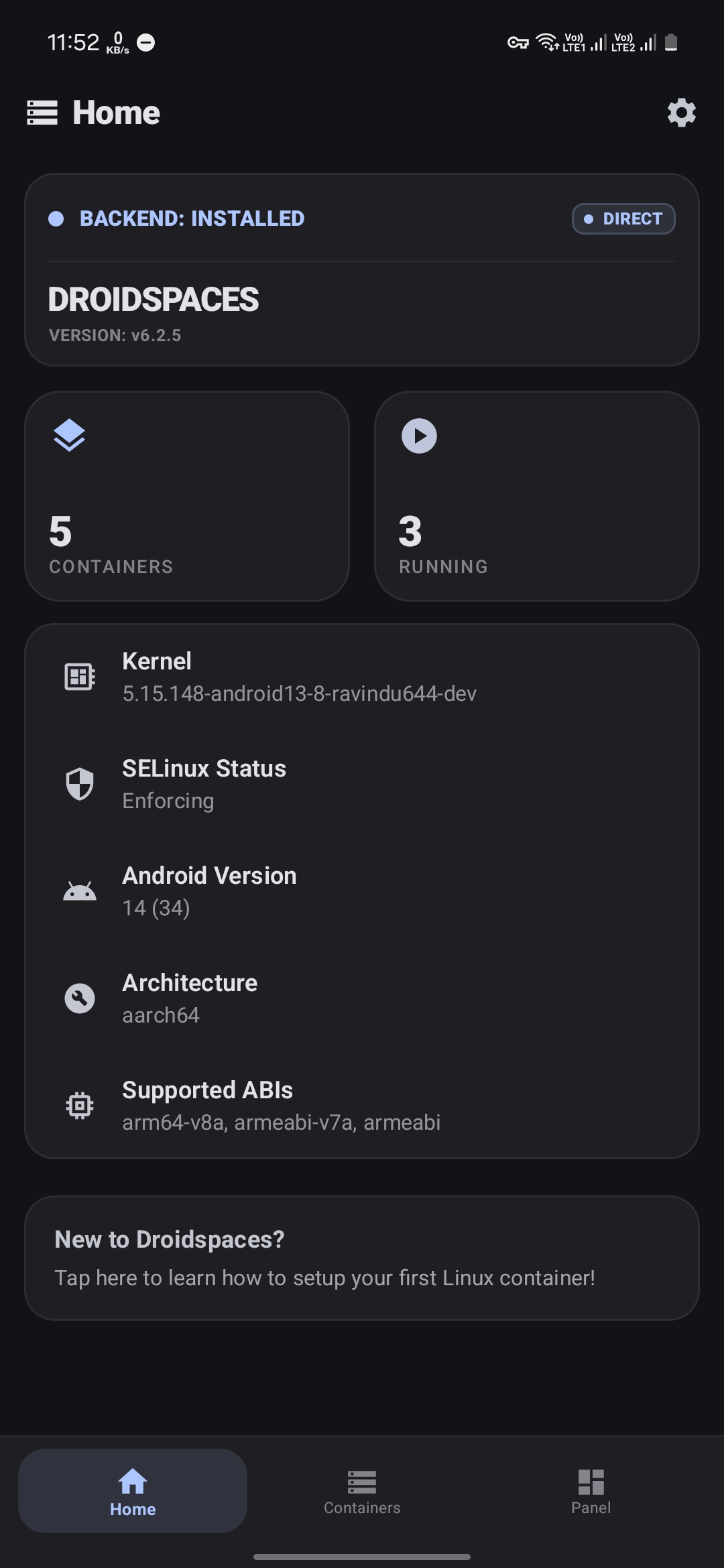
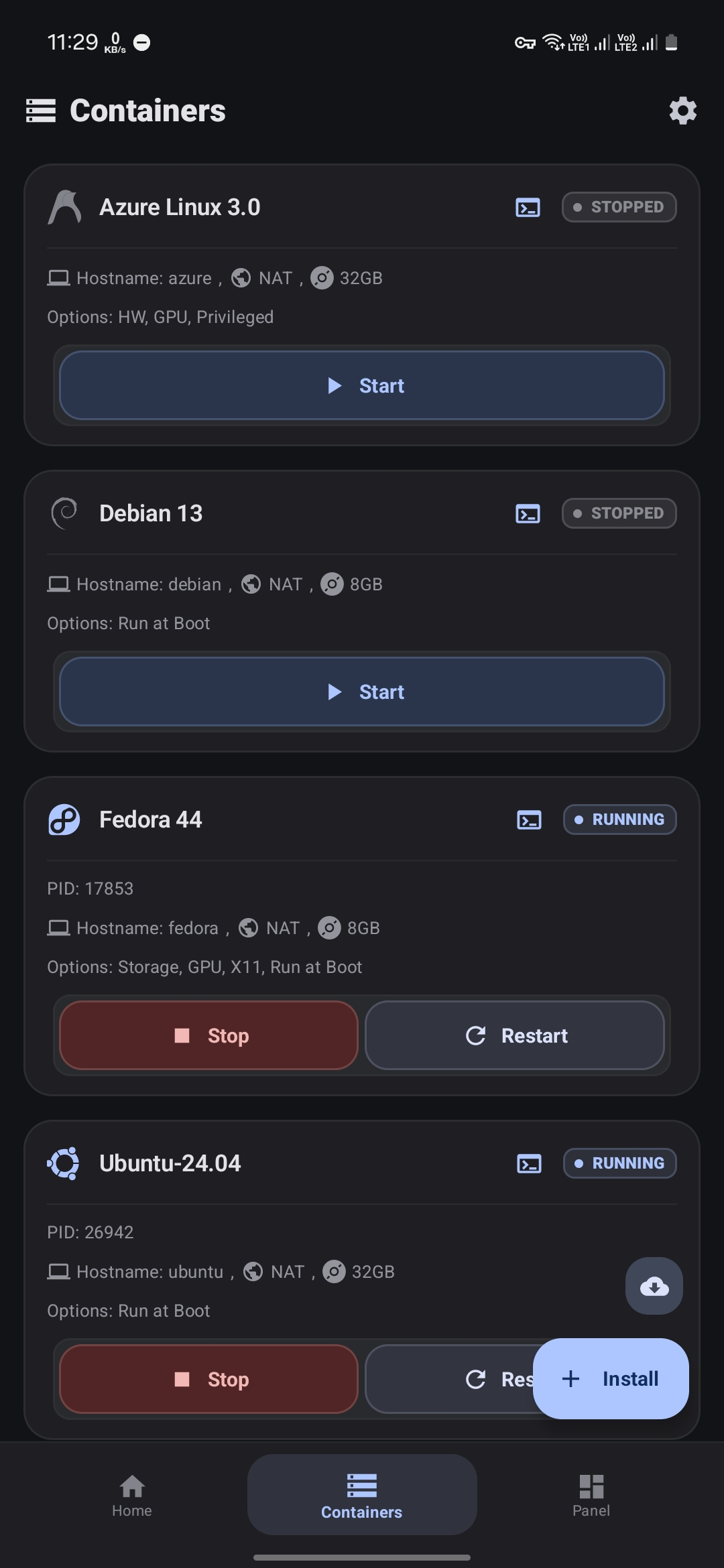
On desktop Linux or via SSH, the device is managed through a command-line utility:
# Проверка готовности ядра
sudo ./droidspaces check

# Запуск контейнера с файлом конфигурации
sudo ./droidspaces start ubuntu --conf /path/to/ubuntu.config

# Вход в консоль запущенного контейнера
sudo ./droidspaces enter ubuntu
If you need to test software without risking damage to the file system, the Volatile mode comes in handy. It uses OverlayFS, stores all changes in RAM, and discards them immediately after stopping.
Kernel requirements and security nuances
Without root rights, no magic will happen. The tool needs Root (KernelSU, Magisk, or APatch) and kernel version 3.10 or newer.
On old kernels (3.10–4.19), you have to deal with Android specifics. Due to FBE encryption conflicts and VFS peculiarities, kernel freezes sometimes occur. The author provided a Deadlock Shield toggle and BPF filters. If you disable the protection, you can even run Docker inside Droidspaces (nested containers). On modern GKI kernels (5.4+), all functions are available out of the box.
An important security note: Droidspaces was created for enthusiasts and doesn't work as a strict sandbox. Processes inside the container with root privileges have access to kernel calls, and the --privileged flag disables most capabilities and seccomp restrictions. Running questionable code on your personal device is definitely not advisable.
Who will find this project useful
The tool will appeal to those who turn an old tablet or smartphone into a local server. It's convenient for raising Docker containers, a home Home Assistant, database instances, or a full desktop environment with rendering via GPU.
Ready-made binaries for aarch64, armhf, x86_64, x86, and riscv64 architectures are available in the releases on GitHub.
Related projects