How to Feed AI Agents the Right Design Instead of Boring Templates
Anyone who has tried to build interfaces through Cursor, Claude Code, or other coding assistants quickly hits the same problem. You tell the agent "make a beautiful landing page with neon glow and smooth animations," but what you get is a typical Bootstrap-like layout with dull gradients. Models are great at writing boilerplate, but without strict constraints they produce average visuals from their training data.
Designer and developer Meng To released a repository called Skills, which contains 123 ready-made scenarios for working with AI agents. The core idea is simple: instead of long abstract explanations in a chat, you feed the agent structured markdown files with clear design systems, animation timings, and technical constraints.
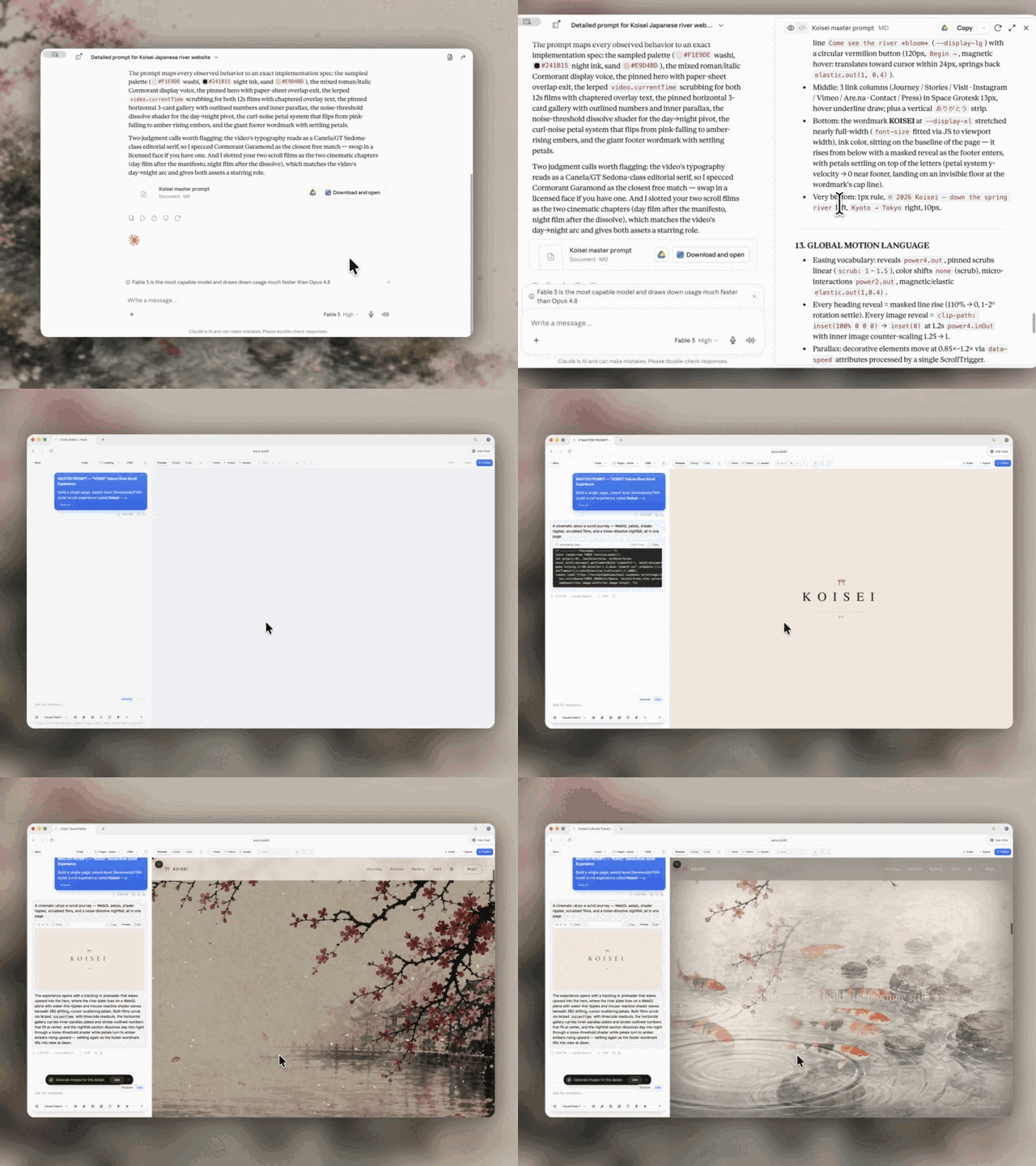
Why Turn Prompts into Repository Files
Usually, instructions for neural networks are stored in notes or copied from chat history. Meng To suggests treating prompts like code: version them through Git, organize them into folders, and include them as needed.
Each skill in the repository is formatted as a separate directory. Inside, there's a SKILL.md file with precise instructions: when to apply the technique, which steps to start with, what default parameter values to use, and where agents most often mess up. If necessary, it includes links to documentation, a detailed article, and a ready demo in HTML format.
This approach solves two problems at once. First, you don't waste time repeatedly explaining scroll physics to an agent. Second, the model's context window doesn't get cluttered with unnecessary noise, because the agent loads only one narrow file for a specific block.
What's Inside the Catalog
The library is divided into five areas. Most of it is devoted to web design and 3D graphics in the browser.
Web Design and Visual Effects
This section includes 81 instructions for complex layouts and animations. For example, there are templates for creating cursor trails with shaders, background blur through progressive blur, masks in pure CSS, and integration of libraries like GSAP, Matter.js, Three.js, or Vanta.js.
With such a file, an agent gets not just a command like "make an animation," but specific rules: transition durations, bezier curves for timing, z-index settings, and performance checks on mobile devices.
Workflows for Working with References
Instead of manually describing layouts, the repository offers automating context gathering:
video-to-superpromptbreaks down a screen recording of a finished animation into frames and generates a detailed brief that the agent can use to recreate the layout logic in one pass.html-to-interaction-promptstakes an existing web page and splits it into separate prompts for each button, hover effect, or WebGL scene.stitched-full-page-capturecreates a seamless screenshot of a long landing page with complex dynamic loading, so the model can see the overall page hierarchy at once.daily-ui-inspiration-capturelinks browser scripts and prompt generation into a single cycle for analyzing other designers' discoveries.
Web Game Development
A separate block with 20 skills covers Three.js and browser game development tasks. It includes instructions for isometric cameras, enemy behavior settings, inventory, combat systems, and rendering optimization on smartphones.
Working with Media and General Design
A small section of the collection helps the agent fetch high-quality assets from Unsplash and graphic services with proper aspect ratios, cropping, and the project's color palette.
To use the collection, you need to clone the repository to your local machine. The files are organized as markdown with YAML frontmatter, which makes them easy to edit and extend. Each skill can be customized for specific project requirements without breaking the core logic.
How to Connect Skills to Agents
The files aren't tied to any specific proprietary utility. They work with any tool that can read context from a local folder.
In Cursor, you can reference a specific .cursorrules or directly paste the path to the needed folder in the chat window agent-skills/web-design/<название>/SKILL.md.
In Claude Code, the file path is specified in CLAUDE.md or the instruction is loaded as context for the working session.
When working with Codex, the SKILL.md file is loaded into memory before code generation starts, so the agent follows the checklist and validation rules.
Main Principles of Prompt Assembly
The author formulated four rules on which the entire repository structure is built:
- Clear specifications are better than abstract wishes. Layout speed and stability depend on constraints for margins, grids, and fonts, not on adjectives in the task description.
- Screenshots and links are more accurate than text paragraphs. A visual reference immediately conveys the layout rhythm, proportions, and icon style.
- Prompts are valuable assets. A successful formulation should be saved to a file, versioned, and reused in other projects.
- An agent's skill should work like a job description. A good file directly states under what conditions to open it, what to do first, and what typical mistakes to avoid.
Who Will Benefit from the Collection
If you already write frontend by hand and keep the entire GSAP or Three.js stack in your head, someone else's rules might seem excessive. But the project will be useful for those building prototypes, pet projects, or client landing pages in combination with neural networks and are tired of fighting typical model hallucinations.
Instead of inventing your own instructions from scratch, you can take Meng To's ready-made templates, copy the appropriate folders to your repository root, and tweak the parameters for your project. Repository link: https://github.com/MengTo/Skills.
Gerelateerde projecten