OpenCADStudio: How an Enthusiast Writes CAD in Rust and Runs It in the Browser
Anyone who has ever tried to quickly open a DWG file on Linux or macOS without purchasing heavy proprietary packages knows this pain. The options are usually limited: either stripped-down free versions of professional software, or old utilities with graphics from the early 2000s.
An interesting project called OpenCADStudio (OCS) appeared on GitHub. It's a 2D and 3D CAD editor, completely written in Rust. The best part — the author implemented native support for DWG and DXF formats without bulky third-party libraries and built a working WebAssembly version that can be opened right in the browser.
What the project can do
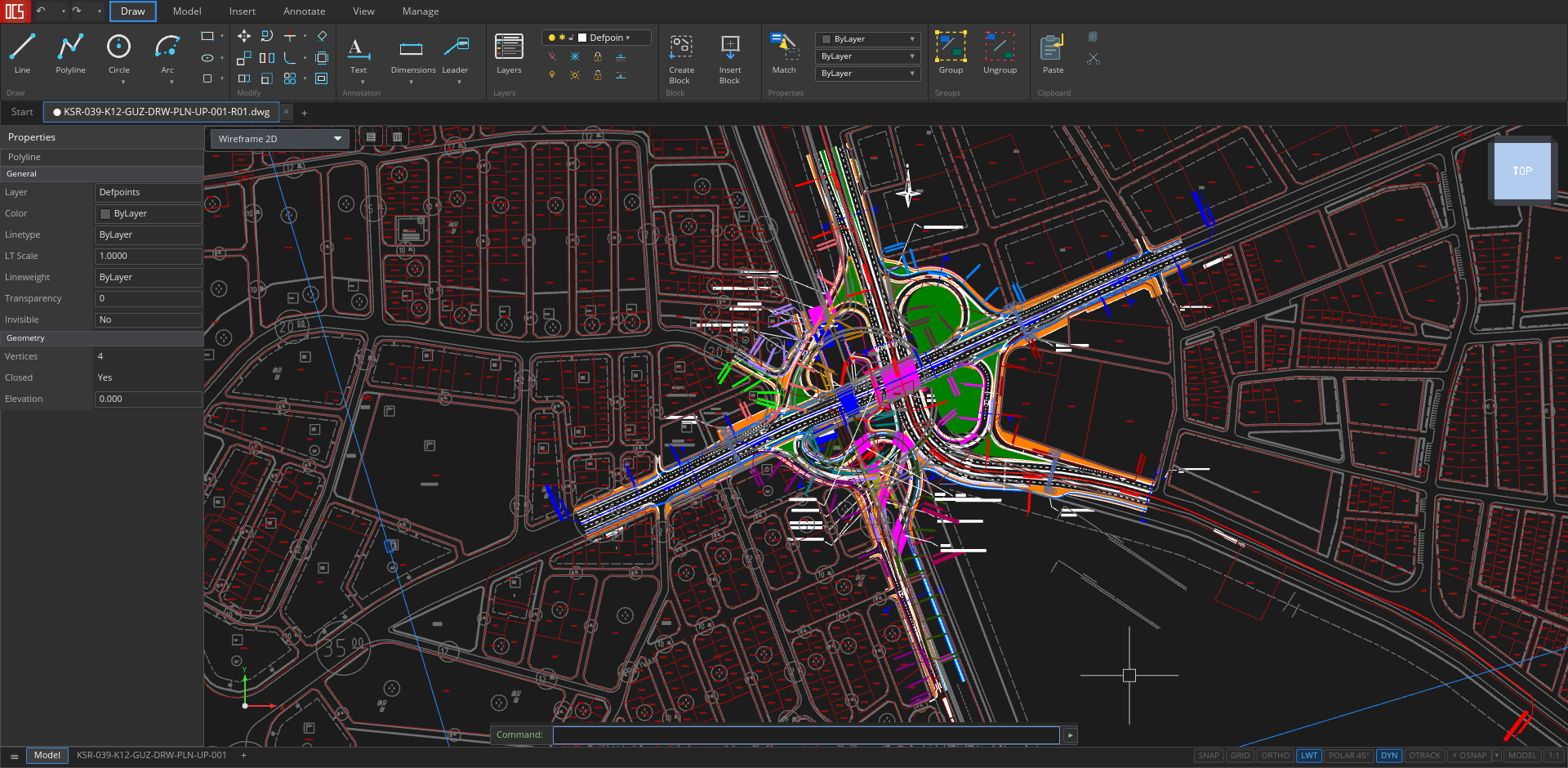
The OpenCADStudio interface was designed with classic AutoCAD in mind. At the bottom is the familiar command line with autocomplete, at the top is the Ribbon menu, and on the sides are panels for layers and geometry properties.
If you look at the list of supported commands, it becomes clear: this is not an abstract concept, but a working program.
File reading and writing
The editor can read and save DWG and DXF drawings from versions R13 to R2018. There is export to STL, STEP AP203, and PDF for printing. If you need to load a ready 3D model, OBJ format import is supported.
2D drafting and annotations
The editor's arsenal includes a basic set of drafter tools: lines, polylines, circles, arcs, splines, and hatch settings. Editing commands like TRIM, EXTEND, OFFSET, or FILLET work with most line types.
They didn't forget about documentation either:
- Linear, angular, radial, and ordinate dimensions with DIMSTYLE support.
- MTEXT text blocks and MLEADER leaders.
- Tables and GD&T frames.
3D modeling
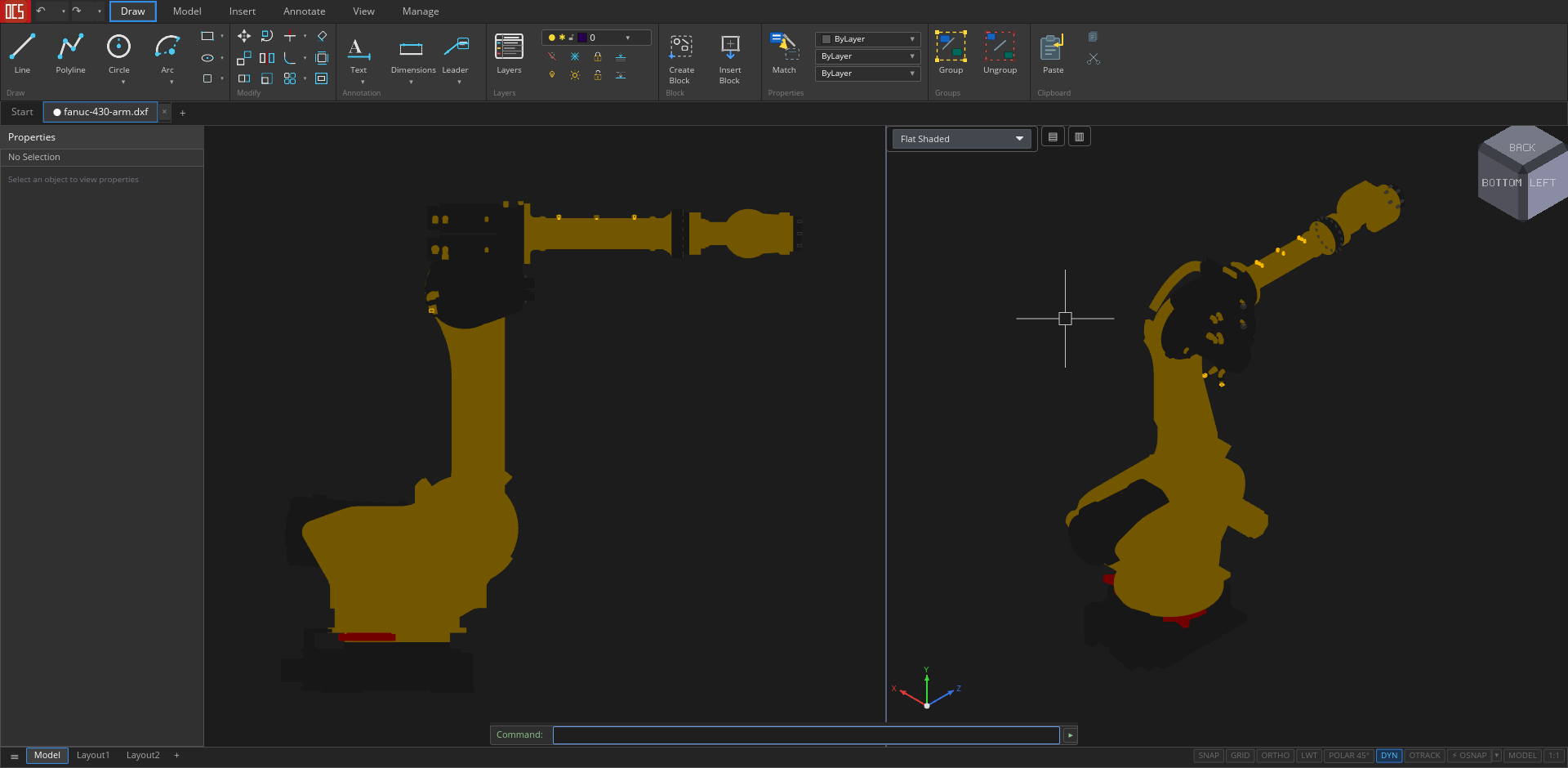
For working with volumetric objects, OCS uses primitives like cubes, spheres, or cylinders, as well as extrusion operations (EXTRUDE, REVOLVE, LOFT, SWEEP). ACIS body rendering handles planar regions and complex 3D solids.
Paper space and viewports
OCS includes full-featured Paper Space support. You can create multiple layout tabs, configure viewports with model projections, and send the final sheet to a physical printer.
Technical internals
The main engine of OpenCADStudio is the Rust language and the wgpu graphics API. This gives the author clean GPU-accelerated rendering with 4× MSAA anti-aliasing.
Thanks to WebGPU and compilation to WebAssembly, the project runs in a regular web browser. You can open the project's GitHub Pages and view any drawing without installing the program on your PC.
When rendering, CAD-specific features are taken into account:
- Wide polylines with solid fill.
- Complex line types containing embedded text and symbols.
- Automatic adaptation of geometry color for light or dark background of the workspace.
- Object masking (Wipeout) and raster underlays via the
IMAGEcommand.
How to run the editor
If the browser version is not enough, desktop binaries are available for major systems.
For Linux, the developer builds an AppImage that doesn't require additional dependencies:
chmod +x OpenCADStudio-*-linux-x86_64.AppImage
./OpenCADStudio-*-linux-x86_64.AppImage
For macOS users on Apple Silicon, it's more convenient to install the app via Homebrew:
brew install --cask --no-quarantine \
  https://raw.githubusercontent.com/HakanSeven12/OpenCADStudio/main/packaging/homebrew/open-cad-studio.rb
Building from source is standard for Rust (compiler version 1.75+ required):
git clone https://github.com/HakanSeven12/OpenCADStudio.git
cd OpenCADStudio
cargo build --release --bin OpenCADStudio
./target/release/OpenCADStudio
Current state of affairs
OpenCADStudio is currently in active development. The repository has just over 570 stars and about 80 open issues, and the documentation is currently limited to the README file.
For complex commercial engineering, the software may still fall short. But if you need a lightweight DWG viewer and editor for Linux, or want to study the architecture of a real graphics application in Rust, the project is worth exploring. Trying the web version and opening your file right in the browser is a great way to check out modern Rust's capabilities in graphics.
Related projects