lsix: When the Terminal Becomes a Graphical File Manager
Imagine this: you're working on a remote server via SSH, and you need to quickly find a specific image among hundreds of files. A regular ls only shows names, and downloading each file locally takes too long. This is where lsix comes in handy — a tool that displays image thumbnails right in the terminal!
What is lsix?
lsix is a bash script that works as an image equivalent of the ls command. Instead of a simple file list, it displays thumbnails using Sixel technology — a graphics standard for terminals developed back in the 80s by DEC.

Why is it convenient?
- Works over SSH — perfect for managing images on remote servers
- Supports many formats — JPEG, PNG, GIF, SVG, PDF, and even XCF (GIMP)
- Automatic adaptation to terminal colors and size
- No GUI required — only a terminal with Sixel support
How does it work?
Under the hood, lsix uses:
- ImageMagick for image processing
- Sixel hexadecimal graphics for terminal display
- Escape sequences to determine terminal capabilities
Installation is simple:
# Для Linux (Debian/Ubuntu)
sudo apt-get install imagemagick
wget https://raw.githubusercontent.com/hackerb9/lsix/master/lsix
chmod +x lsix
sudo mv lsix /usr/local/bin/

# Для macOS
brew install lsix
Key features in practice
1. Viewing thumbnails in the current directory
Just type:
lsix
And you'll get something like:
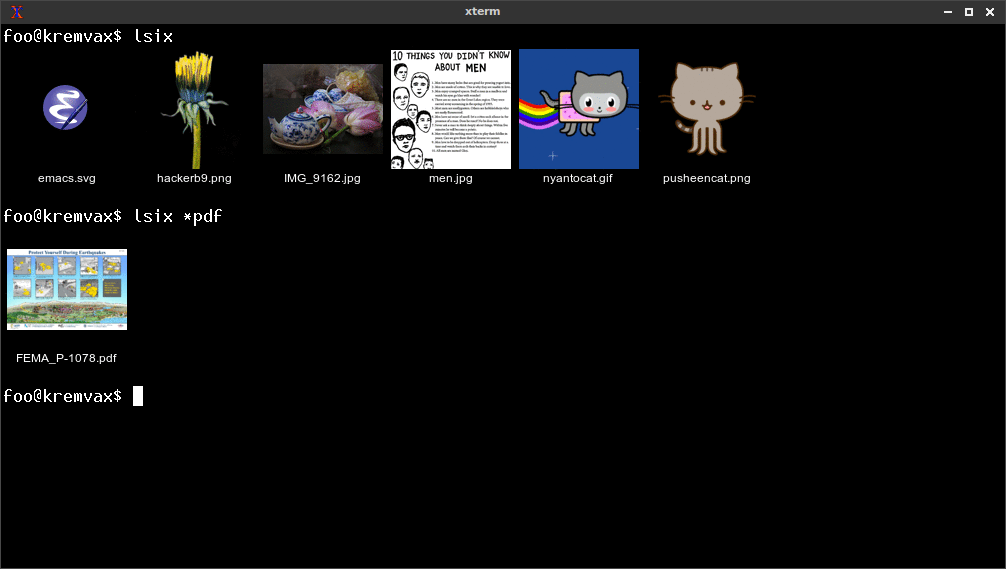
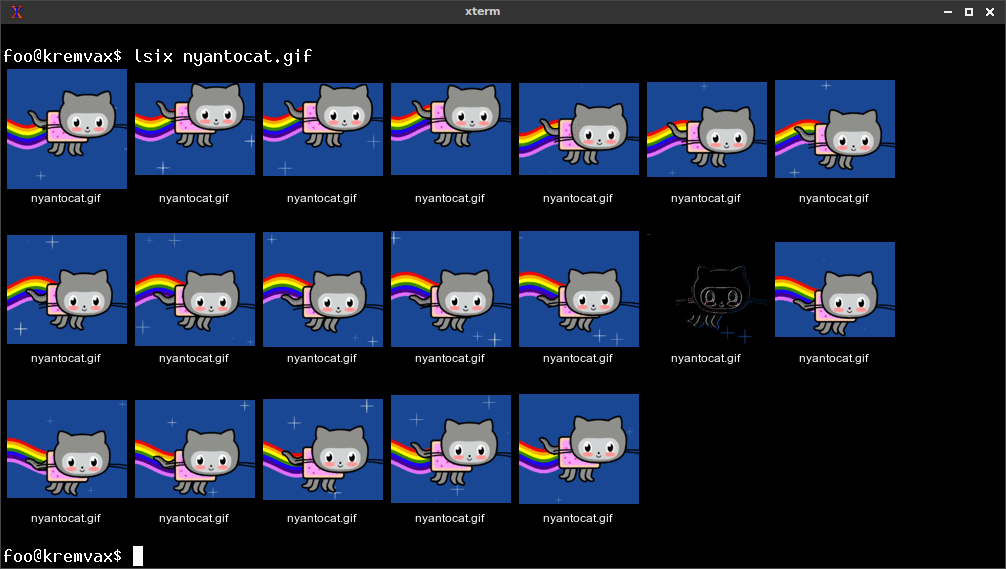
2. Working with animated GIFs
lsix automatically splits GIFs into frames:
lsix animation.gif
Result:
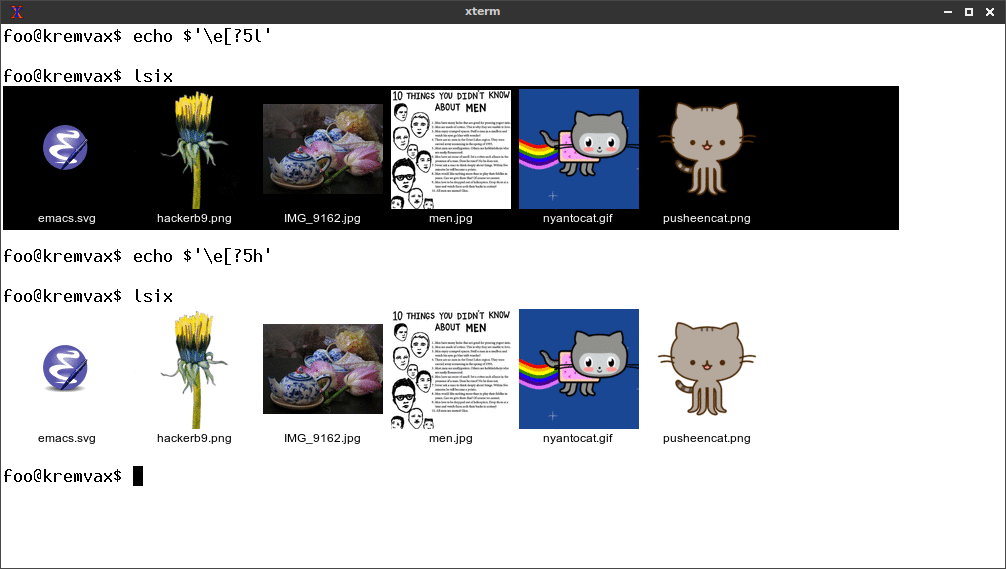
3. Automatic adaptation to terminal colors
The tool detects the terminal color scheme:
Supported terminals
A Sixel-capable terminal is required:
✔️ Works in:
- XTerm (with
-ti vt340option) - WezTerm
- iTerm2 (macOS)
- MLterm
- Foot
❌ Doesn't work in:
- Standard macOS Terminal
- GNOME Terminal
- Alacritty (without patches)
When is lsix especially useful?
- Server administration — quickly find the images you need without GUI
- Working with large image archives — instant preview
- Terminal demonstrations — show screenshots right in the console
- Educational purposes — visual demonstration of working with graphics in CLI
Limitations
- Requires a terminal with Sixel support
- May be slow for some formats (PDF)
- XTerm limits image size to 1,000x1,000 pixels
lsix is one of those tools that first seem like a toy, and then become indispensable in everyday work. If you often work with images through the terminal, give it a try — it might change your workflow just as it once changed mine.
The project is actively developed, has over 4,000 stars on GitHub, and is open to suggestions for improvement. Have you already tried working with graphics in the terminal?
Related projects