How to Give AI Agents Long-Term Memory Using Obsidian
Last week I caught myself explaining our authentication service structure to a coding agent for the third time this month. Claude Code's context window is large enough, but any given session eventually ends. A new terminal run — and the console knows nothing again about architectural decisions, team agreements, or sprint tasks.
Recently I came across the obsidian- project by developer Brenno Ferrari. The author took a straightforward approach: if an agent needs long-term memory, why not make it a regular Obsidian vault?

What's Inside the Template
The project is a ready-made note structure, a set of TypeScript hooks, and pre-built CLI commands. Out of the box, the template works with Claude Code, Codex CLI, Gemini CLI, and other systems that can read rules from instruction files.
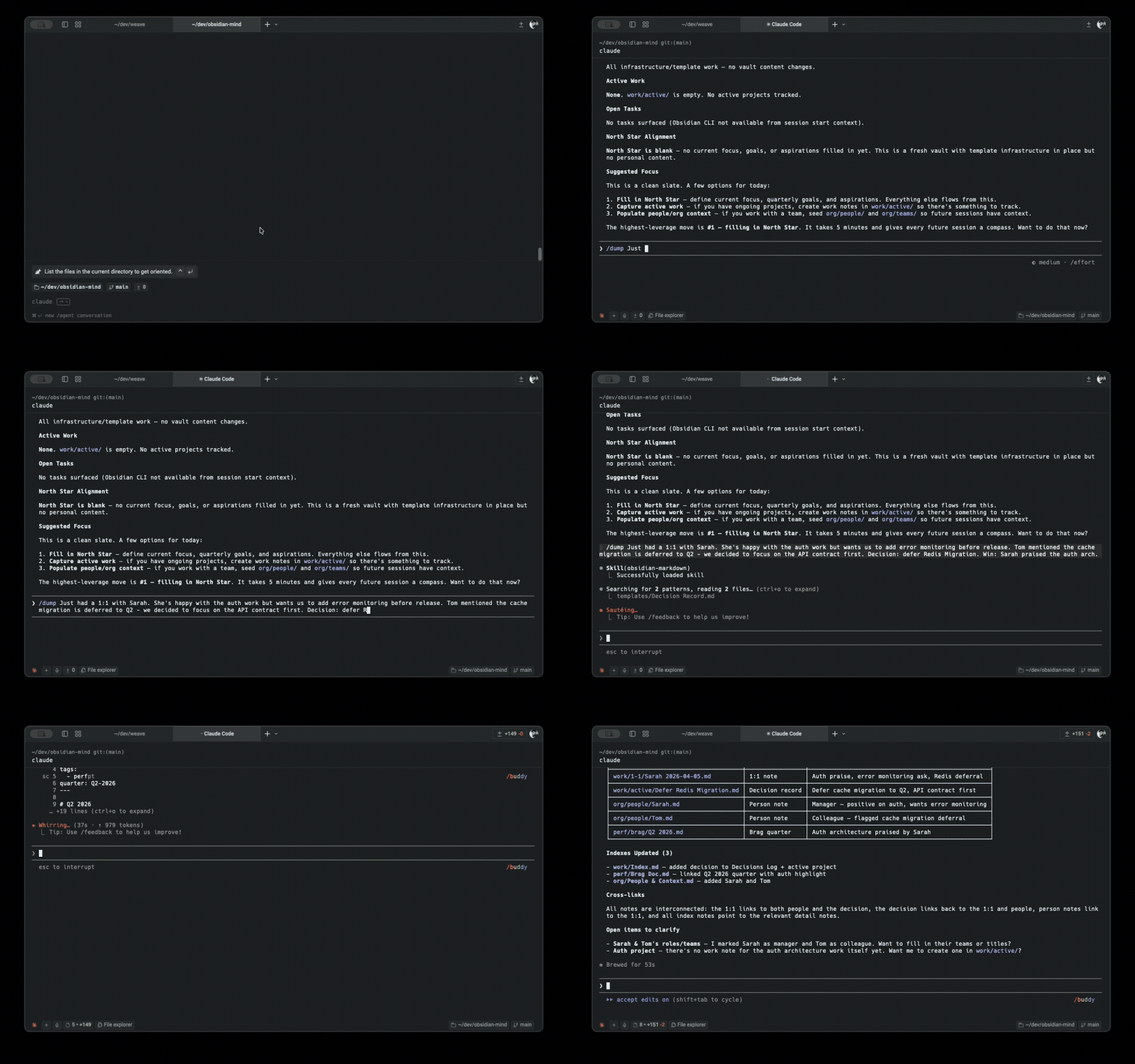
The idea is that the agent reads and updates Markdown files on its own. When a session starts, a hook reads global goals from the brain/North Star.md file, pulls the active task list, and passes this slice into the context window. When you tell the agent about a decision made or a meeting that took place, it organizes the data into folders and links them to colleague names or projects.
How Token Usage Control Works
The main problem with systems like this is token consumption. If you stuff the entire knowledge base into context on every request, the limits will burn out in a couple of hours.
In obsidian-, this is handled by a multi-layered loading scheme:
- When a session starts, a baseline slice is read: goals, open tasks, recent commits, and the vault file list. This takes about 20,000 tokens.
- For semantic search, the QMD utility is used. It builds vector embeddings locally and finds the relevant fragments when the agent needs specific information.
- When messages are sent, the script determines the data type (incident, meeting, architectural decision) and passes a short routing hint to the agent.
- After files are written, a validator runs that checks the correctness of wiki links and YAML parameters.
What a Workday Looks Like
In the morning you run the /om-standup command. The agent reads fresh changes in git, cross-references the task list, and outputs a brief summary.
After meetings or discussions in Slack, there's no need to manually fill in document structures. Just feed the raw text to the agent:
/om-dump Обсудили с Сарой рефакторинг авторизации. Решили отложить миграцию на Redis до второго квартала. Сара похвалила архитектуру API.
In response, the system automatically does four things at once:
- Updates the meeting history file in
org/people/Sarah Chen.md. - Creates a decision entry in the decisions folder.
- Records praise in the attestation template
perf/Brag Doc.md. - Adds a new task to the active project card.
At the end of the day, the /om-wrap-up command checks for orphaned notes without cross-references and updates the indexes.
Running Background Tasks via Sub-Agents
For heavy operations, specialized sub-agents are configured within the template. They run in isolated context windows to avoid cluttering the main conversation history.
The repository has several pre-configured agents:
- slack-
- cross-linker searches for broken wiki links and forgotten notes across the entire vault.
- brag-
- people-
Build and Launch
You can deploy the vault via the ShardMind template manager or by simply cloning the repository.
npm install -g shardmind
mkdir my-vault && cd my-vault
shardmind install github:breferrari/obsidian-mind
The setup command will ask you to enter your name, company name, and main goals. After that, you'll just need to follow a few simple steps:
- Open the created folder as a vault in Obsidian.
- Enable the Obsidian CLI plugin in the app settings (requires Obsidian 1.12+).
- Run the CLI agent directly from the vault directory.
For full-featured search, you should also install the QMD vector search tool:
npm install -g @tobilu/qmd
node --experimental-strip-types .scripts/qmd-bootstrap.ts
Without QMD, the system will continue to work via grep and Obsidian's built-in search, although the accuracy of answers to abstract questions will decrease slightly.
Who This Project Is For
The template will be useful for developers who actively use CLI-based AI agents and already maintain or plan to maintain notes in Obsidian. The main value here lies in the well-thought-out rules for linking documents to each other.
One thing to note is the dependency on Node.js version 22+ with the --experimental-strip-types flag for running TypeScript scripts without pre-compilation. If this flag is renamed in future Node.js releases, you'll need to update the hook settings. Nevertheless, the project provides an excellent ready-made foundation and eliminates the need to build this kind of scaffolding from scratch.
Related projects