How to Organize Hundreds of Gigabytes of Family Photos Without Clouds and Subscriptions

I have a photo archive spanning about fifteen years on an external drive. It's a complete mess: old point-and-shoot JPEGs, heavy RAW files from a DSLR, a bunch of Live Photos from an iPhone, and plenty of duplicates from failed backups. Sound familiar?
This collection only grows larger each year. Uploading a terabyte of personal photos to cloud services like Google Photos or Apple iCloud isn't always appealing due to privacy concerns, and paying for ongoing storage subscriptions adds up. Desktop cataloging tools like Lightroom are resource-heavy and lock you into proprietary databases. What I want is something simple: software that reads existing folders on disk, searches quickly, and doesn't upload data anywhere.
I recently discovered an interesting project called Lap that aims to solve exactly this problem.
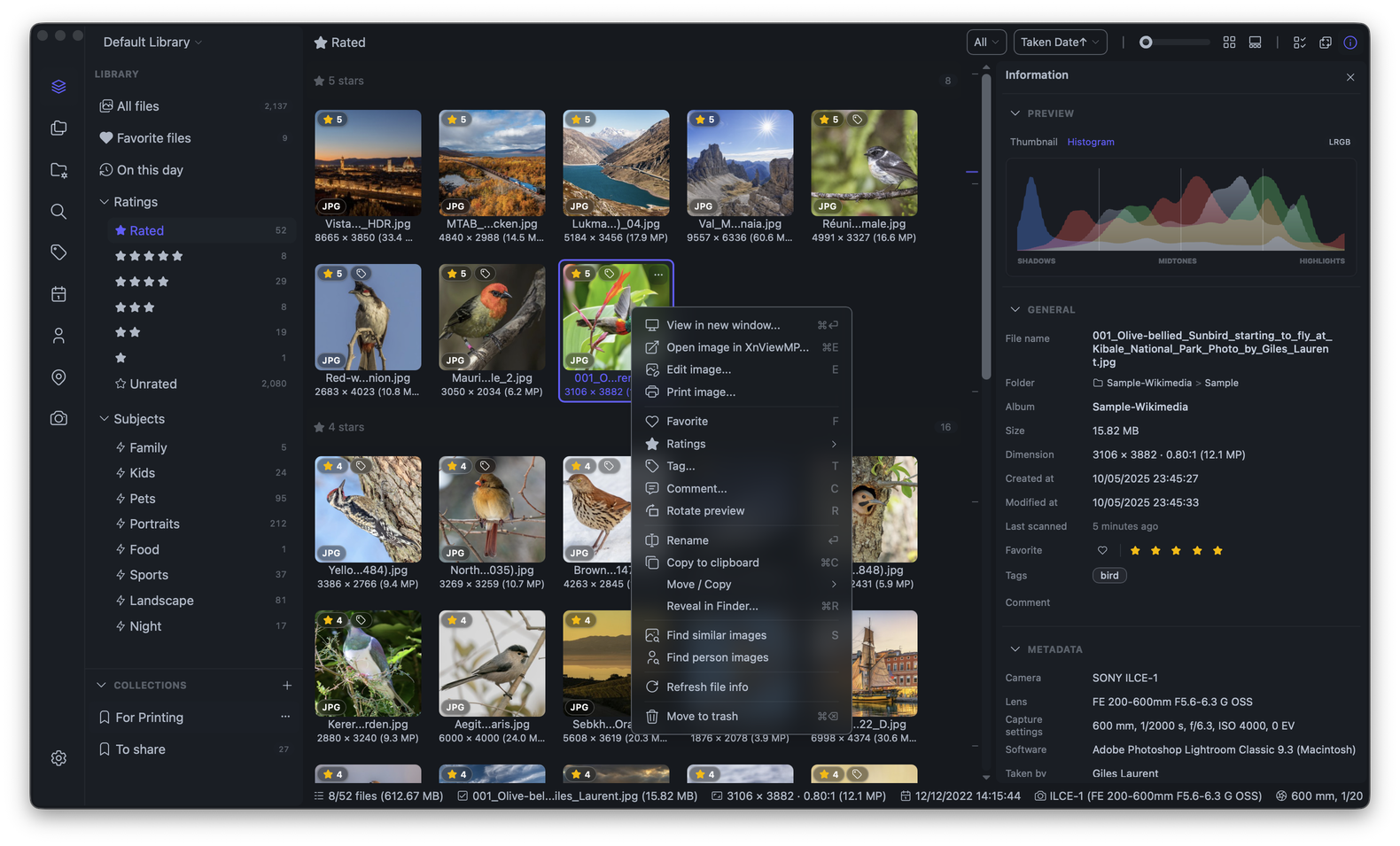
What is Lap
Lap is an open-source desktop photo manager for macOS, Windows, and Linux. The authors' main principle is local operation without clouds and without tight coupling to proprietary databases (folder-first approach).
The app doesn't force you to import files into a single monolithic container. You simply point it to directories on your disk or network drive, and the program indexes them, reads metadata, and builds a convenient viewing showcase. If you decide to remove the app, your original folders will remain exactly as they were.
Practical Features
Unlike many lightweight viewers, this project handles routine media library sorting tasks for 100+ thousand files.
Local Neural Network Search
The most interesting feature is built-in search without calling external APIs. It runs CLIP for text-based queries (like searching for "dog on the beach" or "birthday") and InsightFace for face clustering. Semantic search works in about fifty languages, including Russian. All processing happens locally on your CPU or GPU through ONNX Runtime.
Smart Format Handling
Anyone who shoots with both a camera and phone has encountered visual clutter:
- RAW + JPEG pairs: the program can group identical shots into a single interface element while keeping both files on disk. When moving or deleting, the pair is handled together.
- Apple Live Photos: HEIC and associated MOV/AAE files are properly linked, play directly in the viewer, and don't break when copying.
Selection and Duplicate Cleanup
For sorting through photo shoots, there's a four-panel comparison mode for frames. You can quickly eliminate blurry duplicates, set ratings or color labels. The built-in duplicate scanner finds identical files and sends extras to the trash in batches.
60+ Format Support
The program handles common formats like JPG, PNG, WebP, modern AVIF and JXL, rare formats like PSD or EXR, and RAW files from virtually all major manufacturers (CR3, NEF, ARW, DNG, RAF, and others).
Under the Hood
The project architecture looks clean and pragmatic:
- Backend: Rust and the Tauri framework. This keeps the app lightweight and prevents it from consuming gigabytes of RAM like Electron apps often do.
- Frontend: Vue 3, Vite, and Tailwind CSS with daisyUI. The interface is responsive, and the timeline doesn't stutter during fast scrolling.
- Data storage: SQLite for indexes, tags, and smart albums.
- Image and video processing: wrappers around LibRaw, libheif, libjpeg-turbo, and FFmpeg.
To run and build from source, you'll need Rust stable, Node.js 20+, and pnpm:
git clone --recursive https://github.com/julyx10/lap.git
cd lap
git submodule update --init --recursive
cargo install tauri-cli --version "^2.0.0" --locked

# Загрузка локальных моделей и утилит
./scripts/download_models.sh
./scripts/download_ffmpeg_sidecar.sh

# Запуск dev-окружения
cd src-vite && pnpm install && cd ..
cargo tauri dev
If building manually isn't your thing, there are pre-built releases on GitHub: DMG for macOS (with Apple Silicon and Intel support), MSI for Windows, and DEB packages for Linux. On macOS, the app can also be installed via Homebrew:
brew tap julyx10/lap
brew install --cask lap
Working with Metadata
Here's an important detail to know upfront. Lap reads standard EXIF data (date, camera, lens, coordinates) directly from files. But user collections, ratings, smart albums, and recognized faces are stored in the app's database, not written back to XMP sidecars.
So if you rename or move a folder outside of Lap through a regular file explorer, the app will need to rescan the directory. Developers recommend doing basic sorting operations directly within the program's interface, and periodically backing up settings through the Storage tab.
Who This Project Is For
Lap is great for those who:
- Keep a large photo archive on a home NAS or external HDD and want to organize it.
- Value privacy and don't want to upload family photos to third-party clouds.
- Need a quick tool for initial RAW photo selection without heavy processing software.
The project is still evolving, but already offers a mature feature set for everyday use. If you're tired of chaos in your photo folders, Lap is definitely worth checking out.
Related projects