Local ElevenLabs on Your Own Hardware with VoiceStudio
Recently I needed to voice a couple dozen tutorial videos and cut subtitles. My first thought was to use cloud services like ElevenLabs. But when you calculate the team subscription cost and realize that draft audio and confidential materials will be sent to external servers, the enthusiasm fades.
VoiceStudio (formerly OmniVoice-Studio) has been gaining popularity on GitHub. It's a desktop application for speech synthesis, voice cloning, transcription, and dubbing that runs locally.

No tokens, generation credits, or mandatory card binding. You download the app, it pulls in the necessary model weights, and all processing runs on your GPU or CPU.
What the app can do
The repository brings together almost all notable open-source audio developments from recent times. Instead of spinning up a dozen separate Jupyter notebooks or dealing with incompatible PyTorch versions, you get a ready-made GUI and local server.
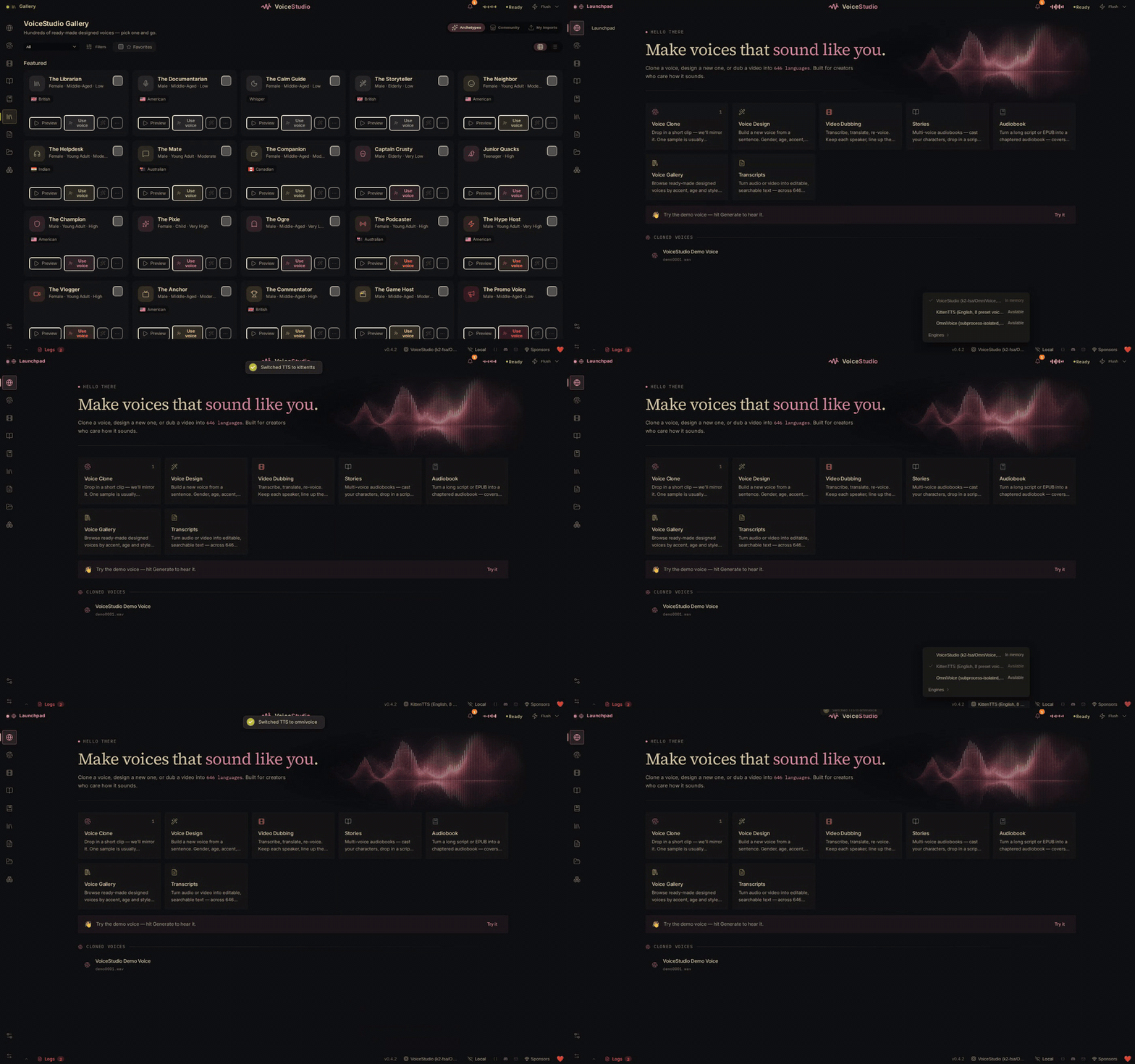
Here are the main scenarios the program covers:
- Voice cloning. Works in zero-shot mode: you take a short 5–15 second reference audio clip without noise or music, enter text, and get a ready track with the same timbre.
- Voice design. If you don't have a ready sample, parameters are set via text: age, accent, tone, emotional coloring, or speech quirks.
- Automatic video dubbing. The tool can recognize speech in video, translate it, separate speakers via diarization, overlay the synthesized voice on top of the original track, and immediately export the finished file.
- Audiobooks and long stories. You can upload a file in EPUB or PDF format, distribute lines between different virtual narrators, render chapters, and assemble the final book in MP3 format.
- System dictation widget. Pressing a global hotkey transcribes voice from the microphone into text on the fly, and a local language model can immediately clean up filler words and add punctuation.
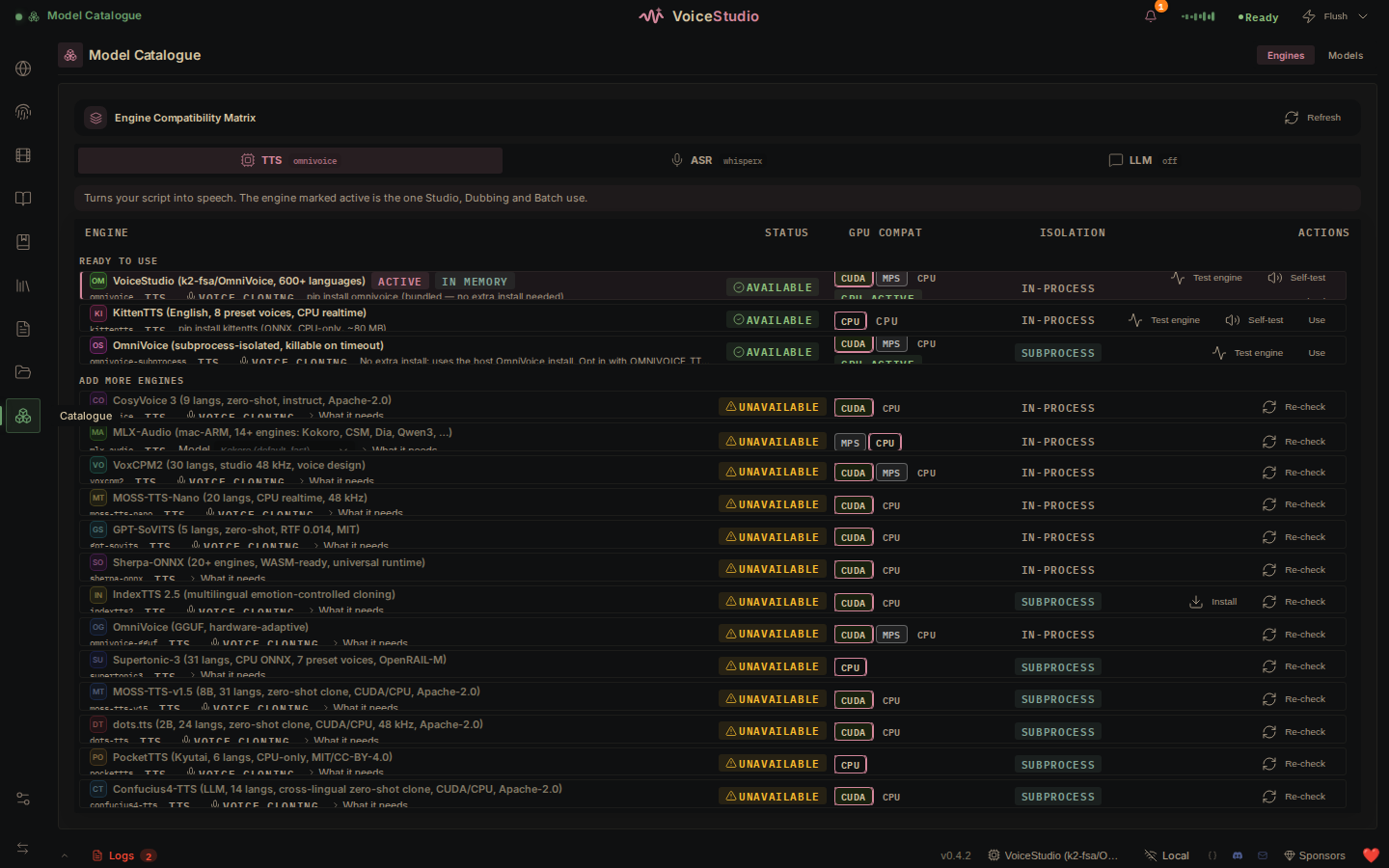
The built-in model catalog lets you switch between 16 synthesis engines and 11 recognition engines on the fly with a key combination.
Under the hood and in the terminal
The project architecture is well thought out. The developers didn't wrap everything in heavy Electron.
- Desktop shell: Tauri v2 in Rust, which handles the system tray, hotkey calls, and background process management.
- Interface: React with Vite bundler and Zustand state manager.
- Backend: FastAPI in Python, spinning up on port 8000. Inside it run model adapters, task queues, and an SQLite database with migrations via Alembic.
Among the speech synthesis engines, support for 646 languages is claimed via k2-fsa/OmniVoice, CosyVoice 3, GPT-SoVITS, VoxCPM2, PocketTTS, and MOSS-TTS. For transcription, WhisperX, Faster-Whisper, Parakeet TDT, and FunASR are available. Audio tracks are separated with Demucs when needed, and speakers are identified via Pyannote.
If you don't need the interface and want to generate audio from scripts, the backend exposes an OpenAI-compatible API. Just redirect the base URL in your client:
base_url="http://localhost:8000/v1"
In addition to standard REST API, WebSocket, Server-Sent Events, and MCP (Model Context Protocol) are supported. This means speech synthesis and recognition can be called directly as a tool for AI agents in Claude Code or Cursor.
Hardware requirements and installation
For a quick start, the authors prepared ready-made builds:
- macOS: DMG package for Apple Silicon (MPS and MLX backends are supported). On old Intel processors, the local backend won't work.
- Windows: MSI installer for 64-bit systems with CUDA acceleration.
- Linux: AppImage package and ready-made Docker containers with CUDA and ROCm support.
On first launch, the program automatically sets up an isolated Python environment and downloads the base model.
The minimum for comfortable work is 8 GB of RAM and 4 GB of video memory when running on GPU. If there's no GPU, base models work on CPU too, but generating long segments will take noticeably more time. For heavy models like CosyVoice 3, it's better to have a card with 8–16 GB of VRAM.
If you want to run the project from source, you'll need git and Python:
git clone https://github.com/...To run only the web interface in the browser, use the command python -m app.
Who will find it useful
The project will clearly appeal to anyone who regularly works with audio content but doesn't want to leak data to external clouds. It's a great find for podcast localization, automated documentation voiceover, voicing indie games, or quick local meeting transcription without duration limits.
The code is distributed under the AGPL-3.0 license, and base models are shipped under Apache-2.0. If you've been looking for a standalone audio combi for your desktop, VoiceStudio is definitely worth installing and trying out.
Related projects