Peeking Under the Hood of Android Apps with APK Studio

Anyone who has ever tried to disassemble someone else's APK knows this ritual. First, you type commands into the terminal apktool d, then simultaneously open jadx-gui to read the Java code, then search for the needed method in the giant folder with Smali files using VS Code or regular Sublime Text. Once changes are made, the second round begins: rebuilding via console, zip alignment via zipalign, signing with a key via apksigner or uber-apk-signer, and manual installation via ADB.
If you need to tweak a single line in a third-party app or investigate how a third-party SDK works, the chain of five console utilities quickly becomes tedious. The APK Studio project brings this fragmented zoo together into a single integrated development environment.
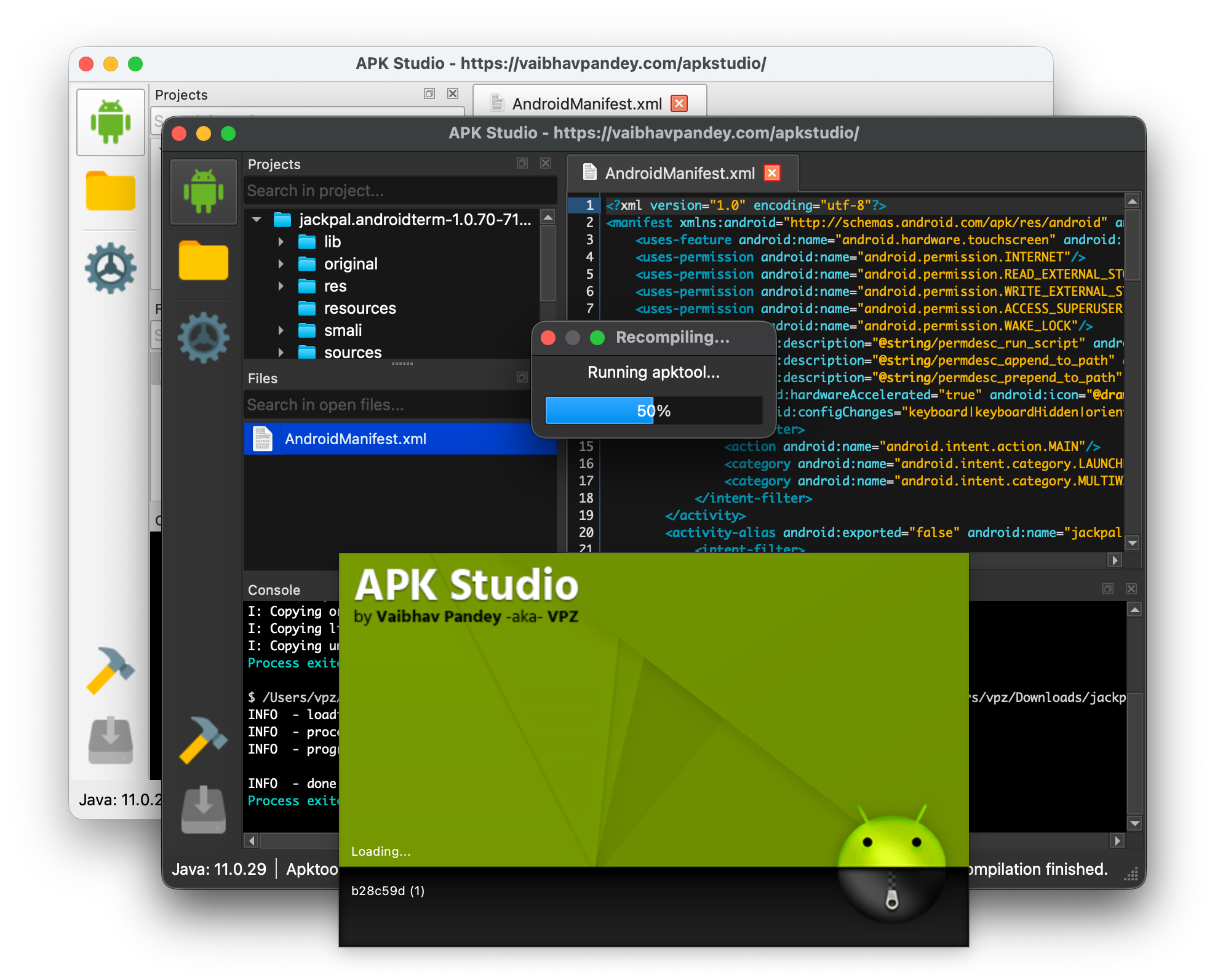
What's Inside
Essentially, it's a full-fledged IDE for Android reverse engineering. The project is written in C++ using Qt6, so it runs on Linux, macOS, and Windows without Electron's sluggishness and excessive RAM appetite.
The main idea behind the app is simple: give developers and malware analysts a familiar IDE interface where the project tree, code editor, hex viewer, and command execution terminal are all combined in one window.
On first launch, APK Studio takes care of the routine. The program downloads and configures the necessary binaries itself: Java, Apktool, JADX, ADB, and Uber APK Signer. If you already have local versions of these utilities set up, you can simply override the binary paths in settings.
What This Environment Offers
Instead of jumping between three terminal windows and a text editor, you get a working pipeline:
- Built-in Smali, Java, and XML editor. The integrated editor supports syntax highlighting for Dalvik bytecode (
*.smali), decompiled Java code, manifestsAndroidManifest.xml, and resources*.yml. - Built-in hex editor and media viewer. If an app carries encrypted binary blobs or custom images inside, you can examine them right in the project tree. QHexView is connected for binaries, and images open in the built-in viewer.
- Vendor framework support. If you're poking around Samsung, LG, or HTC system apps, you often need to load the original
framework-res.apk. APK Studio has built-in support for framework tag management for error-free resource compiler decompilation. - Build, sign, and install in one click. After editing Smali, the project is rebuilt, signed with the built-in
uber-apk-signer, and immediately sent to a device connected via USB or Wi-Fi.
Explorer integration is also supported: you can right-click any .apk in the file manager and open it directly in the decompilation environment.
How to Build the Project from Source
If you want to build the latest version from the repository yourself, you'll need a C++17 compiler, CMake 3.16+, and Qt6 libraries (Core, Gui, Network, Widgets modules).
git clone --recursive https://github.com/vaibhavpandeyvpz/apkstudio.git
cd apkstudio

cmake -B build -S . -DCMAKE_BUILD_TYPE=Release
cmake --build build --config Release
On macOS, the Qt path during configuration is passed via the -DCMAKE_PREFIX_PATH flag:
cmake -B build -DCMAKE_BUILD_TYPE=Release -DCMAKE_PREFIX_PATH=/path/to/Qt/6.10.1/clang_64
The finished binary will appear in the build/bin/ directory.
What Tasks It's Good For
The tool solves several clear practical tasks:
- Quick security audit. Check what permissions an app requests, where network clients are reaching out, and whether there are open Activities or vulnerable ContentProviders in the manifest.
- Localization and modification of abandoned apps. When there's no source code available, but you need to translate the interface or adjust behavior for a newer Android version.
- Integration debugging. Convenient for figuring out why a third-party closed SDK behaves differently than described in its official documentation.
APK Studio doesn't try to invent its own bytecode parsing algorithms—it neatly wraps industry-proven tools in a native, fast GUI. If you regularly need to unpack packages, change a couple of options in resources, or patch methods in Smali, this project will save time and free you from terminal tedium.
Related projects