nEMU - QEMU with a Human Face Right in Your Terminal
Sound familiar? You need to quickly spin up a virtual machine, but you have neither the time nor the desire to deal with lengthy QEMU commands via CLI. And graphical interfaces like Virt-Manager seem excessive for simple tasks. This is where nEMU comes on stage — a minimalist yet powerful text interface for QEMU.
What Is nEMU and Who Is It For
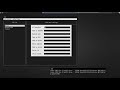
nEMU is a ncurses-based interface for QEMU that lets you manage virtual machines without leaving the terminal. This project will be especially appreciated by:
- System administrators working with headless servers
- Developers testing software on different operating systems
- Enthusiasts who prefer working in the terminal
- Anyone who's tired of memorizing complex QEMU parameters
Key Features That Will Surprise You
1. Full VM Management Cycle in a Few Clicks
With nEMU you can:
- Create, delete, and clone virtual machines
- Start, stop, and reboot VMs
- View status and resource usage
2. Working with Images and Snapshots
- Import OVA (OVF 1.0/2.0)
- Full VM snapshots (requires QEMU 6.0.0+)
- View and edit VM settings
3. Support for Various Connection Protocols
- VNC and SPICE for graphical access
- USB passthrough
- Tap/macvtap network interfaces
- VirtFS for shared file access
4. Remote Management
- D-Bus integration
- Remote control API
- Official Android client nemu-droid
Under the Hood: How It Works
nEMU is written in C and uses the ncurses library to create an intuitive TUI. The project is actively developing — the number of stars on GitHub (422 at the time of writing) speaks for itself.
Technical requirements:
- Linux, FreeBSD, or macOS
- QEMU ≥ 2.12.0 (version 6.0.0+ required for all features)
Practical Applications: Where and How to Use
Here are a few real-life scenarios:
- Quick testing of different distributions — create, launch, check, delete. No unnecessary hassle.
- Embedded systems development — convenient for emulating different architectures.
- Educational purposes — a safe sandbox for students.
- Server virtualization — when GUI is unavailable and CLI is inconvenient.
Installation: Couldn't Be Simpler
nEMU is available in the repositories of most popular distributions:
# Alpine
apk add nemu

# Debian/Ubuntu
# скачать с https://software.opensuse.org/download.html?project=home%3A0x501D&package=nemu

# Gentoo
emerge app-emulation/nemu

# FreeBSD
pkg install nemu

# MacOS
brew install nemu
Conclusion: Is It Worth Trying?
If you:
- Frequently work with QEMU
- Value the efficiency of terminal tools
- Want to simplify routine VM operations
then nEMU will become your indispensable helper. The project combines the power of QEMU with the convenience of TUI, saving you time and nerves.
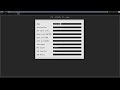
For those still in doubt — check out the demo videos:
nEMU is a case where interface minimalism doesn't mean limited functionality. Give it a try — and you might never want to go back to other solutions.
Related projects