How to Feed Any Page to a Neural Network Without Ad Clutter and Extra Tokens
When you give an LLM agent regular web scraping, tons of navigation menus, footers, banners, and markup walls instantly fly into the context. Along with a couple-thousand-word article, the agent gets a megabyte of garbage, the context window gets filled up, and the token bill grows.
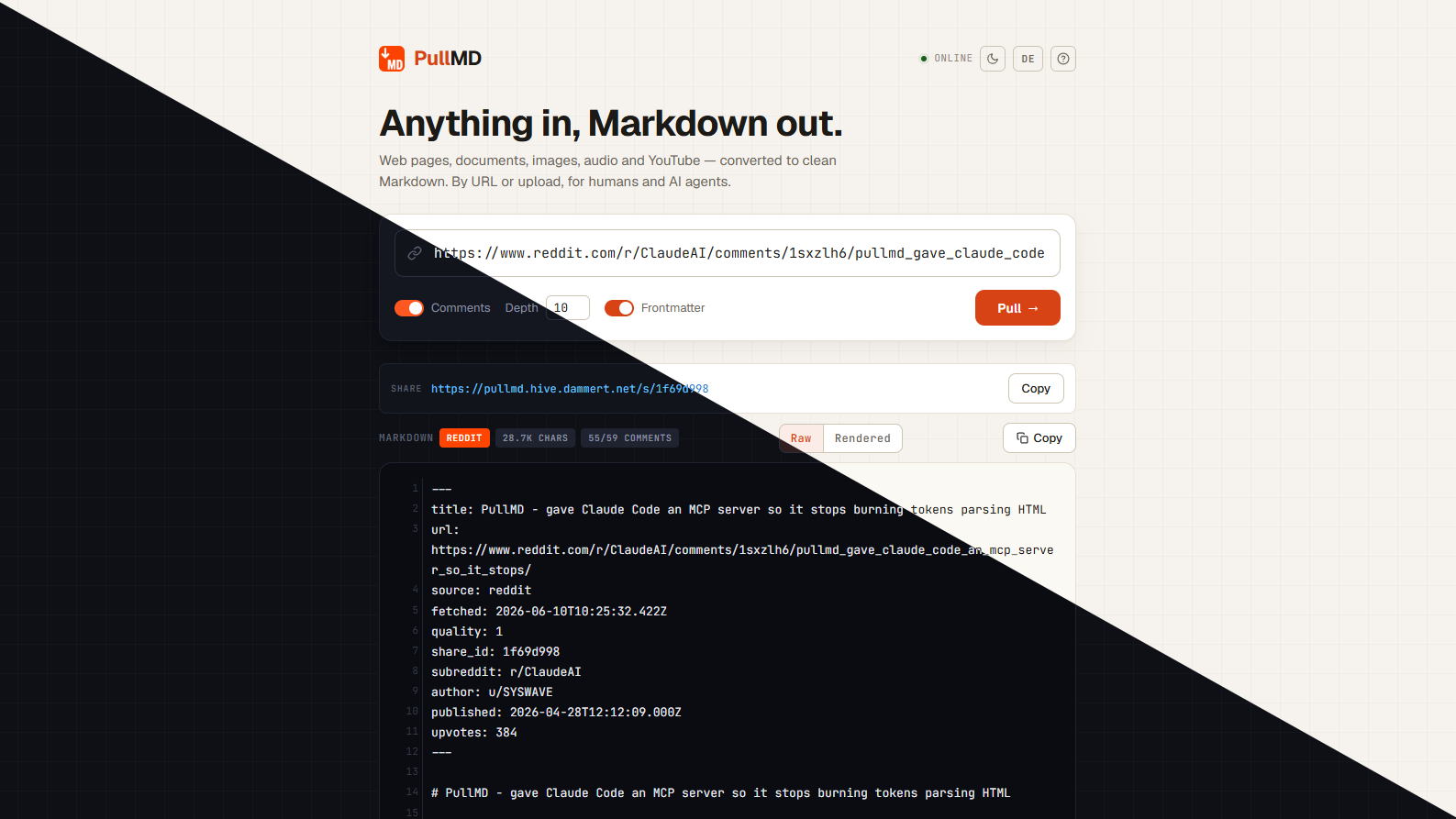
Recently stumbled upon the pullmd project. It's a self-hosted service that takes a page or file URL and returns clean Markdown. No extra bloat, no metadata duplication in the text, and a couple of features that are often missing from standard parsing libraries.
What's under the hood
The project creators combined several battle-tested tools. When a URL comes in, the service first checks for native Markdown from Cloudflare. If it's not there, Mozilla Readability and Trafilatura step in.
Sometimes a page is fully built with React or Vue and bare HTML returns an empty template. In these situations, pullmd spins up a Playwright sidecar, renders the page in headless Chromium, and extracts the content from there. If you don't need the heavy browser, you can simply disable the Playwright container from docker-compose.yml, freeing up about 3.7 GB of disk space. In that case, the service will continue working through regular static parsing.
All results land in a local SQLite database. If you request the same URL within an hour, the response returns instantly from cache. Each conversion gets assigned a permanent short identifier, so a link like /s/:id can be used as a stable feed.
Main features that save time
Reddit and Hacker News threads
Usually scripts stumble on comment pages. Here the parser is specifically trained to parse Reddit and Hacker News threads. The output is a structured comment tree with nesting, authors, and upvote counts preserved.
Page search via BM25
One of the best finds in the third version of the service. If you pass the ?query=как настроить базу parameter in the query, pullmd won't return all the multi-page documentation. The service breaks down Markdown into sections by headers, ranks them using the BM25 algorithm, and delivers only the blocks that answer the question. For large pages, this cuts token usage by 70% to 95%, noticeably speeding up agent performance. Tables and code blocks stay intact.
Documents, video, and audio
The service handles more than just websites. When you connect a MarkItDown sidecar from Microsoft, it processes PDFs, Word files, Excel spreadsheets, PowerPoint presentations, and EPUB ebooks.
If you pass a YouTube link, the service extracts the video transcript with clickable timestamps—no API keys required. For image and audio recognition, you can configure an endpoint for any OpenAI-compatible model or local server like Ollama.
Built-in MCP server and integrations
Several connection options are available for agent integration:
- Standard REST API (
GET /api?url=...) - MCP server for Cursor, Claude Desktop, and other compatible clients
- Ready-made plugin for Claude Code
- PWA web interface with drag-and-drop file support straight from the file explorer
Security and SSRF protection
Services that fetch data from arbitrary URLs are vulnerable to SSRF attacks. A user could feed the parser an internal network address or cloud provider metadata.
pullmd includes address validation. Before each request and at every redirect step, the host's IP addresses get resolved. If an address falls within private network ranges, loopback, CGNAT, or cloud metadata ranges like 169.254.169.254, the request gets blocked immediately with a 403 error. For intentional access to an internal wiki, addresses can be whitelisted through the PULLMD_ALLOWED_HOSTS environment variable.
How to deploy
For basic startup, a single docker-compose.yml file is enough:
mkdir pullmd && cd pullmd
curl -O https://raw.githubusercontent.com/AeternaLabsHQ/pullmd/main/docker-compose.yml
docker compose up -d
The service will spin up on port 3000. Authentication is disabled by default, but you can configure it: both single administrator mode and multi-user mode with registration and session cookies are supported.
Example of a simple API request:
curl "http://localhost:3000/api?url=https://news.ycombinator.com/item?id=1"
To connect to Claude Code, a single command is enough:
claude mcp add --transport http pullmd http://localhost:3000/mcp
Who it's for
The project turned out clean and practical. It has fewer than five hundred GitHub stars, but the codebase looks mature: clean modular structure, detailed migration file, and minimal external dependencies in the main container.
The tool will suit those building RAG pipelines, setting up local AI assistants, or just wanting a handy reader for long articles in Markdown format. If you use Cursor or Claude Code and often ask them to review documentation from a link, a local pullmd instance will save you plenty of context and nerves.
Related projects