Stop Writing Prompts Manually. How to Turn AI Agents into an Autonomous Assembly Line
The head of Claude Code development at Anthropic, Boris Cherni, once admitted that he no longer writes prompts manually. Instead, he runs automatic loops that form tasks for Claude, launch it, and verify the result on their own. Writing a prompt once is not a problem. But if you feed the same instructions to an AI assistant every day—whether it's checking CI or sorting bugs—you're doing routine work.
Developer Kobus Greyling published a project called loop-engineering on GitHub, which proposes changing the approach. Stop being a chat operator and become a designer of autonomous systems. The project has garnered over 10,000 stars, and there's genuinely something to think about here.
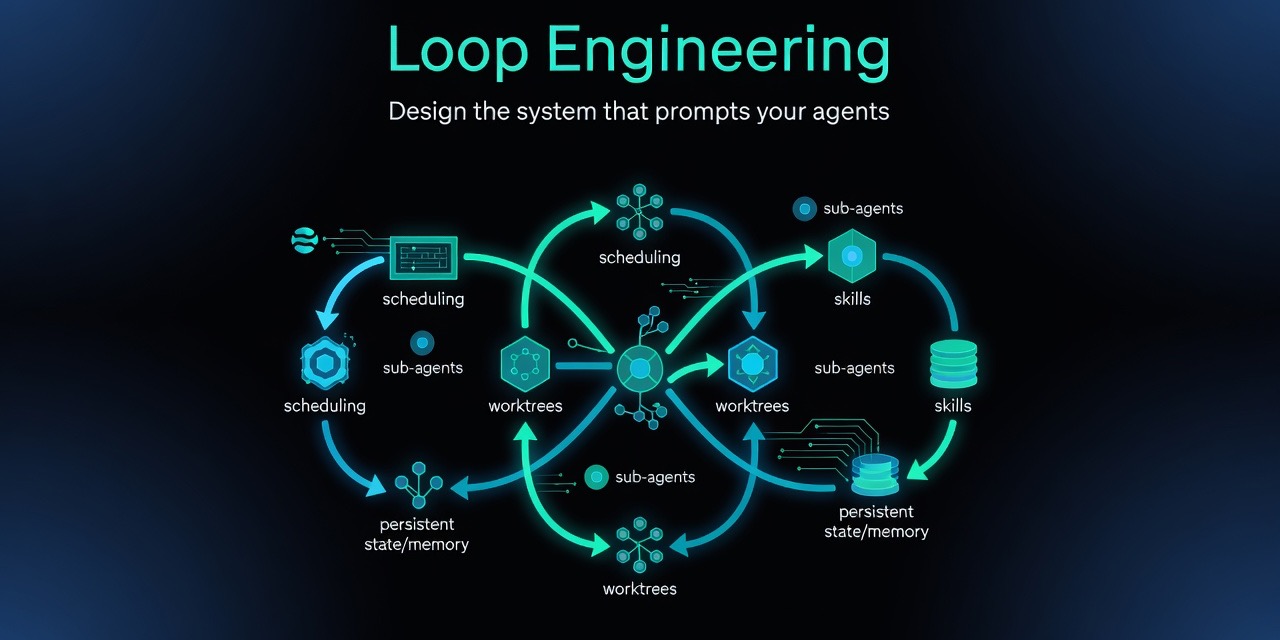
From One-Off Sessions to Closed Loops
The main problem with typical interactions with coding agents like Claude Code, Grok, or Cursor lies in context. You open a dialog, explain the project structure, give a task, and wait for the result. The session closes—the context is lost. The next day, everything starts over.
The Loop Engineering concept proposes closing the process into an infinite loop. The agent runs on a schedule, reads the repository state from a special file, does work in an isolated branch, runs tests, and updates statuses.
flowchart LR
    A[Schedule / Automation] --> B[Triage Skill]
    B --> C[Read + Write STATE / Memory]
    C --> D[Isolated Worktree]
    D --> E[Implementer Sub-agent]
    E --> F[Verifier Sub-agent]
    F --> G[MCP / Git / Tickets]
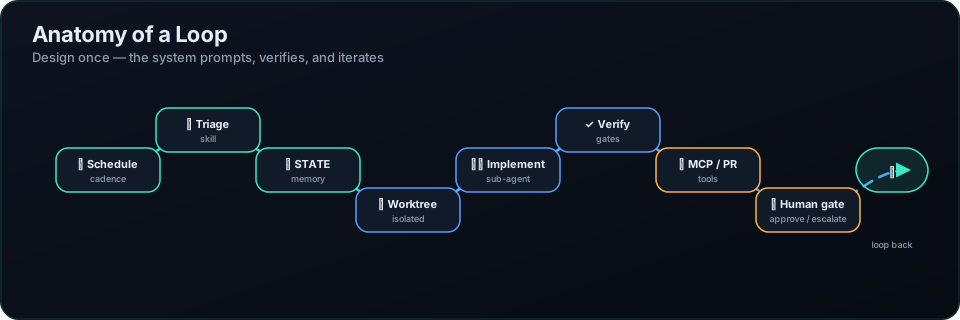
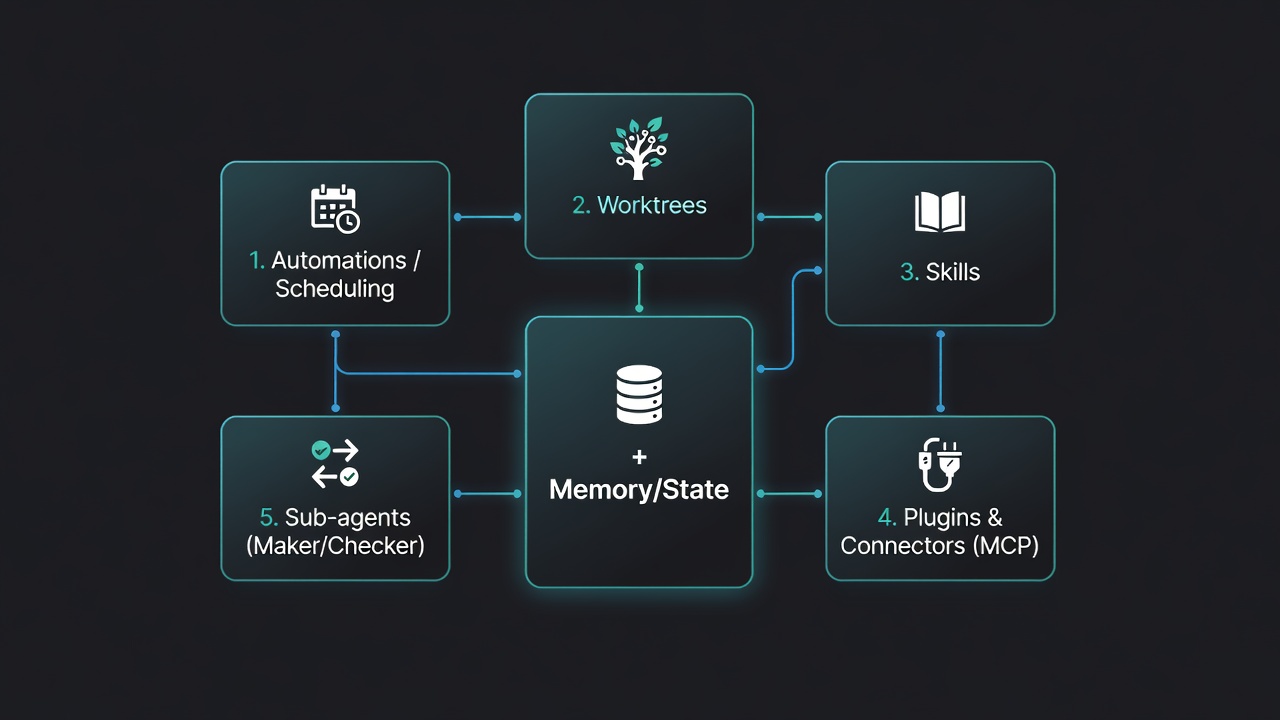
You don't need to write complex Python frameworks for this. The loop architecture is built from several understandable elements:
- Scheduled execution via cron, GitHub Actions, or systemd.
- Project state in a regular Markdown file
STATE.mdthat lives at the repository root and survives any agent restarts. - Isolated Git worktree branches so agent changes don't break the current working copy.
- Separation of agents into executor and checker (Maker / Checker). One writes code, the second runs tests and checks linters.
What's Inside the Repository
The project consists of a set of CLI utilities published to npm and a catalog of ready-made scenarios. All tools are combined under a single package, so nothing needs to be cloned.
You can deploy a template to an existing project with one command:
npx @cobusgreyling/loop init . --pattern daily-triage --tool grok
After initialization, the tool creates skill files, state storage structure, and outputs the project's readiness index—the Loop Ready score.
To check the health of the resulting system, use the doctor:
npx @cobusgreyling/loop doctor .
This command finds configuration problems and outputs three main steps for improvement. For example, it will suggest adding token budget limits or configuring paths that are forbidden for editing.
The toolkit also includes utilities loop-cost for estimating token costs, loop-sync for finding discrepancies between the loop description and the state file, and loop-worktree for safely creating separate branches for each fix attempt.
Seven Ready-Made Templates
The repository contains templates for common development tasks.
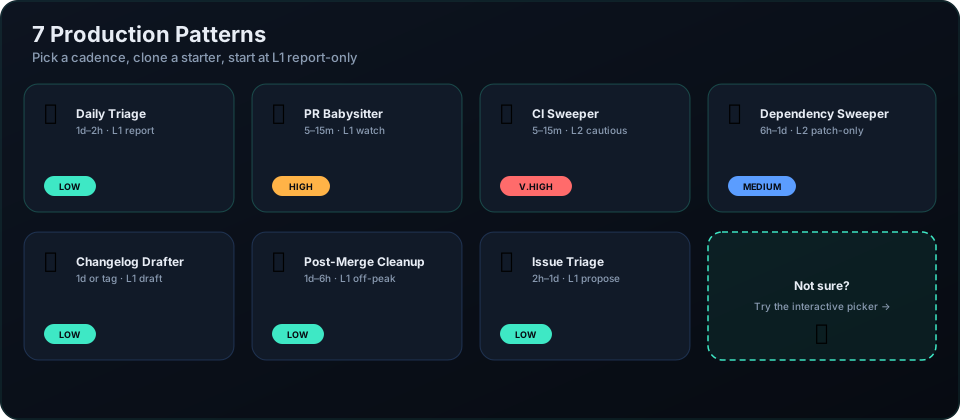
Each pattern is described with a breakdown of token costs and a recommended implementation mode:
- Daily Triage. Once a day, scans the repository, collects issues, and updates
STATE.md. - PR Babysitter. Monitors open pull requests, checks test statuses, and leaves hints for authors.
- CI Sweeper. Intercepts failed CI builds and tries to fix failing tests in a separate branch.
- Dependency Sweeper. Updates dependent libraries and verifies that the project builds.
- Changelog Drafter. Collects a draft changelog before a new release.
- Post-Merge Cleanup. Removes outdated branches and temporary files after a merge.
- Issue Triage. Reviews new tracker submissions and suggests labels or initial responses.
The author recommends implementing loops incrementally. First, run the agent in read-only mode (L1), where it only generates reports. When you're confident in the accuracy of its conclusions, you can move to confirmation mode (L2), and only then hand over minor routines to full autonomy (L3).
The Ugly Side of Autonomy
Kobus Greyling honestly breaks down the risks of autonomous agents. If you launch a loop with sub-agents without restrictions, your LLM API bill will be surprisingly unpleasant. Repeated requests in an infinite loop can burn hundreds of dollars in a couple of hours.
The second risk is called comprehension debt. If the agent writes patches itself, runs tests itself, and merges code into main itself, the team quickly loses control over the architecture. The project turns into a black box.
Additionally, all verification remains your responsibility. The agent lacks common sense and will try to close a test by any means necessary, even if it means deleting the test itself.
Who Should Try It
The repository will be useful for teams that already actively use command-line AI tools like Claude Code or Grok and are looking for a way to systematically integrate them into CI/CD.
Start small. Install loop init, choose a scenario daily-triage, and let the agent spend a week just writing daily reports to STATE.md. This is a safe way to understand how well the concept fits your project without risking the stability of your codebase.
Related projects