How to Build a Family Command Center on Your Own Server with Yuvomi
How many services do you have running just to handle basic household tasks? A separate tab for shopping lists, Google Calendar for appointments, software for shared expenses, a couple of habit trackers, and a subscription to a task manager. Each service requires an account, keeps your data on someone else's servers, and periodically raises prices.
The author of the Yuvomi project solved this problem radically. They wrote a single self-hosted all-in-one solution that replaces a pile of subscriptions and deploys in a single Docker container.
Why you need a single home server
The idea of digitizing household management isn't new, but the problem is usually fragmentation. If you track your budget in one place and your weekly menu in another, there's no connection between them. You have to manually transfer ingredients from a recipe to your shopping list, then cross-reference receipts.
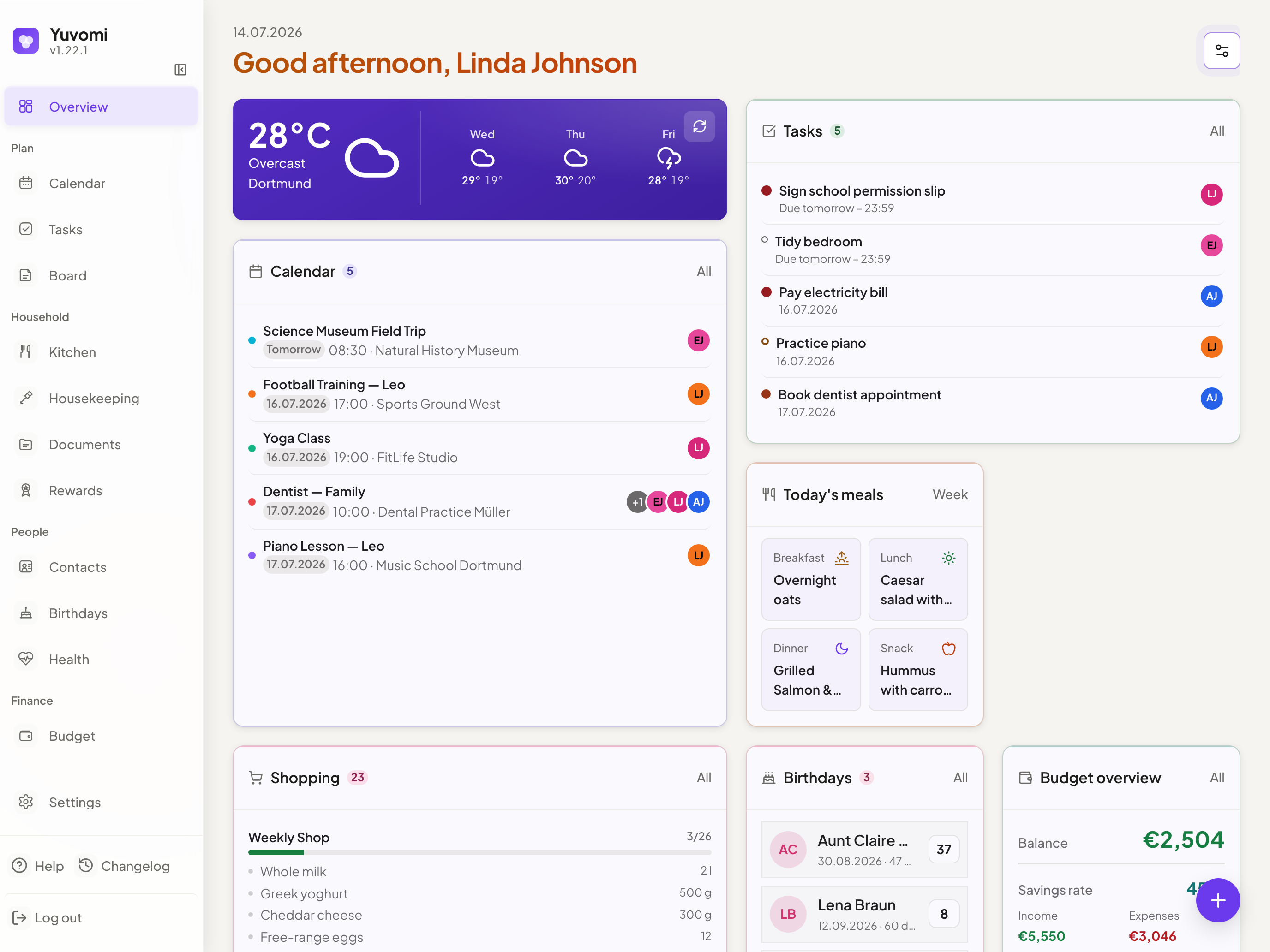
Yuvomi combines seventeen sections in a single interface. Calendar, pantry, finances, tasks, and even medical records all live in one system. Each family member gets their own profile with privacy settings. You can make a calendar event visible only to yourself or share a task with someone else.
The entire system runs locally, doesn't send telemetry to external servers, and can encrypt the database via SQLCipher (AES-256).
Useful features for everyday life
Instead of listing all seventeen modules, let's look at a few combinations that demonstrate the project's real value.
Kitchen and pantry automation
The meal planner is linked to your recipe database, shopping list, and household supplies. You build your weekly menu by dragging dishes from your recipe database. With one button press, all the necessary ingredients go straight to your shopping list.
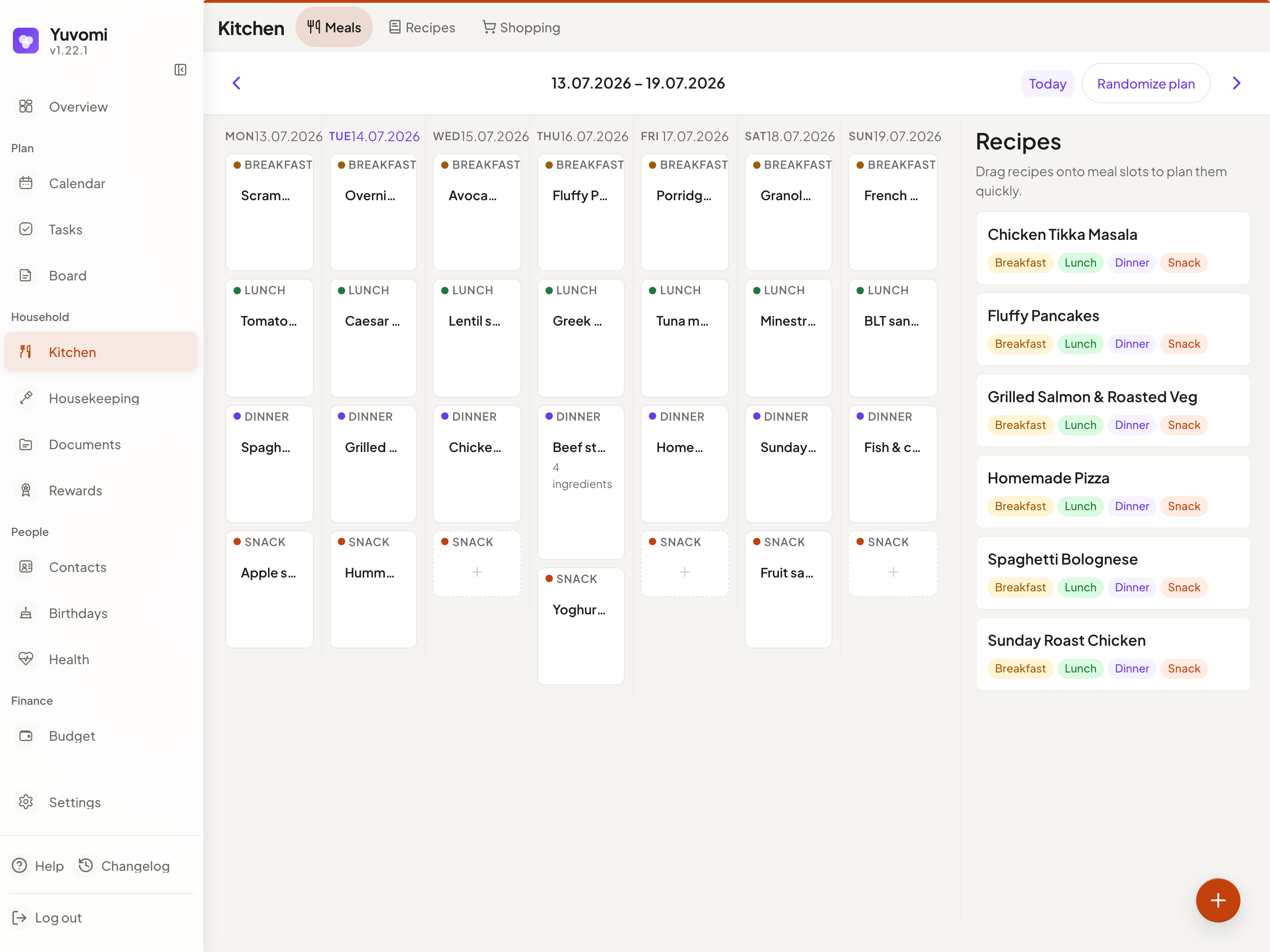
At the store, the list is grouped by department. When you check off purchased cheese or milk, the app offers to automatically stock them in the pantry module. When products are nearing their expiration date, the system sends a warning.
Budget and expense splitting
The finances section can track more than just income and recurring payments. It includes a shared budget module. If you went on a trip with family or friends and shopped at different stores, Yuvomi recalculates the debts and shows who owes whom and how much to transfer.
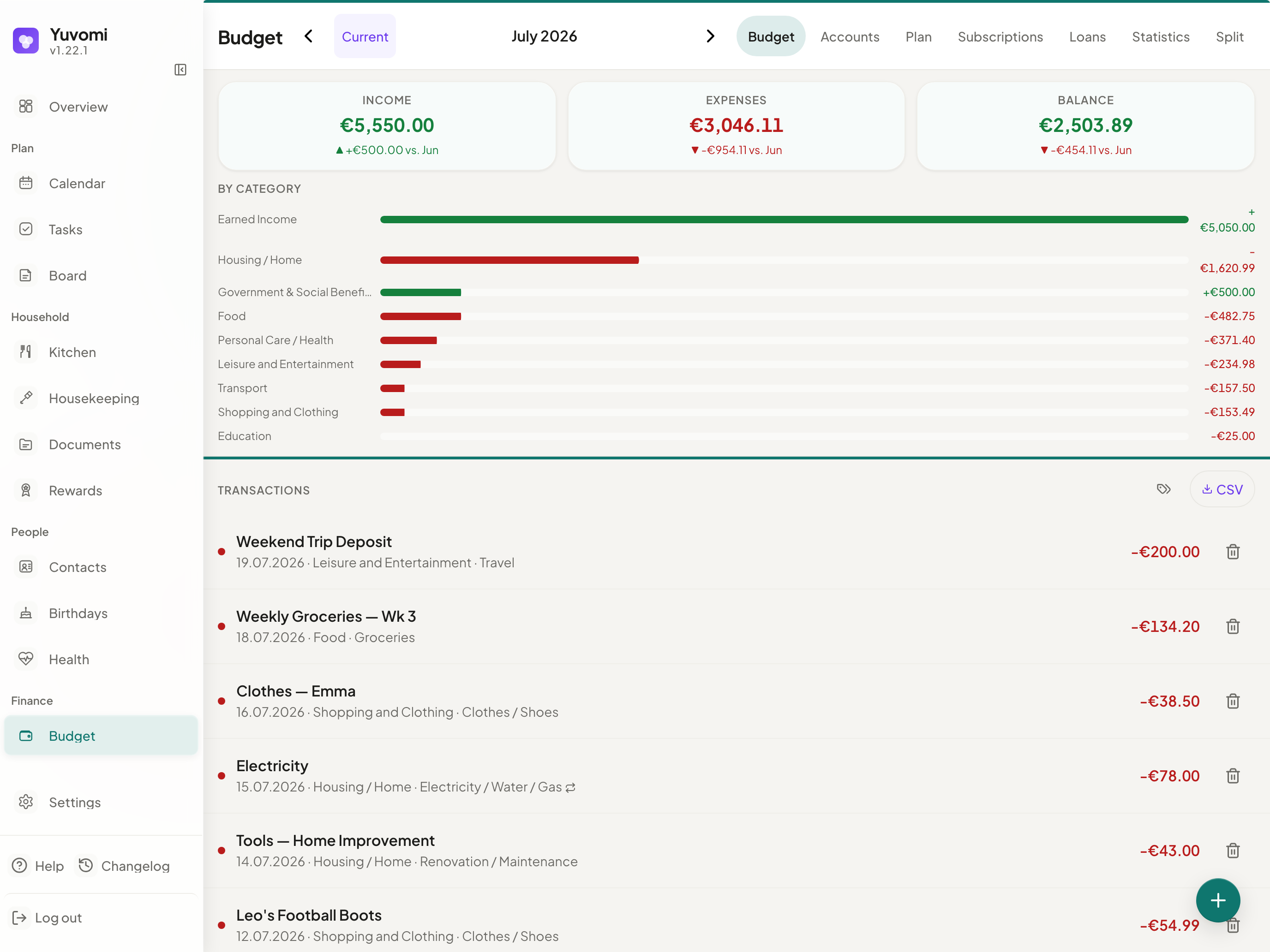
There's also a dedicated tracker for loans and mortgages. The algorithm can calculate annuity payments, account for variable interest rates, and clearly show the total interest paid.
Gamifying household chores
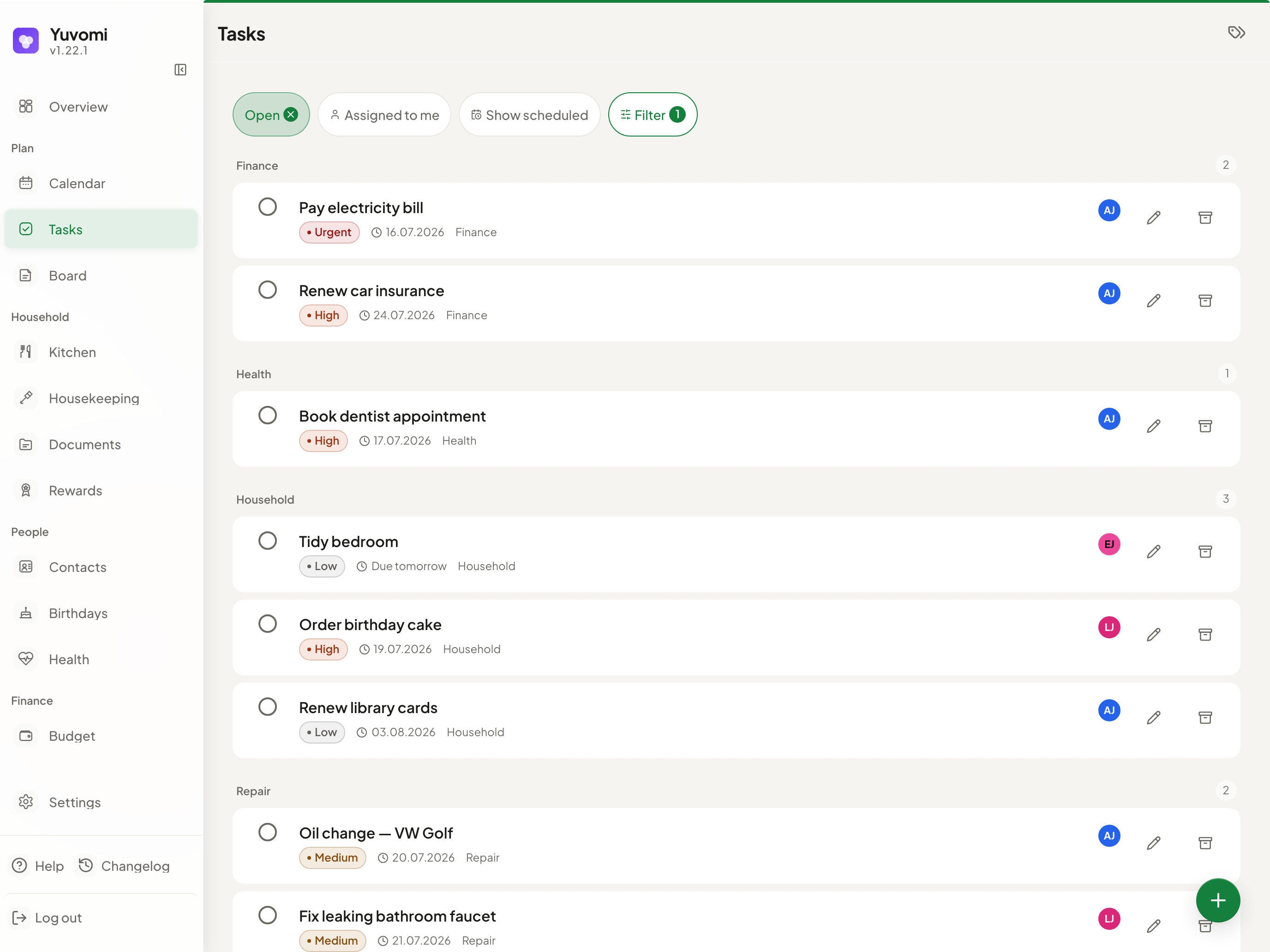
Kids and teenagers rarely enjoy washing dishes or taking out the trash. In Yuvomi, you can award points for completing tasks on the Kanban board.
Parents configure a reward catalog: for example, an hour of console gaming, a trip to the movies, or pocket money. The child completes chores, accumulates points, and redeems them through the app. Records of point additions and deductions are logged in history, so there are no disputes about the balance.
Under the hood
The technical side of Yuvomi is refreshingly lean compared to modern web applications bloated with frontend frameworks.
The developer ditched bundlers and transpilers. The frontend is written in vanilla JavaScript (ES Modules) and standard CSS. There's no Webpack, Vite, or React in the project. Pages load instantly even on low-powered devices. The interface is styled with Liquid Glass, neatly adapts to phone screens, and works as a PWA. When offline, you can still view the last loaded tasks and calendar.
The backend runs on Node.js 22 and Express. SQLite or SQLCipher is used as the database.
Another detail: Yuvomi has the MCP (Model Context Protocol) built in and includes an OpenAPI 3.0 specification. This means you can connect an AI agent like Claude Desktop to your server. You can ask the neural network to "add ingredients for borscht for four to the shopping list," and it will do so directly through the API.
How to deploy and try it
The easiest way to launch the project is via the ready-made Docker Compose.
Create the file docker-compose.yml:
version: '3.8'

services:
  yuvomi:
    image: ghcr.io/ulsklyc/yuvomi:latest
    container_name: yuvomi
    restart: unless-stopped
    ports:
      - "3000:3000"
    environment:
      - SESSION_SECRET=замените_на_случайную_строку
      - DB_ENCRYPTION_KEY=ключ_для_шифрования_базы
    volumes:
      - ./data:/app/data
After launching, the command docker compose up -d will deploy the service on port 3000. The first visit in a browser opens a step-by-step wizard for creating the administrator account.
For NAS owners running TrueNAS SCALE, Umbrel, or Unraid, it's even simpler: Yuvomi is available in the app catalogs and installs with one click. By the way, the project was previously called Oikos, so it may appear under the old name in some catalogs.
Who this project is for
Yuvomi is a great find for self-hosted enthusiasts and families who want to consolidate all household processes into a single private system. If you're tired of constantly rising subscription prices, ads, and worries about the safety of your personal data, it's definitely worth trying.
Minimal hardware requirements and the absence of heavy dependencies let you comfortably run the service even on an old Raspberry Pi or the cheapest VPS.
Related projects