How to Launch Your Own AI Company with OpenOPC
Usually, experiments with multi-agent systems end up at the stage where three LLMs in a loop start endlessly politely asking each other questions and burning through tokens. You ask them to write an application, and end up with five pages of mutual apologies and not a single line of working code.
Recently I came across OpenOPC from researchers at Hong Kong University (HKUDS). They decided to approach agent orchestration not as an abstract chat, but as a real company with organizational structure, roles, a Kanban board, quality checks, and hiring employees for specific tasks.
What the developers came up with
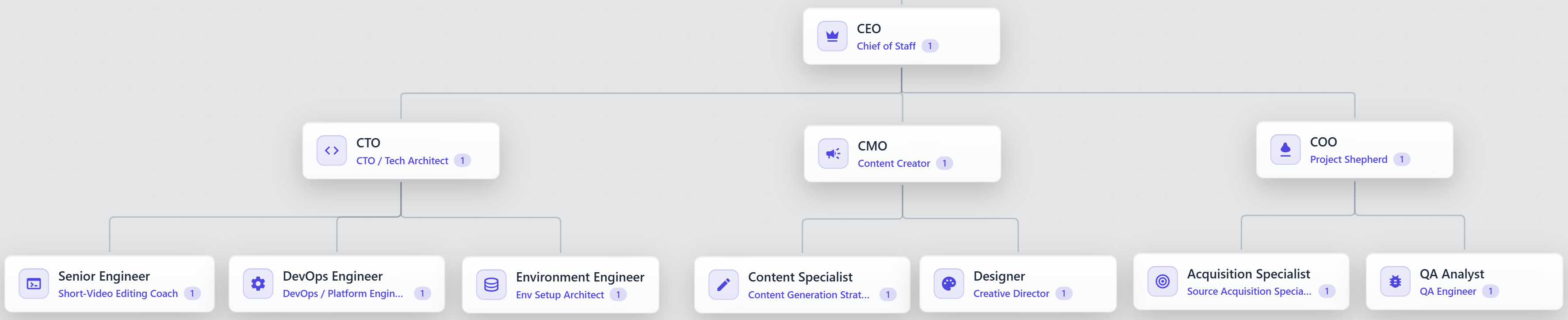
The authors call the concept AI-Native Company. Instead of one agent trying to juggle architecture, writing tests, and frontend work, the project assembles a team tailored to the specific brief.
The work is built on three mechanisms:
- Structure assembly. The system analyzes the brief, builds the organizational structure, and selects agents. It uses ready-made talent templates or creates new profiles with a clean context.
- Task execution. Tasks don't pile up in one heap—they go through a finite state machine. Each work item has an owner, a current column on the board, and a readiness status for execution.
- Experience accumulation. After a project is completed, the system evaluates the contribution of specific roles, not an abstract chat. Successful techniques and solutions are recorded in the role's personal memory and the team's shared instructions.
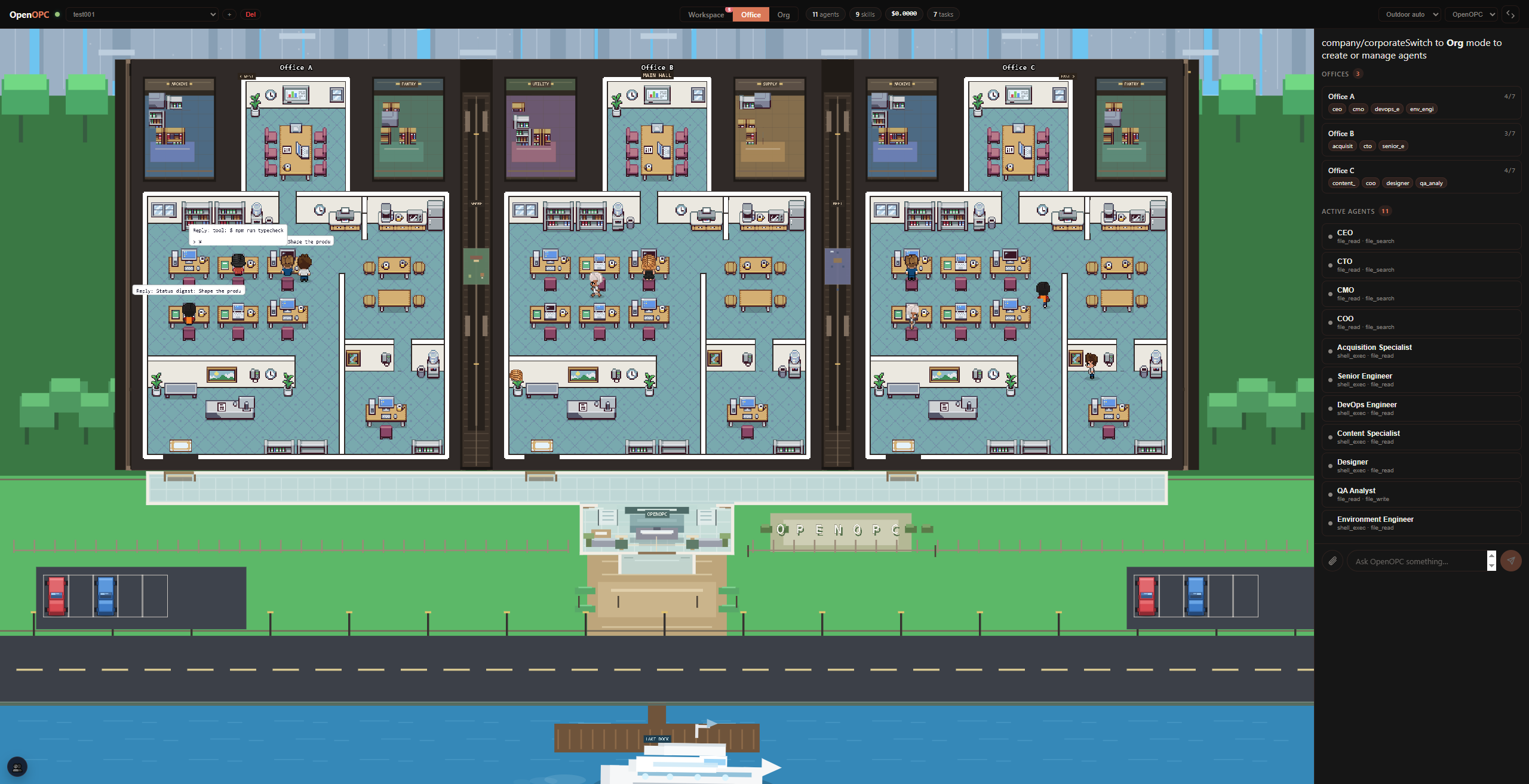
As a nice bonus, the authors hooked up a web interface built with React and Phaser, where agents sit in a pixel virtual office at desks, pass task cards to each other, and hop on calls for meetings.
How the collaboration works internally
The main problem with complex pipelines is that tasks are rarely planned perfectly from the start. Along the way, blockers, missing context, or failed tests are guaranteed to pop up.
OpenOPC solves this through a dependency graph (DAG) and manager roles. The manager takes the brief, decomposes it, and distributes work among executors. Independent tasks run in parallel, dependent ones wait their turn.
Team interaction follows five basic modes:
- Direct execution of a task by the assigned agent.
- Delegating a subtask to a subordinate with context transfer.
- Reviewing a finished result before sending it to the next stage.
- Integrating finished modules into the overall project.
- Sending back for revision with specific feedback.
If an agent hits a roadblock, it doesn't crash with an error. First, the system tries to resolve the issue internally: it sends a blocking message to the role responsible for the relevant area. If the agents' authority isn't enough (for example, if a dangerous terminal command needs confirmation or a service needs to be paid for), the runtime escalates the request to a human.
Confirmation policies are configured through the security config. Simple read commands execute immediately, medium-risk commands are evaluated by a separate LLM, and destructive operations like rm -rf or force push always wait for a button press from the user.
Launch modes and interfaces
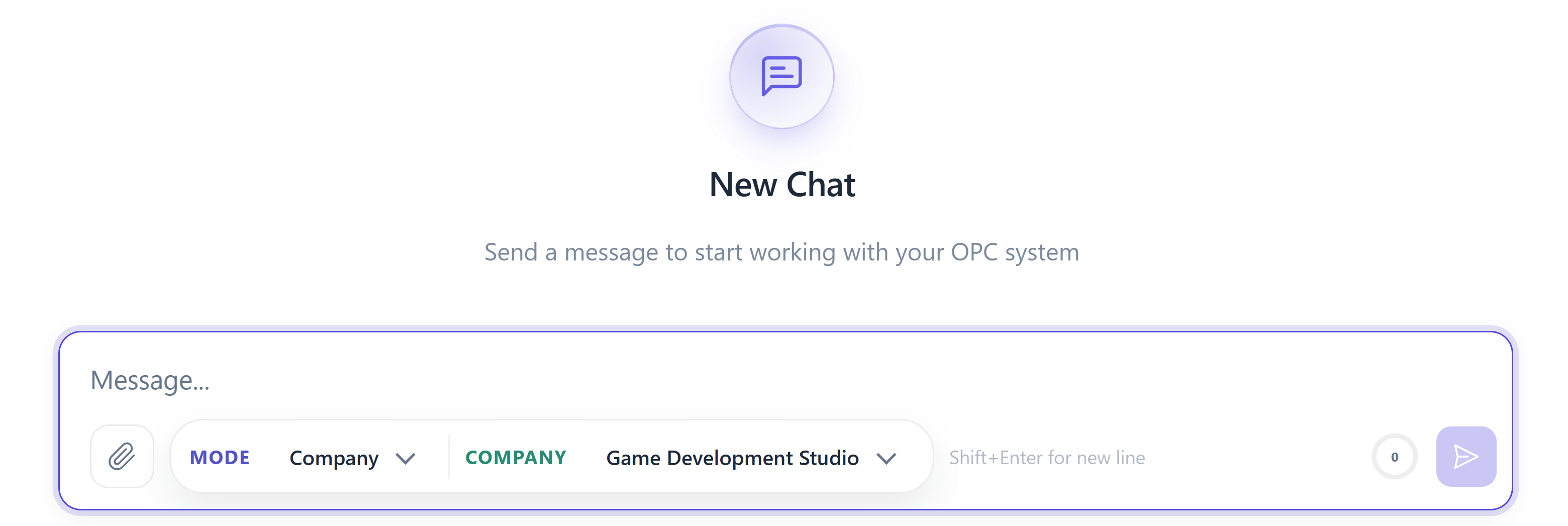
The project supports two main work scenarios: Task Mode and Company Mode.
Task Mode resembles familiar workspaces like Cursor or OpenCode. It's a single-agent mode where one selected agent solves a specific focused problem: refactoring a module, writing a script, or gathering information.
Company Mode launches a full team. You can connect either the built-in OpenOPC Native engine or external CLI agents like Claude Code, Cursor, or Codex. Roles can use different backends: the architect works on one model, the developer writes code through an external terminal agent, and the reviewer checks code through a third combination.
You can work with all of this through both the terminal and the browser dashboard.
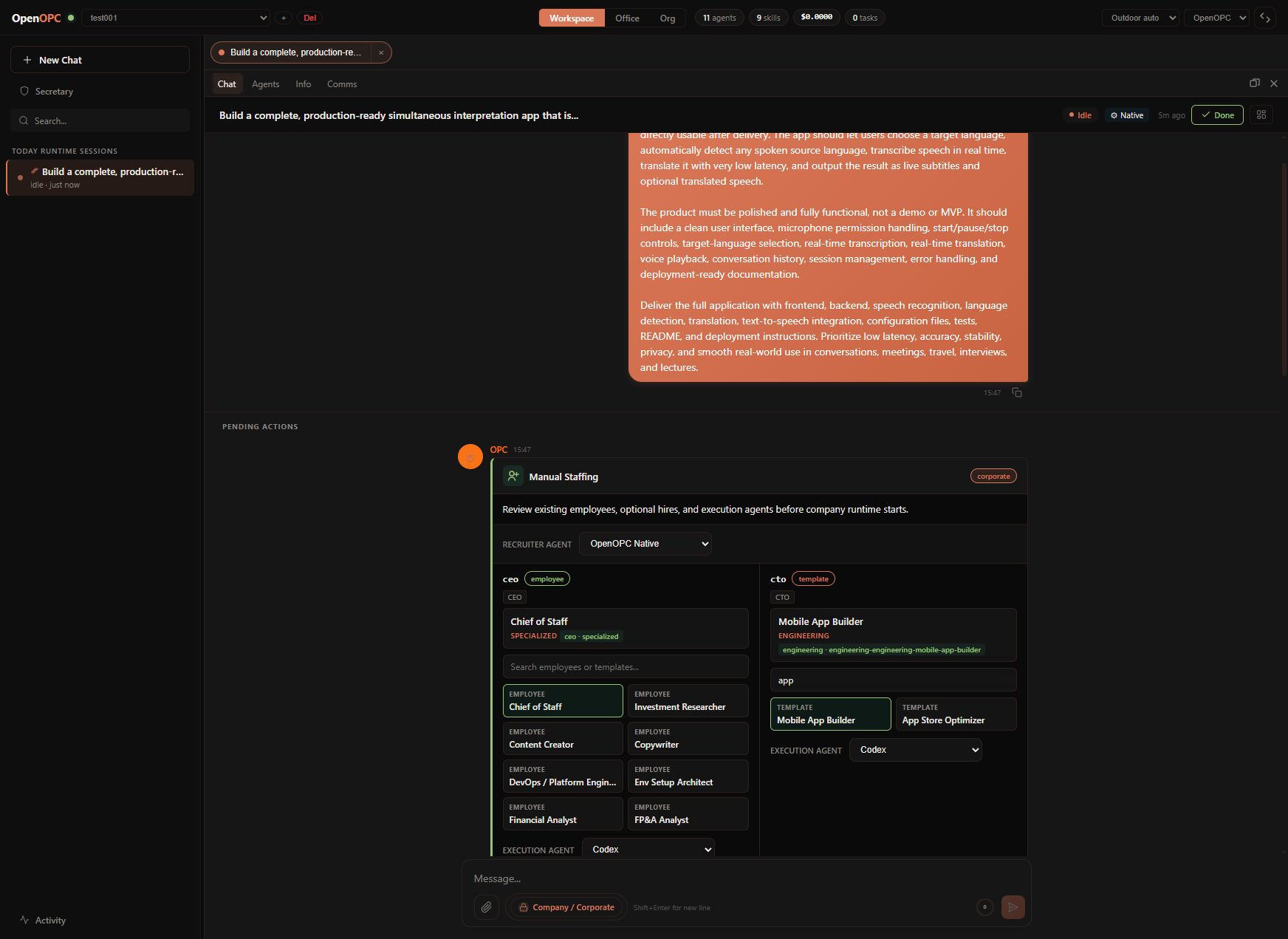
In the web interface you'll find:
- A Kanban board that reflects real task states from the runtime.
- A communications panel with logs of messages between agents and records of their internal discussions.
- An organizational structure editor where you can change reporting chains and hire new specialists.
- A pixel office where you can see who is currently working on which type of task.
Quick start
For deploying the project, the creators recommend the package manager uv. You'll need Python 3.10 or newer, and Node.js from version 18 if you plan to rebuild the frontend.
First, set up a virtual environment:
# Клонируем проект и переходим в папку
cd OpenOPC

# Создаем окружение с Python 3.12
uv python install 3.12
uv venv --python 3.12
source .venv/bin/activate

# Устанавливаем зависимости
uv pip install -e .

# Опционально ставим Chromium для браузерных инструментов
uv run python -m playwright install chromium
Next, initialize local configs and memory folders:
uv run opc init
The command will create the .opc/config/ directory. Open .opc/config/llm_config.yaml and add your API key. The engine works with any endpoints compatible with LiteLLM and OpenRouter.
llm:
  default_model: "openai/gpt-4o"
  api_base: "https://openrouter.ai/api/v1"
  api_key: "sk-or-v1-..."
  max_tokens: 16384
Now you can launch the web interface:
uv run opc ui
The panel will open at http://localhost:8765.
If you prefer working directly from the console, the utility provides a convenient interactive chat and supports single task execution:
# Запуск интерактивного чата
uv run opc chat -p my_project

# Одиночная задача в Task Mode
uv run opc chat -p my_project --mode task --agent native "Проанализируй структуру проекта и составь список зависимостей"

# Запуск задачи в режиме компании
uv run opc chat -p my_project --mode company --company-profile corporate "Спроектируй и реализуй базовый REST API для сервиса заметок"
Where this applies in practice
The repository has usage examples for a wide range of directions: from investment reports to video script scenarios and game prototypes.
In everyday development, OpenOPC excels at covering end-to-end pipelines. For example, when you need not just to write a function, but to research a third-party API, prepare an architecture document, write code, run tests through Playwright, and package everything into a neat pull request with documentation.
Another scenario involves messenger integration. OpenOPC can connect to Telegram, Discord, Slack, Feishu, and other corporate chat channels. You can set up a bot on an incoming task stream, and it will launch a team of agents based on messages from the chat.
Summary
OpenOPC leaves a pleasant impression with its structured approach. The authors aren't trying to sell a fairy tale about an all-powerful single prompt—they're building a predictable engineering system with clear separation of responsibilities, state persistence to disk, and control over dangerous actions.
The project is worth trying out if:
- You feel cramped within a single chat with Claude or Cursor when a project requires several different competencies.
- You want to experiment with multi-agent systems that have real task management and DAG, rather than chaotic message exchanges.
- You need a local framework for automating routine research or engineering processes with clear visual control.
The best way to start is by running the local UI via uv and tackling simple tasks in single-agent mode, gradually moving to building your own teams in Company Mode. It's also useful to check the .opc/config/ folder to configure auto-confirmation levels for your machine.
Powiązane projekty