How Coldcard Firmware Is Structured and Why Developers Should Run Its Emulator on a PC
The source code of hardware crypto wallets is scrutinized with particular care. A single misstep in the random number generator or a bug in the code can cost millions of dollars. Take a look at the README header in the Coldcard repository: the authors openly warn about a critical entropy vulnerability affecting releases from 2021 through 2026. The developers honestly suggest updating the firmware and regenerating keys.
This transparency is made possible by the open architecture. The Coldcard firmware is available to everyone, and you can build its binary byte-for-byte right on your own laptop.

What's Inside the Repository
The project combines software for several generations of wallets: the Mk3, Mk4, Mk5 series, and the flagship Q1 with a full keyboard. The main stack includes MicroPython for high-level logic and C for low-level operations on the STM32 chip.
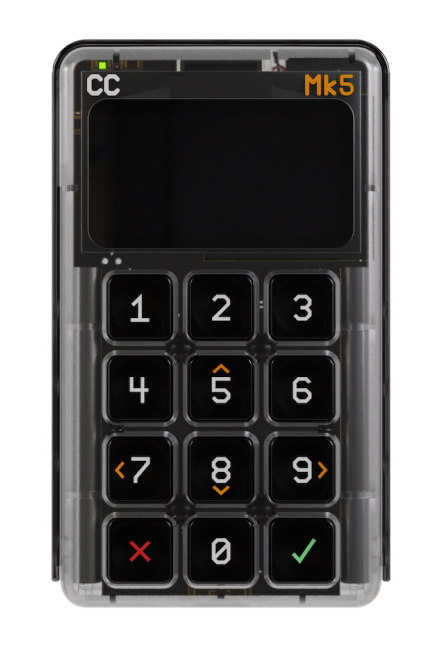
The code is distributed across directories in a fairly logical way:
sharedstores shared Python logic for the emulator and devices.stm32contains the firmware, bootloaders, and makefiles for building the final microcontroller binary.unixincludes the emulator source code for macOS and Linux.hardwarecontains schematics and component specifications.
It's rare to find software, an emulator, and hardware schematics all in one place. For those interested in embedded development with Python, this is excellent study material.
Interesting Technical Solutions
Reproducible Builds via Docker
One of the main criteria for trusting secure hardware is confidence that the compiled file matches the source code on GitHub. The Coldcard team automated this process. The build runs via Docker with a single command:
git clone https://github.com/Coldcard/firmware.git
cd firmware
git checkout 2026-03-05T2052-v5.5.0
cd stm32
make -f MK4-Makefile repro
The script compiles the code in an isolated environment and compares the resulting file against the official release. If the files match byte-for-byte, the process succeeds.
Full-Featured Emulator Without Physical Hardware
You won't need to buy a device for a couple hundred dollars just to study the code. The unix folder contains an emulator based on SDL2 and MicroPython. It recreates the screen, buttons, and virtual SD card filesystem.
Running the simulator on Linux or macOS takes just a few steps:
git clone --recursive https://github.com/Coldcard/firmware.git
cd firmware
python3 -m venv ENV
source ENV/bin/activate
pip install -r requirements.txt
cd unix
make setup && make ngu-setup && make
./simulator.py
After launch, a window with the wallet interface will appear on screen. You can interact with it using the keyboard or mouse, test your own scripts, and verify PSBT (Partially Signed Bitcoin Transactions) handling.
Two Branches for Different Purposes
The team maintains two main branches in Git:
mastercontains tested code for current Mk4, Mk5, and Q1 devices.edgeserves as a testing ground for experiments. Features like Taproot support or Miniscript end up here before appearing in the main release. Code quality requirements inedgeare lower, so changes there move faster.
Who Will Find This Repository Useful
The project is interesting far beyond just Bitcoin enthusiasts. Embedded systems developers will benefit from the experience of combining MicroPython with C on STM32 microcontrollers. Security specialists will find a clear example of reproducible build implementation here.
Running a local emulator helps you understand how transaction signing works on air-gapped devices without spending extra money.
Related projects