Fast CPU-Based Face Tracking Without Heavy Neural Network Frameworks

If you've ever tried to animate a 3D avatar or character in real time from a regular webcam, you've probably faced a dilemma. Either you use heavy models that devour your graphics card and half your processor, or the result becomes a choppy mask with half-second lag. For game streaming, this is a disaster, since the GPU is already loaded with rendering.
The developer known as emilianavt ran into exactly this problem when creating tools for VTubers. The result was OpenSeeFace. This lightweight face and landmark tracking library is optimized for CPU and delivers stable 30–60 fps even on older hardware.
What's Under the Hood and Why It Works Fast
The project doesn't aim to be a full-featured avatar animation program. It's a specialized tracker. It captures video from a webcam or file, detects the face, calculates landmark coordinates, and sends the ready data via UDP.
The model was originally trained on MobileNetV3 in PyTorch. But on Windows, PyTorch CPU inference was slow. The author converted the network to ONNX format and switched execution to onnxruntime. The release builds include a custom ONNX Runtime build without unnecessary telemetry.
The tracker's architecture solves several applied tasks at once:
- Capture and inference are separated into a standalone Python script or binary. If the main program (for example, a Unity game) crashes, the pipeline won't drag the camera down with it.
- UDP coordinate transmission means you can run tracking on an old laptop while running the game or 3D scene on your main PC. This saves resources and protects the streamer from accidentally showing their real face on stream.
- The model was trained on LS3D-W, WFLW, MPIIGaze datasets and synthetic eyes from UnityEyes. A custom variant of Adaptive Wing Loss was used for the loss function.
An interesting detail: the author adapted the landmarks specifically for avatar animation, not for academic benchmarks. The labeling is close to iBUG 68, but with quasi-3D contours. Even if the gaze vector coordinates are slightly off in absolute values, the algorithm accurately detects blinking and mouth shape during speech.
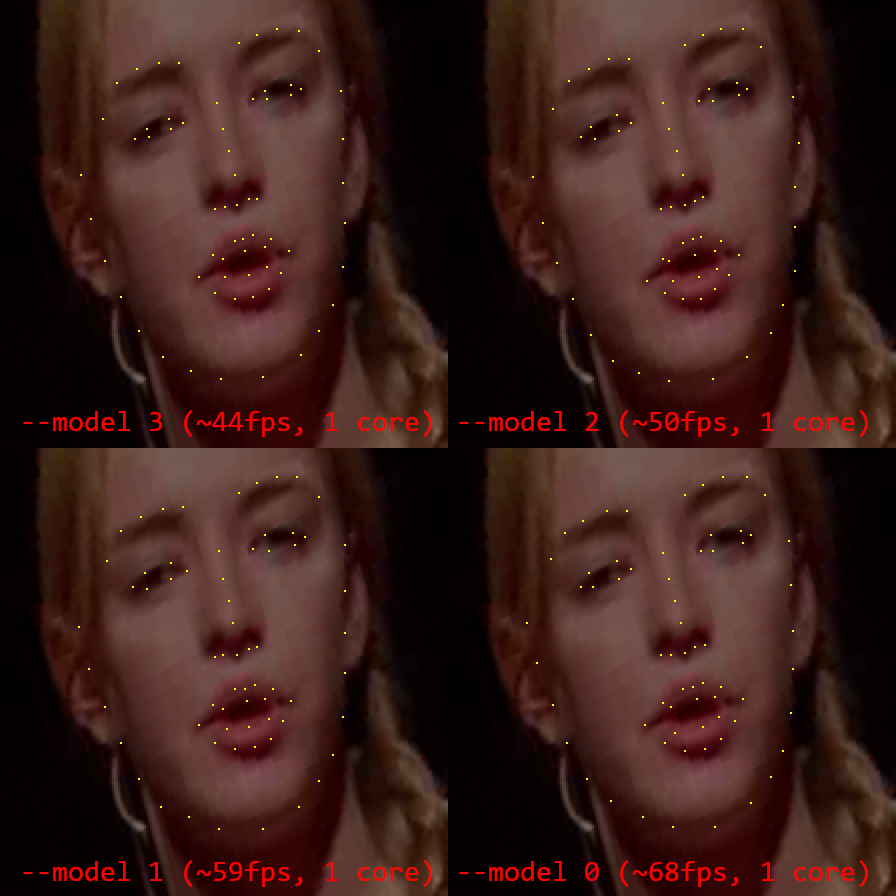
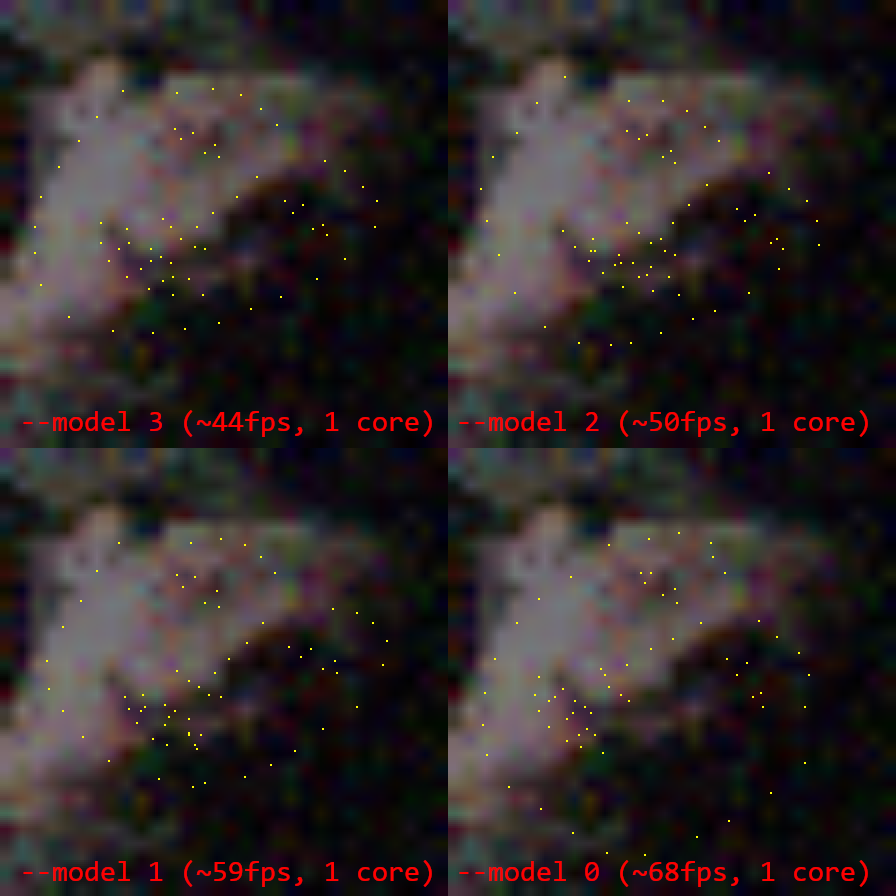
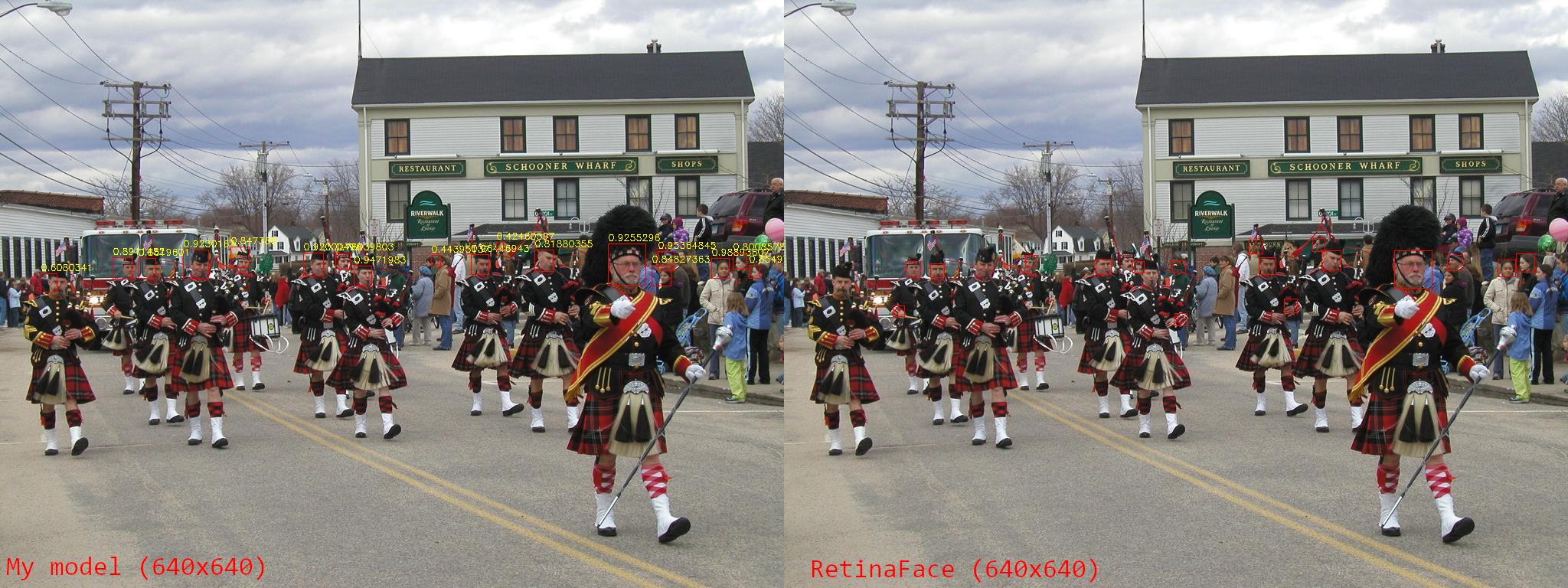
Compared to Google MediaPipe, OpenSeeFace tracking holds up better during sharp head turns, poor lighting, and noise from cheap webcams. The mouth is recognized more accurately, although eye area tracking falls short of some specialized solutions.
Model Tiers for Any Hardware
The repository includes several pre-built models with different accuracy-speed tradeoffs. The selection is set via the --model argument:
- Model -1: mode for very weak processors. Delivers up to 213 fps on a single core without gaze tracking, but the tracking is very rough.
- Model 0: fast model with basic accuracy (~68 fps).
- Model 1: balanced compromise between speed and quality (~59 fps).
- Model 2: good tracking with moderate resource usage (~50 fps).
- Model 3: default and most accurate option (~44 fps on a single core).
In reality, you rarely need above 30 fps for facial expression capture, so the script can be frame-rate limited to save CPU time.
How to Launch the Tracker
Working with the code requires Python 3.6 to 3.9 and a minimal set of libraries:
pip install onnxruntime opencv-python pillow numpy
If you don't want to deal with the Python environment, the Releases section has a ready archive with facetracker.exe, built via pyinstaller.
Basic launch with visualization looks like this:
python facetracker.py --visualize 3 --pnp-points 1 --max-threads 4 -c 0
The -c 0 flag specifies the webcam index. If you need to process a pre-recorded video, pass the file path instead video.mp4.
Integration with Unity and Other Engines
The repository includes ready-to-use C# scripts for Unity. The OpenSee component listens for incoming UDP packets in a background thread and stores coordinates in the public field trackingData.
To connect the tracker to a scene, just a few steps are needed:
- Add the
OpenSeeandOpenSeeShowPointscomponents to an empty GameObject. - Run the scene in the Unity editor.
- Launch the
facetracker.pyscript. Face points will immediately appear in the scene space. - To control a character's head, you can connect the
OpenSeeIKTargetcomponent along with FinalIK.
The built-in OpenSeeLauncher manager can start itself and properly terminate the tracker binary via WinAPI Job Objects. If your Unity application crashes with an error, the child tracker process won't hang in memory.
Emotion Detection via LIBSVM
Beyond landmark coordinates, the project includes the OpenSeeExpression component. It solves the task of emotion classification (smile, anger, surprise) for a specific person.
Instead of trying to train one general neural network for everyone on the planet, the author used an SVM classifier. The user calibrates the system themselves:
- Enters the emotion name in the Unity inspector.
- Makes the required facial expression and enables recording.
- Rotates their head and speaks so the model remembers mimetic distortions in motion.
- Presses Train.
The trained model is saved to a separate file and loaded on the next application start.
Where It's Already Used
OpenSeeFace has become the foundation for several popular animation tools:
- VSeeFace: free VTuber program with support for VRM and VSFAvatar formats.
- VTube Studio: tool for controlling 2D Live2D models via webcam.
- VPUPPR: open avatar renderer on the Godot engine.
Who Will Benefit from This Project
The library is ideal for game developers and interactive installations who need fast facial capture without buying expensive headsets or iPhones with TrueDepth. The code is distributed under the permissive BSD 2-Clause license, so you can safely embed it in commercial projects.
If you need to recognize fine retinal details or build a sub-millimeter-accurate polygonal 3D mask for medical purposes, OpenSeeFace won't work. But for character animation, head movement interface control, and streaming, it's one of the most practical and lightweight solutions on GitHub.
Related projects