Downloading Bilibili Content Directly into Emby with Tauri and Rust
Anyone who has built a home media server with Emby or Jellyfin knows this routine. You find a useful course, development tutorial, or conference talks on the Chinese Bilibili, run yt-dlp and get a nameless mp4 file without a cover, description, or subtitles. Then you spend half an hour manually entering metadata so the player nicely pulls up the poster and episode descriptions.
Recently stumbled upon the open-source project bilibili-video-downloader. It's a desktop GUI client that takes care of all the tedious work of gathering metadata and downloading content.
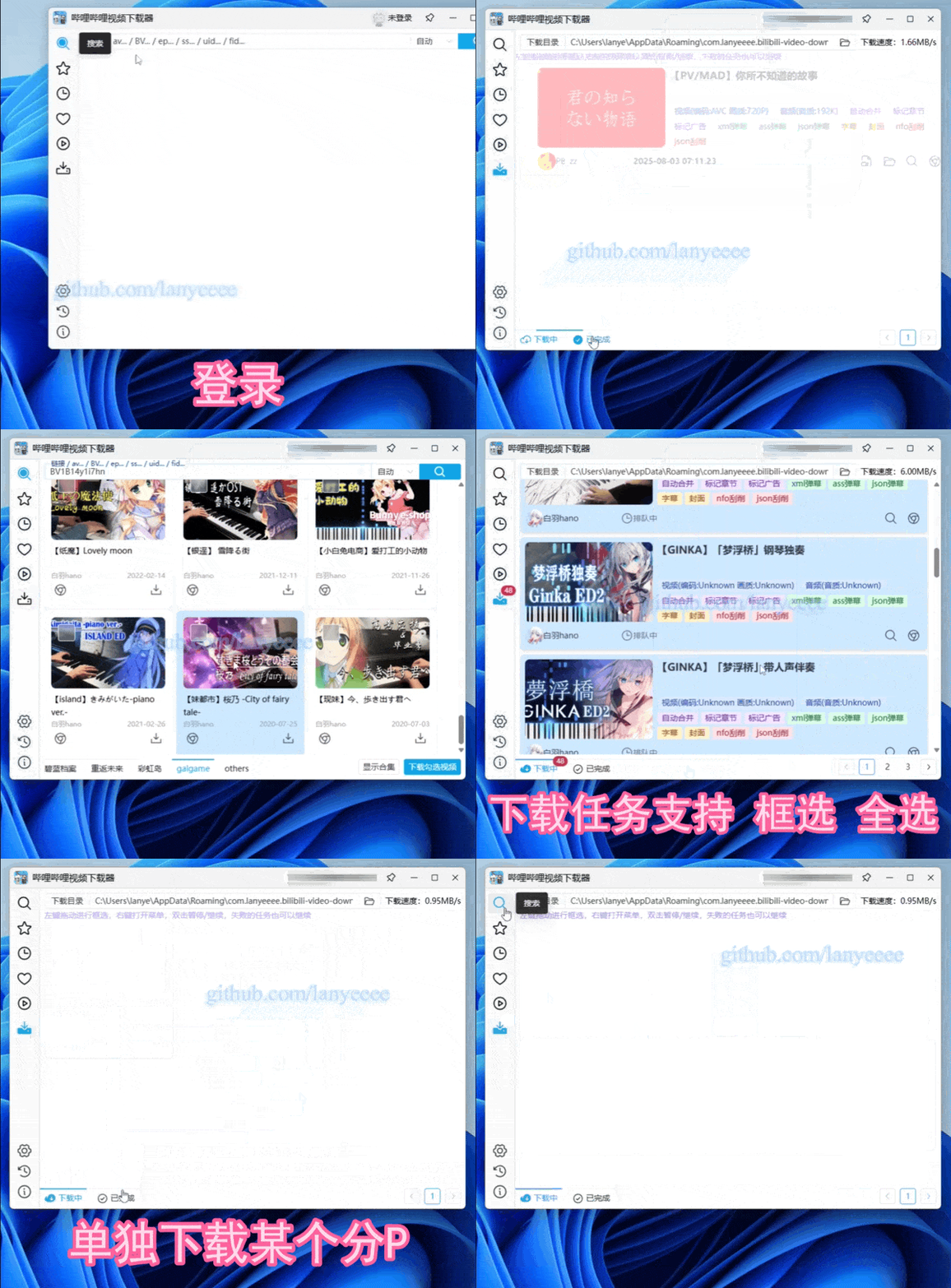
What the app can do
The main feature set revolves around the idea of "downloaded and immediately pushed to Emby." The app parses Bilibili and extracts materials in the highest available quality: 8K, HDR, Dolby Vision with AVC, HEVC, or AV1 codecs. The same applies to audio, including Flac and Dolby Atmos.
Beyond basic file downloading, the utility addresses several specific pain points:
- NFO file generation and artwork downloading. Along with the video, poster.jpg and fanart.jpg are downloaded along with an .nfo file containing the description, so Emby pulls up the movie or course card without additional scrapers.
- Converting comments (danmaku). Floating Chinese comments from XML or JSON are automatically converted to standard .ass subtitles with customizable fonts and styles.
- Chapter marking and integration cutting. The program takes timestamps from the video and embeds them as chapters. If there's a promotional integration in the video, it's marked as a separate segment via the SponsorBlock database, so a compatible player skips it on the fly.
- Flexible naming templates. You define your own folder structure and file names using tags like BV-id, title, part, date, and uploader.
You can log in via QR code or Cookie. This grants access to personal subscriptions, watch history, watch later list, and premium content if you have a Bilibili subscription.
Technical details
Developer lanyeeee chose Tauri v2 + Rust for the backend and Vue 3 with Naive UI for the interface. It's a solid choice: instead of bloated Electron with its endless memory consumption, we get a compact binary that runs quickly even on low-end machines. Downloads run in multiple threads with resume support if the connection drops.
An interesting detail: the project includes an experimental plugin system built in Rust. It leverages dynamic libraries (.dll, .so, .dylib) that execute within the application process.
There's no isolation or sandboxing here. The author is upfront about this: the approach grants plugins complete freedom but introduces security risks. So the recommendation is to compile plugins yourself from source after reviewing the code.
How to build the project from source
Pre-built releases for Windows and macOS are available on the Releases tab in GitHub. To build the binary yourself, you'll need Rust, Node.js, and pnpm installed.
The build process involves three terminal commands:
git clone https://github.com/lanyeeee/bilibili-video-downloader.git
cd bilibili-video-downloader
pnpm install
pnpm tauri build
The final binary will be located in the src-tauri/target/release/bundle folder.
Who is this for
This tool is useful for those who store educational materials locally or set up a home media server. It's also a solid reference for building modern cross-platform apps with Tauri v2 that handle complex tasks like media processing and subtitle conversion.
Related projects