How holaOS works and why it's more convenient for working with multiple AI agents
Each new AI tool looks like a perfect assistant in video demos, but in reality turns into another closed chatbot. You launch Claude Code in the terminal, then open Cursor for code editing, and for report generation you go to the web interface. Context is constantly lost, and conversation histories remain scattered across different tabs.
holaOS has gained popularity on GitHub. Its creators called it a personal computer for the developer and their neural network agents. Essentially, this is a desktop environment built on Electron and TypeScript that combines different models and autonomous tools in a single window.
Why replace regular chats with a shared environment
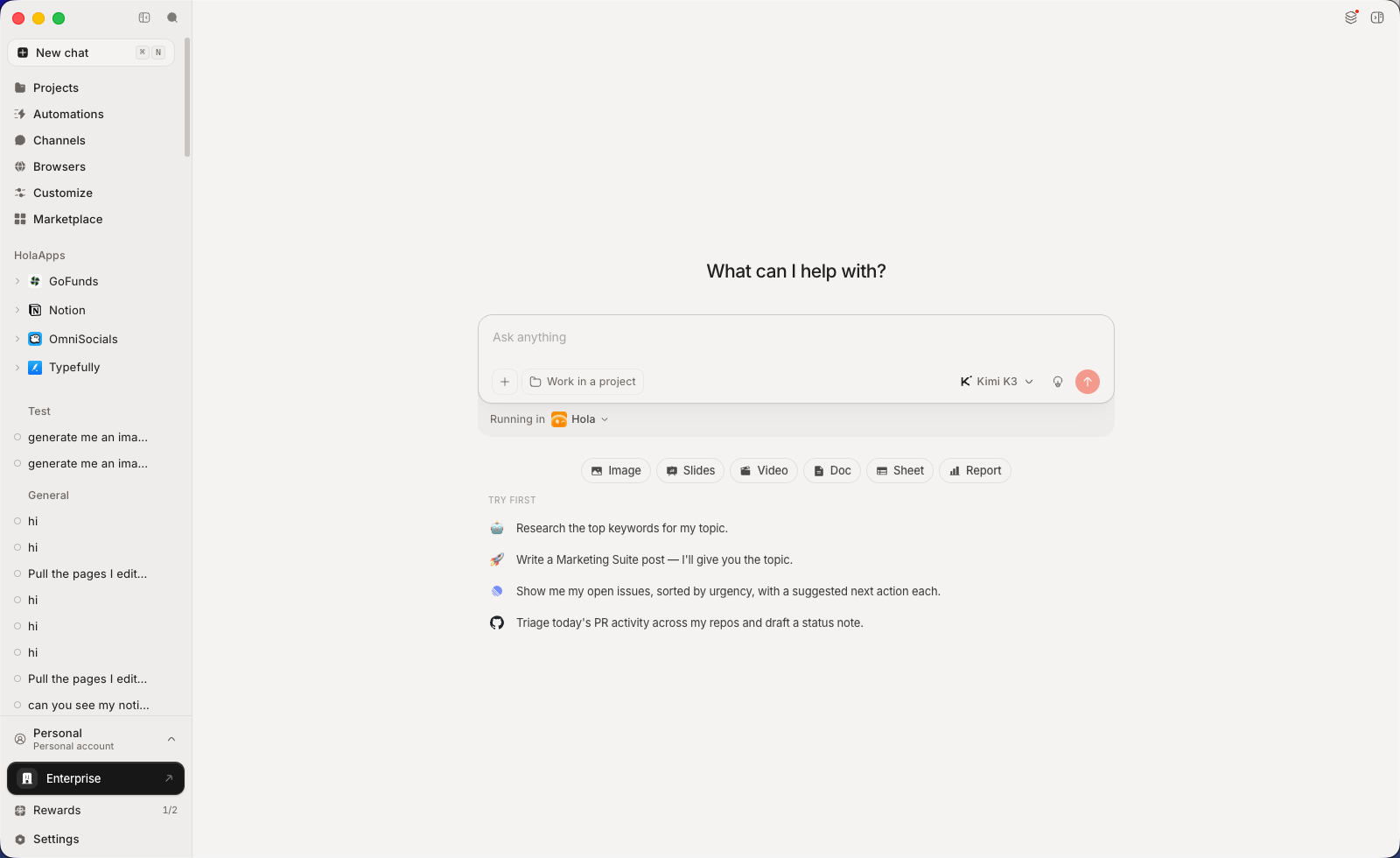
The main idea of the project is to isolate not the models themselves, but the context and workspace. You can switch between Codex, Claude Code and built-in agents directly during task execution. Shared instructions, action history, and connected tools remain accessible to each of them.
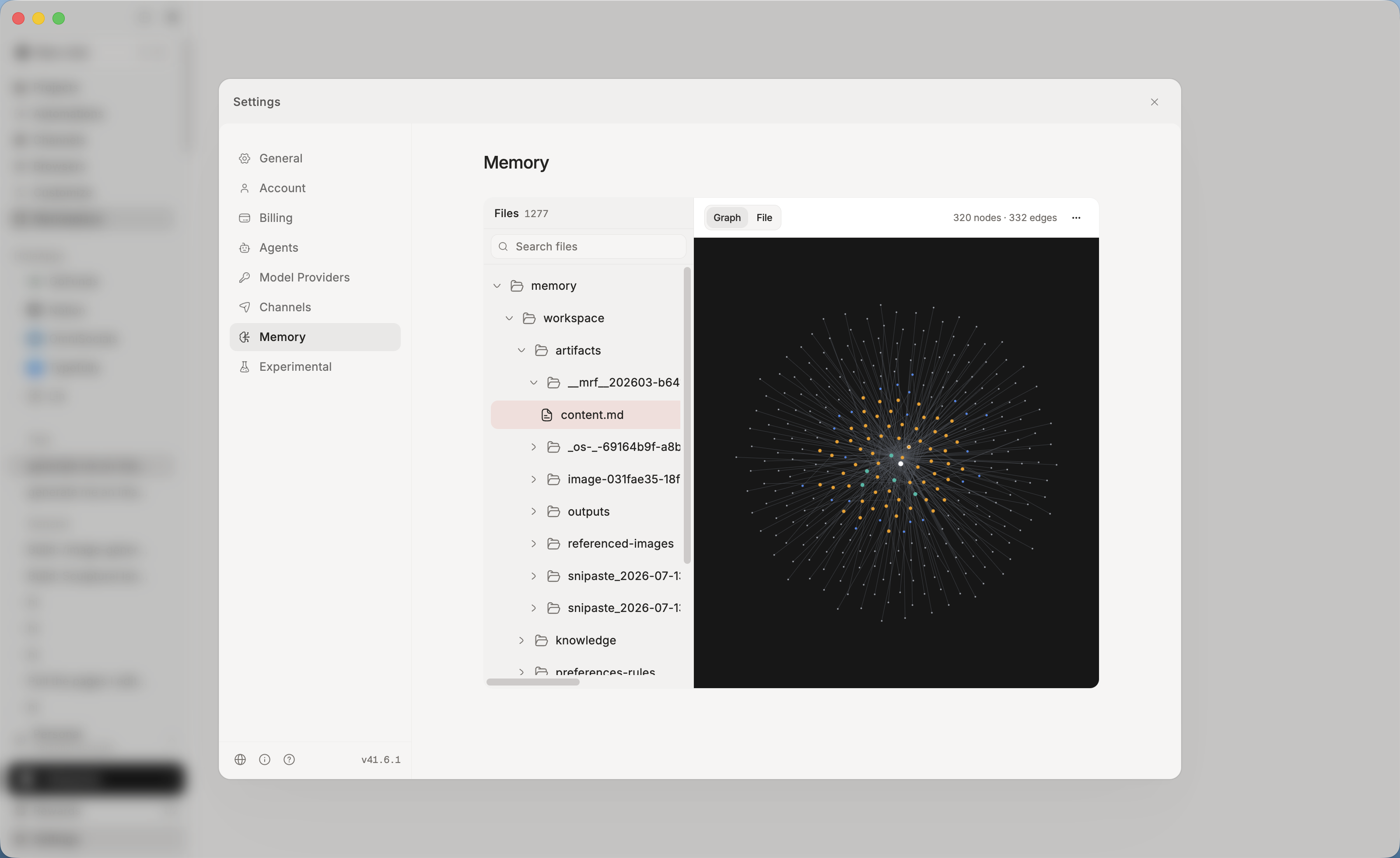
Memory from past sessions is stored locally as plain text files. They can be easily opened in a familiar editor, manually edited, or committed to a repository. If you open the application after a week, the agent will independently read these files and continue from where it left off.
Interactive panels, MCP and models
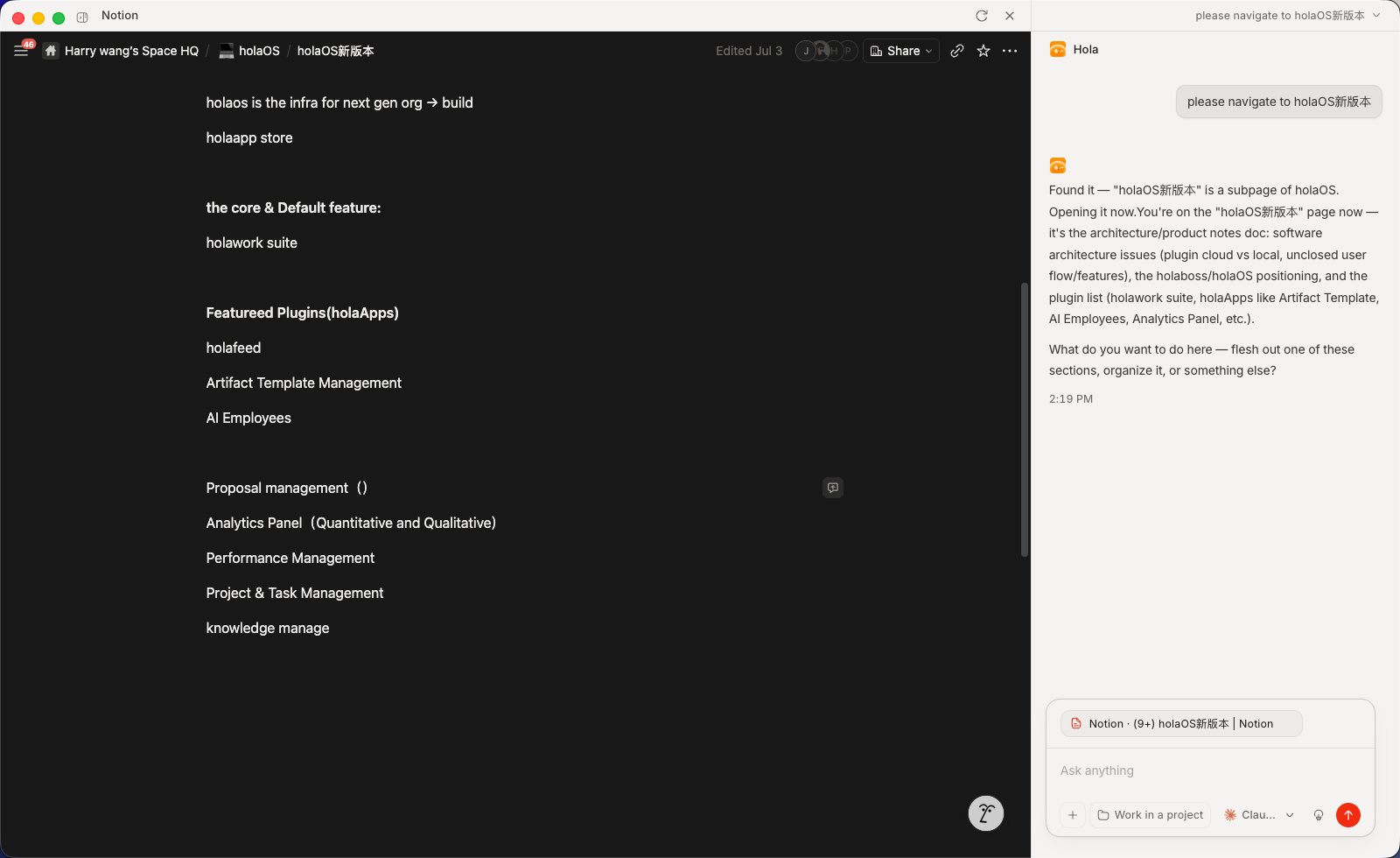
Instead of a long wall of text in the dialog window, holaOS opens applications in a neighboring panel. This is an interactive area where the agent performs actions and the user observes the process.
Here are the main elements that make up the working system:
- Interactive HolaApps panels. If an agent needs to work with Notion, a browser, or your operating system, it opens a full-featured web interface alongside the input window. You can take control of the mouse at any time.
- MCP protocol and ready-made integrations. More than 50 services are supported, including GitHub, Slack, Linear, and Gmail. The built-in Model Context Protocol allows connecting third-party servers without writing wrappers.
- Managed browser with authorization. The agent visits sites under your session, clicks buttons, and collects data without direct API calls.
- Real document output. The work results in ready-to-use .xlsx, .pptx, and .docx files that can be sent directly to clients or colleagues.
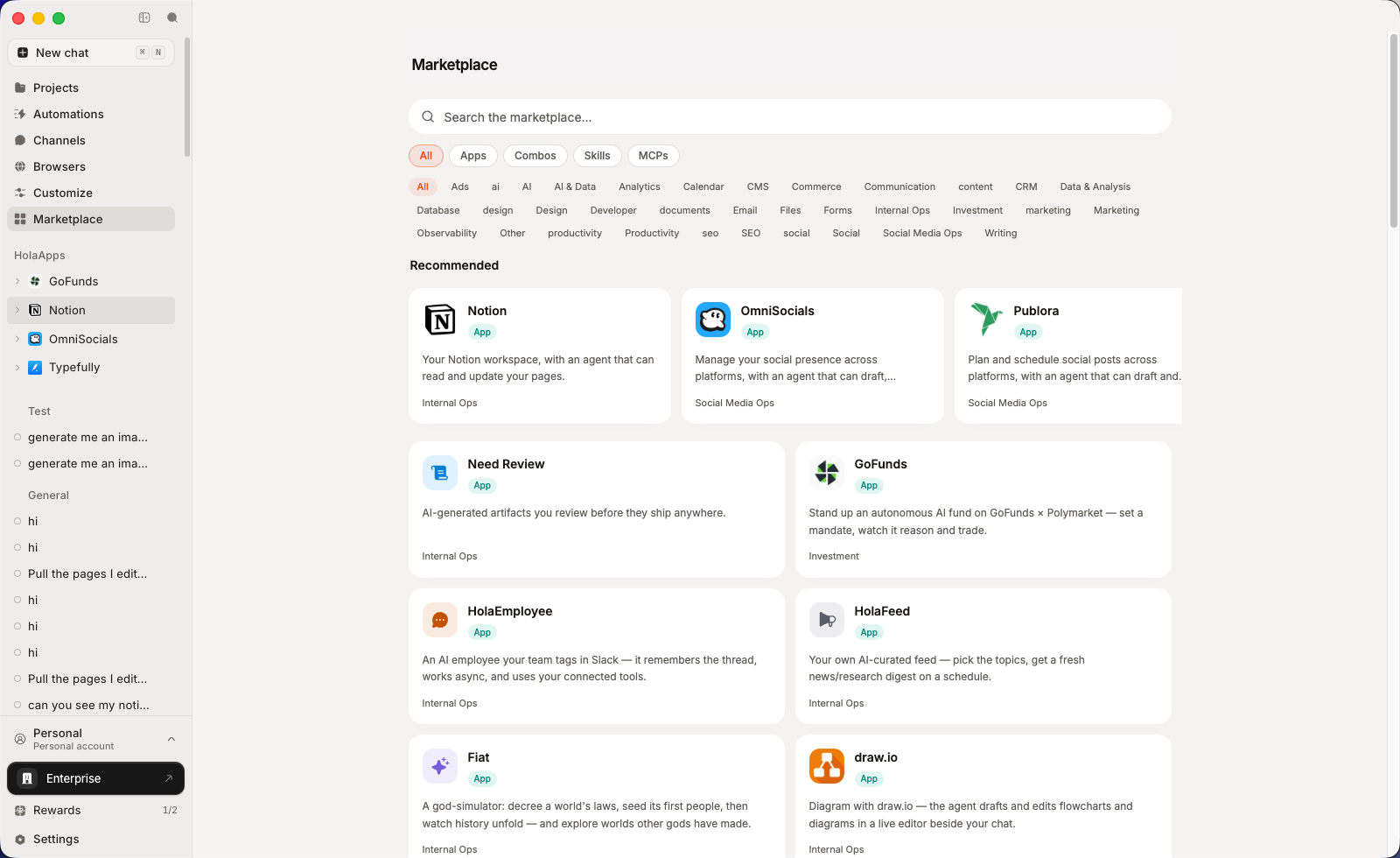
The service has built-in access to Kimi K3, GLM 5.2, GPT 5.6 and Claude Opus 5. To avoid dependency on the project's servers, you can enable BYOK mode and insert keys from your own OpenAI or Anthropic accounts.
Installation and technical features
For quick setup on macOS, Linux, or WSL, the authors prepared an automatic script:
curl -fsSL https://raw.githubusercontent.com/holaboss-ai/holaOS/refs/heads/main/scripts/install.sh | bash -s -- --launch
If you prefer to control the environment, you'll need Git, Node.js version 24.14.1, and npm. The manual startup process from source looks like this:
npm run desktop:install
cp apps/desktop/.env.example apps/desktop/.env
npm run desktop:prepare-runtime:local
npm run desktop:typecheck
npm run desktop:dev
The application is built on Electron, so memory consumption will be accordingly high. A single 8 GB stick may not be enough if you also run heavy local environments simultaneously.
It's worth reviewing the license separately. The repository is distributed under Modified Apache 2.0. There are restrictions on commercial redistribution and brand usage, so for deployment within a company, it's best to consult with lawyers beforehand.
Task delivery through messengers
An interesting scenario is integration with messengers. You can connect Telegram or Slack and send tasks to the agent from your phone. Responses and generated files will return to the same dialog. Background script configuration is also available: for example, morning analytics collection from GitHub and report delivery to a work channel.
Conclusion
The project will be useful for those who actively use multiple neural network assistants in daily development and are tired of manually copying context.
Try holaOS for unified local memory and visual work with live interfaces. For complete independence from external clouds, it's better to choose the option with your own API keys right away.
Related projects