How to Open a Revit Model or DWG Drawing in a Browser and Get an Estimate Immediately Without Proprietary Software
Construction software is built in a specific way. At one end are heavy corporate ecosystems like Autodesk solutions costing hundreds of dollars per month per user. At the other end are ancient local estimating programs with interfaces from the early 2000s. If you need to combine 3D models, drawings, and pricing in one system, the choice until recently has been bleak.
Recently I was exploring the OpenConstructionERP repository. This is an open-source web platform that takes DWG drawings, 3D Revit or IFC models, automatically extracts physical parameters of elements from them, and generates work quantity sheets. All of this is packaged in a desktop application or web service with an AGPL-3.0 license.
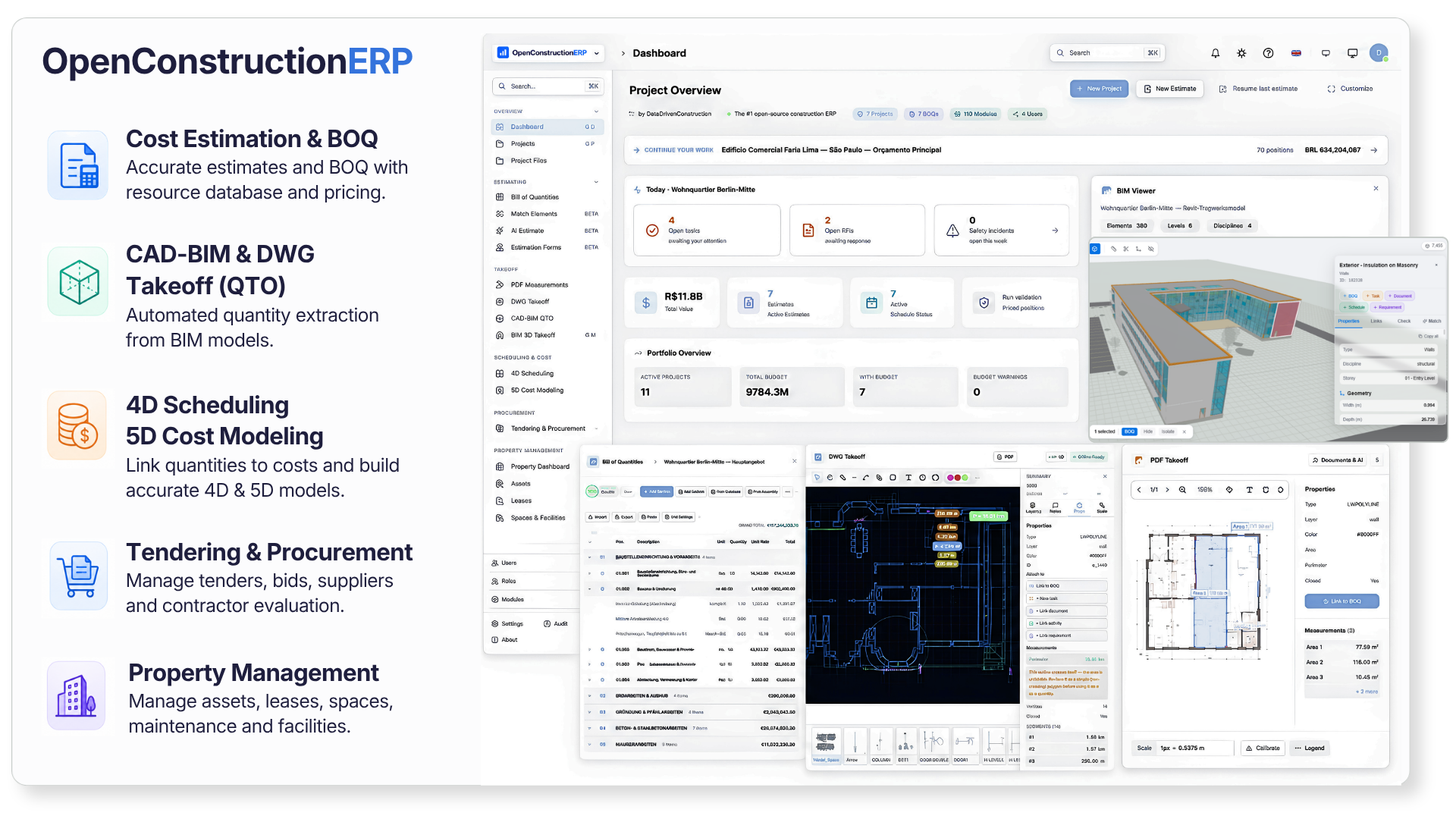
What this project is about
OpenConstructionERP was conceived as a modular foundation for construction companies. The creators directly compare it to WordPress, only instead of blogs and online stores, you build applications for construction here.
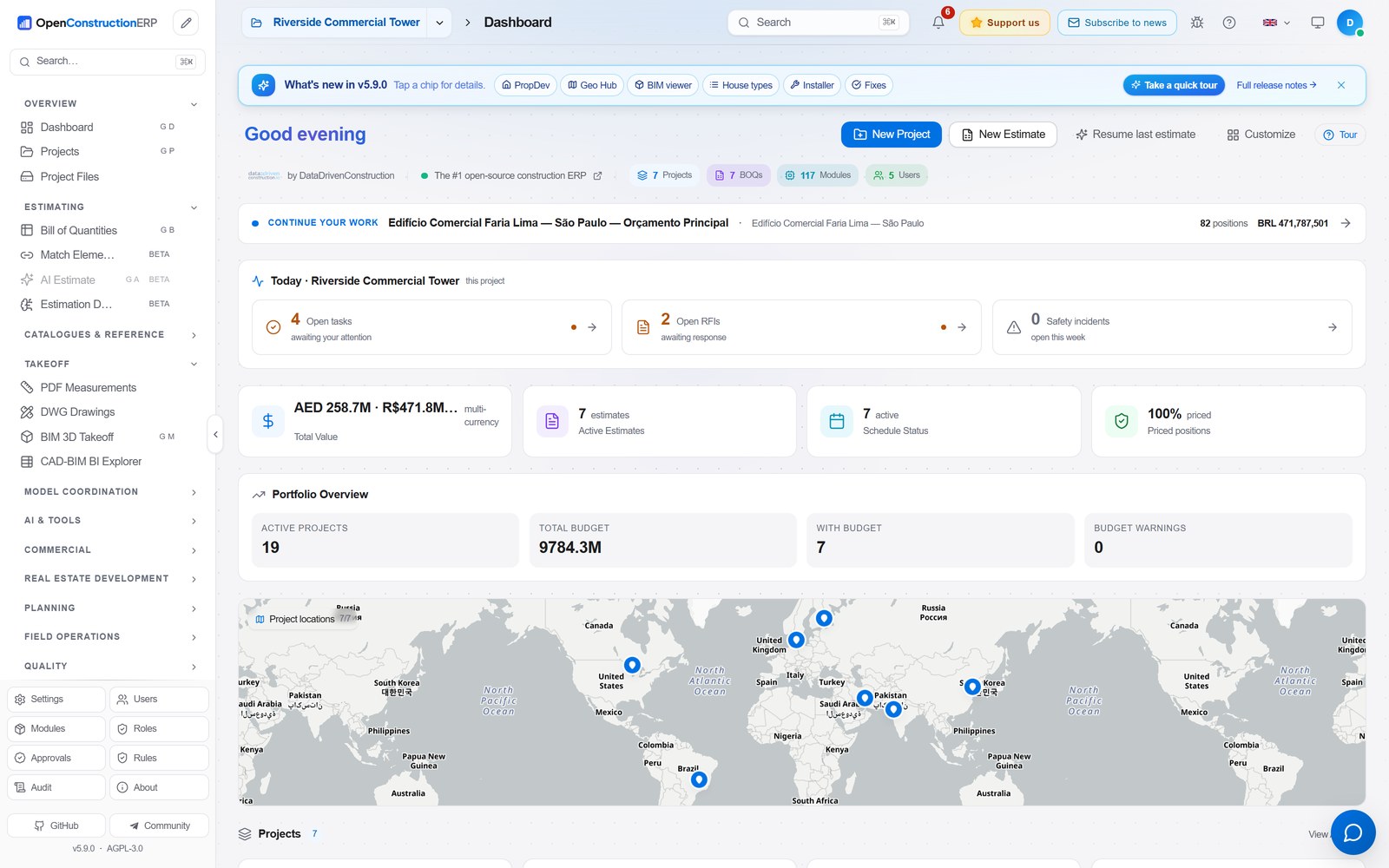
It has about 160 modules built in. Each specialist gets their own set of tools: the estimator works with rates and classifiers, the field engineer keeps a work log and records defects, and the manager views budget analytics.
The platform can work with estimating standards from different countries. The list includes DIN 276, NRM, MasterFormat, and domestic GESN and FER. The database has over 120,000 ready-made pricing items built in.
Key capabilities in practice
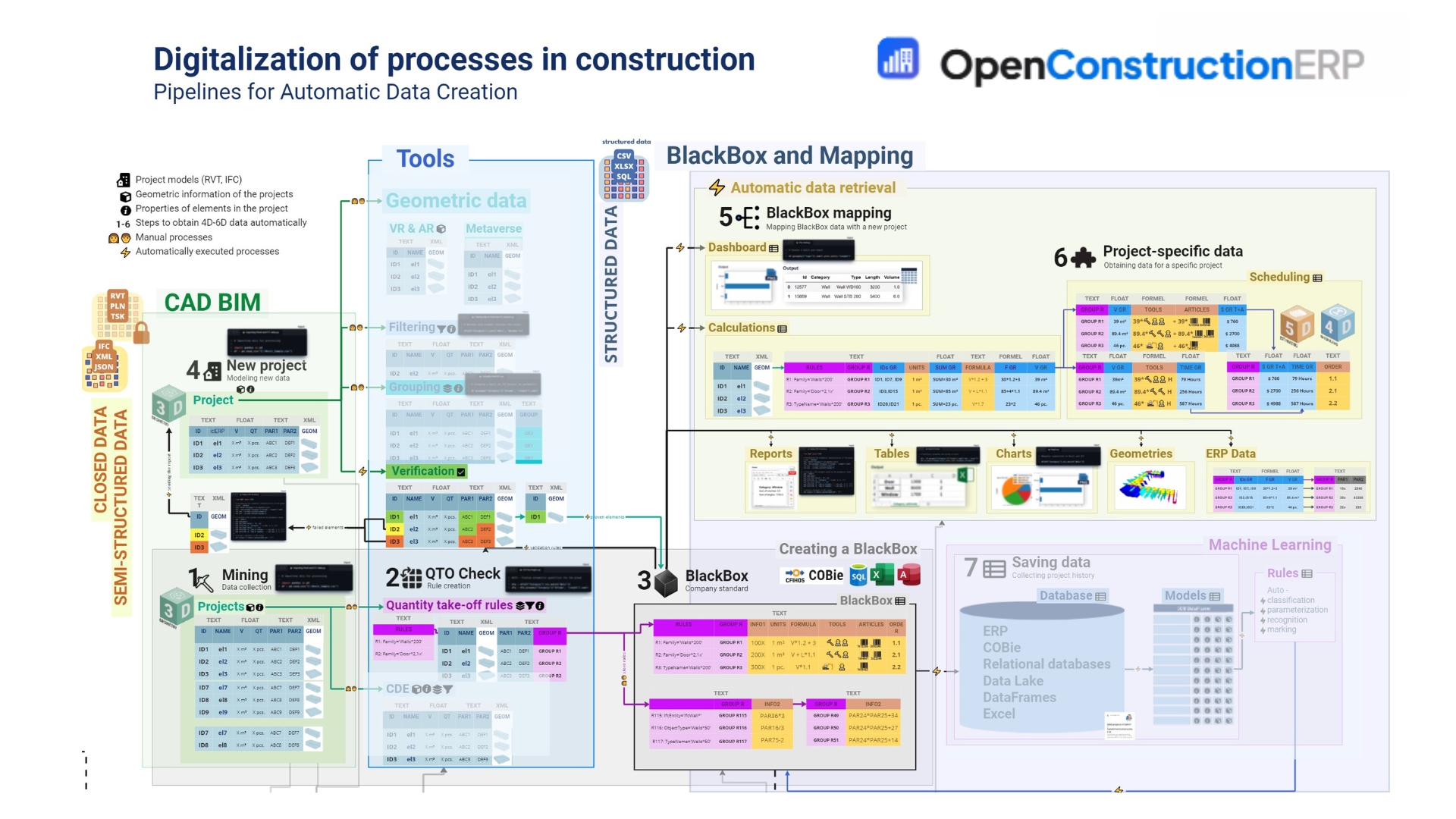
The most interesting part is seeing how the system links graphic files with money and work schedules.
Automatic quantity takeoffs from CAD and BIM
Usually, linking an estimate to a model requires having Revit or specialized software installed. Here, the developers used their own DDC cad2data converter. You upload a file in RVT, IFC, DWG, or DGN format, and the Python backend parses it into elements and converts it into a unified JSON.
Исходник (.rvt / .ifc / .dwg)
       │
       ▼
DDC cad2data (извлечение геометрии)
       │
       ▼
Канонический формат элементов
       │
       ▼
Привязка к ведомости работ (BOQ)
In the browser it looks visual: click on a wall in the 3D viewer or on a polyline in a 2D drawing, and the calculated area or volume immediately goes into the appropriate estimate line item.
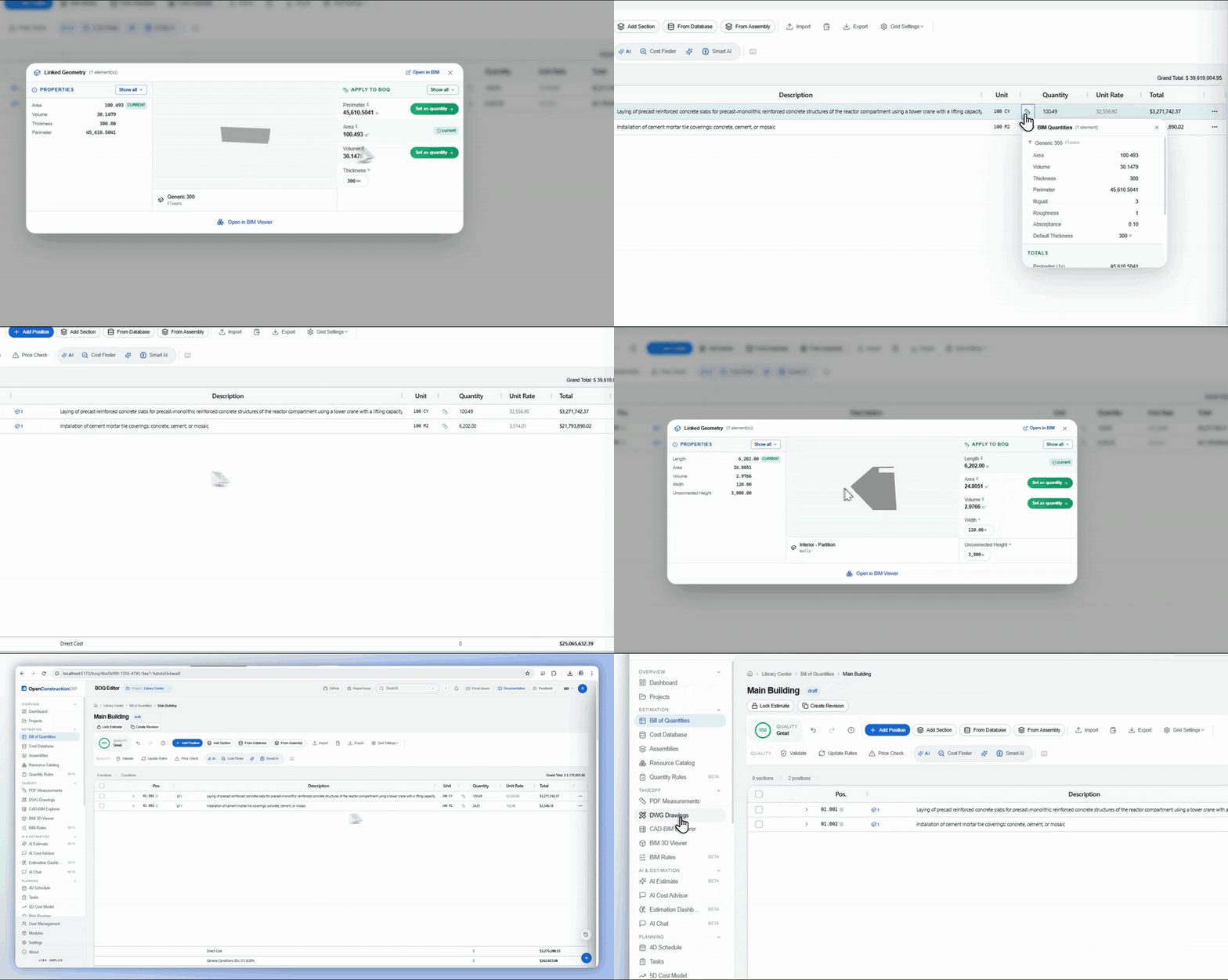
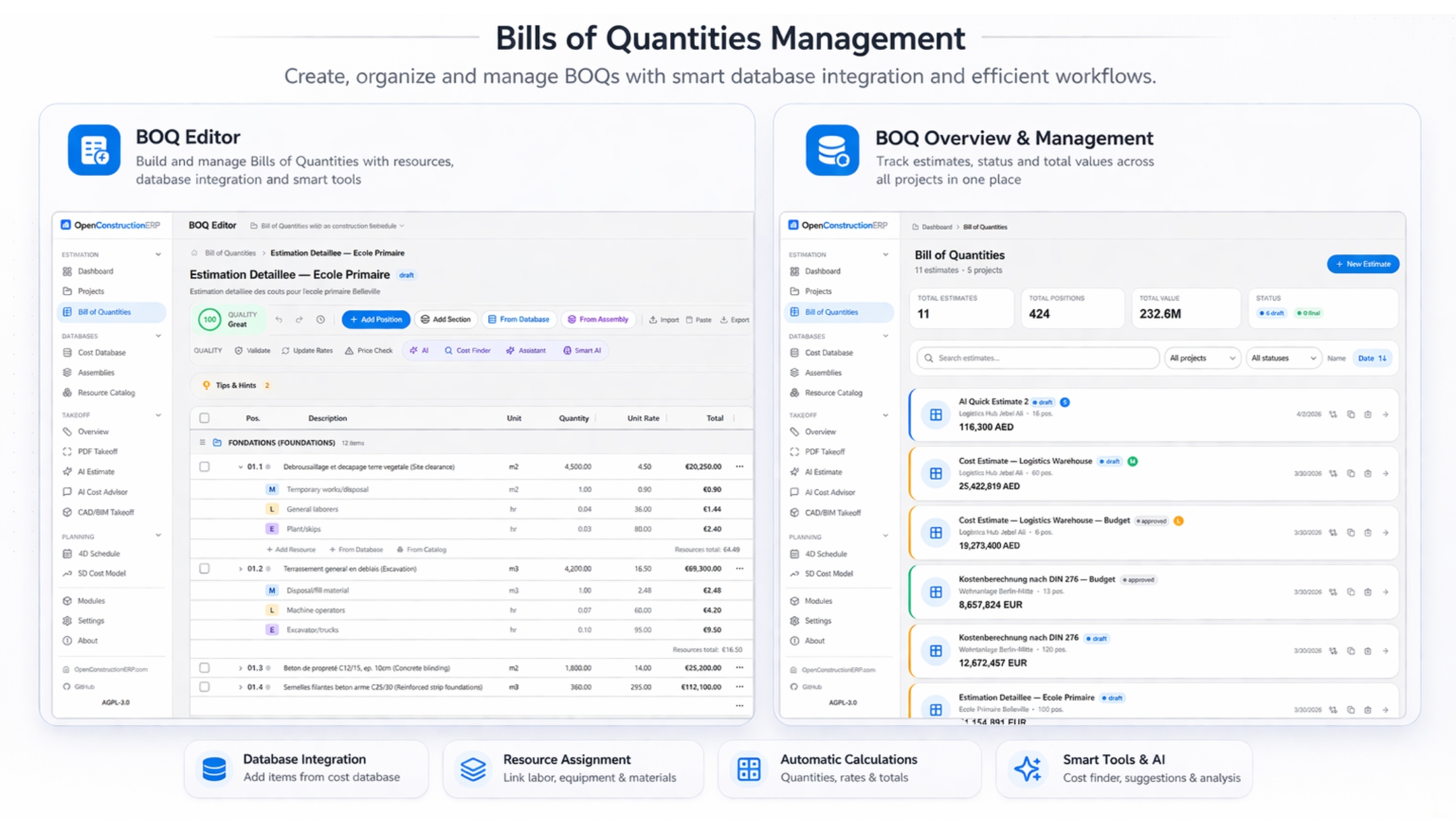
Work quantity sheet editor and rate binding
The estimating editor is designed with keyboard-centric work in mind. Tables are built on AG Grid, so when you change a single cell or markup, the entire hierarchy recalculates instantly.
The system itself evaluates the quality of the work quantity sheet according to 42 validation rules. Found an unfilled price, empty unit of measurement, or duplicate line item — you get a warning.
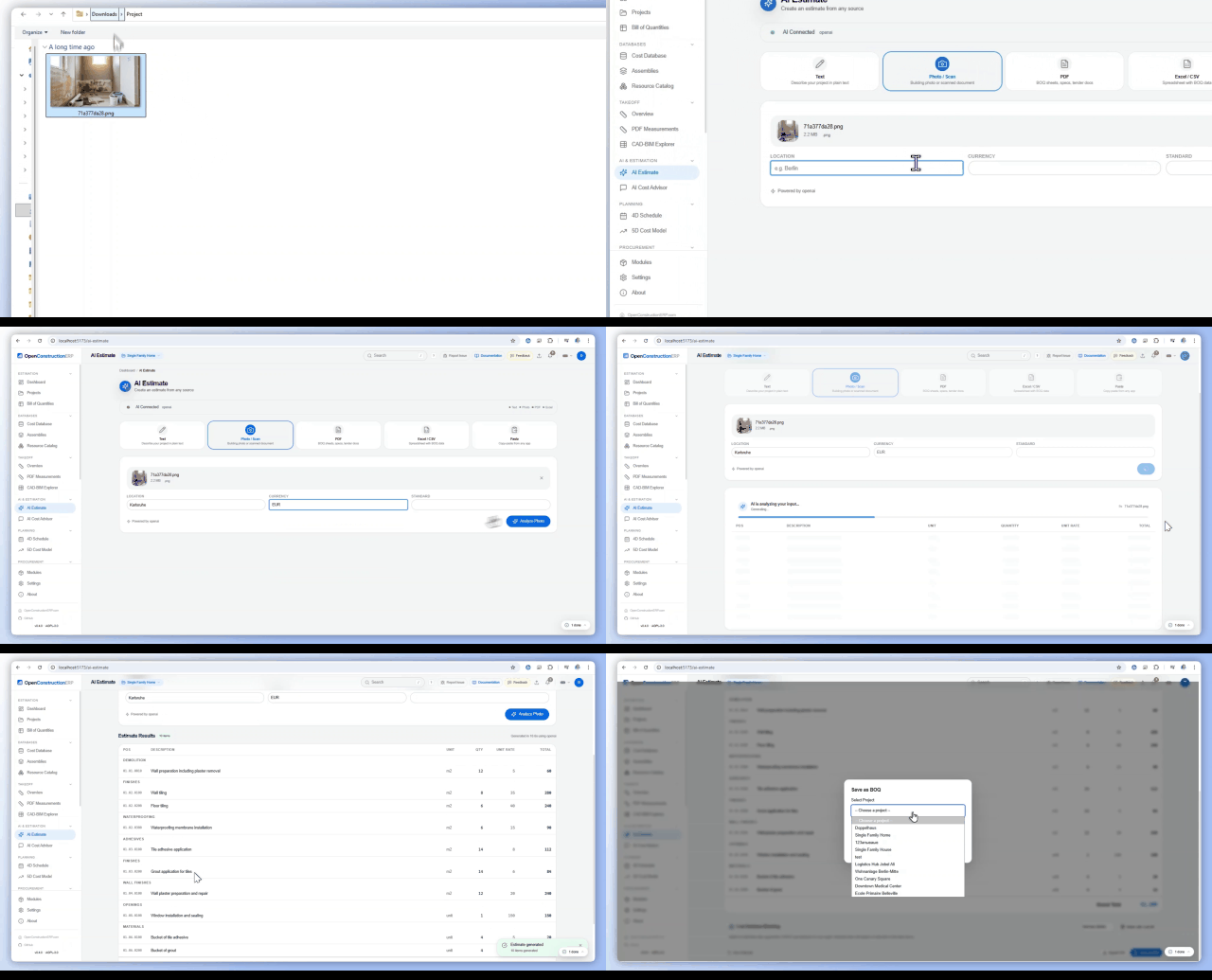
Incorporating neural networks
The developers didn't reinvent AI from scratch. Instead, they created a layer for connecting any providers via API — whether Claude, OpenAI, Gemini, or DeepSeek.
Models are used for two tasks:
- Searching the rate database. A query like "concrete wall" will find reinforced partition C30/37 in the catalog, understanding the meaning rather than just matching letters.
- Drafting an estimate from a construction site photo or specification text.
Interactive globe and field control
Projects can be linked to real geodetic coordinates. Through the built-in 3D globe based on Cesium, the site plan opens showing all buildings, apartment sales statuses, observation cards, and safety incidents.
How it works under the hood
The system architecture combines a classic Python stack with modern frontend.
- Backend: FastAPI on Python 3.12. Modules are loaded automatically at startup.
- Frontend: React 18, TypeScript, Vite, and Tailwind CSS. The interface is translated into 29 languages.
- Database: PostgreSQL 16. When running locally, the system automatically starts an embedded database without needing to configure separate services.
- Search: LanceDB vector database for semantic embedding-based search of matching rates.
Deploying the project on a local machine can be done with literally one line in the terminal:
pip install --upgrade openconstructionerp
openconstructionerp
This command downloads a single package that contains both the FastAPI server and the bundled React frontend. After startup, the ready application opens in the browser at localhost:8080.
For those who want to dig into the source code, there's a familiar workflow:
git clone https://github.com/datadrivenconstruction/OpenConstructionERP.git
cd OpenConstructionERP

# Ставим бэкенд и фронтенд
pip install -e ./backend[server]
cd frontend && npm install && cd ..

# Запускаем в режиме разработки
make dev
Where this comes in handy
The platform will find use wherever there's a need to move away from scattered Excel spreadsheets and expensive subscriptions.
First, it's a good starting point for developers and general contractors who want to deploy an internal construction project management portal under their own control.
Second, the project is useful for development teams building software for construction. Instead of writing BIM parsers, drawing viewers, and calculation tables from scratch, you can take OpenConstructionERP as a foundation and write the needed modules on top.
Keep in mind the contribution nuance. For security reasons, the repository creators don't merge external pull requests directly. If you find a bug or suggest a feature, the authors will rewrite the implementation themselves in their environment. The code is fully open under AGPL-3.0, and a commercial license is sold separately.
Wrapping up
OpenConstructionERP gives the impression of a mature engineering tool. The project solves a real pain point of the industry — data fragmentation between designers, estimators, and the construction site. Quick startup via pip and no hard dependency on foreign clouds make it an excellent candidate for exploration.
Related projects