How to Connect AI Agents to the Frontend Without Reinventing the Wheel
If you've ever tried to hook up an agent built with LangGraph or CrewAI to a web application, you probably remember this chain of actions. First, you send a request to the LLM. Then you set up token streaming via Server-Sent Events or WebSockets. Next, the agent decides to call a tool, and you need to display a nice progress bar in the interface or ask the user for permission. In the end, half of your codebase turns into a mess of websocket events, custom generators, and JSON parsers.
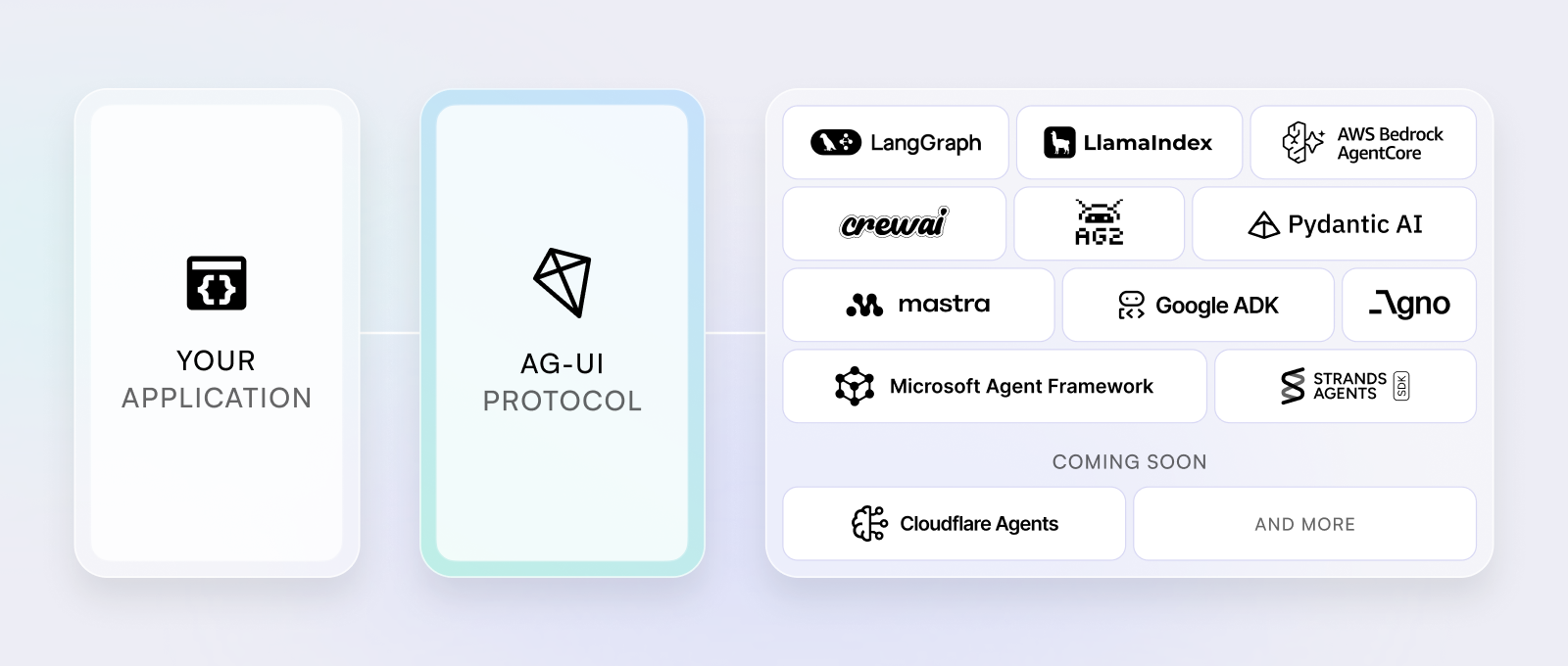
The CopilotKit team, along with the authors of popular frameworks, decided to put an end to this. They released AG-UI (Agent-User Interaction Protocol) — an open, event-driven protocol for connecting web interfaces with AI agent backends.
Where AG-UI Fits in Modern Architecture
The architecture of AI-powered applications is gradually breaking into standards. A clear separation of responsibilities is now emerging:
- MCP (Model Context Protocol) gives the agent access to databases, APIs, and internal tools.
- A2A (Agent-to-Agent) handles dialogue and coordination between agents.
- AG-UI connects the agent's work to the user interface.
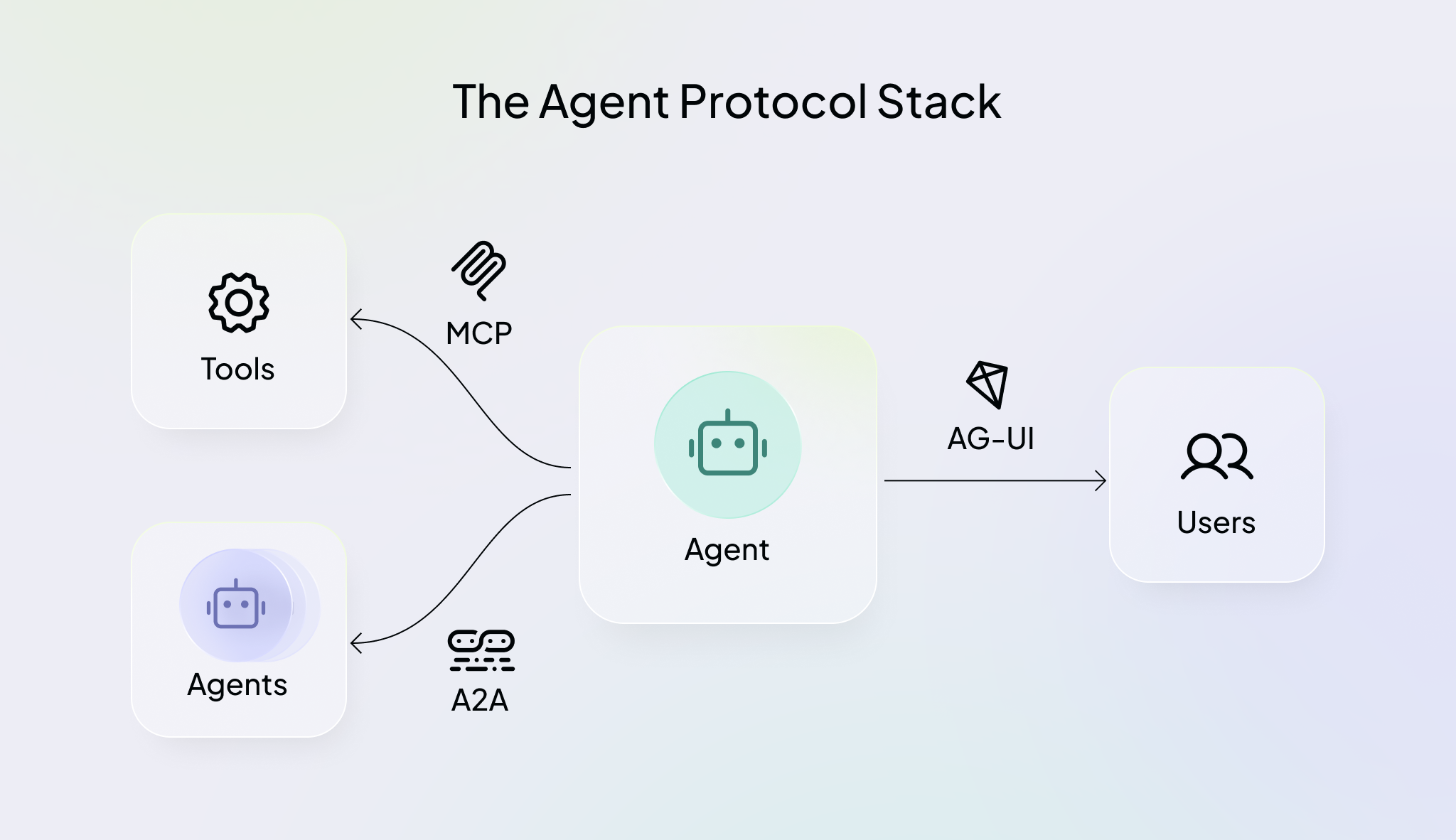
This creates an end-to-end flow. The agent fetches data via MCP, communicates with neighboring services via A2A, and delivers the result and execution process to the browser via AG-UI.
What's Inside the Protocol
The foundation is event subscription. The agent backend generates events from 16 standard types, and the client interface reacts to them. The transport can be anything: SSE, WebSockets, or regular HTTP webhooks.
The protocol includes several core capabilities.
State synchronization works both ways. If the agent changes its state during execution, the updates instantly reach the frontend. If the user modifies something in the UI, the updated state goes back to the agent.
Generative UI solves the problem of dry text responses. The agent sends structured data that the frontend transforms into familiar React components: charts, tables, input forms.
Human-in-the-loop scenarios are supported out of the box. The agent pauses execution and waits for the user to click a button in the interface or confirm a critical action.
Frontend tools work in direct contact with the backend. The agent calls functions directly on the client, for example, to request geolocation or switch a tab in the interface.
Supported Frameworks and Client SDKs
The main advantage of AG-UI is that you won't have to write integration from scratch. Developers have already prepared ready-made connectors for most frameworks.
Backend support includes:
- LangGraph and CrewAI
- Microsoft Agent Framework and Google ADK
- Pydantic AI, LlamaIndex, Agno, and AG2
- Claude Agent SDK
For writing clients, there are SDKs in popular languages: Kotlin, Go, Dart, Java, Rust, C++, and Python. And the CopilotKit library provides ready-to-use UI components for React out of the box.
How to Try It in Practice
You can create a test application with a single terminal command:
npx create-ag-ui-app my-agent-app
This command will spin up a ready-made project with a configured frontend and agent setup.
AG-UI Dojo deserves special attention. It's a collection of minimalist code examples ranging from 50 to 200 lines. There you'll find implementations of specific interaction patterns: from shared state to step-by-step streaming of the agent's thought process.
Who This Tool Is For
If you're building a simple text chatbot, AG-UI will be overkill. Standard solutions are enough for regular text streaming.
The protocol shines where agents actively interact with the interface: modifying forms, requiring user confirmation, rendering widgets, and using browser APIs. In such projects, AG-UI saves weeks of work on writing transport protocols.
Related projects