How to Deploy Any Open-Source AI Model with OpenAI API in One Command
When an OpenAI project grows, the question of privacy or cost savings almost always arises. You want to deploy a local Llama 3 or Qwen, but then the infrastructure headache begins. You have to configure vLLM, write a FastAPI wrapper, implement streaming response, ensure format compatibility, and somehow wrap everything in Docker.
The BentoML team packaged this routine into the OpenLLM utility. Essentially, it's a tool that takes an open model from the catalog and launches a full-fledged server with OpenAI-format endpoints via a single console command.
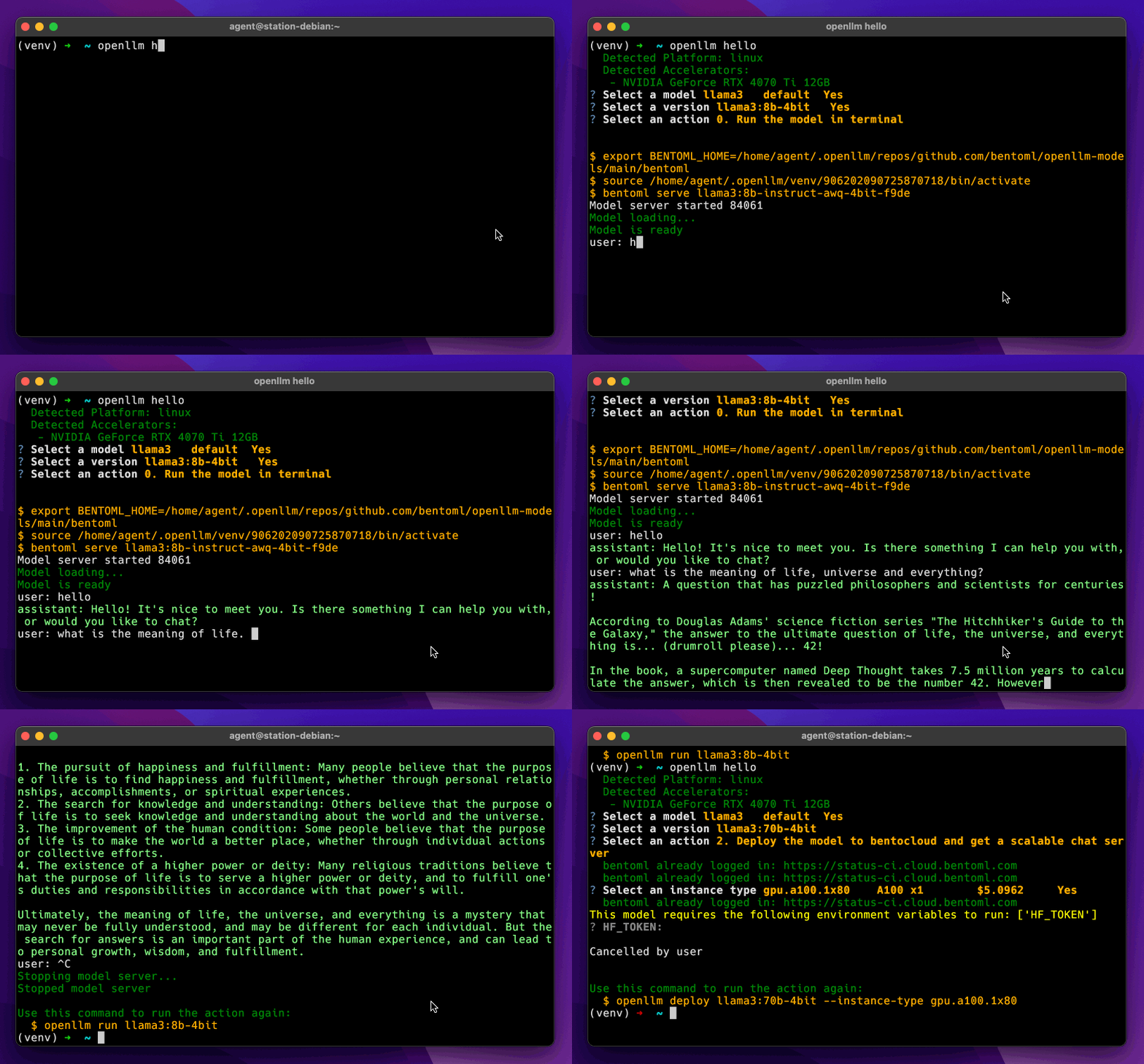
What's under the hood and why you need it
OpenLLM doesn't invent its own inference engine from scratch. The developers took proven solutions and assembled them into a ready-made stack:
- vLLM with optimized memory paging is used as the inference backend.
- The uv utility from Astral handles package management and fast dependency loading.
- The model is packaged according to BentoML standards, so the server is immediately ready for deployment to Kubernetes or the cloud.
- For quick manual testing, a lightweight web interface chatgpt- lite is built in.
The main advantage of this approach is that you don't need to rewrite client code. If your application already works with the standard library in Python, TypeScript, or Go, you just need to change the base URL and pass a dummy API key.
Quick start and local launch
OpenLLM installs via standard pip. For basic verification, there's an interactive greeting command:
pip install openllm
openllm hello
To launch a specific model, use the command. For example, for Llama 3.2:
# Для закрытых моделей Meta нужен токен Hugging Face
export HF_TOKEN=hf_your_token_here

openllm serve llama3.2:1b
After executing the command, a server starts on port 3000. You can immediately connect to it using the official OpenAI client:
from openai import OpenAI

client = OpenAI(
    base_url="http://localhost:3000/v1",
    api_key="na"
)

chat_completion = client.chat.completions.create(
    model="meta-llama/Llama-3.2-1B-Instruct",
    messages=[
        {
            "role": "user",
            "content": "Объясни квантовую запутанность простыми словами"
        }
    ],
    stream=True,
)

for chunk in chat_completion:
    print(chunk.choices[0].delta.content or "", end="")
Beyond the Python SDK, the server connects without issues to libraries like LlamaIndex or LangChain. Just pass .
Built-in web interface and terminal operation
If you don't feel like writing code yet and just need to check the quality of model responses on specific prompts, OpenLLM has a built-in UI. After starting the server, it's available at .
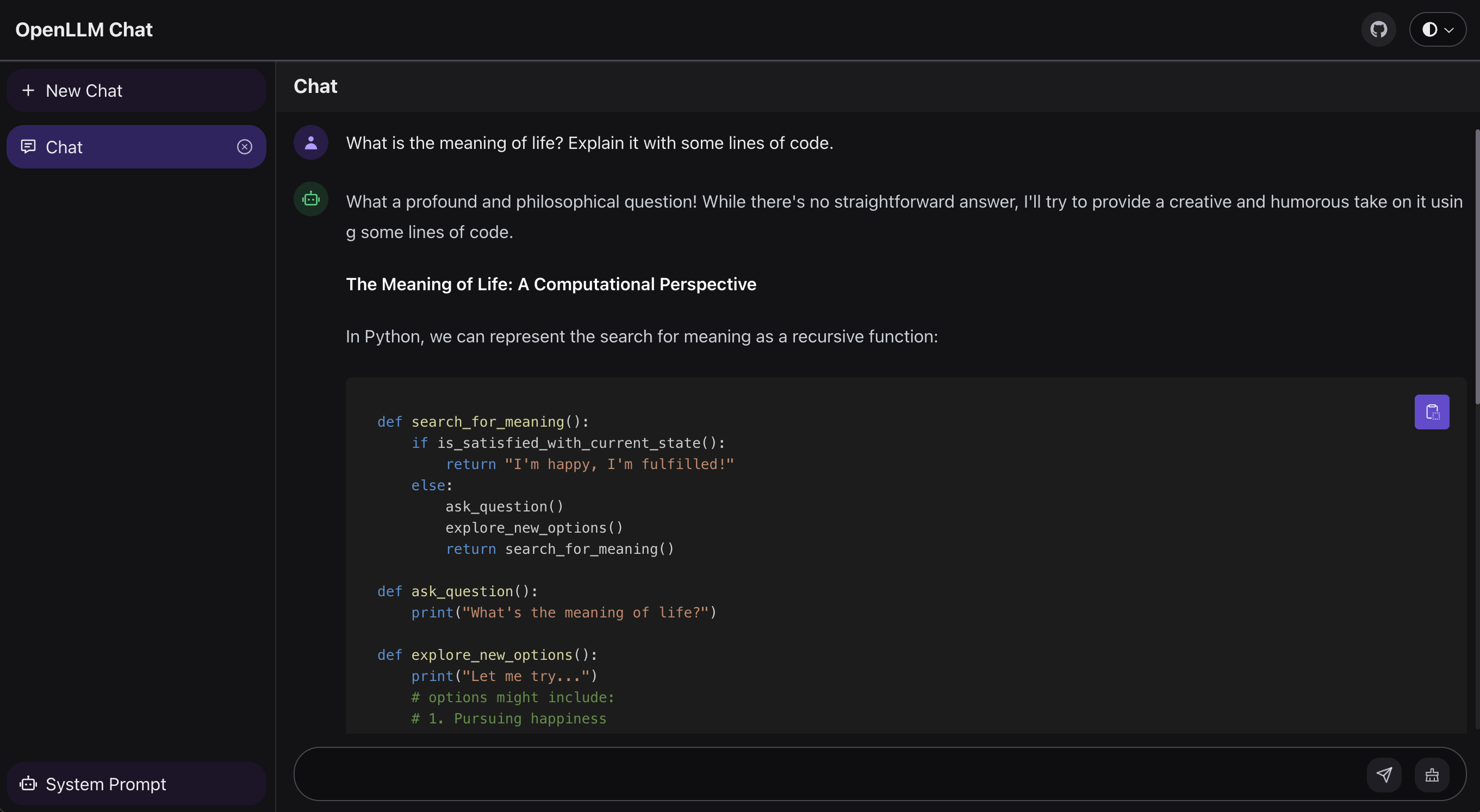
The interface is minimalist, with no extra settings. Open a tab in your browser, enter text, evaluate the streaming speed and generation.
For those who prefer to never leave the terminal, there's a direct chat command:
openllm run llama3:8b
It immediately opens an interactive session for communicating with the model right in the console.
Supported models and hardware requirements
OpenLLM supports a decent list of models, from small local networks to massive cluster variants:
- DeepSeek (up to r1-671b, which will require 16 cards with 80 GB each)
- The Llama family (versions 3.1, 3.2, 3.3 and experimental builds)
- Qwen 2.5 and Qwen 2.5 Coder
- Gemma 2 and Gemma 3
- Mistral 8B and Mistral Large
- Phi-4
You can view the entire catalog with the command:
openllm model list
If weights have been updated or new releases have been added to the central repository, the list syncs via . You can also connect your own repository with specific fine-tunes packaged in BentoML format.
Moving to production
Local launch is great for experiments, but in production the server must scale under load. Since the project is made by the BentoML authors, there's direct integration with their infrastructure.
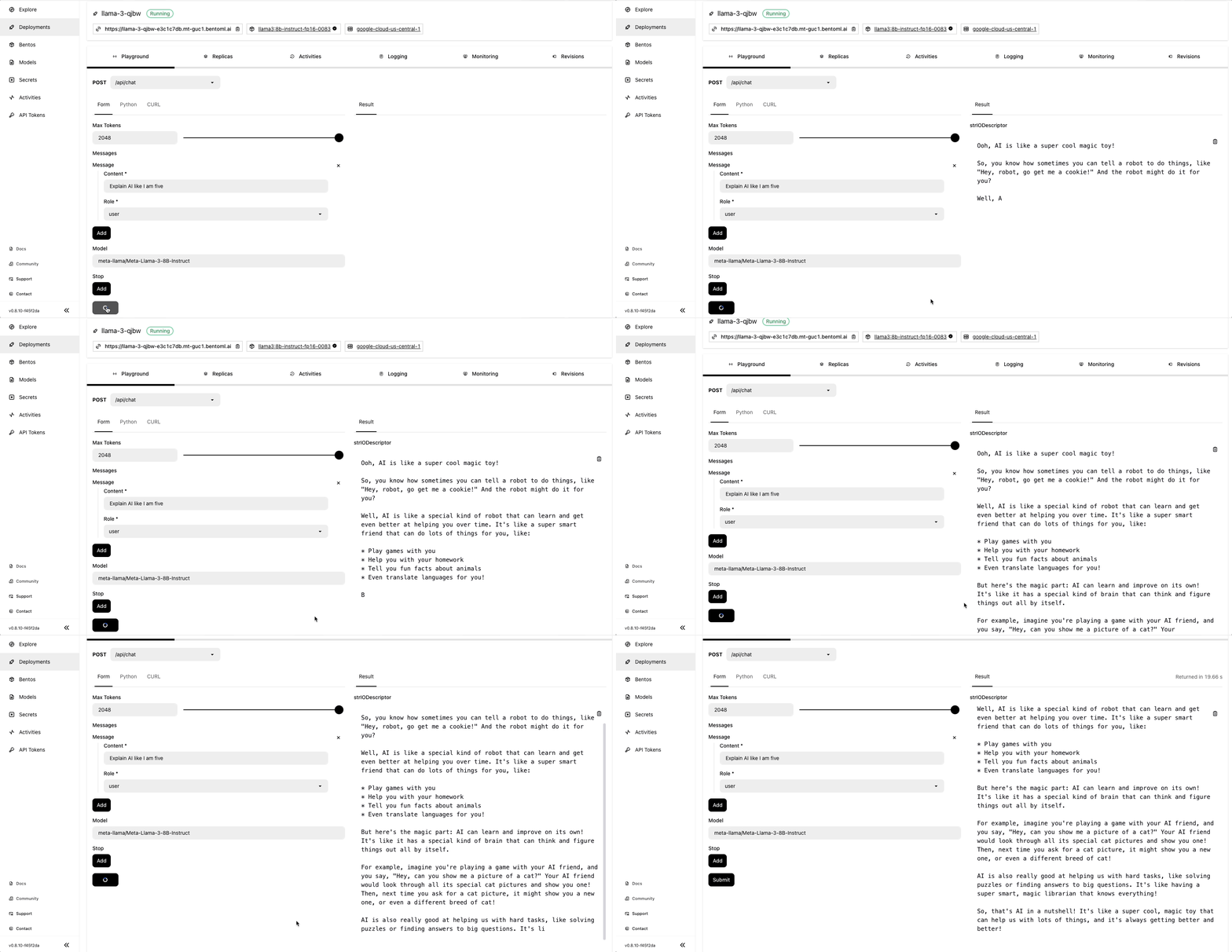
Deployment to BentoCloud is done in literally one line:
openllm deploy llama3.2:1b --env HF_TOKEN
This deploys a ready-made service with auto-scaling based on request count, metrics, and latency monitoring without dealing with raw Kubernetes manifests.
Nuances and limitations
When working with OpenLLM, you should keep a few things in mind:
- VRAM appetite. Since vLLM with pre-allocated memory for the KV-cache runs under the hood, even small 1-3B parameter models may require around 12-24 GB of VRAM in the default configuration. You won't be able to run heavy networks on a regular laptop without a discrete GPU.
- Hugging Face tokens. OpenLLM doesn't store the weights itself, but downloads them from the hub. For models with closed licenses (Meta Llama, Mistral), you need to get access on Hugging Face in advance and pass the environment variable.
- Public repositories. Currently, adding custom model catalogs is only supported for public Git repositories.
Who will find this useful
OpenLLM bridges the gap between home utilities like Ollama and complex enterprise frameworks. If you need a quick self-hosted backend with OpenAI interface for integration into an existing pipeline, a service based on BentoML and vLLM can be assembled in a matter of minutes.
You can try the project on any machine with a suitable NVIDIA GPU, starting with compact Gemma 2B or Llama 3.2 1B.
Related projects