How to Confuse Vulnerability Scanners with Krawl
If you open the logs of any public web server, you'll almost certainly find a constant stream of garbage: endless searches for /wp-login.php, /.env, /.git/HEAD or old versions of phpMyAdmin. Scanners and parsers hunt for easy prey around the clock. Usually, we just block access through NGINX or cut them off with WAF rules. But there's another approach: instead of fighting back, feed the enemy's automation top-notch disinformation while draining the attacker's resources.
Recently I came across the Krawl project. It's a specialized deception server that pretends to be a vulnerable web application, feeds bots endless trap pages, and can even generate realistic HTML on the fly using language models.

What this trap can do
The main goal of Krawl is simple: look attractive to automated scanners, log their behavior, and drag them into a dead end.
Here's what it uses internally:
- Infinite link webs (Spider Traps). The project generates pages with random links to each other, forcing parsers to walk in circles and waste traffic.
- Fake admin panels and configuration files. Krawl responds to requests for popular paths like WordPress, phpMyAdmin, or login panels, collecting entered passwords.
- Page generation via neural networks. If a scanner hits an unknown address, Krawl can query OpenRouter or OpenAI to quickly render contextual HTML with a vulnerability.
- Traps in robots.txt. The server declares forbidden paths that bots immediately start checking first, revealing their intentions.
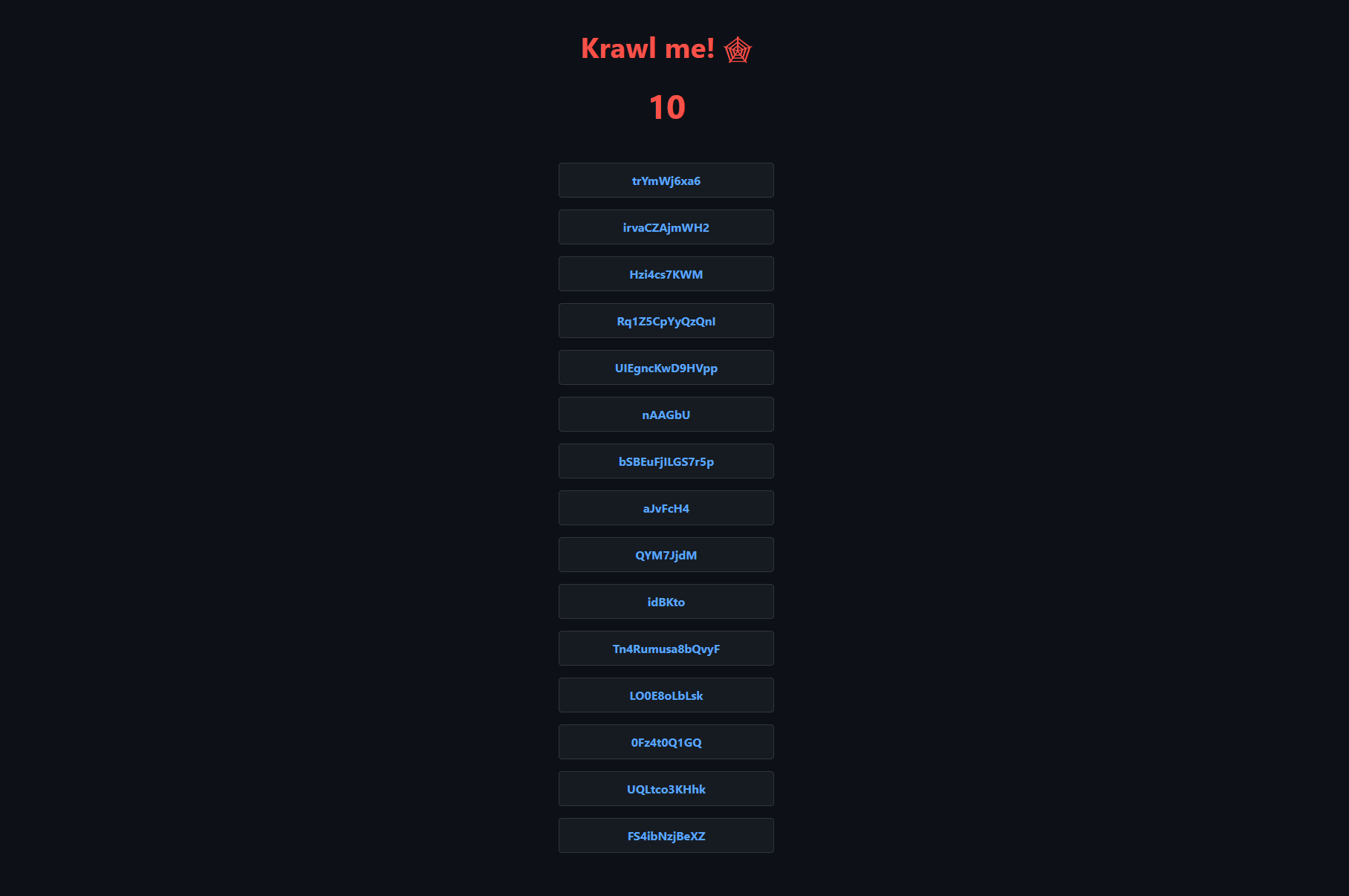
Additionally, the server can inject canary tokens from CanaryTokens. If an attacker tries to use a found fake API key in an external system, you'll immediately receive a notification.
How Krawl calculates IP reputation
Catching bots isn't enough—you need to understand who's actually knocking on your door. Krawl analyzes each incoming IP address's activity in the background across several criteria.
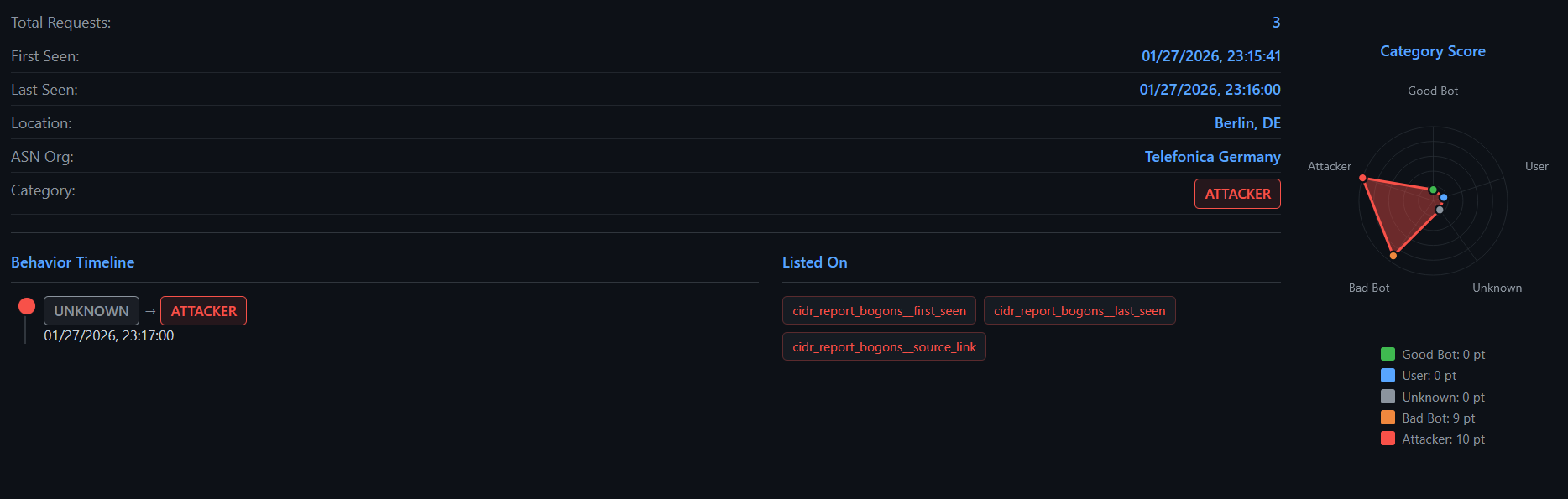
The system evaluates the frequency of risky HTTP methods, visits to paths from robots.txt, request timing, and matches against SQLi or XSS signatures. In the end, the address receives a label: attacker, bad crawler, legitimate search engine, or regular user.
If export is enabled, you can fetch the data directly via API for your network filters:
curl "https://krawl.local/<SECRET_PATH>/api/export-ips?categories=attacker&fwtype=iptables"
The endpoint delivers ready-made rules for iptables, nftables, RouterOS, or blocklists for OPNsense and pfSense.
Monitoring dashboard
There's a web interface for observing what's happening. To prevent bots from accidentally finding the honeypot's own admin panel, it's hidden behind a dynamic secret path (KRAWL_DASHBOARD_SECRET_PATH) and password.
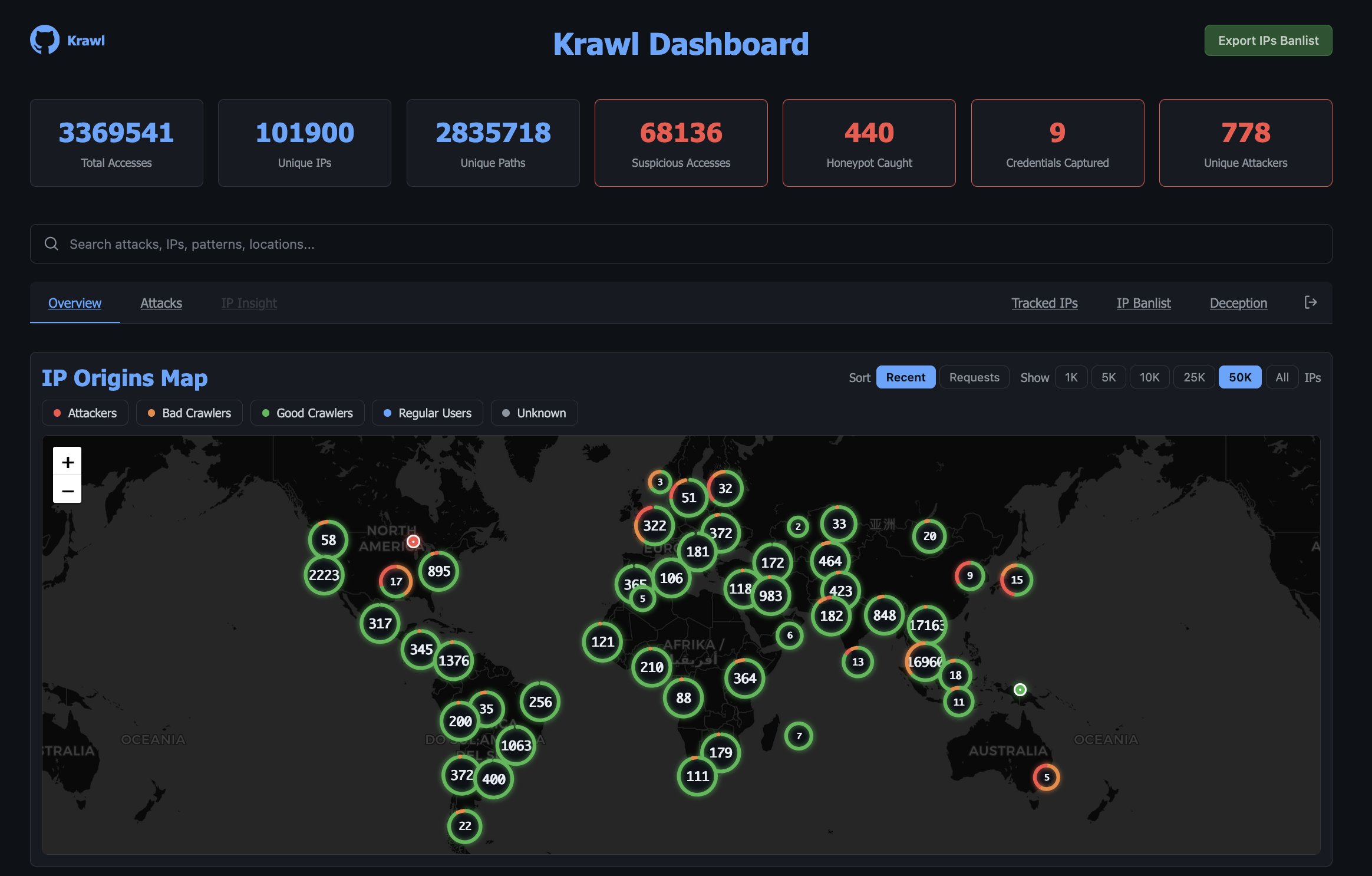
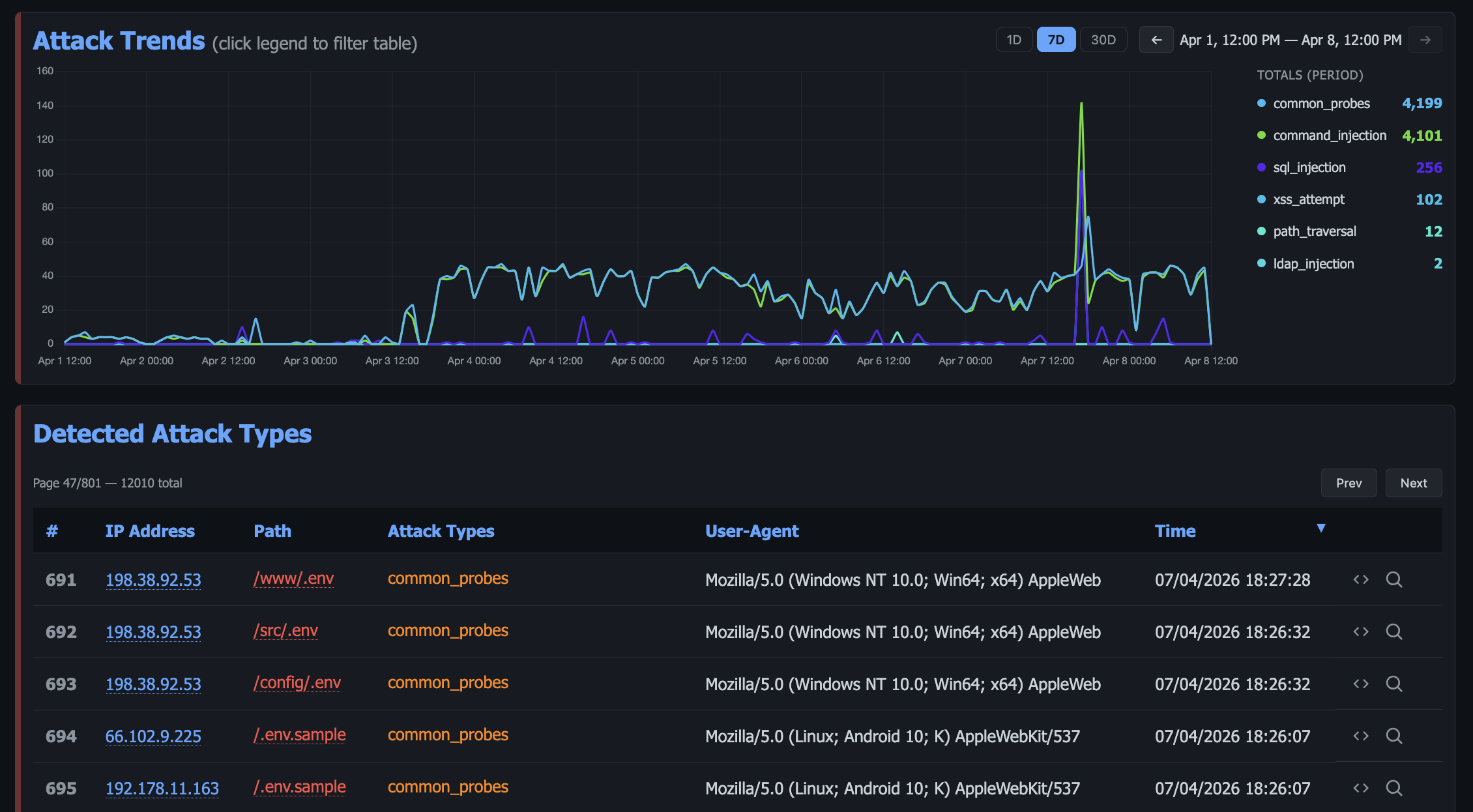
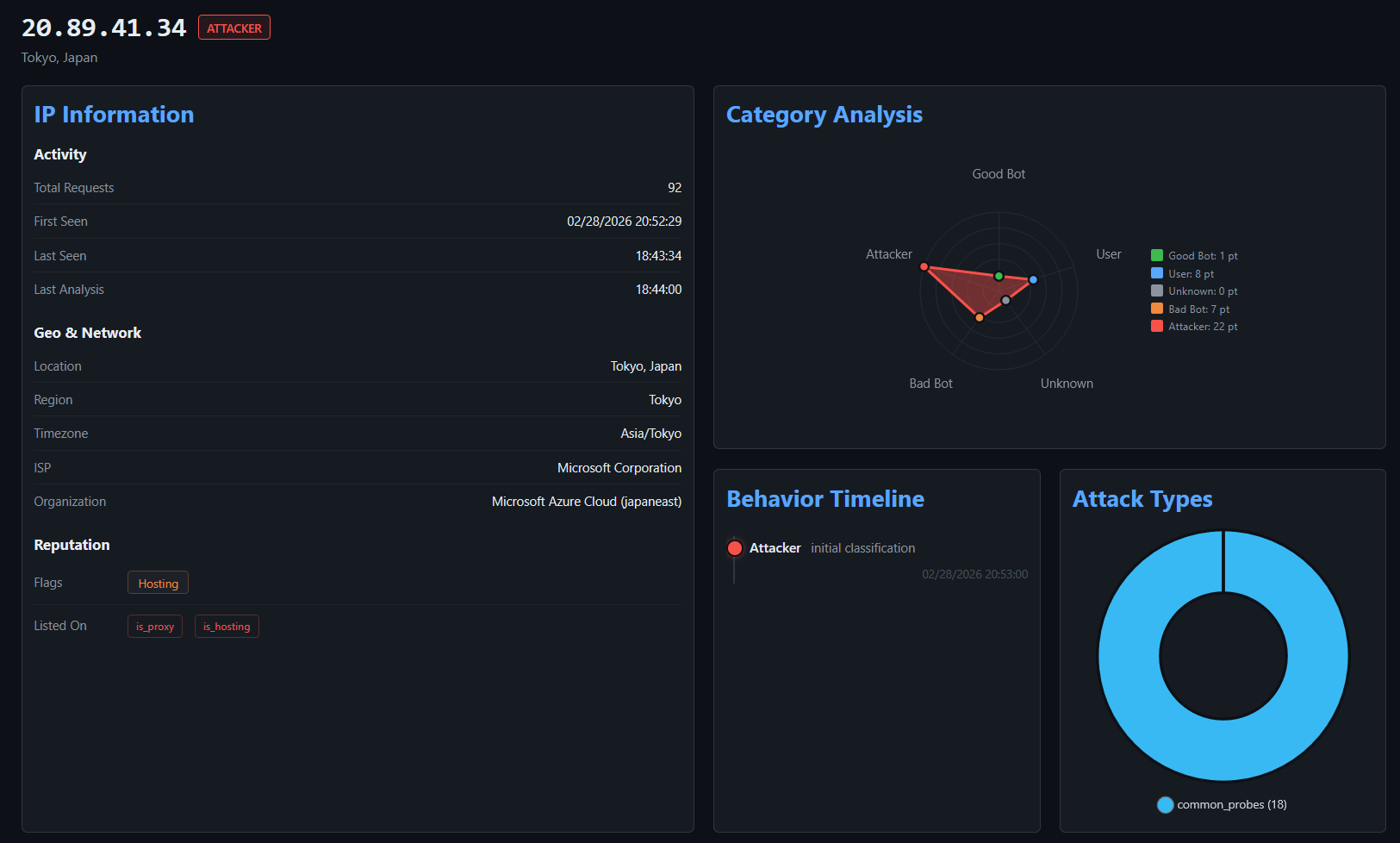
Inside, you can see the geography of attacks, a breakdown of payload types, and a detailed dossier on each suspicious address with request history and timeline.
Two operating modes
The developers created two configurations:
- Standalone. Runs in a single container, stores data in SQLite in WAL mode, and keeps the cache right in the Python process memory. A good option for pet projects and small VPSes where traffic doesn't exceed a few hundred thousand requests.
- Scalable. This one brings in PostgreSQL and Redis. This mode is needed when you want to horizontally scale Krawl instances behind a load balancer or deploy the project in Kubernetes via the official Helm chart.
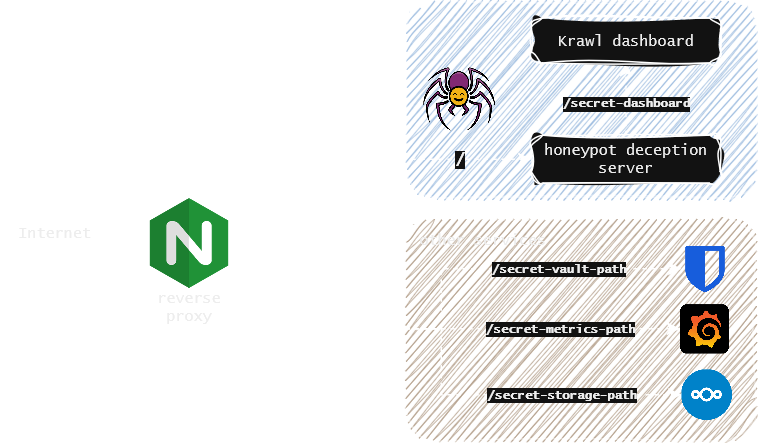
The typical usage pattern comes down to placing Krawl alongside your main application behind NGINX or Traefik. All suspicious traffic or requests to non-existent system paths get proxied to the honeypot.
Quick start
The easiest way to try the project locally is to run a Docker container in Standalone mode:
docker run -d \
  -p 5000:5000 \
  -e KRAWL_DASHBOARD_SECRET_PATH="/my-secret-dashboard" \
  -e KRAWL_DASHBOARD_PASSWORD="admin-secret-password" \
  -v krawl-data:/app/data \
  --name krawl \
  ghcr.io/blessedrebus/krawl:latest
If you're planning to configure AI-powered page generation, just add environment variables to docker-compose.yml:
services:
  krawl:
    image: ghcr.io/blessedrebus/krawl:latest
    container_name: krawl-server
    ports:
      - "5000:5000"
    environment:
      - KRAWL_MODE=standalone
      - KRAWL_DASHBOARD_SECRET_PATH=/secret-dashboard
      - KRAWL_DASHBOARD_PASSWORD=super-safe-password
      - KRAWL_AI_ENABLED=true
      - KRAWL_AI_PROVIDER=openrouter
      - KRAWL_AI_API_KEY=your_openrouter_key
      - KRAWL_AI_MODEL=nvidia/nemotron-3-super-120b-a12b:free
    volumes:
      - krawl-data:/app/data
    restart: unless-stopped

volumes:
  krawl-data:
What this will be useful for
Krawl is unlikely to replace a full WAF on a high-traffic project, but it has a different niche. It's an excellent tool for blue teams, homelabs, and those who want to study real attack patterns on their services.
Instead of blindly rejecting requests with a 404, you turn scanning into a trap, collect a database of malicious IPs, and feed it to your firewalls. You can start experimenting with a regular Docker container on a separate subdomain or test server.
Related projects